Zoho Projects: Run Timesheets and Client Billing with CRM
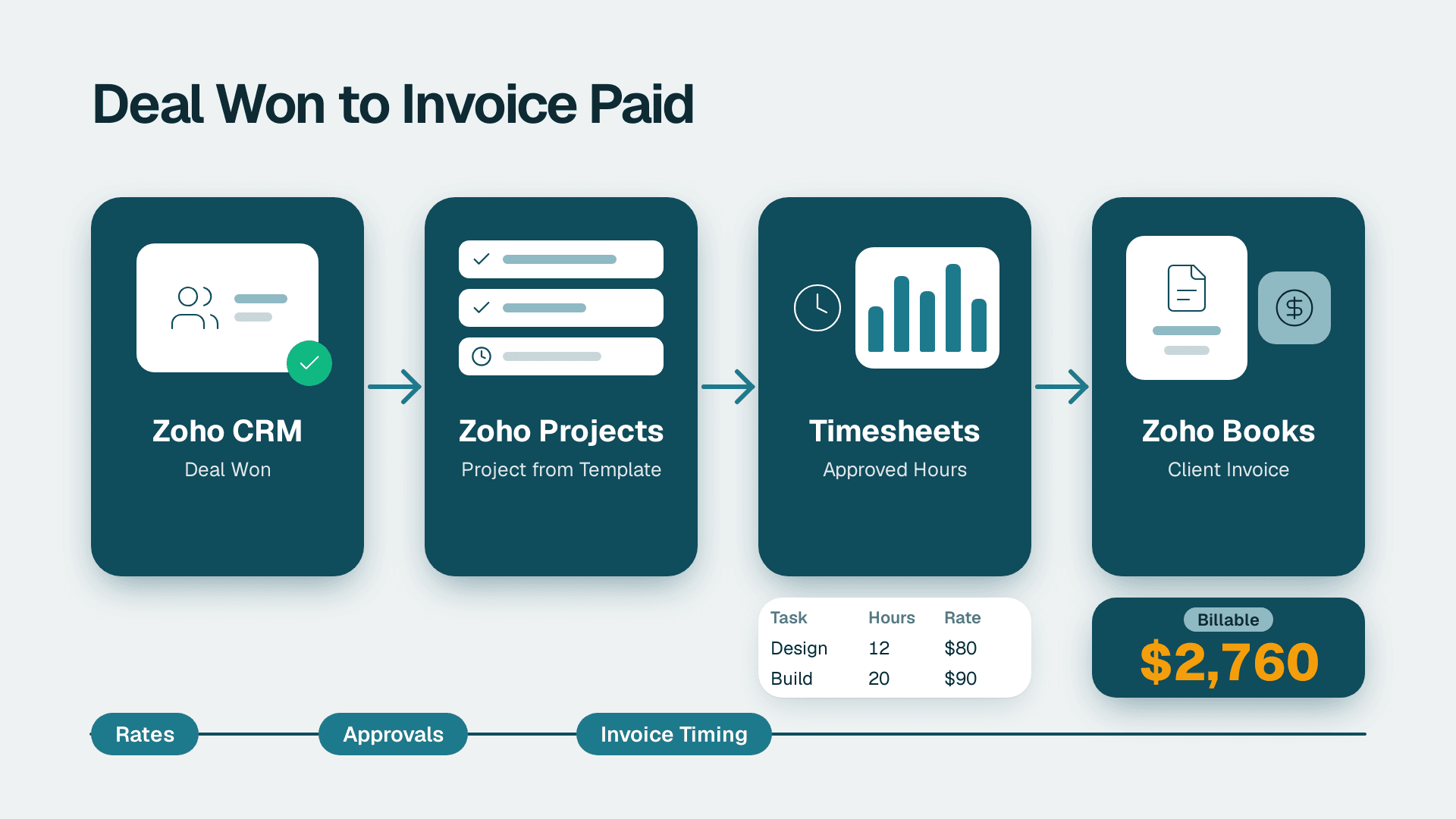
Zoho Projects runs delivery work, timesheets and client billing in one place when it is connected to Zoho CRM and Zoho Books. CRM hands over won deals as projects, the team logs billable hours against tasks, and finance turns approved time into invoices. The connection works best when you define rules for rates, approvals and invoice timing before you go live.
Key Takeaways
- Zoho Projects covers planning, tasks, time tracking, budgets and reporting, and it becomes far more useful once CRM and Books feed it.
- The cleanest flow is deal won in CRM, project created from a template, hours logged in Projects, invoice raised through the finance side.
- Billable and non-billable time must be separated at the task level, or invoices will not match what the client agreed to.
- Plan prices are low per user, but sources disagree on free-plan limits, so confirm them on the vendor page before you commit.
- Most failed setups come from missing rules (rates, approvals, ownership), not from missing features.
What is Zoho Projects and what does it do for ops and delivery teams?
Zoho Projects is a cloud project management application that lets teams plan work, assign tasks, track time and report on progress. For an ops or delivery lead, its value is that the project record sits next to the sales and finance records instead of in a separate spreadsheet.
According to the Zoho Projects product page (2026), the key features are task management (Gantt charts, task lists and Kanban boards), time tracking, collaboration tools, resource management, budget and cost management, reporting and analytics, automation, document management, issue tracking and integrations. That list matters because a services business needs most of it at once: a plan, a person on each task, an hour count and a budget to compare against.
The Gantt view is where delivery leads usually start. Zoho describes it as the place to build the project plan, track task schedules, flag critical tasks and their dependencies, and show deviations between planned and actual progress. For a team running ten client engagements at once, that deviation view is the early warning that a project is slipping before the client asks about it.
Customisation is the other reason ops teams choose it. Zoho says users can create personalised fields, modules, statuses and workflows to track industry-specific work metrics. A consulting team can add a field for contract type, a construction contractor can add a phase status, and a marketing agency can add an approval stage.
If your team is weighing how much of this to configure yourselves, a Zoho consulting services engagement is the usual route for mapping the project, CRM and finance flow in one pass instead of three separate setups.
Zoho's enterprise project management page names four industry groupings for the product: IT and Development, Manufacturing and Construction, Marketing and Creative, and Billing and Finance. The groupings are a useful reminder that the tool is built to be shaped, not used out of the box.
What are the major products of Zoho, and where does Zoho Projects fit?
Zoho sells a broad suite of business applications, and the ones this article touches are CRM for sales, Books for accounting, Creator for custom apps, Desk for support and Projects for delivery. Zoho Projects is the operational layer between a signed deal and a paid invoice.
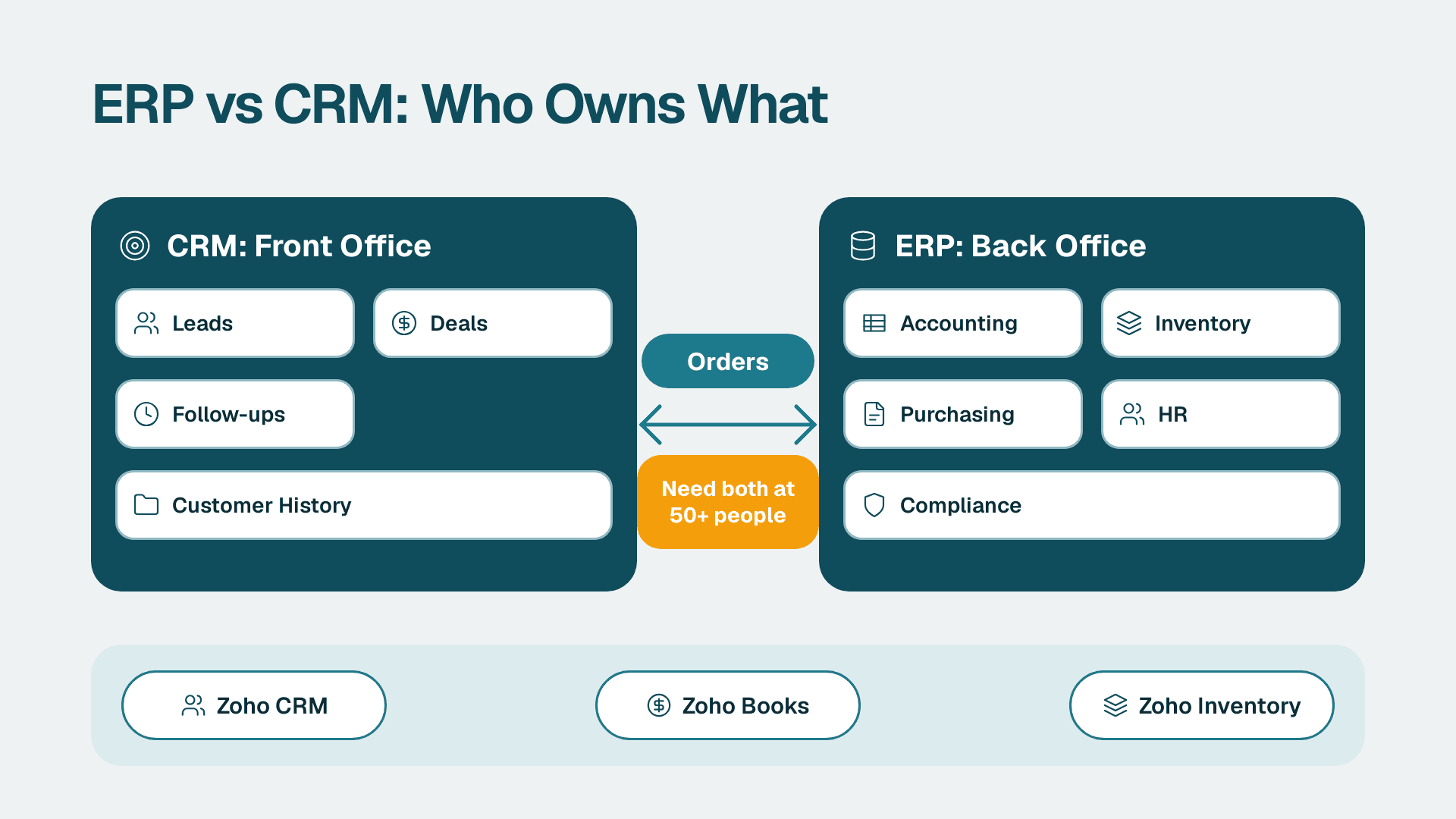
Thinking in terms of a chain helps. CRM owns the customer and the deal. Projects owns the work and the hours. Books owns the invoice, the tax treatment and the payment. Desk owns what happens after delivery, when the client raises a request. When the chain is connected, nobody retypes a client name or a contract value, and the data a finance lead sees matches what the delivery lead sees.
If you are still deciding whether the whole suite is worth adopting, the pillar guide What Is Zoho One and Is It Worth It for Small Business? covers the bundle decision. For this article, assume you already use or plan to use several of the apps.
The table below shows who owns what in a connected setup.
| Stage | Zoho app | Record it owns | Typical owner |
|---|---|---|---|
| Win the work | CRM | Account, contact, deal, contract value | Sales lead |
| Plan and deliver | Projects | Project, tasks, milestones, timesheets | Delivery lead |
| Bill and collect | Books | Invoice, payment, tax, aging | Finance lead |
| Support after go-live | Desk | Tickets, SLAs | Support lead |
| Fill gaps | Creator | Custom intake or approval apps | Ops lead |
The point of the table is ownership. If two teams edit the same field, the data drifts. Decide which app is the source of truth for each record before you build any automation.
How do you connect Zoho Projects to CRM so won deals become projects?
The cleanest pattern is to trigger project creation from a deal stage change in CRM, using a project template so every engagement starts with the same phases, tasks and roles. This removes the handover meeting where sales tells delivery what was sold.
A workable design has four steps.
Step 1: Standardise what a won deal must contain
Before you automate anything, list the fields delivery needs on day one: client name, scope summary, start date, contract type (fixed price or time and materials), agreed rate or budget, and the named delivery owner. Make these required when a deal moves to the won stage. If sales cannot fill them in, the project will start with gaps that cost days later.
Step 2: Build templates per service line
Create one project template for each type of work you sell, for example an onboarding project, a build project and a retainer. Templates hold the task list, the phases and the default roles. Keep them short. A template with 120 tasks gets ignored, while one with 20 well-named tasks gets used.
Step 3: Trigger project creation from the deal stage
Use the integration or an automation to create the project when the deal reaches the won stage, and write the project ID back to the CRM deal so anyone in sales can see delivery status. Zoho's drag-and-drop automation interface is designed for building workflow automations without code, and for cross-app logic the Zoho Flow automation guide explains what can be connected and where the limits sit.
Step 4: Capture intake data cleanly
If clients submit requirements through a form, route it into CRM first and let the deal carry it forward. The article on building Zoho Forms that feed CRM and Creator shows how to avoid duplicate records at that stage, which saves a lot of cleanup later.
A hypothetical example makes the value clear. Suppose a US professional services firm with a 40-person delivery team closes a fixed-price implementation. Without a connected flow, the project manager rebuilds the plan from an email thread. With a template and a trigger, the project exists with the right phases, the client contact and the budget, and the manager spends the first morning refining the plan rather than creating it.
How do timesheets work in Zoho Projects?
Zoho Projects timesheets log billable and non-billable hours, either manually or with timers, and the product page states that its built-in integration with Zoho Invoice automatically generates invoices from those timesheets. The billable flag is the control that decides what a client can be charged for.
Three habits decide whether timesheet data is trustworthy.
Log against tasks, not just projects. Hours logged at the project level tell you the total but not where the effort went. Task-level time lets you compare estimate and actual per phase, which is how you improve the next quote.
Set the billable default deliberately. If the default is billable, staff will forget to mark internal work as non-billable and clients will be overcharged. If the default is non-billable, revenue leaks. Pick the default that matches your dominant contract type and review exceptions weekly.
Approve time before it is invoiced. A weekly approval by the delivery lead catches typos (an eight logged as an eighty) and miscoded work before they reach a client invoice.
The table below compares how the main contract types should be handled.
| Contract type | What to track | Billable rule | Invoice trigger |
|---|---|---|---|
| Time and materials | Hours per task and per person | Billable hours at the agreed rate | Approved timesheets, usually monthly |
| Fixed price | Hours against the budget | Hours are tracked but not charged | Milestone completion |
| Retainer | Hours against the monthly allowance | Overage charged, allowance not | Month end |
| Internal or pre-sales | Hours for cost analysis | Non-billable | None |
Fixed-price work is where teams most often get surprised. The hours are not billed, but they still matter, because they tell you whether the project is profitable. Track them anyway and use the budget and cost management features to compare planned and actual effort.
Remote and hybrid teams across the US, UK, EU and Canada also need to think about time zones and working-time rules. A delivery team split between London and Toronto should agree on a cut-off for weekly timesheets so approvals do not stall over a time difference. Where employee time data is personal data, GDPR applies to UK and EU staff and PIPEDA to Canadian organisations, so limit who can see individual timesheets to those who need them.
For teams that also manage leave and attendance, the Zoho People guide explains how HR records relate to time data, which helps when you need to separate leave from utilisation.
How do you bill clients from Zoho Projects through Zoho Books?
Billing works best when approved timesheets or completed milestones become draft invoices that finance reviews, rather than invoices sent automatically. The delivery team owns the hours, finance owns the invoice, and a review step between them prevents disputes.
The product page confirms the built-in route to Zoho Invoice for generating invoices from timesheets. If your finance team runs on Zoho Books, treat the invoice flow as something to design and test deliberately: confirm in your own account how customers, tax settings and invoice numbering line up between the apps before you rely on it for live billing. The article on what Zoho Books does and what it costs covers the accounting side in more detail.
A sound billing routine looks like this.
1. Align customers. The client in CRM, the client in Projects and the customer in Books should be the same entity with the same name and, where relevant, the same tax ID. Mismatched names are the most common reason invoices land on the wrong account.
2. Fix rates in one place. Decide whether rates live on the project, the role or the person, and do not duplicate them elsewhere.
3. Review before sending. Finance checks each draft invoice against the approved timesheet and the contract.
4. Close the loop. When the invoice is paid, the status should be visible to the delivery and sales leads, so account managers know before they call a client about a new engagement.
Tax handling deserves attention. A UK business charging VAT, an EU business dealing with cross-border rules and a Canadian business handling GST or HST all need the tax treatment set correctly in the finance system, not in the project tool. Keep Projects focused on hours and rates, and let the accounting application apply tax, currency and compliance rules. Where a US healthcare or finance client has contractual security requirements such as HIPAA or SOC 2 expectations, check these against your vendor documentation before project data includes anything sensitive.
How much does Zoho Projects cost, and which plan fits?
Zoho Projects is priced per user per month and is among the cheaper options in its category, but published sources do not agree on every plan detail. Use the figures below as a guide and confirm current terms on the vendor's pricing page.
Software Connect lists the Premium plan at $5 per user per month, or $4 when billed annually, with unlimited projects, templates and time tracking, and the Enterprise plan at $10 per user per month, or $9 when billed annually, with custom fields, roles and profiles. Tech.co's 2026 review lists paid plans as Premium at $4, Enterprise at $9 and Ultimate at $14 per user per month, with a 15-day free trial and $1 per user per month off for an annual contract.
| Plan | Reported price per user per month (annual billing) | What changes |
|---|---|---|
| Free | $0 | Limited users and projects; no templates, custom fields, workload reports or issue tracking, per Tech.co |
| Premium | $4 | Unlimited projects, templates and time tracking, per Software Connect |
| Enterprise | $9 | Custom fields, roles and profiles; user hierarchy and teams; Zia Search, per the two sources |
| Ultimate | $14 | Higher limits on automations, reports and project templates, per Tech.co |
The free plan is where the sources diverge. Software Connect lists it as up to three users and two projects, while Tech.co says up to five users, three projects and 5GB of storage, without Zia AI features. Because they conflict, check the vendor page on the day you decide. Tech.co also says the free plan includes access to the MCP server, which lets users connect external AI models to the platform.
For a services business, the practical decision comes down to three needs. If you need time tracking across unlimited projects and reusable templates, the first paid tier is the baseline. If you need custom fields to carry contract type or billing rules, the Enterprise tier is where those appear. If you hit limits on automations, reports or templates, that is the signal to look at the top tier. Tech.co notes that Zia AI on paid plans provides content generation, Zia Translate and Zia Insights, so treat these as extras rather than the reason to choose a plan.
Budget for more than the licence. Setup, template design, data migration and training are the real costs. Zoho offers professional migration services for moving legacy project data into the product, which is worth asking about if you are leaving another tool. For your own estimate, the project cost calculator gives a quick range for implementation work.
How do you report on projects, utilisation and profitability across Zoho apps?
Reporting works when each question maps to one source of truth: utilisation comes from timesheets, margin comes from invoices against logged cost, and pipeline-to-delivery comes from CRM and Projects together. Build the dashboard around decisions, not around available charts.
A delivery lead usually needs five views.
- Utilisation: billable hours as a share of available hours, per person and per team.
- Budget burn: hours or cost used against the plan, per project.
- Schedule variance: planned against actual progress, which the Gantt view supports.
- Backlog and bookings: won deals that have no project or no staffed team yet.
- Billing lag: approved time that has not yet been invoiced.
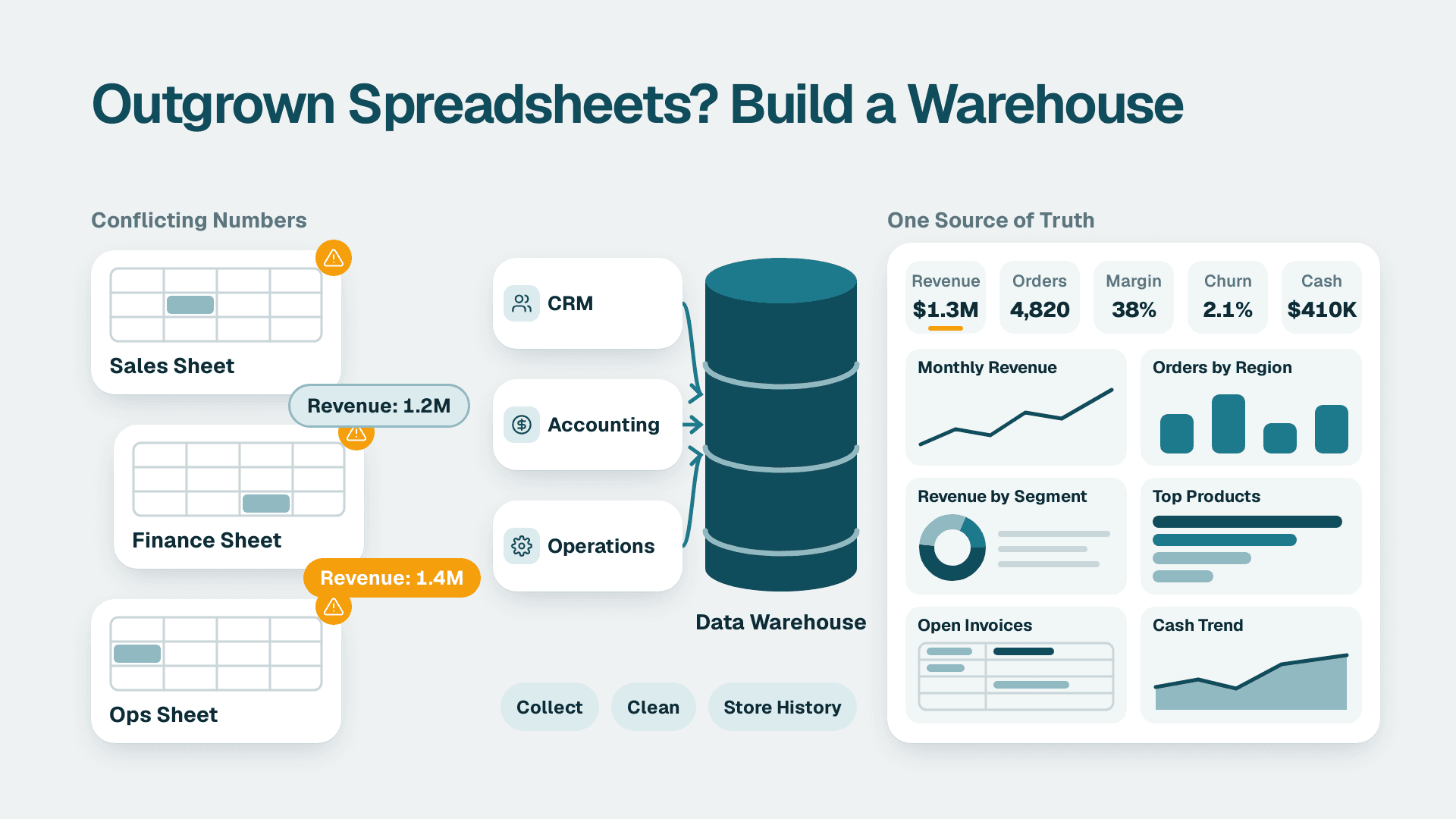
Inside the product, the reporting and analytics features cover project-level views. When you need to combine project, CRM and finance data in a single dashboard, an analytics layer is the better fit. The explainer What is Zoho Analytics? describes how it pulls from several Zoho apps, and the guide on building a KPI dashboard leadership actually uses helps you pick measures people will read rather than a wall of charts.
Where your workflow does not fit a standard module, for example a client approval portal or a custom change-request process, a custom app is often simpler than bending the project tool. The overview What Is Zoho Creator Used For? No-Code Apps Explained explains when that makes sense.
Is Zoho Projects secure and compliant enough for regulated clients?
Zoho's enterprise page lists GDPR compliance, access control, Single Sign-On, penetration testing and data encryption as security features for Zoho Projects. These are a starting point for due diligence, not a substitute for it.
Compliance depends on how you configure and use the tool, not only on what the vendor provides. A few practical checks apply across markets.
- UK and EU: confirm where project data is stored, document your lawful basis for processing client and staff data, and check that data processing terms are in place. GDPR applies to the personal data in tasks, comments and timesheets.
- Canada: PIPEDA expects organisations to be accountable for personal information they hold, including with a service provider, so record what the tool holds and who can see it.
- US: if your clients are in healthcare or finance, ask what HIPAA or SOC 2 evidence your own clients will want, and avoid putting protected health information into task descriptions unless your contracts and configuration support it.
Use roles and permissions to limit who sees rates, budgets and individual timesheets. Billing rates are commercially sensitive, and a junior team member rarely needs to see them. Enable Single Sign-On if your identity provider supports it, so leavers lose access when their main account is closed.
What goes wrong when teams set up Zoho Projects, and how do you avoid it?
Most problems come from process gaps rather than missing features. The same five mistakes appear repeatedly, and each has a simple fix.
Too many custom fields too early. Teams add twenty fields in week one and nobody fills them in. Start with the five you will report on, and add more only when a report needs them.
No owner for each record. If nobody owns the customer record, duplicates appear. Name one owner per app and per record type, using the ownership table earlier as a template.
Billable flags left to chance. Without a default and a weekly review, invoices will not match contracts. Set the rule and audit exceptions.
Automation before process. Automating a messy handover only makes the mess faster. Run the manual process for a few projects, fix it, then automate. The guide to simplifying sales automation when it takes too much work makes the same point from the CRM side.
No rollout plan. Teams switch everything on at once and lose adoption. Pilot with one service line, measure whether timesheets are complete and invoices are accurate, then expand. If you bring in outside help for a wider rollout, ask the partner to scope data migration, template design, integrations, training and post-launch support separately so you can compare proposals line by line.
A simple 30-day plan helps: in week one, define records, owners and rules; in week two, build two templates and the deal-to-project trigger; in week three, pilot with one team and log real time; in week four, review the first draft invoices with finance and fix the gaps before widening the rollout.
---
About Lets Viz: Lets Viz is a data analytics and business systems consultancy that has served clients since 2020, with work across US healthcare, UK fintech, Canadian manufacturing and global SaaS teams. We hold a 5.0 Clutch rating and focus on practical Zoho and analytics implementations that ops and finance teams actually use.
Sources
Facts and prices checked November 2026.