What Is Zoho One and Is It Worth It for Small Business?
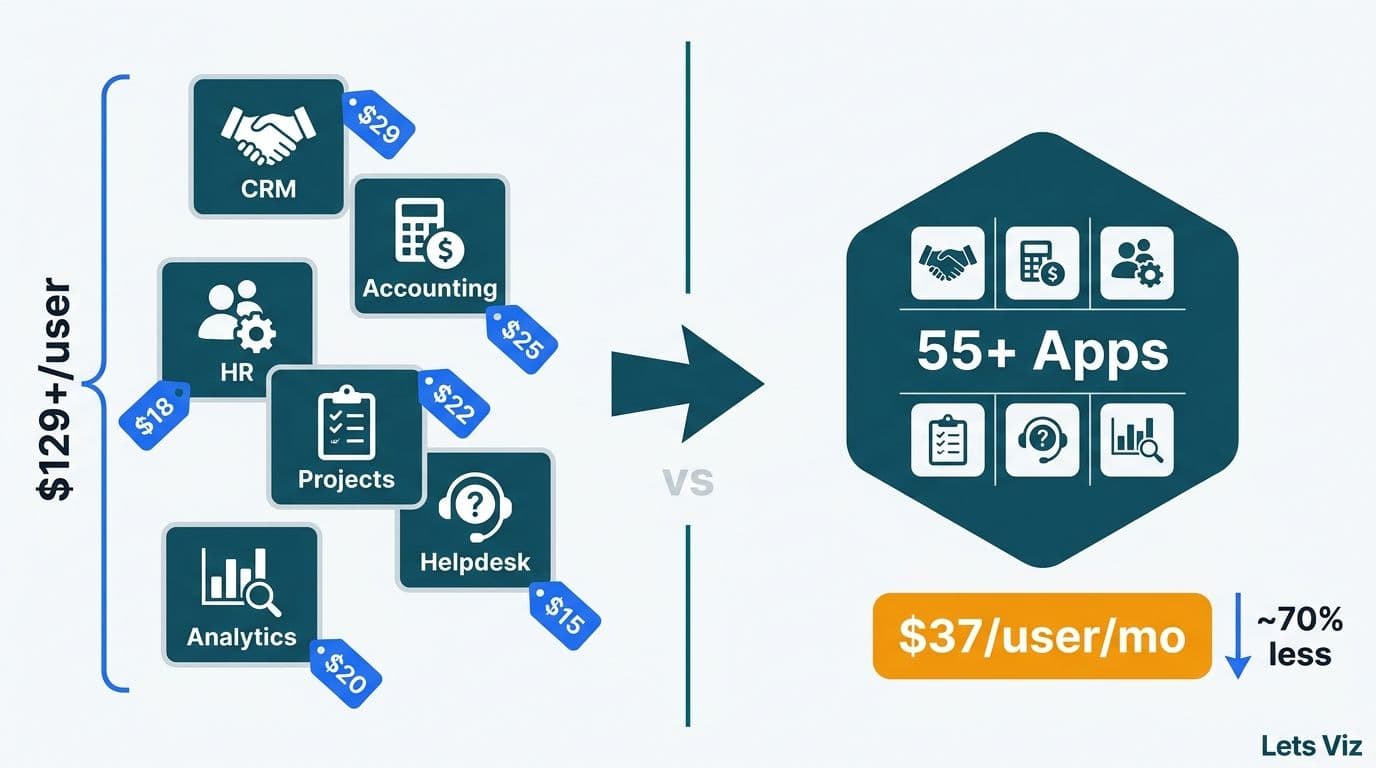
Zoho One bundles more than 55 business applications - from CRM and accounting to HR, project management, and analytics - under a single subscription starting at $37 per user per month. For a mid-market team already paying separately for CRM, helpdesk, and finance software, the bundled price almost always beats the sum of individual licenses. The decision hinges on whether your organization will activate enough of the suite to justify its breadth.
Key Takeaways
Zoho One bundles 55+ apps at $37-$90 per user per month, compared to $100-$200+ when purchasing equivalent apps individually
Zoho CRM is the foundation - every other app in the suite inherits its contact and account records, so CRM data quality determines suite-wide data quality
The all-employee pricing model requires licensing every employee, which materially changes the cost calculation for mid-size companies
Healthcare and finance firms gain particular value from Zoho One's compliance-ready integrations between CRM, Books, and Desk
A structured implementation starting with CRM data mapping and workflow automation determines whether Zoho One delivers ROI within 12 months
Lets Viz offers Zoho consulting services for businesses implementing Zoho One, Zoho CRM, and the full Zoho suite across US, UK, and Canadian markets.
What Is Zoho One and What Does the 55-App Suite Actually Include?
Zoho One is an integrated business operating system that bundles Zoho's entire application catalog under a single subscription. The suite spans six functional pillars: sales and marketing (CRM, Campaigns, SalesIQ, Marketing Automation), finance and operations (Books, Inventory, Expense, Checkout), collaboration (Cliq, WorkDrive, Meeting, Connect), HR (People, Recruit, Payroll), customer service (Desk, Assist, Lens), and business intelligence (Analytics, DataPrep).
The 55-app count matters less than the integration architecture underneath. Every application shares a common identity layer through Zoho One Auth, a unified customer record in Zoho CRM, and a shared data pipeline into Zoho Analytics. A support ticket logged in Desk, a deal closed in CRM, and an invoice issued in Books all surface in the same analytics dashboard - without middleware, without custom ETL work, and without a separate integration subscription.
For healthcare organizations managing fragmented patient-engagement data, or finance firms handling compliance documentation across multiple departments, this unified data model addresses a structural problem. According to Future Market Insights (2026), the AI consulting services market reached an estimated $14 billion in 2026 - up from $11.07 billion in 2025 - and is projected to grow toward $90.99 billion by 2035 at a 26.2% CAGR, driven significantly by demand for integrated data platforms that reduce manual reconciliation. Zoho One positions itself as the turnkey answer to that integration demand for mid-market companies that lack the budget or engineering capacity for a custom data warehouse.
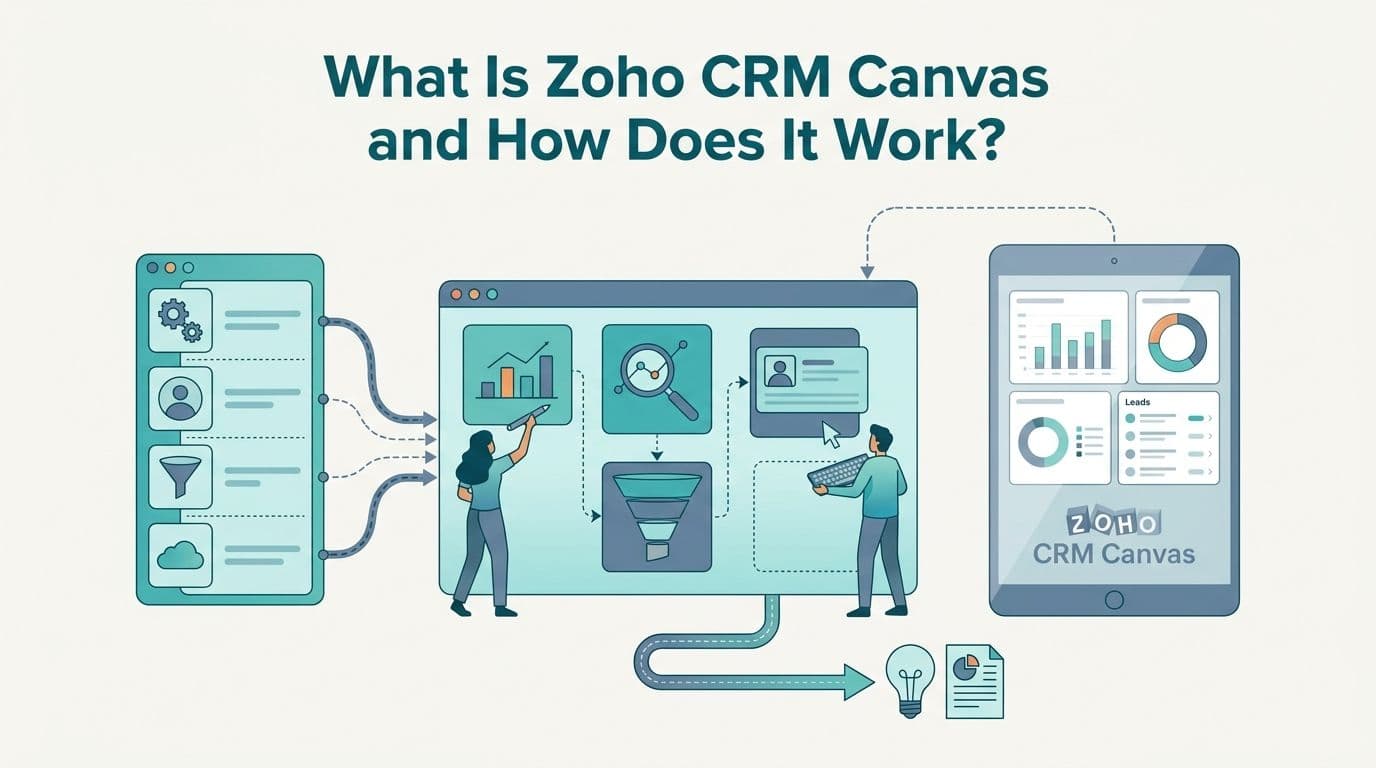
For a closer look at how Zoho's CRM visualization layer works within this architecture, see What Is Zoho CRM Canvas and How Does It Work?.
How Does Zoho One Pricing Compare to Buying Individual Apps?
The financial case for Zoho One becomes concrete when you model it against individual app subscriptions for a representative mid-market team.
| App (Equivalent Tier) | Individual Price | Zoho One Coverage |
|---|---|---|
| Zoho CRM - Enterprise | $40/user/month | Included |
| Zoho Desk - Professional | $23/user/month | Included |
| Zoho Books - Premium | $15/org/month | Included |
| Zoho Projects - Premium | $5/user/month | Included |
| Zoho Analytics - Basic | $24/month (2 users) | Included |
| Zoho Campaigns - Standard | $4/month (500 contacts) | Included |
| Zoho People - Essential HR | $1.50/user/month | Included |
| **Total - 10-user team, annual billing** | **~$1,125/month** | **$370-$900/month** |
*Zoho One all-employee plan: $37/user/month billed annually (all employees must be licensed). Flexible plan: $90/user/month billed annually (selected users only). Prices current as of August 2026.*
The critical variable in the all-employee plan is the literal all-employees requirement. A 50-person company where only 15 staff regularly interact with software pays $37 x 50 = $1,850/month, not $37 x 15 = $555/month. At that ratio, the flexible plan at $90/user/month for 15 active users ($1,350/month) may be cheaper. Run both calculations against your actual headcount before signing an annual contract.
For healthcare and finance firms where regulatory compliance demands documented audit trails, the all-employee plan carries a secondary benefit: licensing every employee eliminates coverage gaps in audit scope. For a detailed breakdown of what customization adds on top of base licensing, see Zoho CRM Customization Cost for Small Business: 2026 Guide.
Is Zoho One Worth It for Small Business?
Zoho One is worth it for most small and mid-market businesses that already use - or plan to use - three or more separate SaaS tools. The break-even point sits at approximately two to three paid Zoho app subscriptions. Beyond that threshold, the bundle consistently delivers lower total cost of ownership, plus integration benefits that cannot be priced separately when apps share a unified data layer.
The value calculation shifts with company size:
Under 20 employees: The all-employee plan at $37/user/month is cost-effective. At a 15-person professional services firm, a typical breakdown runs 5 sales reps in CRM daily, 3 support staff in Desk, 2 finance staff in Books, and 5 managers pulling Analytics reports — leaving virtually no unlicensed headcount to justify the $90/user flexible-plan premium.
20-100 employees: Model both plans carefully. The flexible plan at $90/user/month may be cheaper if fewer than 60% of employees need active licenses.
100+ employees: Enterprise considerations - HIPAA Business Associate Agreements for healthcare, SOC 2 Type II documentation for financial services, SSO requirements - become the dominant decision factors alongside per-seat pricing.
According to Market Research Future (2026), the Healthcare Financial Analytics Market is projected to grow at an 8.58% CAGR through 2035, driven by demand for platforms that consolidate clinical-operational data without additional middleware. Zoho One's native integrations between CRM, Books, and Analytics address exactly this gap for regional health networks, independent physician groups, insurance brokers, and specialty finance firms operating at mid-market scale.
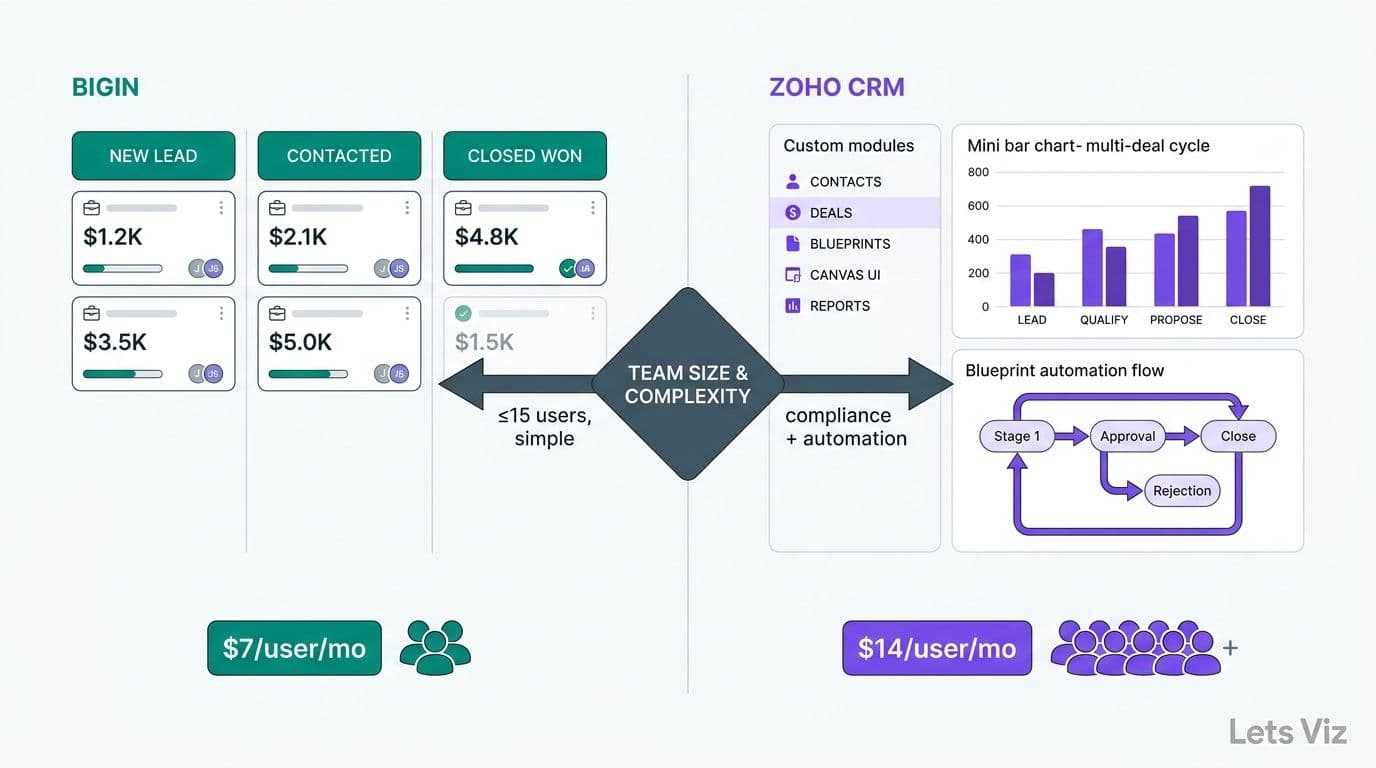
The primary risk in purchasing Zoho One is shelfware - paying for 55 applications while actively using four. That outcome is most common when implementation proceeds without a CRM-first data strategy. For a comparison of where Zoho CRM fits relative to simpler alternatives designed for smaller pipelines, see Zoho CRM vs Bigin for Small Business: 2026 Guide.
Zoho One vs Microsoft 365 for Small Business: Which Bundle Delivers More Value?
When 10-200-seat SMBs evaluate bundled business suites, the comparison of Zoho One vs Microsoft 365 for small business comes down to a fundamental scope difference: Microsoft 365 is a productivity and collaboration suite, while Zoho One is a business operations suite. Most companies at this size need both categories - and understanding where each bundle starts and stops is what determines true total cost of ownership.
What each suite actually covers
Microsoft 365 Business Premium ($22/user/month as of mid-2026) delivers best-in-class productivity tools - Outlook, Teams, Word, Excel, SharePoint, and Intune device management. It does not include CRM, accounting software, project management, helpdesk ticketing, or HR management. To replicate Zoho One's functional footprint on the Microsoft stack, a business must add Dynamics 365 Sales ($65-95/user/month), Business Central for accounting ($70/user/month), and Dynamics 365 Customer Service ($50/user/month). The blended Microsoft stack for a 25-seat team covering the same functional surface as Zoho One typically lands at $180-250/user/month before any implementation or connector maintenance costs — a 79-85% premium over Zoho One's $37 all-employee rate before a single integration is wired.
Zoho One at $37/user/month bundles all of those functions natively. The integration is pre-built rather than assembled - a meaningful distinction for teams without in-house IT to manage connections between Microsoft Dataverse, Power Automate, and third-party accounting tools.
TCO for a 25-seat SMB over 36 months
| Cost Factor | Zoho One (All-Employee Plan) | Microsoft 365 + Dynamics Stack |
|---|---|---|
| License cost (25 users, 36 months) | ~$33,300 | ~$135,000-225,000 |
| Implementation and integration | $8,000-20,000 | $25,000-75,000 |
| Ongoing admin and IT overhead | Low (unified admin console) | Moderate-high (multi-app governance) |
| **Total 3-year TCO estimate** | **$41,000-53,000** | **$160,000-300,000** |
*Estimates based on publicly listed pricing as of August 2026. Microsoft stack assumes Business Premium plus Dynamics 365 Sales Essentials plus Business Central Essentials.*
The gap narrows if your team already has deep Microsoft 365 adoption - particularly if SharePoint and Teams are embedded in daily operations. Migrating away from Microsoft's collaboration layer carries a real switching cost in workflow retraining and file migration, independent of licensing economics.
Migration effort and vendor lock-in
Migrating to Zoho One from a mixed Microsoft and standalone SaaS environment involves three categories of work: data migration (CRM contacts, accounting history, email archives), workflow recreation (automations that lived in Power Automate or Zapier), and user retraining on a new interface. A structured Zoho One migration for a 25-50 seat team typically takes 10-16 weeks with a certified partner.
Vendor lock-in risk runs in both directions. Microsoft's ecosystem embeds deeply through Active Directory, SharePoint document libraries, and Teams integrations that are difficult to unwind without disrupting daily operations. Zoho's lock-in is subtler but real: proprietary module structures in Zoho CRM and Zoho Analytics are not portable to other platforms without data export and re-import. Neither suite is neutral ground - evaluate which ecosystem aligns with your five-year growth path, not just the current year's licensing cost.
Regional note for US, UK, and Canadian buyers
Zoho One pricing is USD-denominated globally, but purchasing in GBP or CAD typically means paying the equivalent at current exchange rates through Zoho's regional portals. Microsoft 365 pricing is localized - UK and Canadian SMBs often see slightly different per-seat costs than US counterparts. For compliance purposes, UK-based organizations evaluating either suite should assess GDPR data residency settings; both Zoho and Microsoft offer EU/UK data residency configurations, but they require explicit activation rather than being on by default. Canadian organizations subject to PIPEDA should verify where customer data is stored under each vendor's default configuration before committing to an annual contract.
For most 10-200-seat SMBs choosing between the two suites, the honest answer is that Zoho One delivers a stronger operational ROI when the team will activate three or more of the non-productivity applications - CRM, accounting, helpdesk, or HR. If the primary need is email, document collaboration, and video conferencing, Microsoft 365 Business Standard covers that surface for $12.50/user/month with best-in-class tools. The suites solve different problems; most SMBs choosing between them are really choosing between a productivity-first vs. operations-first technology strategy.
Why Zoho CRM Is the Core of Every Zoho One Deployment
Every Zoho One implementation should anchor to Zoho CRM - not because it is the most feature-rich application in the suite, but because every other application inherits its contact and account records. When CRM data is clean and correctly field-mapped at setup, Books issues invoices to the right accounts, Desk routes tickets to the right relationship owners, Campaigns sends to properly segmented contact lists, and Analytics reports revenue accurately. When CRM data is disorganized at launch, that disorganization propagates across all 55 applications simultaneously.
Three decisions at CRM setup determine deployment quality across the entire suite:
1. Data import and field mapping. Migrating from a spreadsheet or a previous CRM requires mapping source columns to Zoho CRM standard and custom fields before any data enters the system. Common failure points include split name fields, inconsistent phone formats, and broken account-contact relationships. Teams that skip a formal data audit before import typically spend three to six months remediating records post-launch - a cost that frequently exceeds a partner's implementation fee.
2. Workflow automation architecture. Zoho CRM offers two automation layers: workflow rules (event-triggered if-then actions on individual records) and blueprints (multi-stage process flows with conditional paths, required fields at each stage, and mandatory approval gates). Zoho CRM best practices for sales teams consistently favor blueprints for any pipeline with formal stage-gate requirements - complex enterprise deals, regulated client onboarding, or multi-stakeholder approvals. Workflow rules handle simpler, high-volume automations like lead assignment and follow-up task creation. Understanding the distinction between Zoho CRM workflow rules and blueprints before setup prevents costly automation rewrites after go-live.
3. Role hierarchy and data visibility. CRM controls what each user sees across every connected Zoho application. A finance director who should see closed revenue but not active pipeline notes requires a precisely scoped role profile in CRM. Misconfigured roles propagate into Books, Desk, and Analytics - meaning a single access-control decision at CRM setup creates downstream effects across the entire suite.
For professional services firms in healthcare consulting or financial advisory, Zoho CRM use cases center on client onboarding workflows, contract renewal pipelines, and referral source tracking. All three depend on a clean initial data architecture and well-designed automation - areas where a structured implementation engagement pays dividends quickly.
How Long Does Zoho One Implementation Take for a Mid-Market Team?
A standard Zoho One deployment for a 10-50 user team takes eight to sixteen weeks from kickoff to go-live. Zoho CRM accounts for roughly half that timeline, because every subsequent application configuration depends on the CRM data model being finalized first. Implementations that rush CRM setup and move immediately to Books or Desk consistently overshoot both timelines and budgets.
| Phase | Typical Duration | Key Deliverables |
|---|---|---|
| Discovery and data audit | 1-2 weeks | Field mapping document, process flows, integration scope |
| CRM setup and data import | 2-4 weeks | Custom fields, pipelines, workflow automation, data migration |
| Secondary app configuration | 2-4 weeks | Books, Desk, Projects connected to CRM records |
| User training and UAT | 1-2 weeks | Role-based training, acceptance test sign-off |
| Go-live and hypercare | 1-2 weeks | Issue resolution, adoption monitoring |
Zoho CRM implementation cost for mid-market companies typically ranges from $8,000 to $35,000 for partner-led engagements, depending on data complexity, the number of integrations in scope, and whether custom module development is required. That figure is separate from the recurring Zoho One license cost.
The range reflects genuine differences in deployment scope. A clean migration - minimal custom fields, a single pipeline, under 10,000 records - sits at the low end. A multi-division deployment with custom modules, CPQ configuration, ERP data sync, and HIPAA-compliant access controls sits at the high end. Healthcare organizations should address compliance configuration early in the project; the HIPAA-Compliant Analytics Dashboard: Best Practices Checklist covers the access-control and audit-logging standards that apply equally to Zoho One deployments in regulated environments.
According to MedInsight (2026), AI-driven analytics and value-based care data integration have become the top two procurement criteria for healthcare platform decisions, with payer analytics innovation close behind. Organizations evaluating Zoho One as a clinical-operations hub consistently cite the bundled analytics capability in Zoho Analytics as the factor that differentiates the suite from standalone CRM or EHR-adjacent tools.
When Should You Bring in a Zoho One Implementation Partner?
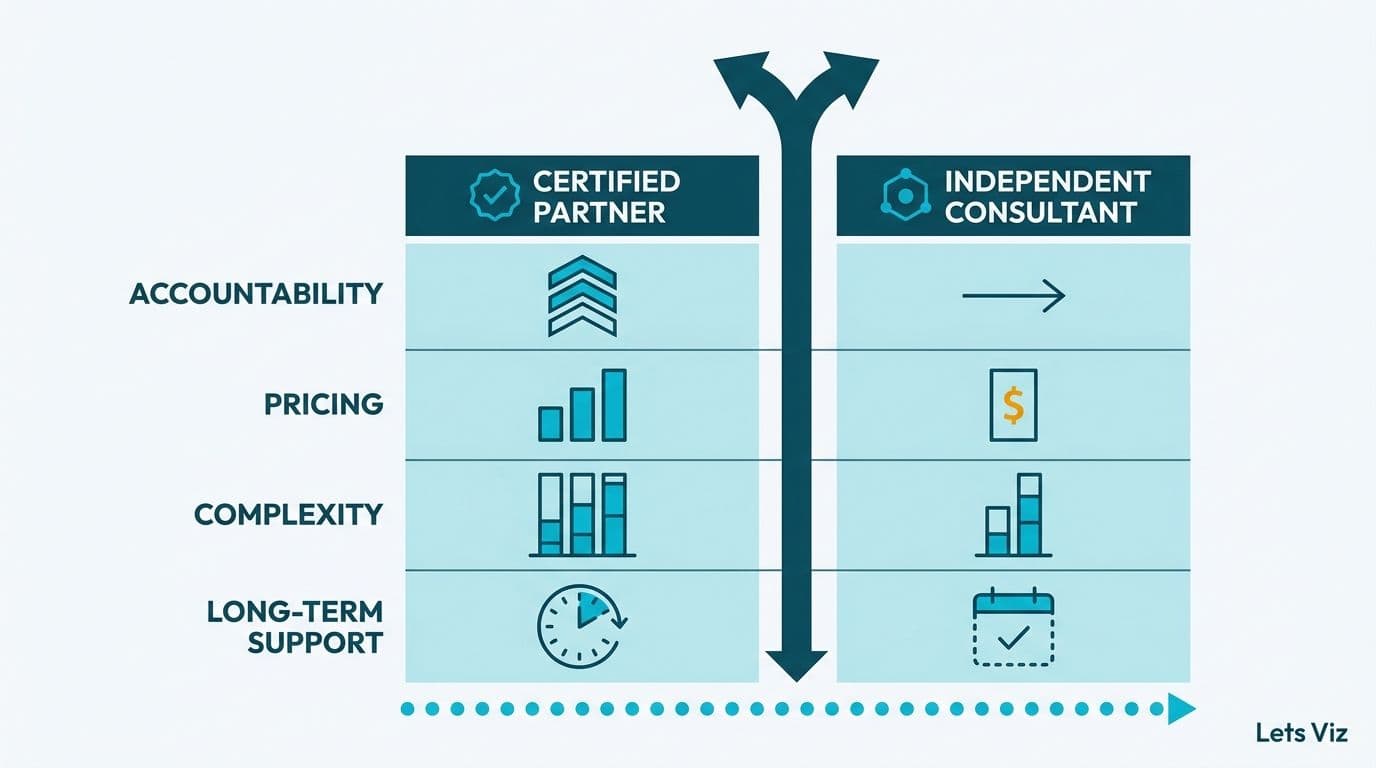
Engage a certified Zoho partner when any of the following conditions apply: your organization has more than 5,000 CRM records to migrate, Zoho One needs to connect with an existing ERP or data warehouse, or your industry requires formal compliance documentation at the platform configuration level.
Self-implementation using Zoho's documentation works reliably for teams under 10 users with simple pipelines and no legacy data to migrate. Above that threshold, the cumulative cost of data remediation, missed automation opportunities, and slow adoption almost always exceeds a qualified partner's implementation fee within the first year - teams that self-implement above this threshold typically spend 20-40 hours of post-launch cleanup for every 1,000 records migrated without a formal pre-import audit, time that compounds quickly against ongoing business operations.
What a certified implementation partner delivers beyond standard configuration:
A pre-migration data audit that surfaces duplicate records, field mismatches, and broken account-contact relationships before they propagate into the live system
Industry-specific workflow templates for healthcare patient-engagement sequences or financial services client onboarding pipelines, reducing time from kickoff to first automation by weeks
Analytics dashboard design that connects CRM, Books, and Desk data into executive-level KPI views from day one, rather than requiring a separate analytics project after go-live
A structured assessment of Zoho CRM free plan limitations and the right upgrade timing, matching plan tier to actual workflow requirements rather than feature marketing
For mid-market organizations in healthcare and finance, the return on a partner-led engagement is direct: a 12-week implementation producing clean data and running automation typically pays back through reduced operational overhead - fewer manual reconciliation processes, a faster sales cycle, or measurably lower support escalation rates - within six to nine months.
Lets Viz provides structured Zoho One setup, CRM data migration, workflow automation design, and ongoing adoption support for healthcare and finance organizations across North America. Zoho consulting services details what a structured implementation engagement includes and how to scope one for your organization.
---
About Lets Viz: Lets Viz is a data analytics and CRM consulting firm serving healthcare and financial services organizations across the US and Canada since 2020. The team holds certifications in Zoho implementation, Power BI, and cloud analytics platforms, and has delivered enterprise-grade CRM and analytics deployments for mid-market companies operating in compliance-sensitive data environments. Clients include regional health networks, independent insurance brokers, registered investment advisers, and specialty finance firms.