Zoho CRM vs Pipedrive: Simplicity or Breadth?
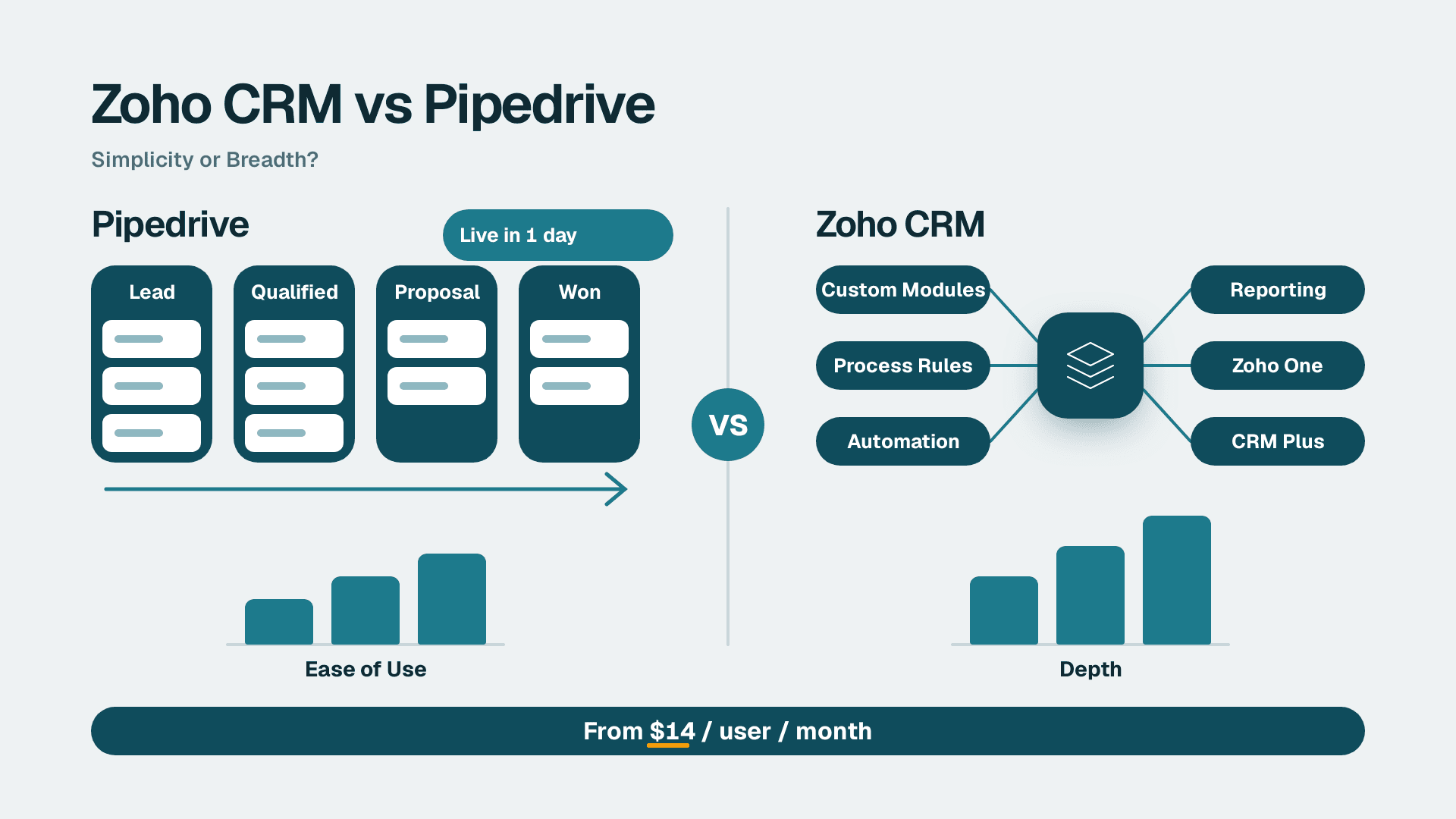
Choose Pipedrive if your team runs a short, repeatable sales process and wants reps productive within a day. Choose Zoho CRM if you need custom modules, enforced process rules, deeper reporting or the wider Zoho suite. Most teams that outgrow Pipedrive do so on automation and reporting, not on price.
Key Takeaways
- Pipedrive wins on pipeline clarity and ease of use; Zoho CRM wins on depth, customization and value per feature.
- Entry pricing is close: both start around $14 per user per month, so the real cost difference shows up in what each tier unlocks.
- Pipedrive cannot add new object types or enforce business-specific stage rules; Zoho CRM can.
- Teams that need approvals, custom modules or cross-department data usually outgrow Pipedrive first.
- If you already run other Zoho apps, the case for Zoho CRM gets stronger.
Quick Comparison
The table below summarizes the decision criteria. If you are weighing a switch and want an implementation partner, our Zoho CRM consulting team can scope it with you. Prices are list figures from public 2026 comparisons and are undated, so confirm them on each vendor's pricing page before you budget.
| Criteria | Pipedrive | Zoho CRM |
|---|---|---|
| Entry price per seat | Listed at $14/user/month | Listed at $14-23/user/month depending on tier |
| Plan names | Essential, Advanced, Professional, Enterprise | Standard, Professional, Enterprise (plus higher tiers) |
| Default interface | Visual pipeline first | List-based modules first, with a Kanban view available |
| Learning curve | Low; reps adopt it quickly | Steeper; more settings to learn |
| Automation | Trigger-action builder on Advanced and above | Workflows, Blueprint, approvals, custom functions |
| Custom objects | Custom fields only, no new object types | Custom modules, layouts per role, validation rules |
| Reporting | Less robust at comparable tiers | Deeper reporting and analytics |
| Ecosystem | Gmail, Outlook, mobile apps, third-party connectors | Zoho suite of 50+ apps plus third-party connectors |
| Best fit | Small, sales-only teams with a simple process | Teams with complex process, compliance or multi-department needs |
How Much Does Zoho CRM vs Pipedrive Cost Per Seat?
Verdict: on entry price it is nearly a tie; Zoho CRM gives you more per dollar as you move up.
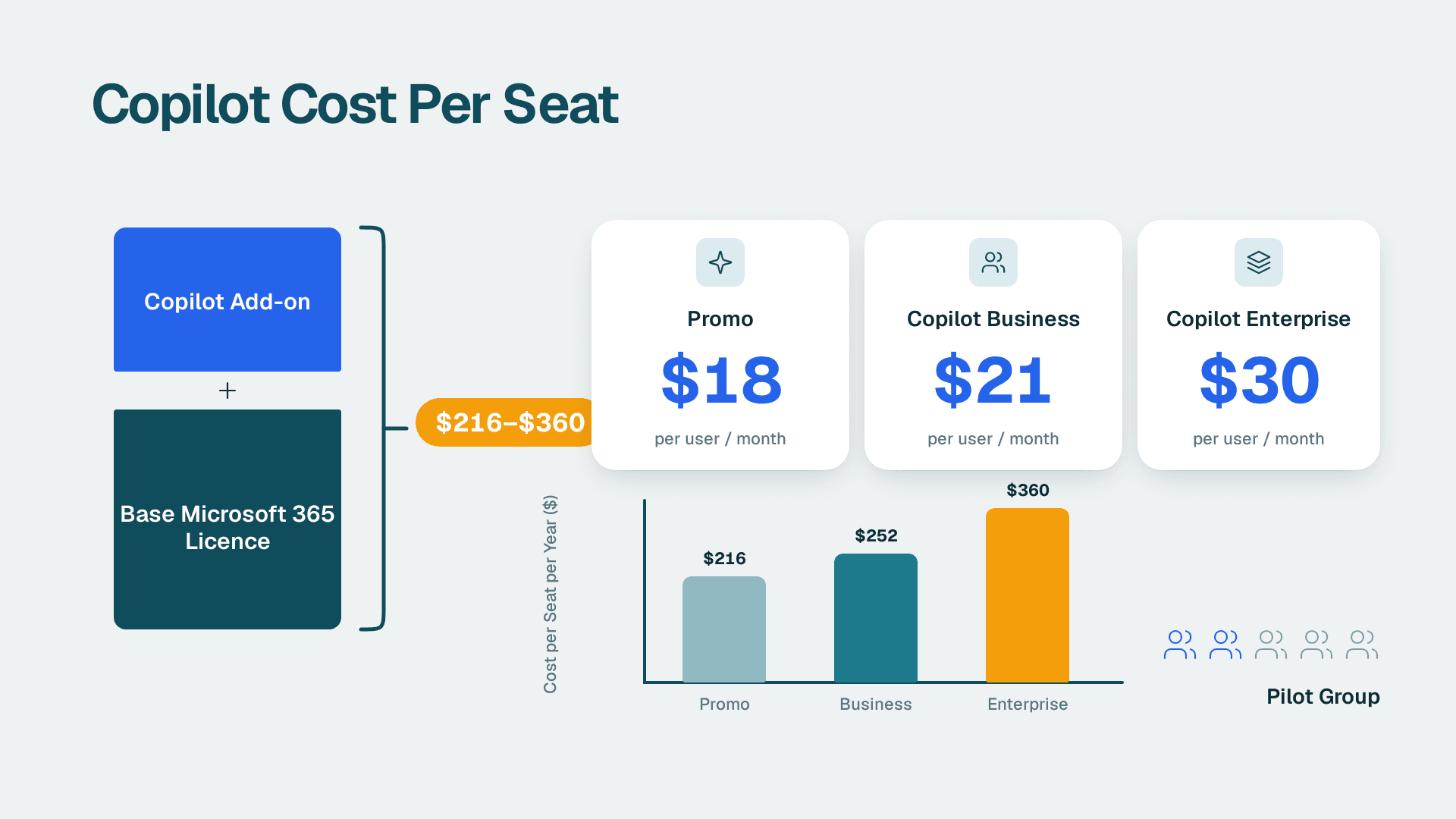
One 2026 comparison lists Pipedrive's entry price at $14 per user per month and Zoho CRM at $14-23 per user per month. That reviewer concludes that if budget is the main constraint, Zoho CRM delivers the most features per dollar. A second side-by-side review shows entry tiers of roughly $14 for both products and mid tiers in the $23-29 range, and notes that Zoho CRM carries a lower per-seat cost for the depth it offers. These figures are approximate and undated, and another source lists lower numbers still, so treat them as a range rather than a quote.
Seat price is only part of the bill. Pipedrive's automation builder starts on the Advanced plan, so a team that needs workflow automation pays the mid-tier rate for every seat, including reps who never touch the automations. Zoho CRM has the opposite problem: the features are there, but you pay in setup time. Our guide to Zoho CRM pricing plans from Standard to Ultimate walks through which tier unlocks what, so you can price a realistic configuration rather than the headline number.
A fair cost comparison also counts administration. Pipedrive needs little configuration, so a small team can run it without an admin. Zoho CRM rewards an owner who configures it properly and punishes one who does not.
Which CRM Has the Better Pipeline?
Verdict: Pipedrive, clearly, for day-to-day usability.
Pipedrive is built around the deal pipeline. The first thing a rep sees is a board of stages with deals to drag across. It also prompts the user to schedule a follow-up activity every time a deal is moved or an interaction is logged, which keeps reps from leaving deals without a next step. For a team whose main discipline is 'always have a next action', that nudge is worth real money.
Zoho CRM does have a Kanban pipeline view, but its default interface leads with a list-based module view, with Leads, Contacts, Accounts and Deals as separate tabs. That structure suits a business that tracks leads, accounts and deals as distinct records. It feels heavier to a rep who just wants to work a pipeline.
Where Zoho CRM pulls ahead is process control. Its Blueprint tool controls which stage transitions are available based on conditions you define, so reps cannot skip steps or mark deals closed without completing required actions. Pipedrive guides reps; Zoho CRM can compel them. If you want to see how that works in practice, read our walkthrough on building a Zoho CRM Blueprint for sales process automation.
The trade-off is simple. Pipedrive assumes your reps follow the process. Zoho CRM lets you enforce it.
Where Do the Automation Ceilings Differ?
Verdict: Pipedrive automates simple handoffs well; Zoho CRM goes much further when logic gets conditional.
Pipedrive's builder, available on the Advanced plan and above, supports trigger-action automations that fire when deals move stages, activities are completed or fields change. For many small teams, that covers it: move a deal to Proposal, create a task, send a templated email.
The ceiling appears when your rules depend on business-specific conditions. Pipedrive allows custom fields on deals, contacts and organizations, multiple pipelines and customized activity types, but it does not support new object types or custom logic based on business-specific conditions. Zoho CRM supports custom modules (entire new object types), custom layouts per user role, validation rules, custom functions written in Zoho's scripting language, and approval workflows that require manager sign-off before a deal advances.
Here is where that matters in practice. One B2B client's team used to build marketing lists by hand from their CRM. We replaced that with a scheduled job running every two hours inside Zoho, which syncs 30 fields of sales context into four regional mailing lists and routes each contact by country. Manual list-building went to zero. That kind of in-platform scripting is the sort of thing a trigger-action builder does not cover.
Outside the CRM, Zoho Flow connects Zoho apps to other tools. Be aware that one reviewer flags inconsistent integration quality outside the Zoho ecosystem, so test any third-party connector you depend on before you commit. Both products list integrations with Google Apps, Mailchimp and Zapier, according to a third comparison.
Which CRM Has the Better Reporting?
Verdict: Zoho CRM, by a clear margin at comparable tiers.
The 2026 review we cited above lists Pipedrive's reporting as less robust than Zoho's at comparable tiers, alongside limited marketing tools. Zoho CRM lists advanced automation, territory management, AI-powered lead scoring and deep customization among its features, and it includes the Zia AI assistant for lead scoring and anomaly detection.
In practice, the question is whether your managers ask questions a standard pipeline report cannot answer. Examples: conversion by territory, revenue by custom object, or approval turnaround times. If the answer is yes, Pipedrive will push you toward exporting data to spreadsheets. Zoho CRM keeps more of that inside the system. Our guide to building Zoho CRM reports and dashboards for sales shows what a working setup looks like.
Reporting also depends on data quality, and this is where Zoho's flexibility cuts both ways. Another client's regional email routing failed because the Country field was empty for all 19,643 contacts, and Mailing Country was filled on only 2.3%. Region was populated on 64%, so we built a fallback chain, Region first and then email domain, and contacts now route to the right country list automatically. A flexible CRM only reports well if someone owns the data model.
What Are the Downsides of Zoho CRM?
Verdict: complexity, a less polished interface and variable support are the real costs.
The reviewer cited above lists Zoho CRM weaknesses as a less polished UI than the market leader, a steeper learning curve, support that can be slower than competitors, and inconsistent integration quality outside the Zoho ecosystem. We would add that the default module-based layout can feel crowded to reps who only work deals.
There is a practical lesson in the learning curve. Zoho CRM does not fail because it lacks features; it fails when nobody configures it for the team's actual process. A common failure mode we see is a platform left on defaults, with reps ignoring half the fields. If you take Zoho CRM, budget for setup, either an internal admin or a partner.
On the Pipedrive side, the same reviewer lists limited marketing tools and weaker reporting as its main gaps. Pipedrive's strengths include a mobile app for iOS and Android and integrations with Gmail and Outlook, which suit reps who live in their inbox.
What Is the Difference Between Zoho One and Zoho CRM Plus?
Verdict: Zoho One is a company-wide suite; CRM Plus is a customer-facing bundle.
Zoho CRM is one product in a suite of 50+ Zoho applications covering everything from email to accounting to HR. Zoho One packages that wider suite for the whole business. CRM Plus focuses on the customer-facing stack around the CRM, such as support and campaigns. For the detail, see our breakdown of what Zoho CRM Plus includes.
This is the strongest structural argument for Zoho CRM. It integrates natively with Zoho's own Books, Desk, Campaigns and Projects, so a deal can flow into an invoice, a support ticket and a project without third-party glue. Pipedrive is a focused sales tool, and that focus is a virtue until you need those handoffs.
When Does a Sales Team Outgrow Pipedrive?
Verdict: when process, data model or reporting needs exceed what fields and simple triggers can express.
You are likely approaching the ceiling if any of these are true:
- You need an object Pipedrive does not have, such as projects, contracts or assets tied to deals.
- Managers want approvals before discounts or stage changes.
- Reps skip required steps and you need to block it, not just remind them.
- Different roles need different layouts or field visibility.
- Reporting requires territory, multi-currency or cross-module analysis. Zoho CRM is noted for strong multi-currency support.
- Sales needs to share data with finance, support or marketing inside one suite.
If two or more of those apply, plan the move before the pain peaks. Our Zoho CRM implementation checklist is a sensible starting point for the migration plan.
When to Choose Pipedrive
- You lead a sales team of a handful of reps with a simple, repeatable process and no admin to configure a CRM.
- Pipeline clarity and daily follow-up discipline matter more than customization.
- Your reps work mostly from Gmail or Outlook and on mobile.
- You sell a single product or service and do not need custom objects.
- Reporting needs are basic: pipeline value, win rate and activity counts.
When to Choose Zoho CRM
- You are a sales ops lead who needs enforced stage rules, approvals and validation.
- You already use, or plan to use, other Zoho apps such as Books, Desk or Campaigns.
- Your sales process involves custom records like contracts, sites or projects.
- You sell across currencies or territories and need reporting to match.
- You have, or will hire, someone to configure the system, and you want to avoid per-seat creep as needs grow.
The Verdict
For most teams reading this, Zoho CRM is the better long-term choice. Seat prices are close, and Zoho gives you deeper automation, custom modules, approvals and reporting for the same money. It asks more of you at setup, and it will punish a team that never configures it. If you will invest in setup, you will not need to migrate again in two years.
The one scenario where Pipedrive is still the better call is a small, sales-only team with a short process and no one to administer a CRM. In that case Pipedrive's pipeline-first design and follow-up prompts will deliver more selling time than Zoho's flexibility ever would. Choose it knowingly, and revisit the decision when you find yourself wanting approvals, custom objects or reporting it cannot provide.
If you are choosing, implementing or migrating to Zoho CRM and want a second opinion on fit, talk to our Zoho CRM consulting team.
---
About Lets Viz: Lets Viz has been a data analytics and CRM consultancy since 2020, serving SMB sales, operations, finance and professional services teams. We hold a 5.0 rating on Clutch, and our work spans Zoho CRM implementation, automation and reporting.
Sources
- Pipedrive vs Zoho CRM for Small Business Sales Process
- 2026 small business CRM comparison
- Pipedrive vs Zoho: A Comparison of Two Powerful CRM Tools
Facts and prices checked October 2026.