Zoho Writer: What It Does and Where It Fits in Zoho One
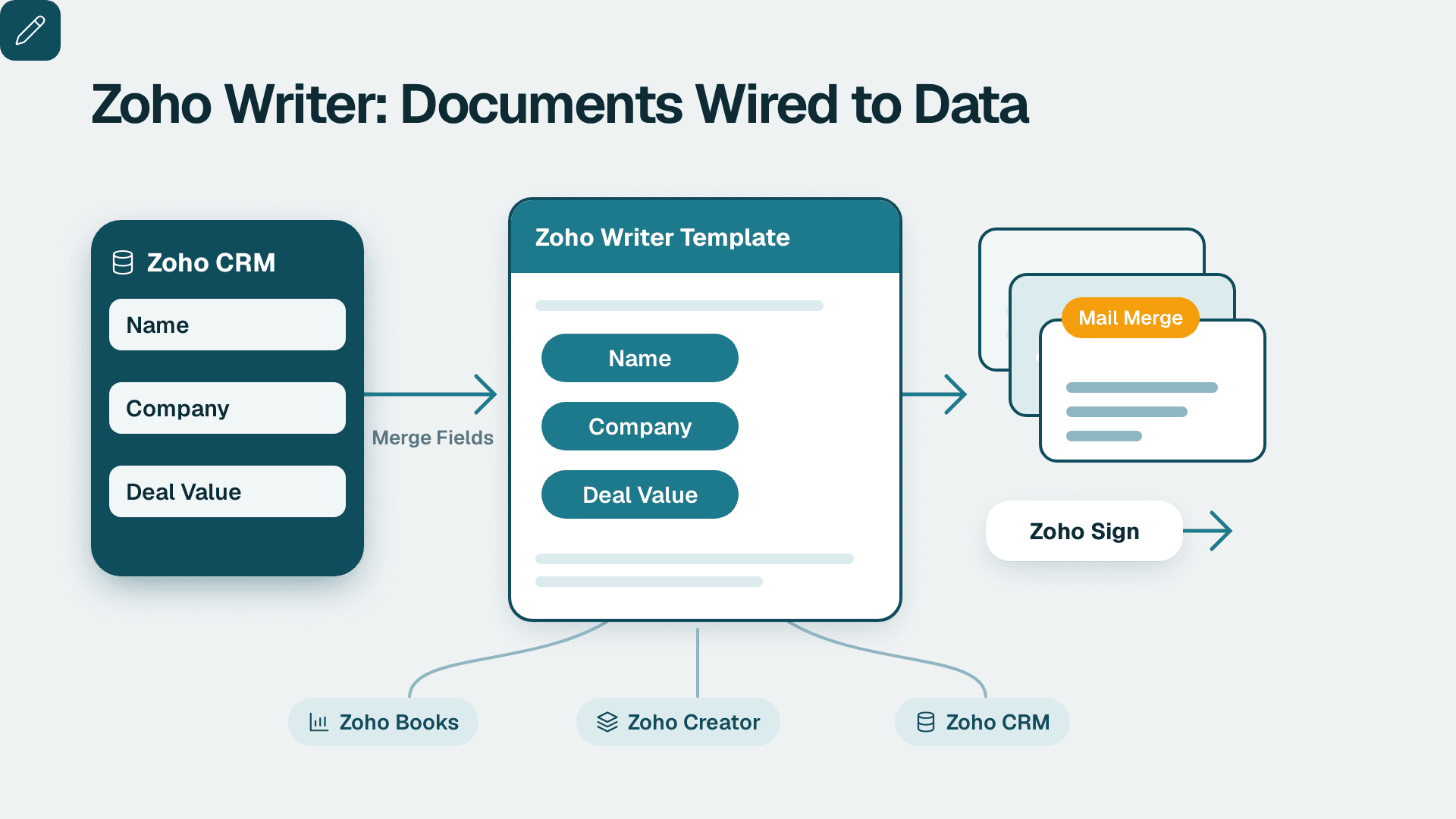
Zoho Writer is Zoho's cloud word processor for drafting, reviewing and automating business documents. It covers the everyday features of the big-name editors, but its real value is its native connection to Zoho CRM, Books, Creator and Sign, so templates and mail merge pull live record data. For teams already on Zoho One, it is usually the sensible default.
Key Takeaways
- Zoho Writer is a full word processor on web, desktop and mobile, with offline mode and real-time collaboration.
- Its edge over standalone editors is document automation: templates, mail merge and CRM merge fields fed by live business data.
- It is a strong fit for contracts, quotes, proposals and letters generated from Zoho CRM, Books or Creator records.
- It is weaker where a team lives in another suite's spreadsheets, macros and add-ins; confirm those dependencies before you standardise.
- In a Zoho One rollout, treat Writer as a template and automation layer, not just a place to type.
What is Zoho Writer used for?
Zoho Writer is used to create, edit, share and automate text documents inside a business. Think proposals, contracts, policies, onboarding packs, statements of work, client letters and reports. According to Zoho's Writer product page (2026), it is a cloud-based word processor for writing, editing, collaboration and publishing, with AI assistance and multilingual support.
The editing basics will feel familiar: styles, tables, images, headers, footers, comments and export to common file formats. What differs is how the tool is wired into the rest of the suite. A salesperson clicks a button in a CRM deal and gets a finished proposal. A finance lead sends a statement built from Books data. A support manager issues a letter from a Desk ticket. None of that requires copying and pasting between windows.
Core capabilities worth knowing
- Collaboration and review. Writer supports tracking changes, viewing edits in real time, accepting or rejecting changes, comments with @mentions, version management and visibility settings.
- Approvals and signatures. Users can draft documents and templates, share them for approvals and collect digital signatures from inside the editor.
- Zia writing assistant. Zia provides grammar and spelling checks, content analysis, a word cloud and contextual style suggestions in English, French, Spanish and Brazilian Portuguese.
- Translation. The built-in tool translates a whole document or a selection into more than 70 languages, which helps UK and EU teams working across borders.
- Plagiarism check. An in-document checker produces a report showing the degree of plagiarism and links to matching sources.
- Every device. Desktop apps for Windows, Mac and Linux include full offline mode, and iOS and Android apps sit alongside the web app. You can see the mobile experience on the Zoho Writer iOS app listing and the Android app listing.
Writer is rarely deployed alone. Setup is usually owned by an internal admin or by outside Zoho consulting services during a wider rollout, because the template and field mapping decisions touch CRM, finance and support at once. If you are still weighing the suite as a whole, the guide to whether Zoho One is worth it for small business covers that bigger question first.
How does Zoho Writer compare with Word and Google Docs?
Zoho Writer matches the established desktop word processor and the browser-based editor on everyday authoring, and beats both on built-in connection to Zoho data. It trails them on third-party add-in ecosystems, macro libraries and the sheer familiarity of the interface. The right choice depends on where your documents originate.
Note that we are comparing categories here rather than product-by-product feature lists, because vendors change their plans often and many details are plan-dependent. The table below frames the decision on the criteria that matter for a small business.
| Criterion | Zoho Writer | Desktop word processor from the largest office suite | Browser-first editor in a rival workspace |
|---|---|---|---|
| Real-time co-editing | Yes, with tracked changes and @mentions | Yes, when files are stored in that vendor's cloud | Yes, its core design |
| Offline use | Desktop apps with full offline mode | Native desktop strength | Possible, but needs setup |
| Native CRM merge fields | Yes, for Zoho CRM and other Zoho apps | Possible via connectors and add-ins | Possible via add-ons or scripts |
| Built-in e-signature | Yes, from within the editor | Usually a separate product or add-in | Usually a separate product or add-in |
| Add-in and macro ecosystem | Smaller | Largest | Large, script-based |
| Best fit | Teams running Zoho One | Teams embedded in that vendor's suite | Teams centred on that workspace |
When Writer wins
Writer wins when documents are generated from business records. If a contract needs the customer's legal name, address, deal value and renewal date, a CRM merge field is more reliable than a person retyping them. Fewer retyped fields means fewer wrong addresses and wrong totals, and it creates a consistent audit trail.
It also wins on cost simplicity for teams already paying for Zoho One, because Writer is part of the same bundle rather than another licence line. Check the current plan details on Zoho's pricing pages before you budget, since inclusions can change.
When the incumbents still win
If your finance team builds elaborate documents with embedded spreadsheet objects, or your legal team depends on a specific clause-comparison add-in, the incumbents keep an edge. The same applies to heavy users of macros. Many businesses end up with a mixed estate, using Writer for generated documents and another editor for one-off, heavily formatted work. That is a perfectly reasonable outcome.
Is Zoho Writer free, and how much does it cost?
Zoho Writer has historically been available as a standalone product and as part of the wider Zoho bundles, but we do not quote a specific price here because plan names, tiers and limits change. Check Zoho's current pricing page for the figure that applies to your region and currency.
What we can say with confidence is how to approach the decision:
- Standalone use. If one team just needs a collaborative editor, compare the standalone plan against what you pay today for document software.
- Inside a bundle. If you run or plan to run Zoho One, ask which Writer capabilities the bundle includes, including automation and signature features, rather than assuming parity with a standalone plan.
- Regional pricing. US dollar, pound sterling, euro and Canadian dollar pricing can differ, so get a quote in your own currency and note whether tax is included.
A useful test is to count the people who create documents versus the people who only read or comment on them. Many rollouts need a small group of authors and a larger group of reviewers, and your licence plan should reflect that split.
How do templates work in Zoho Writer?
A Writer template is a reusable document with fixed text, formatting and placeholder fields that get replaced with real data at generation time. You draft it once, share it for approval, and then every proposal, letter or contract starts from the same approved wording.
Three template types matter for most small businesses:
1. Standard templates. Branded letterheads, memos and policies where only a few words change.
2. Merge templates. Documents with fields mapped to CRM, finance or support records, so data fills in automatically.
3. Fillable form templates. Writer's fillable form templates can integrate with business apps to bulk generate and share prefilled forms, or be embedded on a website to collect data. For intake workflows that start from a web form instead, see how to build Zoho Forms that feed CRM and Creator.
Governance for templates
Templates are where document risk lives. A single outdated clause copied into fifty contracts is a bigger problem than one typo in one letter. A few habits help:
- Name an owner for each template, typically legal, finance or sales operations.
- Use version management so you can see when wording changed and who approved it.
- Restrict who can edit the master template, and let everyone else generate from it.
- Review templates on a calendar. Review dates should be tied to events like pricing changes, new regulations or a change in terms.
A US healthcare services business handling patient-adjacent information will want template access restricted in line with HIPAA expectations. A UK or EU firm needs to think about GDPR and what personal data a merged document contains and where it is stored. A Canadian organisation should consider PIPEDA when documents carry customer personal information. The template design should minimise personal data in merged documents to what the document actually needs.
How does mail merge with Zoho CRM merge fields work?
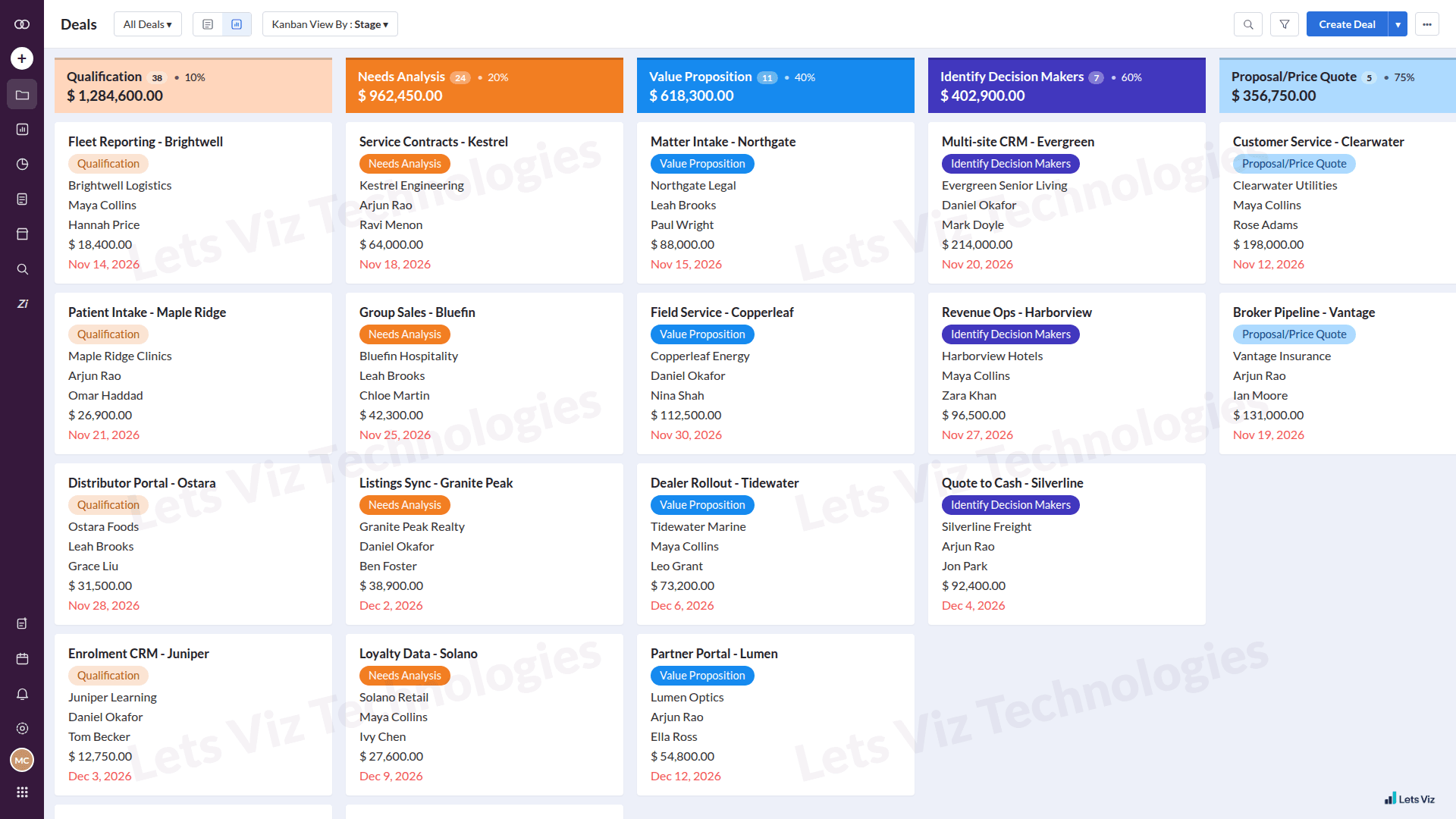
Mail merge in Writer takes a document containing merge fields and combines it with a data source, producing one personalised document per record. With Zoho CRM, the data source is a module such as Contacts, Leads or Deals, and the merge fields correspond to CRM fields like name, company, address or deal amount.
The basic flow looks like this:
1. Build the template in Writer and insert merge fields that map to the CRM module you want.
2. Connect the template to CRM so that users can generate documents from a record or a list view.
3. Generate a single document from one record, or a batch from a selected list.
4. Review, share for approval or send for signature, then store the finished file against the record.
Automation beyond manual merge
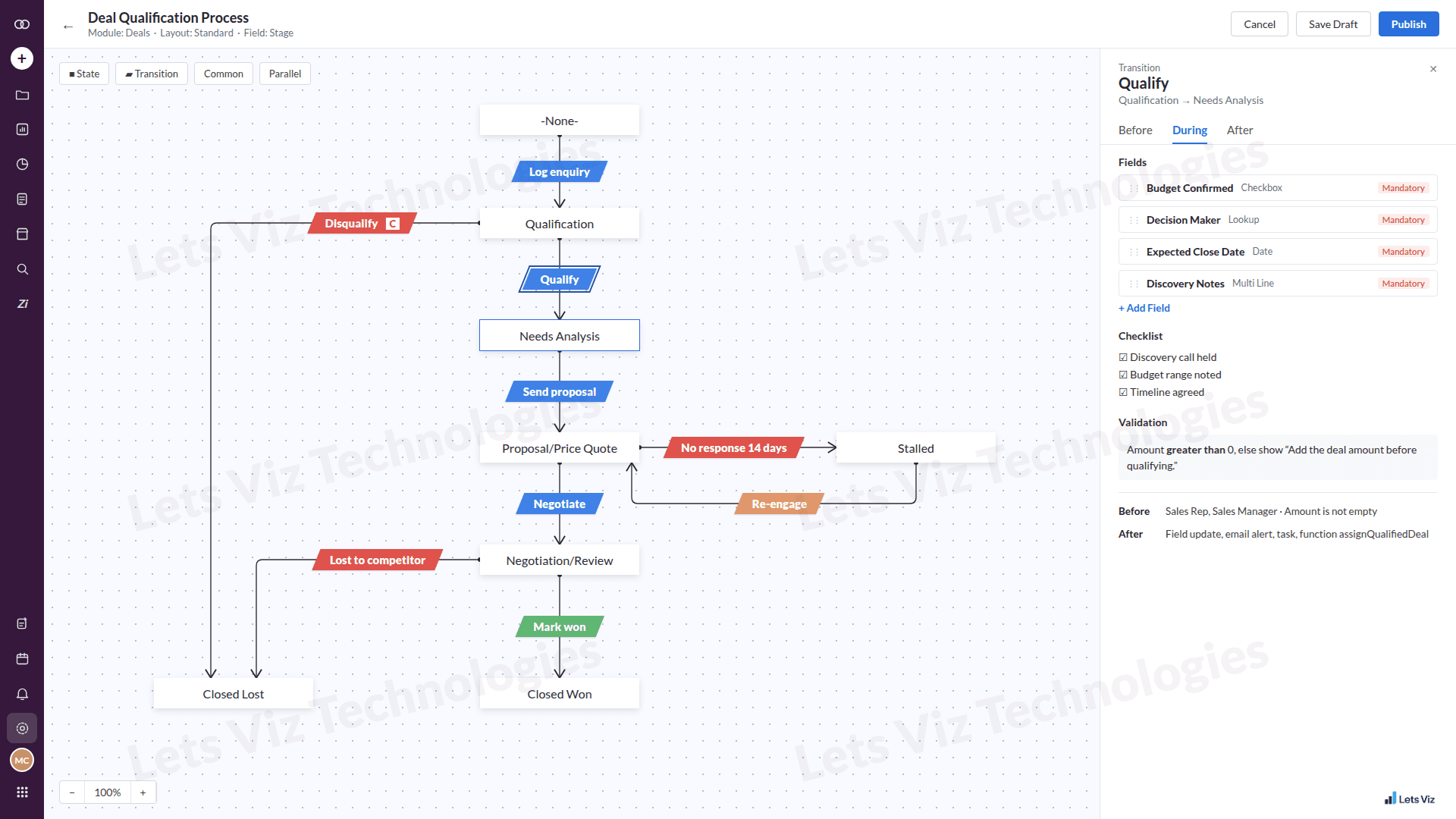
Writer can also use webhooks and custom functions so that events in other business apps, such as a CRM or ERP, trigger automatic generation and sharing of personalised documents. For example, a deal moving to a Closed Won stage could generate a welcome pack and an order form without anyone clicking anything. Linking this with a workflow tool is covered in Zoho Flow and how it automates work across Zoho and other apps.
Merge field mistakes to avoid
- Dirty source data. Merge fields expose messy records. A contact stored in capital letters or a company name with a typo will appear in the client letter exactly as stored. The structure of your records matters, and the guide to structuring a CRM database in Zoho helps here.
- Empty fields. Decide what happens when a field is blank. A template that prints a blank address line looks careless.
- Over-merging. Do not pull in more personal data than the document needs.
- No test records. Always test with edge cases: long names, accented characters, multi-line addresses and different currencies and date formats for US, UK/EU and Canadian customers.
Where does Zoho Writer fit in a Zoho One or Workplace rollout?
In a Zoho One or Workplace rollout, Writer should be treated as the document layer that sits on top of your CRM, finance, support and workflow tools. It is rarely the first app you configure, but it is often the one staff notice most, because it removes visible manual work.
A sensible sequence for a small-business rollout looks like this:
| Phase | Focus | Writer's role |
|---|---|---|
| 1. Foundation | Users, data model, CRM fields | Not yet; agree field names first |
| 2. Core apps | CRM, Books, Desk configured | Pilot one or two templates |
| 3. Documents | Quotes, contracts, letters | Build and approve the template library |
| 4. Automation | Triggers on stage changes | Auto-generate and route for approval |
| 5. Governance | Access, retention, review dates | Lock masters, set review calendar |
Connecting Writer to the neighbouring apps
- CRM. Generate proposals, order forms and letters from deals and contacts.
- Books. Produce statements and formal letters from finance data. The overview of what Zoho Books does and costs explains where finance documents are best generated.
- Sign. Send finished contracts for signature. The walkthrough on setting up Zoho Sign in CRM and Creator shows the contract path end to end.
- Creator. Custom apps can trigger document generation for processes that do not fit standard CRM modules.
- Mail. Finished documents often leave by email, so mailbox limits and policies matter; see Zoho Mail free versus paid limits.
Three hypothetical examples
These are illustrative scenarios, not client results.
- A US SaaS finance team might generate order forms from CRM deals, route them for internal approval in Writer, then send them out for signature, keeping SOC 2 evidence of who approved which version.
- A UK professional services firm might use merge templates for engagement letters, with GDPR-conscious fields and a review date tied to each change in its terms of business.
- A Canadian manufacturing company might produce quotes and delivery paperwork from CRM records, using bilingual templates and the translation tool for French-speaking customers, while keeping PIPEDA obligations in mind.
What should you check before standardising on Zoho Writer?
Before standardising, run a short pilot with real documents from your busiest process. Choose the document type your team produces most often and measure whether Writer handles it end to end.
A practical pilot checklist
- Format fidelity. Open your five most complex existing files and check that formatting survives import and export.
- Dependencies. List any macros, add-ins or embedded objects your staff rely on.
- Field mapping. Confirm that every merge field you need exists in CRM and is reliably filled.
- Approvals. Test the review and signature path with a real approver.
- Offline and mobile. Test the desktop apps offline and the mobile apps on the devices your field staff actually use.
- Data location and retention. Ask Zoho which regional data centre will hold your documents and what retention options you control, then compare that against your compliance needs.
- Exit. Confirm how you export documents and templates if you later leave. Our readers often ask about this in the context of downgrades, so verify it up front.
If the pilot goes well, move template ownership to named people, document the naming conventions, and train a small group of champions. If it does not, you have lost a few days rather than a quarter.
---
About Lets Viz: Lets Viz is a data analytics and business systems consultancy that has served clients since 2020, including US healthcare, UK fintech, Canadian manufacturing and global SaaS organisations. We hold a 5.0 Clutch rating and work hands-on with Zoho, Power BI and automation tools, so the guidance above reflects real implementation patterns.
If you are planning a Zoho rollout and want templates, mail merge and CRM fields mapped properly from day one, our Zoho consulting services team can help.
Sources
Facts and prices checked November 2026.