AI Agent Platform: What It Is and How to Choose One
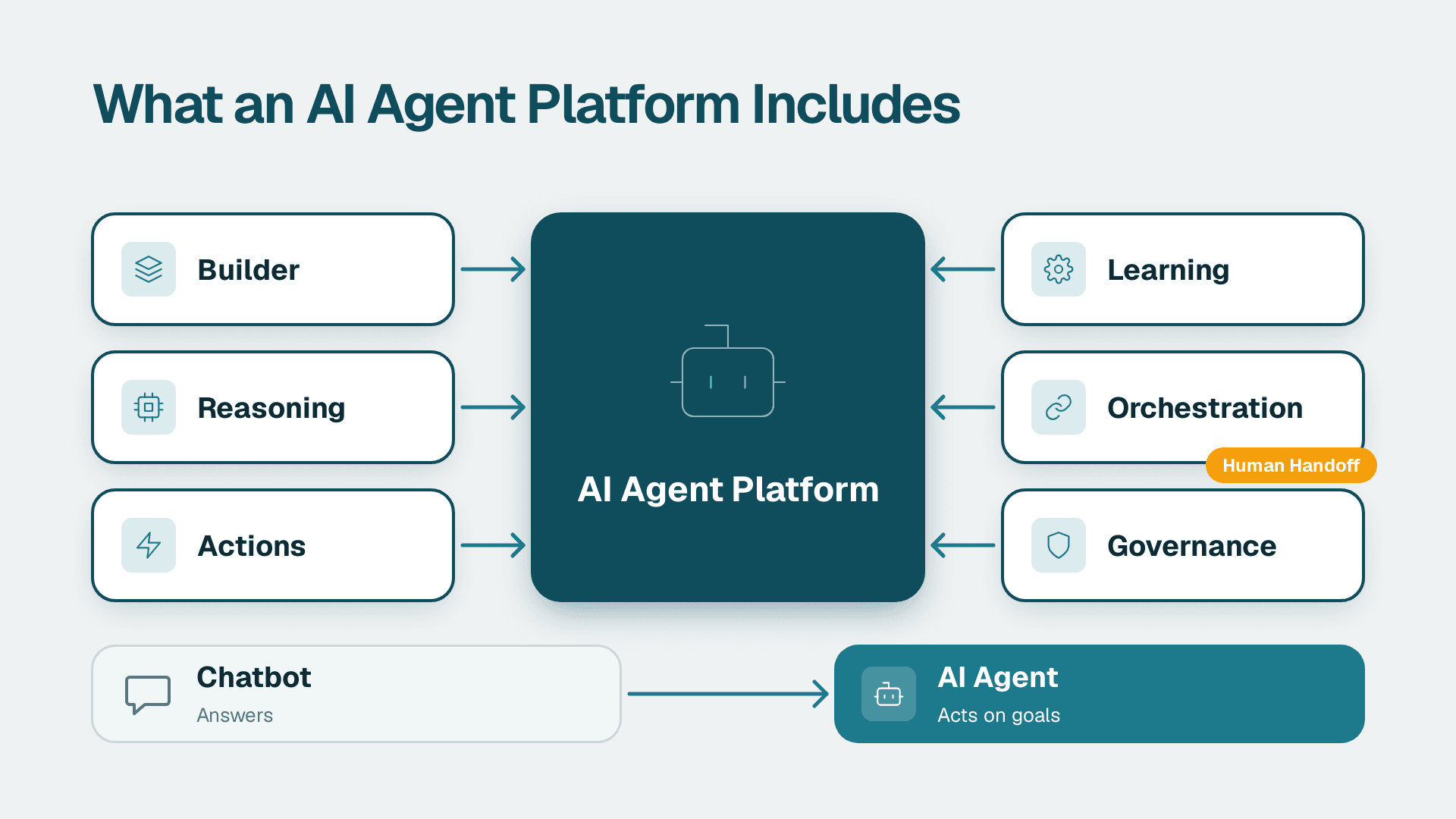
An AI agent platform is the software foundation that lets a business build, run and supervise AI agents: programs that use a language model to reason about a goal, take actions in your systems and hand off to a person when they should. A real platform bundles a builder, reasoning, actions, orchestration and governance, not just a chat window.
Key Takeaways
- An AI agent platform is an ecosystem of builder, reasoning, action, learning, orchestration and governance, not a single tool.
- Agents differ from chatbots and workflow tools because they choose steps toward a goal and act in live systems.
- Start with one high-volume process that has a clear owner and a human approval step.
- Choose on who maintains the platform, where your data stays and how approvals work, not on feature lists.
- Budget for usage, integration, monitoring and review time, and write governance rules before launch.
What is an AI agent platform and what does it include?
An AI agent platform is the full set of tools, data connections and controls needed to build, run and manage AI agents, rather than one piece of software. Salesforce's own description of an AI agent platform calls it a complete AI, data and security ecosystem, which is a useful correction for buyers who assume they are purchasing a smarter chatbot.
That same description lists six essential components. They make a practical checklist for any shortlist, whichever vendor is on it.
| Component | What it does | What to ask a vendor |
|---|---|---|
| **Agent builder** | Defines the agent's purpose, scope and instructions | Can a non-developer change it, and can a developer extend it? |
| **Reasoning engine** | Decides which step to take next | Which models can it use, and can you see why it chose a step? |
| **Action** | Lets the agent change things in other systems | Which of your systems does it connect to out of the box? |
| **Learning** | Improves behaviour from feedback and outcomes | How is feedback captured, and who approves changes? |
| **Orchestration** | Coordinates several agents, tools and handoffs | What happens when a step fails halfway through? |
| **Governance** | Controls permissions, logging and oversight | Can you restrict, log and switch off any single agent? |
The same source lists six capabilities that characterise agents: autonomy, learning, adaptability, goal orientation, security, and interaction and communication. Of those, security and governance deserve more weight than they usually get in demos, because an agent that can act can also act wrongly.
The builder is where platforms differ most visibly. Salesforce's Agent Builder, for example, is a low-code tool where you describe an agent's purpose in natural language and use pre-built subagents to define its scope of work, with pro-code extension through tools such as Apex classes. It connects agents to Salesforce data, business logic such as Flows, APIs through MuleSoft and pre-built prompt templates, and it includes a testing tool called Plan Tracer for previewing how an agent responds to queries. Whatever platform you evaluate, look for the same pattern: a simple way to describe the job, a way to extend it, connections to real data and a safe place to test before anything goes live.
Deciding which of these pieces your business needs is the starting point of any AI automation consulting engagement, and it is worth doing before you read a single product page. A team with ten repetitive processes and no integration budget needs a different platform from one with a single complex process and a developer on staff.
How is an AI agent platform different from a chatbot or workflow tool?
The difference is who decides the next step. A chatbot replies, a workflow tool follows a path you drew in advance, and an agent platform lets the system choose among steps to reach a goal, within limits you set.
| Tool type | Who decides the next step | Touches your systems | Typical failure | Best fit |
|---|---|---|---|---|
| Chatbot | Pattern or model reply | Rarely | Vague or wrong answer | FAQs, simple triage |
| Workflow automation | You, in advance | Yes, through fixed rules | Breaks on unexpected input | Stable, predictable processes |
| AI agent platform | The agent, inside guardrails | Yes, with permissions | Confident wrong action | Variable inputs that need judgment |
The failure column matters most. A chatbot that is wrong costs you an awkward answer. An agent that is wrong may have already sent the email, updated the record or issued the refund. That is why autonomy is better understood as a dial than a switch, a point we cover in our guide to what autonomy really means in business.
When is a plain workflow the better answer?
If the process is stable and the inputs are structured, deterministic automation is usually cheaper, faster and easier to audit. Moving a form submission into a CRM record does not need a reasoning engine. Adding one introduces cost and unpredictability for no gain.
Where do agents earn their place?
Agents pay off when the input is messy: free-text emails, scanned documents, requests that arrive in different shapes and need a judgment call before action. A supplier email that says the delivery will slip and asks for a revised slot is not a form field. It needs reading, checking against an order and drafting a reply. That is agent territory, ideally with a person approving the reply at first.
What should you automate first with an AI agent platform?
Start with a process that is high in volume, partly rule-bound, owned by one named person and cheap to reverse when it goes wrong. The tool matters less than the choice of process, and most disappointing pilots trace back to picking a process that was vague, rare or high-stakes.
Our guide to the business automation process of identifying, prioritising and automating covers the scoring in detail. For agent work specifically, four filters help:
1. Volume: the task happens often enough that small savings add up.
2. Variability: inputs differ enough that fixed rules struggle.
3. Reversibility: a wrong action can be caught and undone before it harms a customer.
4. Ownership: one person can judge whether the output is good.
Here are hypothetical examples of how those filters play out across markets. They are illustrations of fit, not reported results.
| Hypothetical business | Candidate process | Why it fits | Human checkpoint |
|---|---|---|---|
| US SaaS finance team | Triage and categorise vendor invoice queries | High volume, varied wording | Approver signs off any payment-related reply |
| UK distribution company | Read supplier delay emails and propose revised delivery slots | Messy inputs, clear owner in purchasing | Buyer approves before the reply is sent |
| Canadian manufacturer | Turn incoming quote requests into draft quotes | Repetitive, structured output | Estimator reviews every draft |
Notice that every row keeps a person in the loop. That is not timidity. It is how you collect evidence about accuracy before you widen the agent's permissions. If a process involves personal data, such as customer emails, factor in GDPR for UK and EU contacts and PIPEDA for Canadian ones from the start, rather than discovering the obligation after launch.
Which processes should wait?
Anything that moves money without review, makes decisions about individuals with legal or similarly significant effects, or depends on data you have not cleaned yet should wait. If your underlying data is unreliable, an agent will simply act on bad inputs faster. The free BI readiness self-assessment is one way to check whether your reporting data is in shape before agents start relying on it.
How do you choose between build, buy and open source?
Choose by who will maintain the platform in year two, not by who demos best in week one. Every option can produce an impressive prototype. The differences show up in upkeep, control and the cost of changing your mind.
| Option | Best for | Control over data and logic | Upkeep burden | Main risk |
|---|---|---|---|---|
| Platform from your existing business-software vendor | Teams already standardised on that vendor's data | Moderate | Low to moderate | Lock-in to one ecosystem |
| Standalone no-code agent builder | Ops teams with no developers | Moderate | Low | Limits when logic gets complex |
| Open-source framework you host | Teams with engineering capacity | High | High | Nobody owns maintenance |
| Custom build on model APIs | Unusual processes, strong in-house skills | Very high | Very high | Cost and time overrun |
Our comparison of open-source AI agents versus SaaS on cost, control and upkeep goes deeper on the trade-off. The short version for a small-to-mid-market company: open source looks free until you count the engineer who patches it, monitors it and answers the phone when it stops.
What questions should you put to every vendor?
- Where does our data go? Ask which regions process it, whether it is used to train models and what the data processing terms say. UK and EU buyers should check GDPR transfer arrangements, and Canadian buyers should check how PIPEDA obligations are handled.
- Who maintains the connectors? Integrations to your CRM, ERP or finance system break when those systems update. Find out who fixes them.
- How do approvals work? You want to require a human sign-off on specific actions, and to relax that requirement one action at a time.
- Can we see what the agent did and why? Logs and traces are the difference between a controllable system and a black box.
- How do we leave? Ask what you can export, including prompts, configurations and logs, if you switch platforms.
For US companies selling to larger customers, add one more: whether the vendor can supply SOC 2 documentation, since your own customers may ask how the agent handles their data.
Should the platform match your existing stack?
Usually, yes, at least for the first agent. An agent is only as useful as the data and actions it can reach. If your customer records live in one system and your finance data in another, pick the platform that connects to the system holding the process you are automating. Our guide on how to structure a CRM database in Zoho shows why clean records matter before any agent reads them.
What does an AI agent platform cost to run?
The licence is rarely the largest line. Expect five cost areas: platform fees, model usage, integration work, monitoring, and the human time spent reviewing agent output. Vendors price the first two publicly, and the last three are what surprise teams.
Because pricing and tiers change often, treat any figure in a comparison article, including this one, as a starting point and confirm it on the vendor's own page. We have no verified price for the agent platform described above, so we do not quote one. What we can state firmly relates to Microsoft's analytics stack, which many mid-market teams already own and which often sits underneath agent and assistant projects:
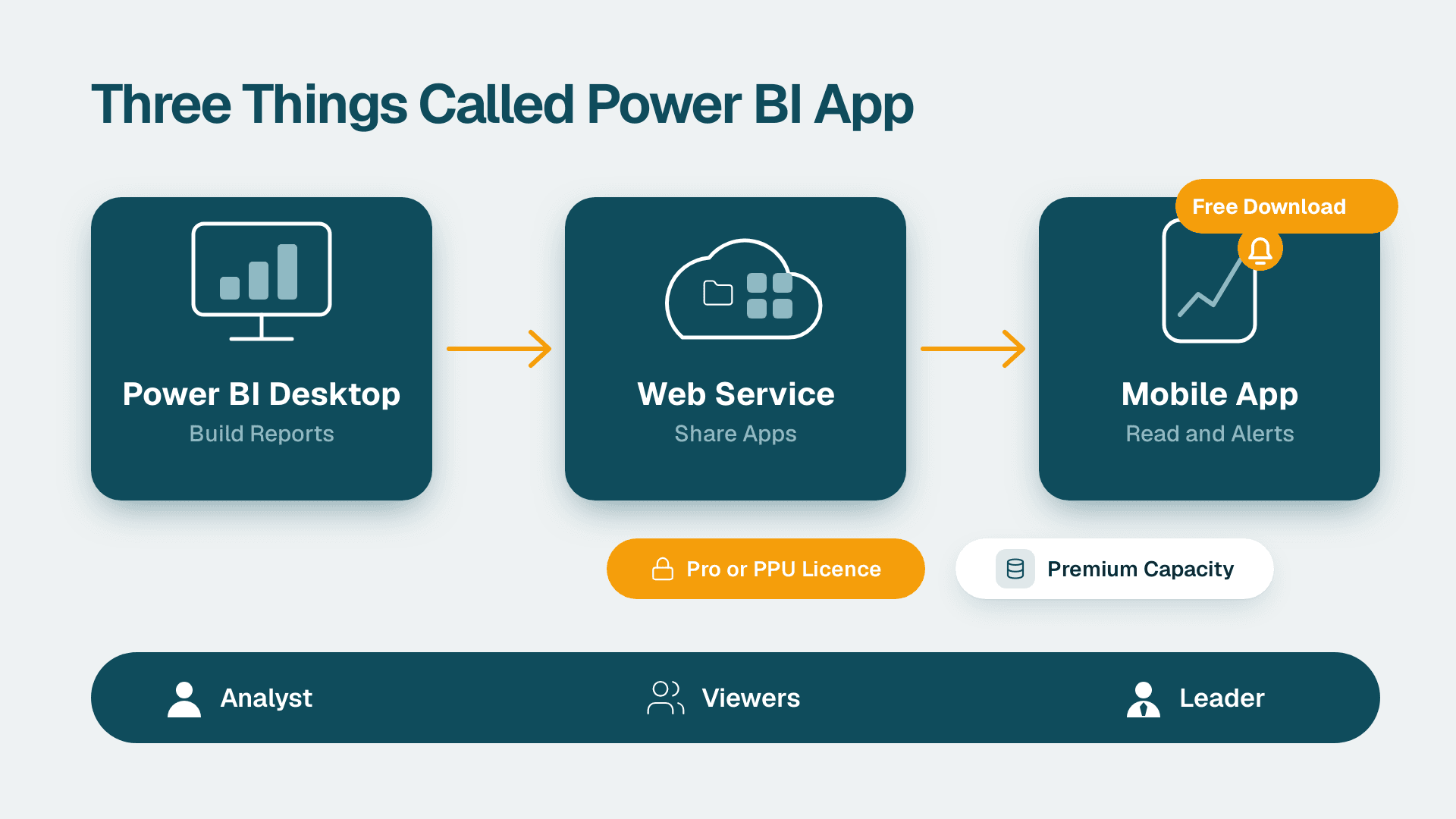
- Power BI Pro is $14 per user per month and Power BI Premium Per User is $24 per user per month, at list prices since 1 April 2025.
- Copilot in Power BI and Fabric needs a paid Fabric capacity of F2 or higher, or Power BI Premium P1 or higher. A Pro or Premium Per User licence alone is not enough, and trial capacities are excluded. There is no F64 minimum for Copilot itself.
That second point is a good example of a hidden prerequisite. A team can license every user and still find the AI features switched off because nobody bought capacity. Our guide on how to run a Copilot readiness assessment before you buy walks through this kind of check, and the same discipline applies to any agent platform.
How do you estimate the full cost before committing?
Use a simple worksheet for one process:
1. Count how many times the process runs per month today.
2. Estimate the minutes a person spends on each run.
3. Decide what share of runs the agent could handle and what share a person must review.
4. Add platform fees, integration time and an owner's monitoring time.
5. Compare the total with the current cost of the manual process.
Do this with your own numbers, not with a vendor's average. If the saving only works when the agent handles every run unaided, the case is weaker than it looks, because early on a person should be reviewing most of them.
For a rough sense of project scale on analytics work that supports agents, the instant project cost calculator gives a quick estimate.
How do you govern AI agents without a compliance team?
Govern agents the way you would a new employee with system access: give them the minimum permissions they need, review their work at first, keep a record of what they did and name one person accountable. You do not need a compliance department to do that, only written rules and the discipline to follow them.
Our guide to AI governance strategy for companies without a compliance team covers the full approach. For agent platforms in particular, five controls do most of the work:
- Least privilege: the agent can read and write only what its task requires. An agent that drafts replies does not need permission to delete records.
- Approval gates: actions that spend money, contact customers or change records start behind a human approval, and you relax them only after reviewing accuracy.
- Logging: every action, input and output is recorded and retained for as long as you may need to explain it.
- A kill switch: one person can pause any agent immediately.
- A named owner: each agent has a single accountable person, not a committee.
How long should you keep agent logs?
Longer than the default, in many cases. Microsoft Purview Audit (Standard) keeps audit logs for 180 days, so if your agents act on Microsoft 365 data and you want a longer record for disputes or reviews, plan an export or retention approach rather than assuming the default is enough. Other platforms set their own retention, so ask each vendor and write the answer down.
Which regulations touch agents?
The obligations depend on the data the agent handles, not on the fact that it is an agent.
- GDPR (UK and EU): applies when agents process personal data. It also restricts decisions based solely on automated processing that significantly affect individuals, which is another reason to keep a person in the loop for those cases.
- PIPEDA (Canada): requires accountability for personal information under your control, including when a third-party platform processes it.
- SOC 2 and HIPAA (US): matter when you serve customers who require them, or handle health data. Our focus here is non-regulated sectors, but if a customer's contract flows these down to you, the agent falls inside that scope.
When in doubt, take the agent's use case to legal counsel in the relevant market before launch. This article is general guidance and not legal advice.
How should you pilot an AI agent platform?
Pilot one agent on one process with a measurable baseline, a human approver and a pre-agreed stopping rule. A pilot that cannot fail clearly cannot succeed clearly either, so define what a pass and a fail look like before you switch anything on.
| Phase | Goal | Exit test |
|---|---|---|
| 1. Baseline | Measure the manual process today | You know volume, time per run and error rate |
| 2. Shadow mode | Agent drafts, nothing is sent or changed | Reviewers agree with the agent's output at a rate you set in advance |
| 3. Supervised live | Agent acts, a person approves each action | Few corrections, no serious errors |
| 4. Selective autonomy | Agent acts alone on low-risk cases | Spot checks stay clean, logs are reviewed on a schedule |
| 5. Expand or stop | Add a second process or retire the pilot | A written decision with the evidence behind it |
The baseline phase is the one teams skip, and it is the one that lets you prove value later. Without it, you will be arguing from impressions.
What mistakes derail agent projects most often?
- Picking the tool first and the process second. The result is a platform looking for a job.
- Skipping shadow mode. Going live straight away means customers find the bugs.
- Giving broad permissions for convenience. Narrow access is tedious to set up and cheap compared with an incident.
- Leaving no owner. An agent nobody is accountable for drifts, and its errors go unnoticed.
- Ignoring the data underneath. Agents amplify whatever quality your records already have.
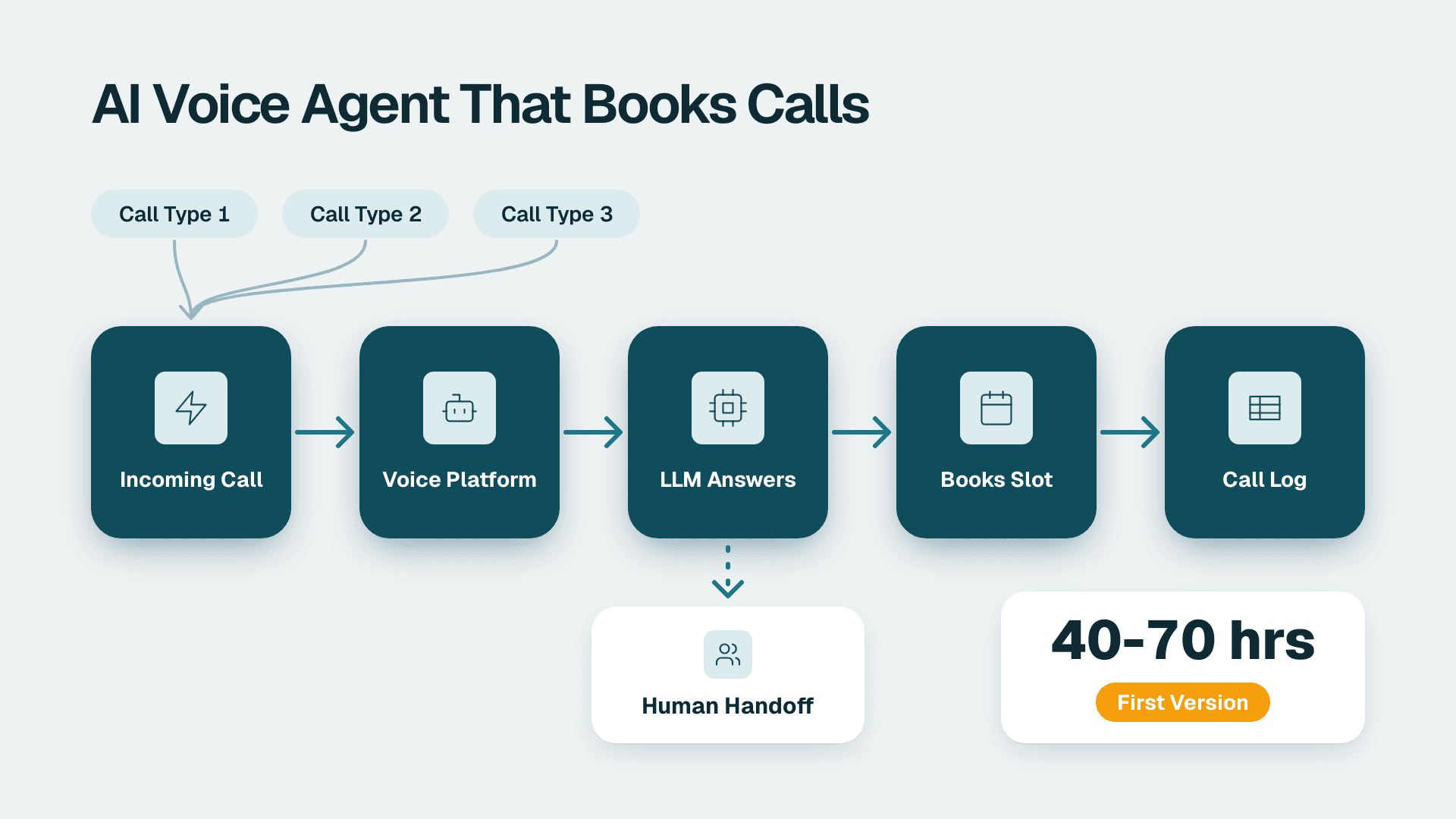
If your pilot involves customer conversations, our guide to AI customer service agents, covering deflection, handoff, cost and rollout is a close companion. For voice, see how to build an AI voice agent that books calls.
---
About Lets Viz: Lets Viz is a data analytics and AI consultancy that has delivered Power BI, data and automation projects since 2020 for clients across US healthcare, UK fintech, Canadian manufacturing and global SaaS. We hold a 5.0 rating on Clutch, and our guidance comes from scoping and supporting analytics and automation work in these markets.
If you want help choosing and scoping your first agent, see our AI automation consulting service.
Sources
Facts and prices checked November 2026.