AI Voice Agent for Business: Build One That Books Calls
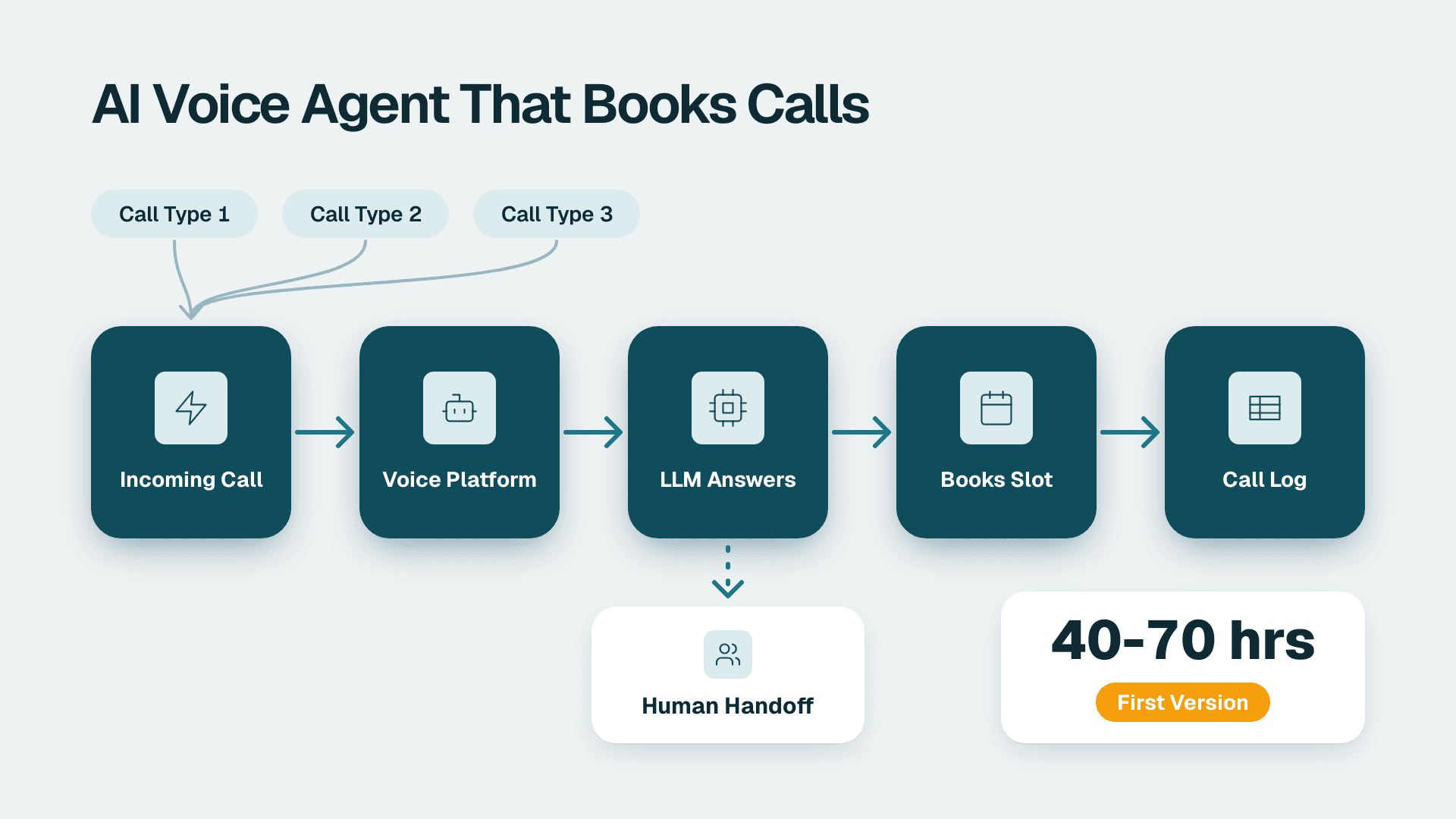
Clients who post this job want a phone line that never goes unanswered: pick up, answer common questions, qualify the caller and book a slot. Build it from a voice platform, an LLM API and your calendar or CRM, with human handoff and full call logging. A reliable first version takes roughly 40 to 70 hours over three to five weeks.
Key Takeaways
- The demo is easy; reliability is the job. Logging, fallbacks and handoff take more time than the conversation itself.
- Keep the agent's scope narrow: three to five call types, one booking path, one transfer number.
- Write bookings through a single tool call that checks availability first, and never let the model invent a slot.
- Per-minute voice platform fees plus LLM usage are the running cost; pricing varies by plan, so model it on your own call volume.
- If you get a handful of calls a week, a good voicemail and a booking link beat an agent.
Lets Viz builds AI automation solutions using n8n, Make.com, and Power Automate -- cutting manual processing time by 40-60% within 90 days across finance, healthcare, and operations workflows.
What Clients Ask For
Across the postings for this job, the same requirements keep appearing:
- Answer inbound calls on the existing business number, day and night, including after hours and weekends.
- Answer common questions such as opening hours, service areas, pricing ranges and what to bring.
- Qualify the caller by collecting name, number, reason for calling, urgency and location, then deciding whether they are a fit.
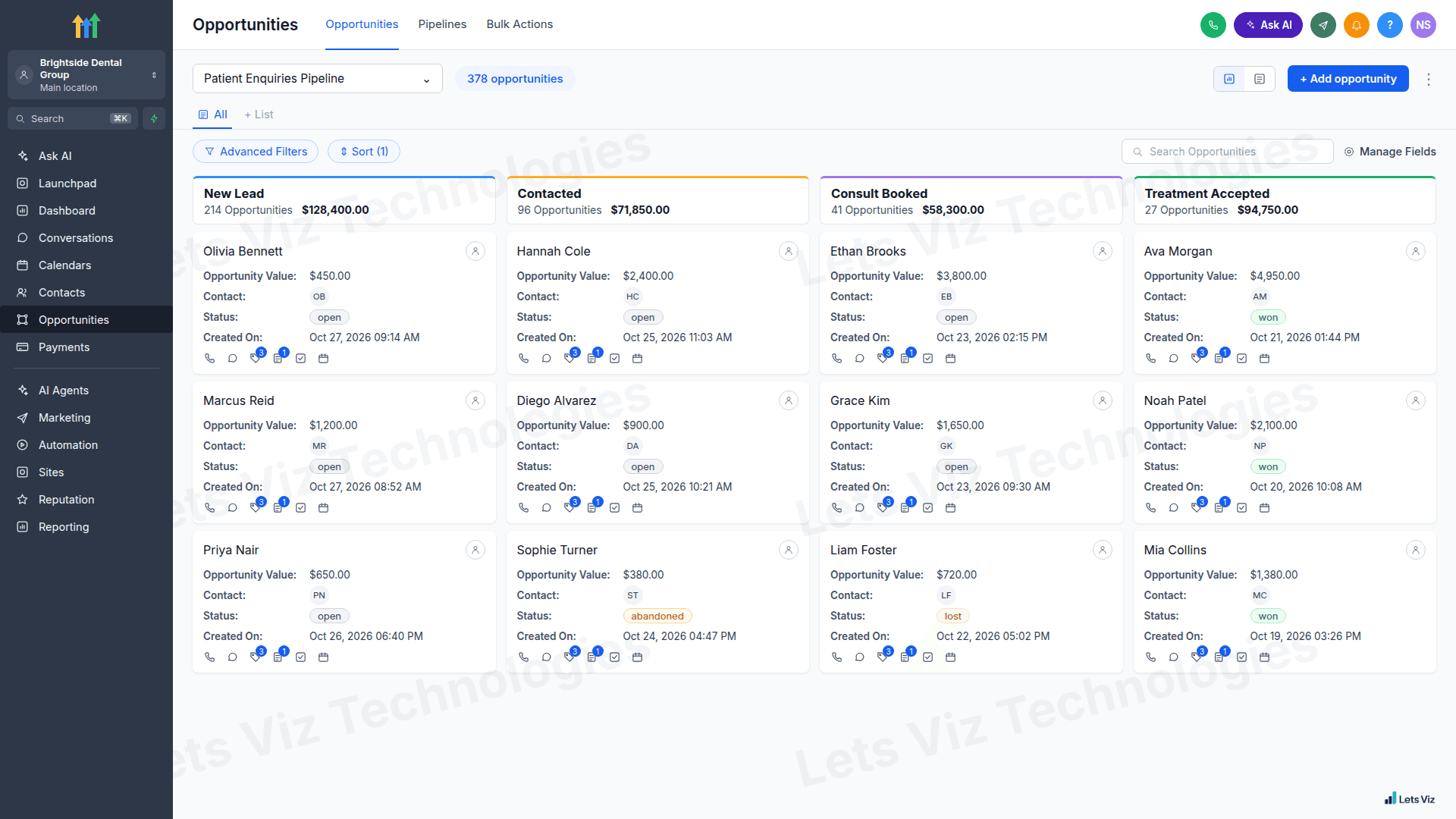
- Book an appointment directly in Google Calendar or in a CRM such as GoHighLevel, with a confirmation text or email.
- Hand off to a human when the agent is unsure, the caller is upset, or the caller simply asks for a person.
- Log every call with a transcript, summary, outcome and a record in the CRM.
The tools are usually already chosen: a voice AI platform, either the Claude API or the OpenAI API for the reasoning, and a calendar or CRM the team already lives in. The constraint nobody states but everyone has is trust. One bad booking or one rude exchange costs more than the missed call did.
What They Actually Need
The request says voice agent. The underlying problem is missed revenue: a lead calls, nobody answers, and they ring the next provider. So the real deliverable is a reliable intake process that happens to speak. Voice is the front door; the back end is a qualification script, an availability check, a CRM record and a safe way out.
Before building, ask these questions. Each one changes the build.
1. What are the top five reasons people call, and which can be answered from a fixed document? If three of them are pure FAQ, the knowledge base is small and you can load it into the prompt. If answers depend on live data such as stock or job status, you need tool calls to a system.
2. What makes a caller qualified or not? Service area, job type, budget and urgency are typical. This decides the fields you collect and whether the agent can politely decline, route or book.
3. Who takes a transferred call, and when are they unavailable? A handoff to nobody is worse than no agent. You need a human number, hours, and a fallback such as a callback task or voicemail.
4. Where does the truth live for availability? One shared Google Calendar is simple. Several technicians, rooms or locations mean you need rules for which calendar to check, buffers between jobs and travel time.
5. What are the privacy and recording obligations? Clinics and anything touching health or payment details change what the agent may say, store or record. Call-recording notices vary by region, so get this answered before launch, not after.
For wider context on where agents sit next to human support, see our guide to AI customer service agents: deflection, handoff, cost and rollout.
The Build: What an AI Voice Agent for Business Is Made Of
An AI voice agent for business is a pipeline of five parts. Each is replaceable, which matters when a vendor changes terms.
| Component | Tool | What it does |
|---|---|---|
| Phone number and telephony | Voice AI platform (or your existing carrier, forwarded) | Receives the call, streams audio, handles transfer and hang-up |
| Speech in and out | Voice AI platform | Converts speech to text and text to speech with low delay |
| Reasoning | Claude API or OpenAI API | Follows the script, decides when to call a tool, writes the reply |
| Tools | Webhook endpoints, n8n or a small service | Check availability, create the booking, look up the caller, send the summary |
| System of record | Google Calendar and GoHighLevel | Hold appointments, contacts, pipeline stage and notes |
How data moves, trigger to result. A call arrives and the platform answers with a fixed greeting. Speech is transcribed and sent to the LLM along with your system prompt. When the caller wants to book, the model calls a tool, which hits your webhook. The webhook looks up or creates the contact in GoHighLevel, checks Google Calendar free and busy for the requested window, and returns real slots. The model offers them, the caller picks one, a second tool call creates the event and moves the contact to a booked stage. At the end of the call, the platform posts the transcript, recording link and outcome to a logging webhook, which writes a note on the contact and sends a text or email confirmation. If anything fails or the caller asks for a person, the platform transfers to the human number.
One design choice matters: keep the LLM away from the calendar. It never writes to Google Calendar directly. It asks your webhook, which validates and returns a clear result. That is where reliability comes from.
How to Build It, Step by Step
Step 1: Write the call script and the boundaries
In a plain document, list the call types, the fields to collect for each and the exact things the agent must never do: quote a firm price, give medical or legal advice, promise a technician time without a booking. Add the handoff triggers: caller asks for a person, caller is angry, the question is not in the knowledge base, or two tool calls fail. When this is done you should be able to read the script aloud in under two minutes and it should sound like a competent receptionist.
Step 2: Create the agent in the voice platform
Open the platform's agent builder and set the voice, language, first message and LLM provider. Paste the system prompt. Keep the greeting short and say it is an automated assistant. Set interruption sensitivity moderate and enable end-of-call detection so silence does not leave a line open. Option names differ between platforms, but each exposes these. Use the built-in test call. You should hear the greeting within about a second of pickup.
Step 3: Choose the model and pin the version
Select the Claude API or the OpenAI API in the LLM settings and pin a specific model version rather than a floating alias, so a silent upgrade does not change behaviour on live calls. Set temperature low, since you want consistent answers, and cap max tokens so replies stay short enough to speak. Pick a fast tier of the model; voice punishes slow replies far more than text chat does. Check the vendor's current model list and pricing pages for what is available, because both change often.
Step 4: Build the booking tools
Define two custom functions in the platform: `check_availability` (inputs: service type, preferred date window) and `create_booking` (inputs: contact name, phone, slot, reason). Point each to a webhook URL. Behind them, call Google Calendar free/busy for the relevant calendar, apply your buffers and working hours, and return three slots at most. The create call should re-check the slot before writing, to avoid double booking. Test with a tool-call log open: you should see the request, your webhook's response and the new event appear in Google Calendar within seconds.
Step 5: Connect GoHighLevel
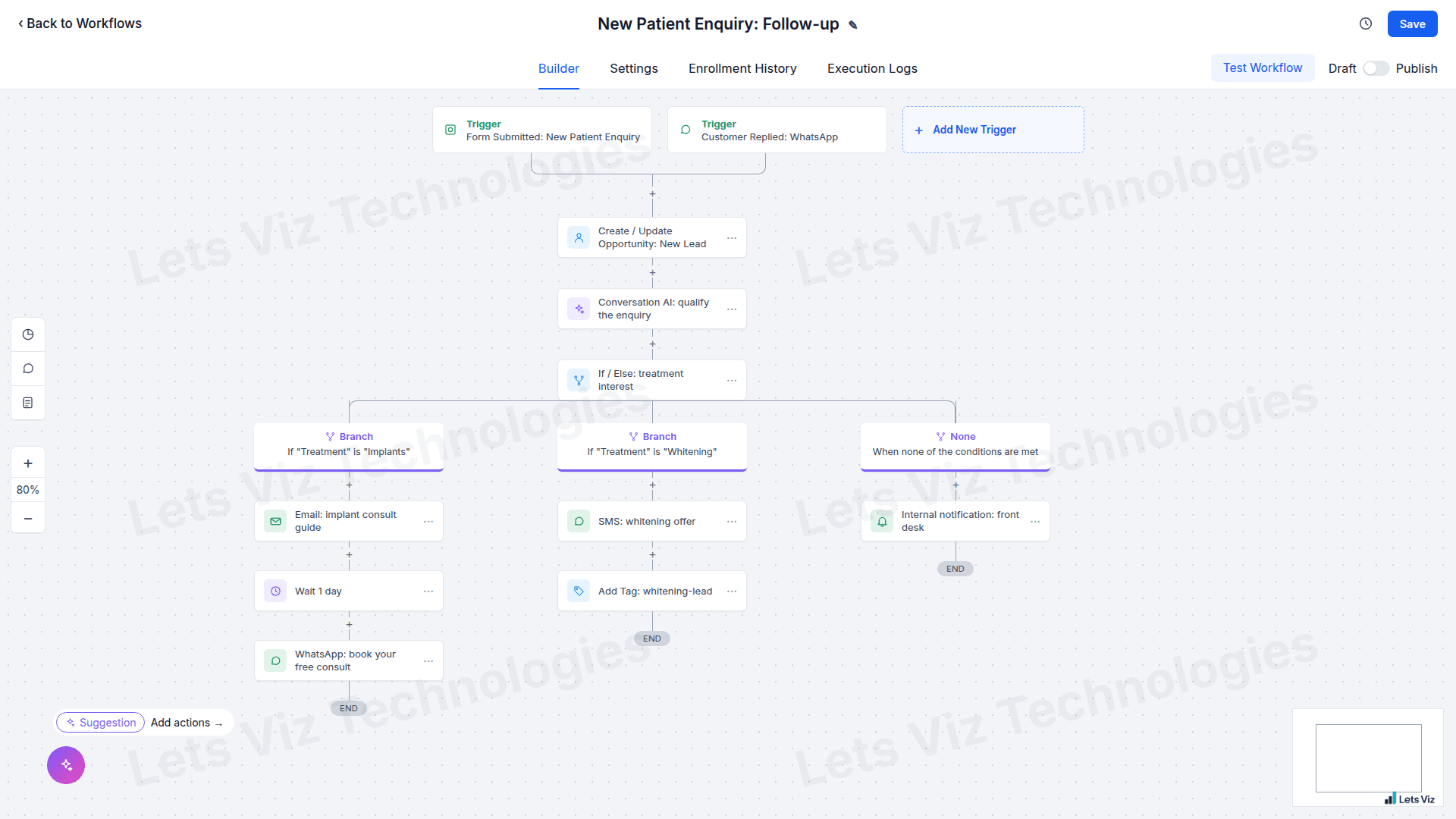
In the webhook, search contacts by phone number. If found, reuse the contact; if not, create one. On a successful booking, set the pipeline stage to a booked stage, add tags such as `ai-voice` and the call type, and write the qualification answers into custom fields. Use a location-level API credential with only the scopes you need. When this works, a test call produces a contact with the right fields and an appointment attached.
Step 6: Add the human handoff
In the platform's call transfer settings, add your human number and the conditions from step 1. Choose warm transfer where the agent briefly summarises to the person, if the platform supports it. Add a fallback: if nobody answers within the ring window, the agent offers to take a message, creates a GoHighLevel task for a callback and tags the contact `needs-human`. Test by asking for a person and then by letting the transfer ring out. Both paths must end cleanly.
Step 7: Log every call
Set the platform's end-of-call webhook to your logging endpoint. Store the transcript, summary, duration, outcome and recording link, then add a note to the GoHighLevel contact and append a row to a sheet for review. When it works, every test call, including failed and abandoned ones, leaves a record you can read in under a minute.
Step 8: Run a test batch, then launch softly
Write 25 to 30 test calls: normal bookings, caller changes their mind, mumbled numbers, background noise, off-topic questions, rude callers and a request in the wrong language. Fix the prompt and tools until failures are boring. Then forward only after-hours calls first, review the logs daily for a week, and expand to daytime overflow once the transcripts look right.
Where These Builds Break
Double bookings and phantom slots. The model confidently offers a time that is gone, or two callers grab the same slot. Fix it by having the model only offer slots your webhook returned, and by re-checking availability inside `create_booking` before writing. Return a clear failure message so the agent can offer alternatives.
Misheard names, numbers and addresses. Speech recognition struggles with phone digits, street names and unusual surnames. Fix it by having the agent read back the number and spelling in chunks, and by confirming the number from caller ID before asking for another. For addresses, capture a postcode or area and verify it against your service area rules in the webhook.
Latency and awkward pauses. Slow tool calls make the caller say hello twice and talk over the agent. Fix it by keeping webhooks fast, using a quick model tier, shortening the prompt and having the agent say a short filler line before a lookup. If a tool takes too long, fail over to taking a message.
Hallucinated answers. The agent invents a price, a warranty or a policy. Fix it by loading only approved facts, instructing it to say it will have someone confirm when the answer is not in the facts, and treating that as a handoff trigger. Review transcripts weekly for answers that were not in the source document.
Silent failures. The CRM credential expires or a webhook errors, and calls keep ending with no booking and no record. Fix it with alerts: if the end-of-call webhook fails, or a call ends without a log entry, send a message to a human. Keep a daily count of calls versus logged records; the two should match.
The broader point about limiting what an agent may do on its own is covered in autonomous AI agents: what autonomy really means in business.
Time and Cost: How Much Do AI Voice Agents Cost?
Build effort. For a single location with one calendar, one CRM and a short FAQ, plan about 40 to 70 hours for a first build, including testing and a soft launch. Rough split: script and scoping 6 to 10 hours, platform and prompt setup 8 to 12, booking tools and calendar logic 10 to 18, CRM integration and logging 8 to 14, handoff and fallbacks 4 to 8, and testing 8 to 14.
Running costs. Three meters run during every call: the voice platform (usually billed per minute, and publicly listed rates vary by plan and provider; one platform's pricing page advertises voice agents from $0.07 per minute in 2026, before add-ons), the LLM API (billed by tokens, so check the current Claude API and OpenAI API pricing pages), and telephony. Add your CRM or GoHighLevel plan and any automation host. Because each is usage-based or plan-based, pricing varies by plan, so model it on your call count and average call length instead of trusting a headline rate. A useful habit is to pull a month of call-log data and multiply by minutes.
Which one is best for a small business? There is no universal winner. Choose on the integrations you need (your calendar and CRM), voice quality in your accent and language, transfer features, and how clearly you can see logs and billing. Run the same 25 test calls on two platforms before committing. A no-code builder is fine for a simple booking flow; see our ranking of no-code AI agent builders for ops teams when you are comparing options.
What moves the estimate.
| Factor | Effect |
|---|---|
| Several calendars, technicians or locations | Adds routing and travel-time logic |
| Live data lookups (orders, job status) | Adds tools and permissions work |
| Regulated data (clinics) | Adds consent, redaction and storage review |
| More than one language | Adds voice testing and prompt variants |
| Existing CRM that is messy | Adds cleanup before automation |
If you are exploring cost for a wider rollout, our instant project cost calculator gives a rough range.
When Not to Build This
You get a few calls a week. If missed calls are rare, a clear voicemail greeting, a text-back with a booking link and a shared calendar page solve most of it for a fraction of the effort.
Most calls are emotional, complex or high-stakes. Clinics handling distressed patients, or businesses where each call is a large custom quote, are better served by a trained human, perhaps with an answering service for overflow. An agent that only takes messages adds little.
Your calendar or CRM is not in order. If appointments live in three places and nobody trusts the data, an agent will faithfully book into chaos. Fix the process first; an agent amplifies whatever you give it.
If you would rather scope this with someone who has built it, our team can review your call types, tools and risks in a short session. Talk to us about AI agent and automation consulting and we will tell you honestly whether to build, buy or wait.
---
About Lets Viz: Lets Viz has delivered AI, CRM, automation and BI projects since 2020 for service businesses, clinics, real estate teams and ecommerce brands. We hold a 5.0 Clutch rating from client reviews, and we build agents with logging, fallbacks and human handoff from day one.
Sources
Facts and prices checked November 2026.