Zoho CRM Automation: What to Automate, Payoff and Limits
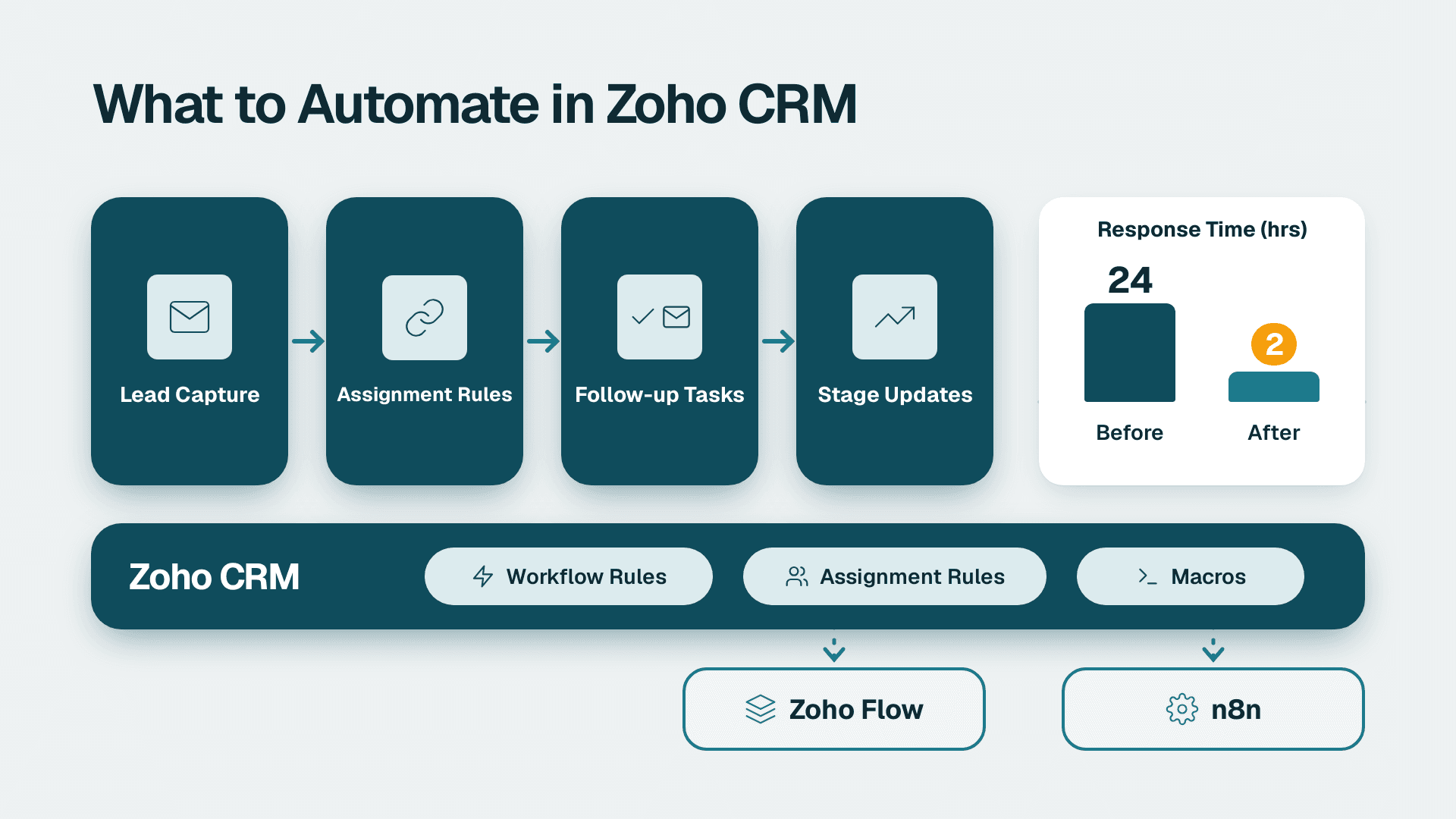
Zoho CRM can automate lead capture and assignment, follow-up tasks and emails, deal-stage updates, approvals and data clean-up using workflow rules, assignment rules and macros. The payoff is faster response, fewer dropped leads and cleaner reports. Add Zoho Flow when a process crosses into other apps, and n8n when you need custom logic or self-hosting.
Key Takeaways
- Start with lead assignment, follow-up tasks and stage-change actions: they are the cheapest automations with the clearest payoff.
- Workflow rules, assignment rules and macros cover most single-system needs without code.
- Automation is only as reliable as the fields it reads, so fix data quality before you scale rules.
- Edition limits change over time, so confirm current automation allowances on Zoho's pricing page before you design around them.
- Add Zoho Flow for cross-app handoffs and n8n for custom logic, then keep every automation documented and owned.
What can Zoho CRM automation actually do?
Zoho CRM automation means the CRM performs routine actions on its own when a record meets a condition you defined: assigning an owner, sending an email, creating a task, updating a field or notifying a manager. It removes the manual steps that quietly decide whether a lead is called in five minutes or five days.
According to Zoho's CRM automation page (2026), workflow rules trigger actions when specified conditions are met, and a single rule can carry up to 10 conditions. That is enough to express most real-world qualification logic, such as "web form lead, deal value above a threshold, region equals EMEA", without stacking rules on top of each other.
In practice the automatable work falls into four groups:
- Lead handling: capture, de-duplicate, score, assign and acknowledge.
- Sales follow-through: tasks, reminders, stage-change emails and stalled-deal alerts.
- Operations handoffs: notifying finance, fulfilment or support when a deal closes.
- Data hygiene: standardising fields, filling gaps and flagging records that break your reporting rules.
A business that treats these as a designed system, rather than a pile of one-off rules, gets compounding value. If you are scoping that design, a Zoho CRM consulting engagement is usually about mapping the process and the data first, and building rules second.
Which Zoho CRM workflow examples have the highest ROI?
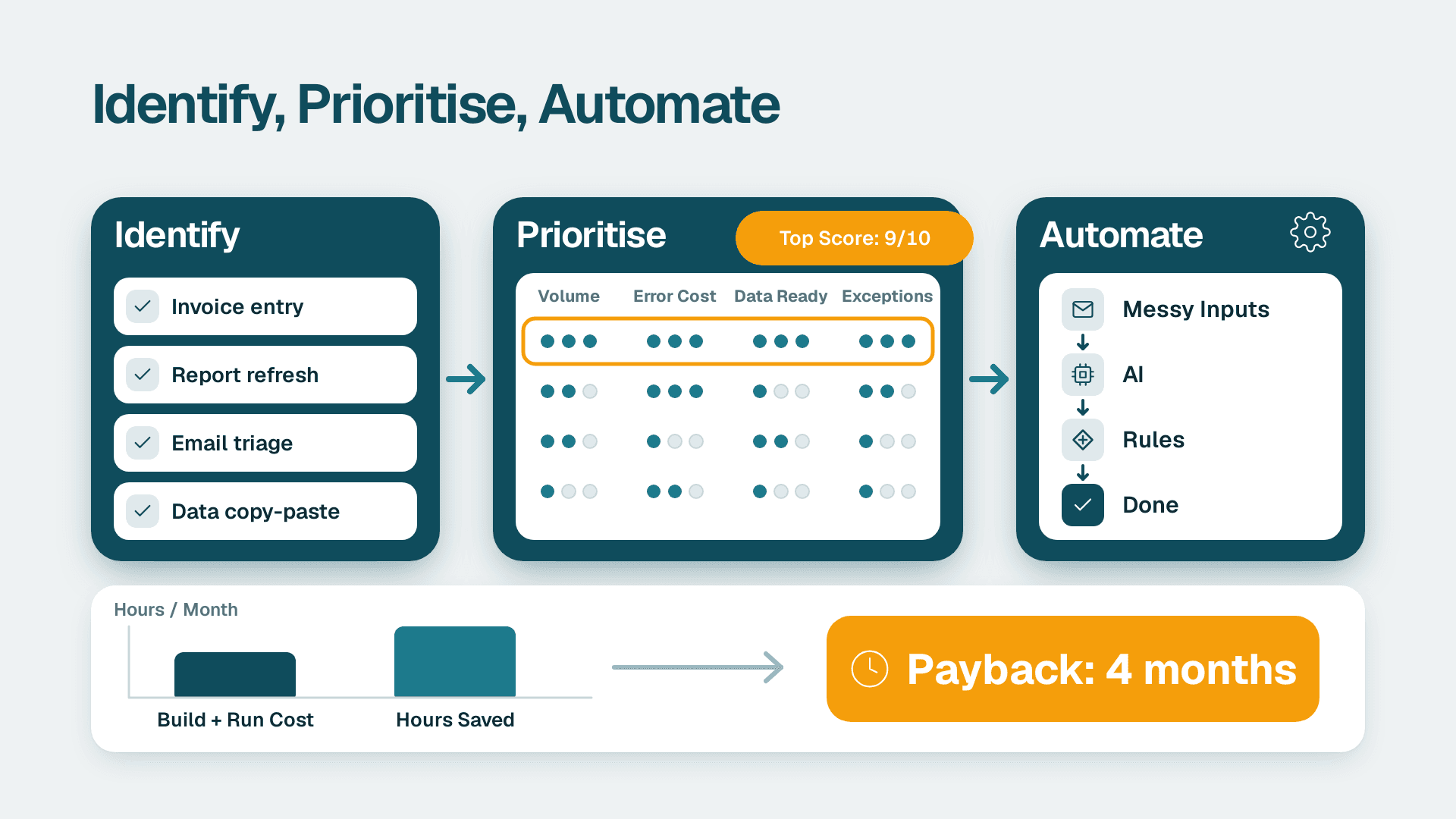
The highest-ROI Zoho CRM workflow examples are the ones that fire often, replace a task people forget, and touch revenue directly. Rank candidates by volume multiplied by cost of a miss, not by how clever the automation is.
There is no reliable public benchmark for the payoff of any single workflow, so treat the figures you hear in vendor marketing with caution and measure your own baseline. Before you switch a rule on, record the current response time, the number of overdue tasks and the share of records with missing owners. Then compare after a month.
1. Instant lead assignment
Assignment rules can assign leads on a condition, for example sending hot web form leads to your best closer or spreading leads evenly across the team with round-robin, as Zoho describes. The payoff is speed to first contact and the end of the "who owns this?" argument. It is also the easiest rule to audit, because every lead either has an owner or it does not.
2. Follow-up tasks on stage change
When a deal moves to a new stage, create the next task automatically, with a due date and the owner pre-filled. This keeps pipeline hygiene intact without nagging. It works best when your stages are well defined, which is why a clean pipeline structure for reliable forecasts comes before the automation, not after.
3. Stalled-deal alerts
A time-based rule that flags deals with no activity for a set period, and notifies the owner and their manager, catches revenue that is slipping silently. The payoff shows up in forecast accuracy: fewer deals sit in a stage they have effectively left.
4. Form-to-CRM intake with acknowledgement
A web form that creates the lead, assigns it and sends an acknowledgement removes three manual steps at once. If your intake is messy, start with Zoho Forms that feed CRM and Creator, because field mapping errors at the form level become data problems everywhere downstream.
5. Closed-won handoff
When a deal is won, notify finance, create the onboarding task list and update the account record. This is the classic sales-to-operations seam where details get lost. Even a basic notification plus a checklist task reduces rework.
6. Scheduled data sync and list building
One B2B client's team used to build marketing lists by hand from their CRM. Now a scheduled job runs every two hours inside Zoho, syncing 30 fields of sales context into four regional mailing lists and routing each contact by country. Manual list-building went to zero. This is a good example of automation that is not a simple workflow rule: it is a scheduled function that keeps two systems aligned on a timer.
How do Zoho CRM workflow rules, assignment rules and macros differ?
Workflow rules run automatically when a record meets conditions, assignment rules decide who owns a record, and macros bundle actions that a person triggers with one click. Choosing the right one avoids over-automating work that still needs human judgement.
| Tool | Trigger | Best for | Watch out for |
|---|---|---|---|
| Workflow rules | Automatic, on record create, edit or time-based condition | Follow-up tasks, email alerts, field updates | Rules firing in an unexpected order or duplicating actions |
| Assignment rules | Automatic, on lead or record creation | Routing by region, source or round-robin | Edge cases with blank fields falling through |
| Macros | Manual, one click by a user | Repeatable multi-step actions such as send, update and create a task | Adoption: a macro nobody uses saves nothing |
| Scheduled actions | Timer-based | Periodic syncs, clean-ups, batch updates | Silent failures if nobody monitors the logs |
Macros trigger a set of actions with a single click, such as sending an email, updating a record and creating a task together, and they can be shared with the team. Zoho CRM also notices when a user is repeating work and suggests macros, which is a useful way to discover candidates.
To see whether your rules help, use workflow insights. They break down each rule, including how many records pass through it and how many leads opened your email. Zia, Zoho's AI sales assistant, can also help work out whether a template change or a rule change is behind a performance drop.
What are the limits of each Zoho CRM edition for automation?
Edition limits matter because the automation you can build, and how much of it you can run, depends on your plan. Zoho adjusts edition features and allowances over time, so the safe approach is to design to the workflow you need and then verify that your edition supports it.
We do not quote numeric caps here because they change and a wrong number leads to a wrong purchase. The pattern is stable, though:
- Entry editions cover basic workflow rules and the essentials of lead and deal management. They suit a small team with simple routing.
- Mid-tier editions typically add more automation depth, such as richer rule types, custom functions and approval processes, and are where most growing sales teams land.
- Upper editions raise the ceilings and add more advanced capabilities, including more AI assistance and extensibility, for teams with complex processes.
Before you commit, list the five automations you actually need, then check each against the current edition comparison. Our Zoho CRM pricing plans compared guide walks through the tiers, and the small business editions and setup pitfalls article covers where smaller teams tend to over-buy or under-buy.
Limits that are not about price
Some constraints apply on every edition:
- Rule complexity: a rule can have up to 10 conditions. If your logic needs more, split it across rules or move it into a custom function.
- Single-system scope: workflow rules act inside the CRM. They do not orchestrate a long chain across several applications.
- Maintainability: every rule is a small piece of code in disguise. Without naming conventions and an owner, rules conflict and nobody can explain why a field changed.
- Data dependence: a rule that reads an empty or inconsistent field does nothing, or does the wrong thing.
When should you add Zoho Flow or n8n?
Add Zoho Flow when a CRM event needs to trigger work in another application, and add n8n when you need custom logic, heavier data transformation or self-hosted control that point-and-click rules cannot express. Stay inside the CRM when the entire process lives in the CRM.
| Situation | Use | Why |
|---|---|---|
| Assign, notify and update within the CRM | Native workflow and assignment rules | Simplest, fewest moving parts |
| CRM deal won should create records in another Zoho app or a third-party tool | Zoho Flow | Visual, prebuilt connectors, maintained alongside Zoho apps |
| Multi-step logic with branching, loops and API calls to unusual systems | n8n | Flexible, code-friendly, can be self-hosted |
| Data residency or hosting control required | n8n self-hosted, or in-Zoho functions | You decide where the data runs |
| A single scheduled sync between Zoho modules | In-Zoho scheduled function | No extra platform to maintain |
A practical rule of thumb
Every extra platform adds a credential to rotate, a failure mode to monitor and a skill to hire for. Use the least powerful tool that solves the problem. Native rules first, then Zoho Flow for app-to-app handoffs, then n8n when the logic outgrows a visual builder. If your needs are mostly about the Zoho apps working together, the Zoho CRM Plus bundle breakdown is worth reading before you add third-party tooling.
A hybrid is common. A US SaaS finance team, for example, might keep lead routing in native rules, push closed-won deals to its billing process through Zoho Flow, and use n8n for one awkward enrichment step that calls an external API. The key is that each tool has a clearly stated job.
Why does Zoho CRM automation fail on dirty data?
Automation fails on dirty data because rules read specific fields, and if those fields are empty, duplicated or filled in the wrong place, the rule silently skips records or acts on the wrong ones. Fixing data comes before writing rules, which is also why sales teams stop trusting CRM fields when automation behaves unpredictably.
Two real cases show how this plays out.
A client's supplier mass-mail kept reporting "No emails have been sent". The root cause was that Zoho mass email only sends to the standard Email field, and their addresses lived in a custom Primary_Email field. We backfilled the standard field, coverage went from 77 of 358 to 283 of 358, and the resend delivered 206 of 206. The automation was fine. The field it depended on was not populated.
The lesson generalises. Before you build a rule, check three things:
1. Is the field populated? Run a report on how many records have a value.
2. Is it the right field? Standard fields drive many built-in features, and custom duplicates are a common trap.
3. Is it consistent? Free-text country or industry fields break routing rules. Use picklists or a documented fallback.
A useful pattern is a fallback chain: try the best field first, then the next best, then a derived value such as the email domain. That keeps routing working even when your data is imperfect. For the structural side, see how to structure a CRM database in Zoho.
This also helps before reporting season. A short scheduled clean-up that standardises key fields and flags records missing an owner, a stage or a close date makes your dashboards more believable, and believable dashboards are what get sales teams to trust the CRM again.
How do you roll out Zoho CRM automation safely?
Roll out automation one workflow at a time, in a sandbox or on a small segment first, with a named owner and a measured baseline. Small, observable steps beat a big-bang configuration that nobody can debug.
A simple rollout sequence
1. Map the process on paper. Write the trigger, the condition and the action in one sentence per rule.
2. Check the data. Confirm the fields the rule reads are populated and consistent.
3. Build and test on sample records. Include edge cases: blank fields, duplicates, records created by import.
4. Switch on for a segment. One region, one team or one lead source.
5. Review the insights. Look at records passing through, emails opened and any unexpected updates.
6. Document and assign an owner. Record what each rule does and who changes it.
Compliance and regional considerations
Automation touches personal data, so design with the rules that apply to your markets in mind:
- UK and EU: under GDPR, automated emails and enrichment need a lawful basis, and consent or opt-out status should be a field your rules respect. A UK fintech firm, for instance, would normally exclude contacts without recorded consent from any automated campaign.
- Canada: PIPEDA expects organisations to be accountable for personal information, so a Canadian manufacturing company syncing contacts between systems should know where each copy lives and why.
- US: a US healthcare or finance team may need to consider HIPAA or SOC 2 obligations before pushing CRM data into other tools, which is another reason to limit the number of platforms in the chain.
These examples are illustrative and not legal advice. Confirm obligations with your own counsel and review Zoho's current documentation on data handling.
When to bring in a developer
Most rules need an admin, not a developer. Bring in development help when you need custom functions, API integrations, scheduled jobs that touch several modules, or an architecture that spans CRM, Zoho Flow and n8n. If you are weighing the budget, the Zoho CRM customization cost guide explains what drives it.
What should you automate first?
If you do only three things this quarter, do these: automate lead assignment so every lead has an owner within minutes, create stage-change tasks so follow-ups stop depending on memory, and run a scheduled data check so your reports rest on populated fields. They are cheap, measurable and low risk, and they build the data foundation that every later automation relies on.
Then measure. Capture response time, overdue tasks and the share of records with complete key fields before and after. If a rule does not move a number you care about, retire it. A lean set of well-owned automations is worth more than a long list nobody understands.
Zoho CRM consulting - if you want help mapping which processes to automate, in which edition and with which tool, our team can scope it with you.
---
About Lets Viz: Lets Viz is a data analytics and CRM consulting firm that has delivered Zoho, Power BI and automation projects since 2020 for clients across US healthcare, UK fintech, Canadian manufacturing and global SaaS. We hold a 5.0 Clutch rating, and our guidance comes from building and maintaining these workflows in production, not from vendor brochures.
Sources
Facts and prices checked November 2026.