Zoho CRM Pipeline: Structure Stages for Reliable Forecasts
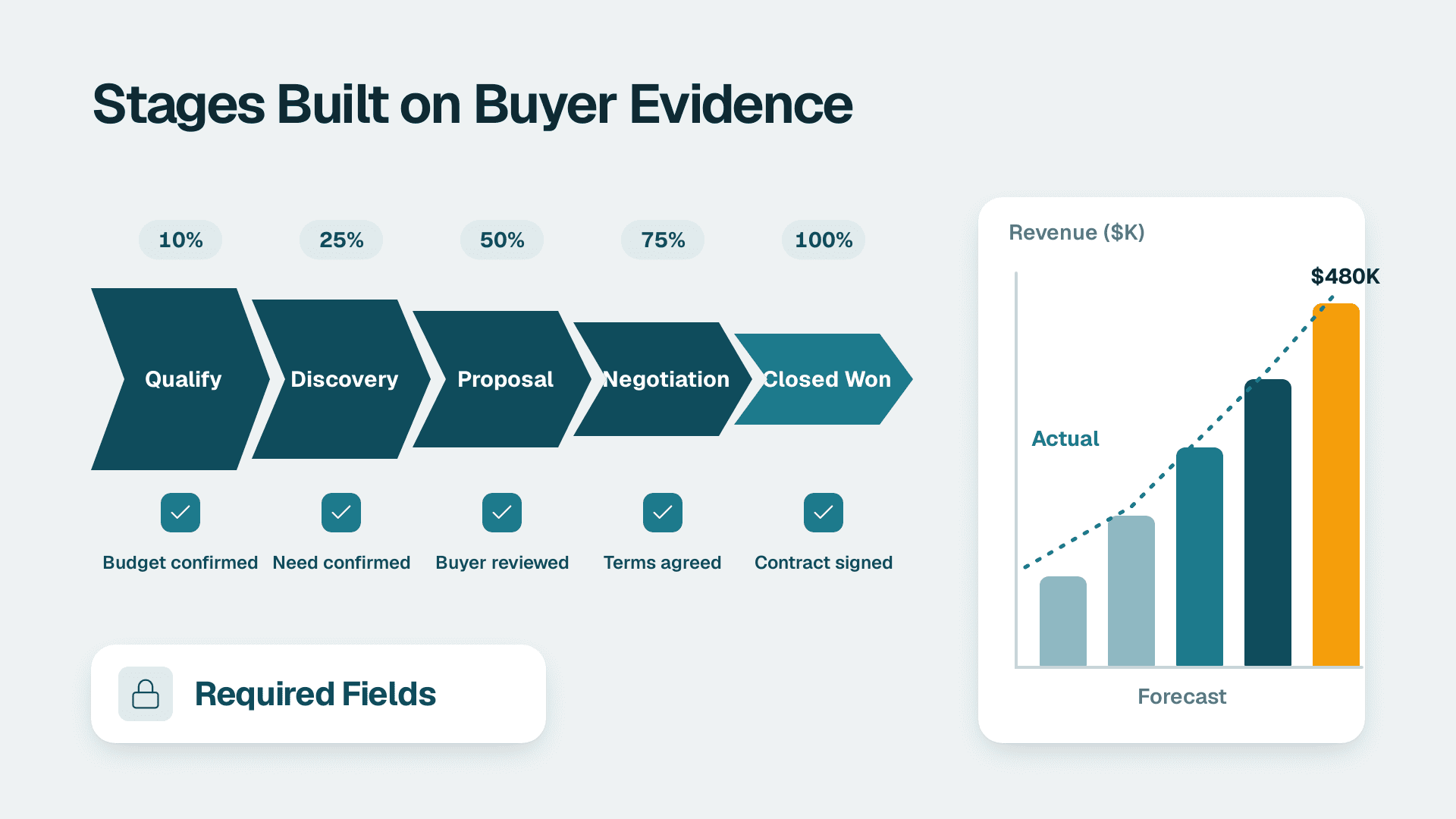
To get reliable forecasts from a Zoho CRM pipeline, define stages by buyer-verified exit criteria rather than seller activity, keep each pipeline to a single sales motion with roughly five to eight stages, assign stage probabilities from your own historical conversion, and enforce required fields at each stage so leadership reports reflect evidence, not optimism.
Key Takeaways
- Define each stage by evidence the buyer has given, not by what your rep has done.
- Keep one pipeline per sales motion, and add another only when stages, owners or cycle length genuinely differ.
- Set stage probabilities from your own conversion history and review them every quarter.
- Enforce required fields and Blueprint transitions so a deal cannot move faster than its evidence.
- Give leadership a short set of reports: coverage, stage conversion, velocity, deal aging and forecast accuracy.
What makes a Zoho CRM pipeline produce a reliable forecast?
A Zoho CRM pipeline produces a reliable forecast when every deal sits in a stage that means the same thing to every rep, and each stage carries a probability based on how your deals have actually closed. The forecast is arithmetic on top of that structure, so a loose structure produces confident-looking but wrong numbers.
Bigin's pipeline management page (2026) defines pipeline management as the process of managing and tracking the stages of a specific workflow, such as sales, software development or project management. For a sales leader, the useful reading is narrower: a pipeline is a shared agreement about what progress looks like. When that agreement is vague, reps interpret it differently and the forecast becomes a sum of private opinions.
Three layers decide whether the agreement holds:
- Stage definitions: the observable event that moves a deal from one stage to the next.
- Stage probabilities and forecast categories: the weighting leadership applies to each stage, which Zoho CRM stores at stage level.
- Data discipline: the required fields, validation and automation that stop deals advancing without evidence.
Most forecast problems trace back to the first layer. A familiar pattern is that reps stop trusting CRM fields because the fields do not match how they actually sell, so the real picture lives in notes and spreadsheets. Leaders then discount the CRM, and the distrust reinforces itself. Fixing the structure is cheaper than fixing behaviour. Teams that want an outside view during a redesign often bring in Zoho CRM consulting specialists, but the principles below work whether you do the redesign yourself or not.
How do you design Zoho CRM pipeline stages that reflect buyer progress?
Design each stage around an exit criterion the buyer has confirmed, such as a scheduled demo, a named budget holder or a signed order form. Stages named after seller activity, like 'Proposal prepared', record effort rather than progress, and they inflate forecasts.
Write exit criteria, not stage names
For every stage, complete this sentence: 'A deal moves to this stage when the buyer has...'. Then apply a simple test: could a manager verify the claim from the record without asking the rep? If not, add a field that captures the evidence, such as decision maker, budget confirmed or next meeting date. Vague stages like 'Interested' or 'Following up' fail the test, because two reps will use them differently.
Keep the stage count small
A Zoho community thread describes someone who inherited a 35-stage pipeline and wanted to shorten it, noting that many stages helped individual reps manage their task lists on each deal. That is the classic trap: task-level steps have crept into the stage list. Reps' to-do items belong in tasks, activities or Blueprint transitions, not in the stages leadership forecasts from. A workable rule is five to eight open stages, plus closed-won and closed-lost.
Bigin's example sales pipeline runs Newly qualified, Analysis, Proposed deal, Negotiation, Needs approval, then Won or Lost, and the page says stages should be customizable to match the current sales process. Treat any template, including that one, as a starting point. Your stages should come from how your buyers actually decide.
Set probabilities from your own history
Each stage needs a probability, and the number should reflect your conversion data, not a default. The table below shows one illustrative structure for a B2B team. The percentages are examples only; replace them with the share of deals that actually closed after reaching each stage in your own history.
| Example stage | Exit criterion (buyer-confirmed) | Illustrative probability | Forecast treatment |
|---|---|---|---|
| Qualified | Need, budget range and timeline confirmed on a call | 10% | Pipeline only |
| Discovery complete | Decision maker named and success criteria written down | 30% | Pipeline only |
| Proposal reviewed | Buyer has walked through scope and pricing with you | 50% | Best case |
| Negotiation | Procurement or legal engaged and terms under discussion | 70% | Best case |
| Verbal commit | Named approver agreed, start date discussed | 90% | Commit |
| Closed won / lost | Contract signed / loss reason recorded | 100% / 0% | Closed |
If you have no history yet, start conservative and recalibrate each quarter. A stage that converts far better or worse than its assigned probability is either mis-defined or mis-weighted, and either way the forecast is off.
Treat closed-lost as data
Require a loss reason from a fixed picklist before a deal can close as lost. Free-text reasons cannot be counted. A clean loss-reason field lets you see whether deals die on price, timing or competitor choice, and the same discipline helps if you later want to analyze customer churn in Zoho CRM using renewal deals.
When should you use multiple pipelines in Zoho CRM?
Add a second pipeline only when a group of deals has different stages, different owners or a materially different sales cycle. If the process is the same and only the label differs, use a field to segment instead, so reporting stays consolidated.
Bigin says a company may need multiple pipelines, for example for different products, for domestic versus international customers, or when a won customer is moved into another pipeline for upselling. Those are sound triggers. The table below turns them into a decision aid.
| Situation | Separate pipeline? | Reasoning |
|---|---|---|
| New business versus renewals or upsell | Yes | Different stages, owners and cycle length |
| Products with different buying processes (subscription versus implementation project) | Yes | Exit criteria differ, so stage meaning differs |
| Domestic versus international buyers | Yes, if approval or compliance steps differ | Extra steps would clutter a single pipeline |
| Region only, same process | No - use a Region field | Keeps one roll-up and one set of conversion rates |
| Team or rep differences | No - use owner and team fields | The process is identical |
| Lead source differences | No - use a Lead Source field | Source is attribution, not process |
How do regional and compliance steps affect pipeline design?
Compliance steps are a legitimate reason for a separate pipeline, because they add real stages. Suppose a US SaaS finance team sells to controllers and must clear a SOC 2 security questionnaire before procurement will proceed: that review belongs as an explicit stage with an exit criterion. A US healthcare vendor might add a stage for agreeing a HIPAA business associate agreement. A hypothetical UK fintech selling into the EU could add a data-processing agreement review under GDPR, while a Canadian manufacturer selling through distributors might run a separate partner pipeline and treat customer contact data in line with PIPEDA.
The same compliance thinking applies to what you store. Keep deal notes free of personal or sensitive data that the record does not need, and restrict who can see sensitive fields.
Keep a common roll-up across pipelines
The hidden cost of multiple pipelines is forecasting. Leadership wants one number, so map every pipeline's stages to the same forecast categories, such as pipeline, best case and commit. A renewal pipeline's 'Quote sent' and a new-business pipeline's 'Proposal reviewed' can both feed the same category even though the stage names differ. Without that mapping, you end up adding pipelines in a spreadsheet, which defeats the point of a single source of truth.
Very small teams running one simple process should also ask whether a lighter product fits better. See how Zoho CRM compares with Bigin for small teams before adding pipeline complexity you will not use.
How do you keep Zoho CRM pipeline data clean enough to forecast from?
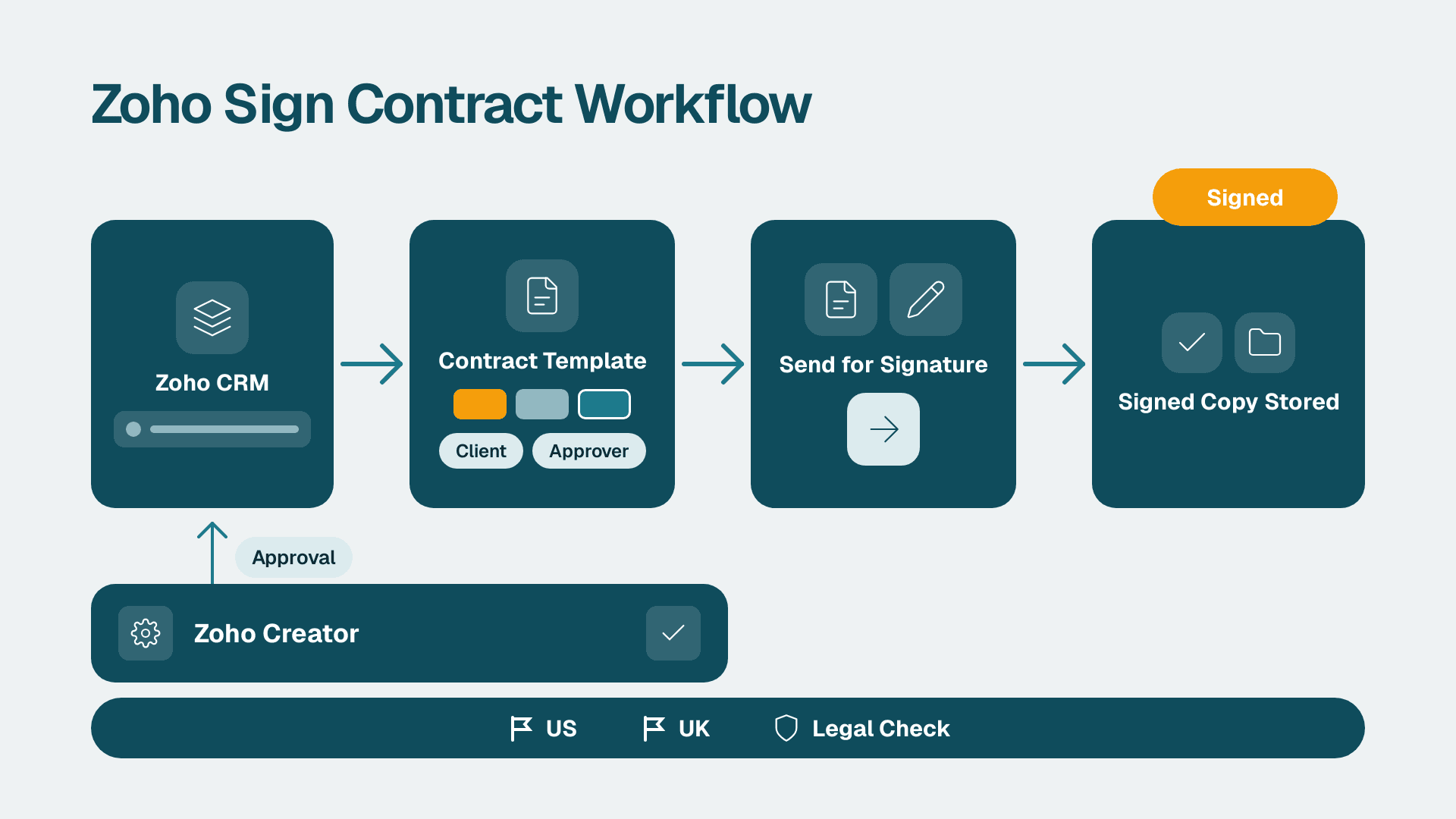
Make the CRM refuse to advance a deal that lacks evidence. Required fields, validation rules and Blueprint transitions enforce this at the point of entry, which beats a scramble to clean data before reporting season. For the mechanics, see building a Zoho CRM Blueprint for sales process automation.
Which fields should be mandatory, and when?
Do not make everything mandatory at creation; reps will fill in junk to get past the form. Instead, tie requirements to stage transitions:
- Amount and close date: required from the first qualified stage.
- Decision maker and next step: required once discovery is complete.
- Approver and start date: required for the commit stage.
- Loss reason: required to close a deal as lost.
This staggered approach also answers the question of why sales teams do not trust CRM fields. People trust fields that earn their keep: if a field is required only when it matters, and a manager actually uses it in reviews, it stays accurate.
Use automation to flag drift
Bigin lists pipeline automation examples such as assigning leads to sales reps, sending welcome emails to leads from a particular source, and alerting the manager when a large deal is proposed. The same pattern extends to hygiene. Useful alerts include a deal whose close date has been pushed more than once, a deal idle in one stage beyond its normal duration, and a deal over a set size with no next step. If you need workflows that reach across apps, Zoho Flow is the usual route, though most pipeline hygiene can be handled inside Zoho CRM itself.
Run a short weekly review
A 15-minute weekly pipeline review does more for forecast quality than a quarterly clean-up. Start with a saved view of open deals with past-due close dates, because stale close dates are the most common source of forecast distortion. Then check deals sitting in a stage longer than normal. When reps know the review uses CRM fields rather than their verbal update, accuracy improves without any lecture.
Which Zoho CRM pipeline reports does leadership need?
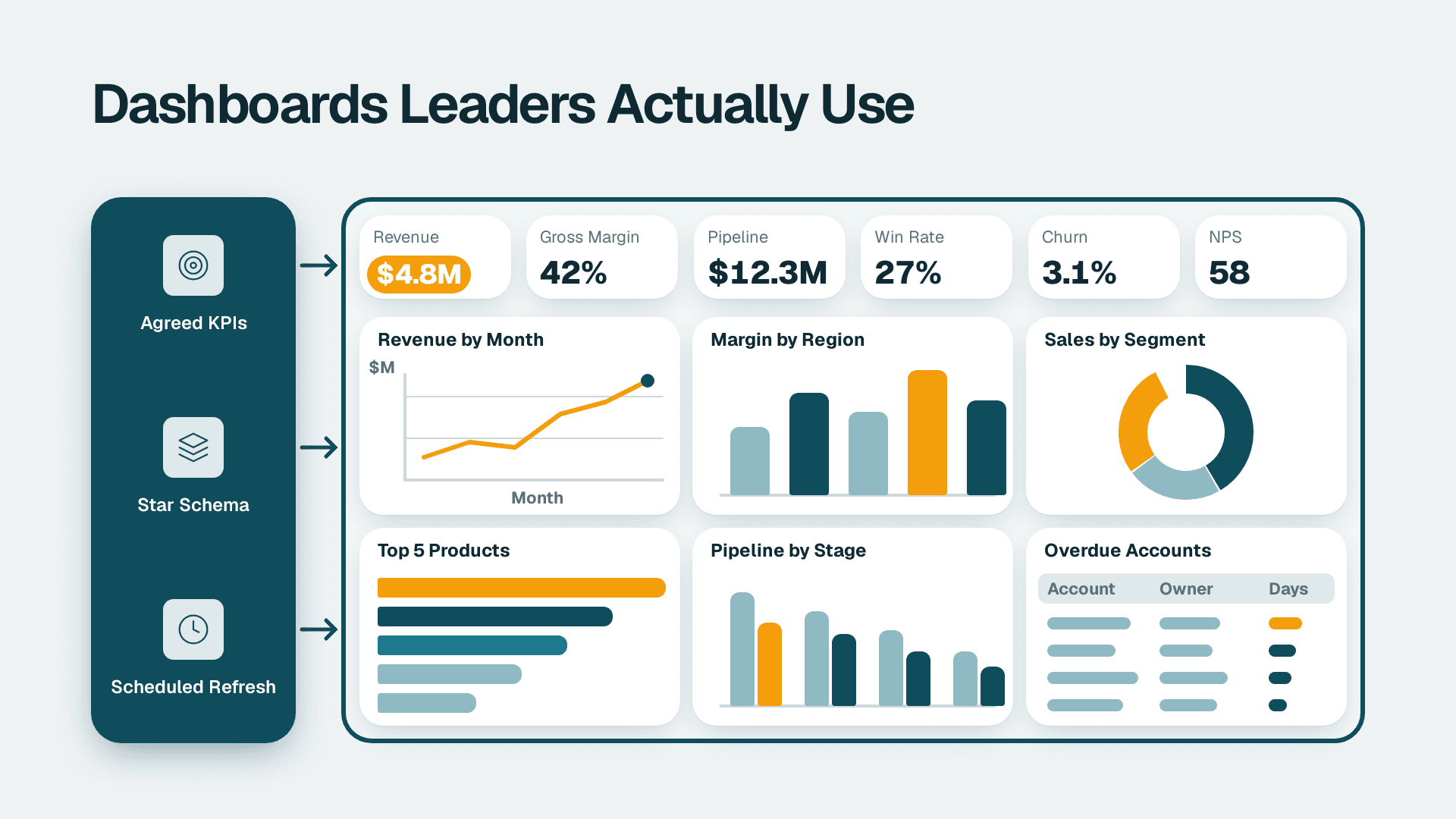
Leadership needs five pipeline reports: coverage by stage, stage-to-stage conversion, sales cycle length and velocity, deal aging, and forecast versus actual. Anything beyond that is detail for managers, not for the weekly leadership view.
| Report | Question it answers | Key fields | Suggested cadence |
|---|---|---|---|
| Pipeline coverage by stage | Is there enough open pipeline to hit the target? | Stage, amount, close date, owner | Weekly |
| Stage conversion | Where do deals stall or die? | Stage history, closed outcome | Monthly |
| Sales cycle and velocity | How long does a deal take, by segment? | Created date, closed date, pipeline | Monthly |
| Deal aging | Which open deals are stuck? | Days in stage, last activity | Weekly |
| Forecast versus actual | How accurate were our calls? | Weekly commit snapshot, closed-won amount | Quarterly |
Zoho's Motivator documentation describes a pipeline stages dashboard that shows win rate, average sales cycle length and stage conversion rates for deals closed in a selected period. Those are the same measures leadership should track in CRM reports, whichever tool surfaces them.
Measure forecast accuracy, not just the forecast
Most teams report a forecast but never score it. Record the commit and best-case totals at a fixed time each week, in a custom module or a simple log, then compare them with closed-won revenue at period end. After two or three quarters you will see whether reps over-call or under-call, and you can adjust stage probabilities with evidence. Zoho CRM's built-in forecasting feature, which compares weighted pipeline against targets, is worth using here, though its availability depends on your edition, so check your plan before designing around it.
Keep reports few and consistent
A dashboard that changes every month teaches leaders to ignore it. Fix the definitions of the five reports, document them in one page, and change them only at a quarter boundary. If you outgrow native reporting, for example to blend CRM data with finance, the principles in a KPI dashboard leadership actually uses apply directly.
How do you change a live pipeline without breaking reporting history?
Map every old stage to a new one on paper before touching the system, move open deals in one controlled batch, and leave closed deals untouched. A pipeline change that is rushed mid-quarter can corrupt conversion history and make the next forecast unreadable.
A safe sequence looks like this:
1. Document the current stages and the new ones, with one-line exit criteria for each.
2. Build a mapping table from each old stage to a new stage, and decide where open deals in any removed stage will go.
3. Choose a quiet window, ideally just after a period close, not during quarter-end.
4. Update probabilities and forecast categories at the same time as the stage list.
5. Move open deals in bulk, then review the exceptions by hand.
6. Brief the team on the new exit criteria and the required fields for each stage.
7. Annotate your reports with the change date so later comparisons stay honest.
When is a developer worth hiring?
Most stage, pipeline and field changes are configuration, not development. A developer becomes worthwhile when you need custom functions in Deluge, roll-ups across modules, or integrations with systems outside Zoho. If you are unsure where the line sits for your team, what Zoho CRM customization costs a small business gives a realistic picture of what falls on each side.
---
About Lets Viz: Lets Viz is a data analytics and CRM consultancy that has delivered Zoho, Power BI and automation projects since 2020 for organizations across US healthcare, UK fintech, Canadian manufacturing and global SaaS. We hold a 5.0 Clutch rating, and this guidance reflects the stage design, data-quality and reporting work we do with sales operations leads.
If you want a second opinion on your stage design, probability weighting and leadership reports, see our Zoho CRM consulting service.
Sources
- Bigin: sales pipeline management for small businesses
- Zoho Community: how to implement pipeline substages
- Zoho Motivator help: pipeline stages dashboard
Facts and prices checked November 2026.