Microsoft Copilot vs ChatGPT: Which to Standardise On
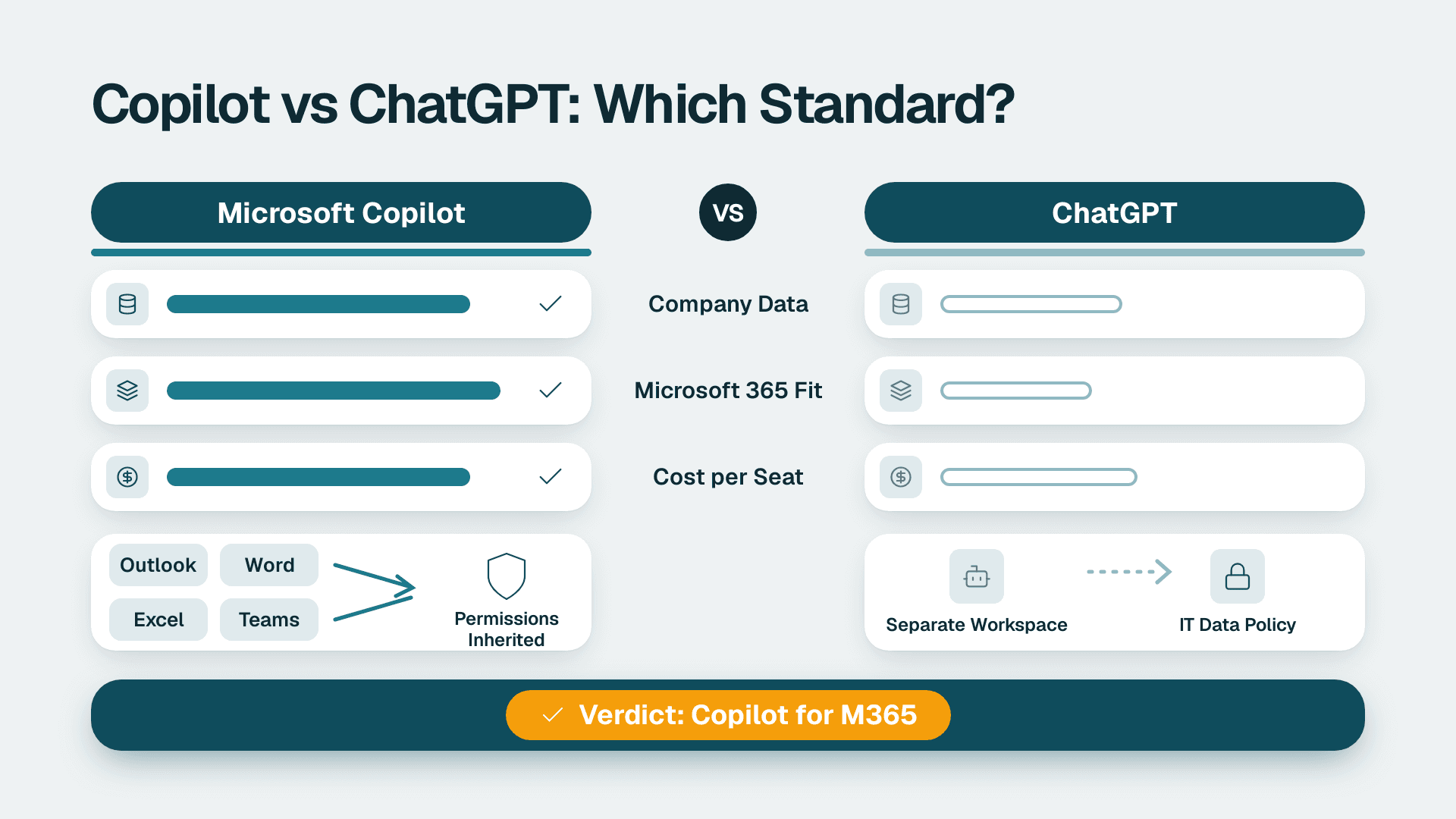
For a company already on Microsoft 365, standardise on Microsoft 365 Copilot. It works inside Outlook, Word, Excel and Teams, inherits your existing permissions and sits under your existing compliance tooling. Keep a ChatGPT business workspace only for specific teams that need its flexibility, such as developers or researchers, and only after IT has set a policy on what data may go into it.
Key Takeaways
- Copilot wins on integration: it reads and writes inside the Microsoft 365 apps your staff already use all day.
- Copilot wins on governance: it respects existing file permissions and sits inside the Microsoft compliance stack you already pay for.
- ChatGPT wins on flexibility: it is the better open-ended thinking, drafting and prototyping tool outside Microsoft 365.
- Seat price is the smaller cost: data readiness, permissions clean-up and training decide whether either tool pays back.
- Pick one standard and write a policy: the real risk is staff pasting company data into whichever tool nobody approved.
Quick Comparison
The table below compares Microsoft 365 Copilot and a ChatGPT business workspace on the criteria that matter to a 20-500 person Microsoft 365 company.
| Criteria | Microsoft 365 Copilot | ChatGPT (business workspace) |
|---|---|---|
| Where it works | Inside Outlook, Word, Excel, PowerPoint and Teams | A separate web and mobile app, plus connectors you configure |
| Company data access | Reads mail, files, chats and meetings the user can already open | Only what users upload or what IT connects |
| Permissions model | Inherits Microsoft 365 permissions | Its own workspace roles and connector settings |
| Audit and compliance | Sits under Microsoft Purview, including Audit (Standard) retention of 180 days | Separate admin controls, outside your Microsoft compliance tooling |
| Seat licence | Add-on per user on top of a qualifying Microsoft 365 plan | Standalone per-user subscription |
| Setup effort | Medium: permissions and data clean-up come first | Low to start, medium to govern |
| Open-ended tasks | Good for work documents, weaker as a general sandbox | Strong for brainstorming, coding help, images and voice |
| Learning curve | Low for Microsoft 365 users, because prompts live in familiar apps | Low to start, but staff must learn what data is safe to paste |
| Lock-in | Tied to Microsoft 365 | Tied to one vendor's workspace, but portable across any tech stack |
If you are not sure your tenant is ready for either option, start with a Copilot readiness assessment (fixed price, 5 days). It tells you what Copilot can and cannot see in your files before you pay for a single seat.
Microsoft Copilot vs ChatGPT: how do they handle company data?
Copilot is the safer default for a Microsoft 365 company because it works inside the boundary you already govern. A ChatGPT workspace can be configured safely, but the control sits in a second system.
How Copilot accesses data
Copilot answers using the mail, documents, chats and meeting content that the signed-in user is already allowed to open. It does not invent a new access path. That is good news and bad news at once. If your SharePoint sites are over-shared, Copilot will happily surface a salary spreadsheet to someone who should never have seen it, because technically they could open it. The tool did not break your security. It exposed how loose it already was.
That is why the first job is a permissions review, not a purchase order. Our guide on AI readiness and how to test it before Copilot walks through the checks, and the 45-point small business self-score gives you a quick way to rate your own tenant.
How ChatGPT accesses data
A ChatGPT workspace only knows what people put into it or what an administrator connects. That narrower default is a genuine advantage for a team that handles sensitive material in a controlled way. The weakness is human. Staff paste contracts, customer lists and finance extracts into whichever tool is fastest, and the consumer app is free to download, as the App Store listing shows. Free and convenient is exactly how unmanaged use starts.
Audit trails and governance
Copilot activity falls under Microsoft Purview, and Purview Audit (Standard) keeps audit logs for 180 days. For regulated teams, such as healthcare operations handling patient-related data or finance teams under audit scrutiny, having Copilot events in the same log as everything else is a practical advantage. A separate ChatGPT workspace has its own admin console, and you will need to check what retention and export options your plan includes before you rely on it for evidence. Do not assume parity.
Verdict on security: Copilot, provided you fix permissions first. ChatGPT, if you can enforce a clear policy and keep it away from regulated data.
Which one fits Microsoft 365 better?
Copilot, by a wide margin. It is built into the apps, so the work happens where the document already lives.
Outlook, Word and Teams
In Outlook, Copilot summarises long threads and drafts replies in your voice, with the original mail in context. See our walkthrough on using Copilot in Outlook. In Word, it drafts from your own files and rewrites sections without copy-paste. See how to use Copilot in Word. In Teams, it recaps meetings and pulls out actions. A standalone chat tool can do a version of this, but only after someone pastes the content across, and that extra step is where adoption dies.
Excel and Power BI
Copilot in Excel helps with formulas, summaries and analysis on data that already sits in your workbook. For reporting, there is a licensing trap worth knowing. Copilot in Power BI and Fabric needs a paid Fabric capacity F2 or higher, or Power BI Premium P1 or higher. A Pro or Premium Per User licence alone is not enough, and trial capacities are excluded. There is no F64 minimum for Copilot itself. If your reporting team assumes a Pro seat unlocks it, they will be disappointed. Our comparison of Power BI Pro, PPU and Fabric explains which tier fits which team.
Agents and automation
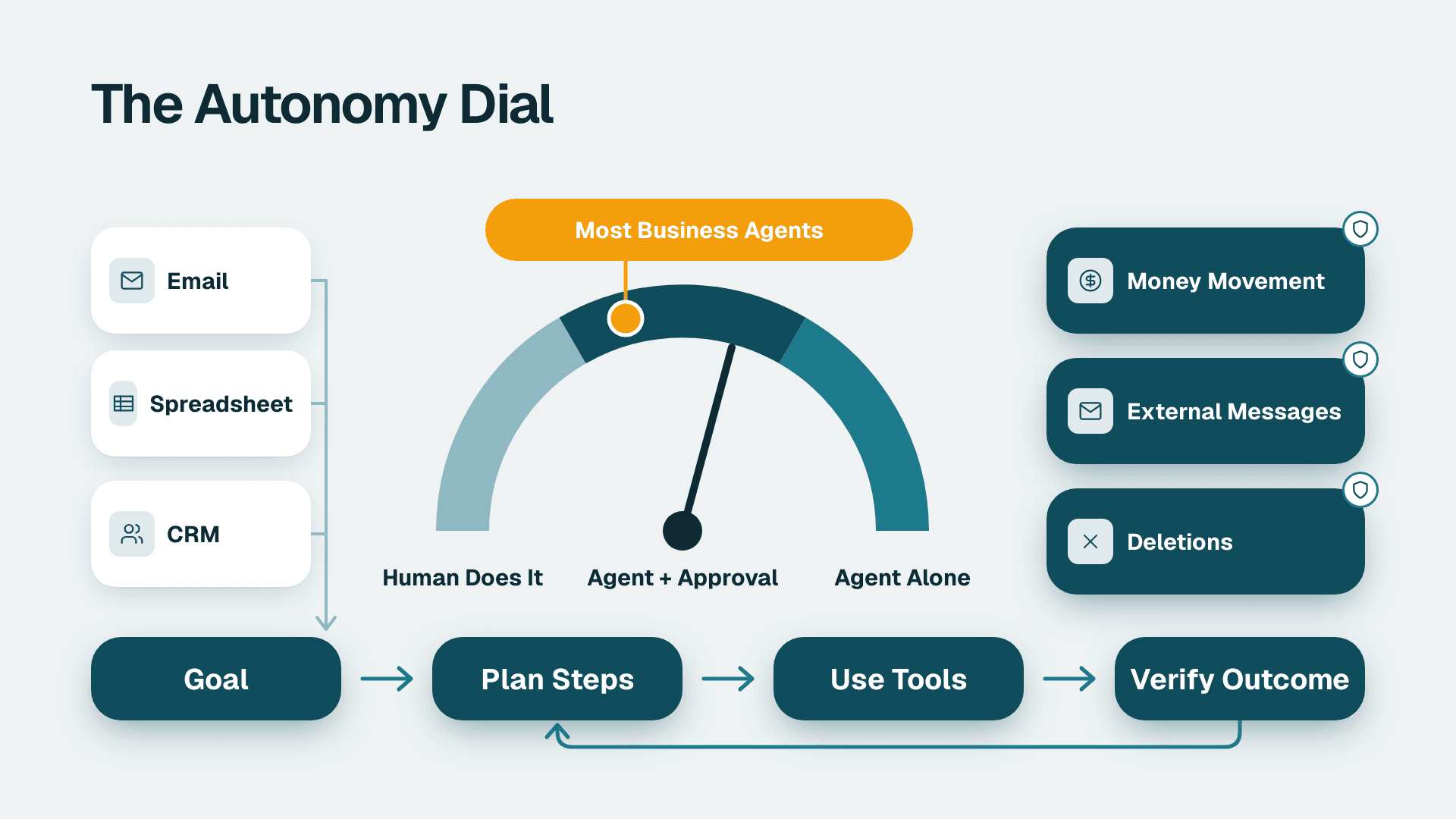
Copilot can run agents that act on Microsoft 365 data, which makes it the natural home for repeatable internal workflows such as triaging a shared inbox or answering policy questions from a SharePoint library. A ChatGPT workspace can also run custom assistants, but connecting them to your Microsoft data takes configuration, and you own the permissions logic that Copilot gives you by default.
Verdict on integration: Copilot wins clearly. ChatGPT is a destination you visit. Copilot is a feature of the place you already work.
What does each cost per seat?
The licence line on the invoice is not the real cost. What matters is whether the seat gets used and whether your data is ready for it.
Copilot is sold as a per-user add-on to a qualifying Microsoft 365 plan, and a ChatGPT business workspace is a separate per-user subscription. Both vendors change prices, tiers and minimum seat counts often, so check the current list price on each vendor's pricing page before you build a business case. We deliberately do not quote a seat figure here because a stale number in a budget paper is worse than none.
What we can say with confidence is the structure of the cost:
- Copilot: seat add-on, plus any capacity needed for Power BI and Fabric features (F2 or higher, or Premium P1 or higher), plus the clean-up work on permissions and content.
- ChatGPT: seat subscription, plus the admin time to configure connectors, set policy and monitor use, plus a second set of licences to track.
- Both: training time. A seat that nobody opens is a 100 percent waste, regardless of price.
The hidden cost of buying both
Many 50-person companies end up paying for both because one team asked for each. That doubles the licence spend and splits your governance. If budget is tight, standardise on one, and give a small group a second tool only where there is a named use case and an owner.
Start small, measure, then expand
A sensible rollout is a pilot with one team per function, such as sales operations, finance and customer support, for a fixed period. Track weekly active use and one concrete time saving per team. Expand seats only where usage holds. Anything else is paying for hope.
What can ChatGPT do that Copilot cannot?
ChatGPT is the more open-ended tool. It is built as a general assistant, and Copilot is built as a work assistant for Microsoft 365.
The product's own introduction describes a dialogue format that lets it answer follow-up questions, admit mistakes and challenge incorrect premises, and that conversational range shows in practice. The mobile app also adds features that sit outside the Office suite:
- Image generation from a description, or transformation of an existing image.
- Advanced Voice Mode for real-time spoken conversation.
- Photo upload, for example to transcribe handwriting or identify a landmark.
- Synced chat history across devices, per the Google Play listing.
For a developer prototyping a script, a marketer exploring campaign angles, or an analyst who wants a sounding board on a problem unrelated to any file, that freedom is real value. Copilot can do general chat, but its strength is reasoning over your own content, not being a blank canvas.
Can Microsoft Copilot be used like ChatGPT?
Yes, for general questions, summaries and drafting. Microsoft offers chat experiences that are not tied to a document, and a paid Copilot seat adds the ability to ground answers in your work data. What you give up is some of the breadth: the experience is shaped around business tasks and admin policy, so it can feel more constrained than a general-purpose workspace. For most office roles that constraint is a feature, not a flaw.
Is there a better AI than ChatGPT?
"Better" depends on the job. Other assistants from other vendors compete strongly on writing, coding and long-document reasoning, and the lead changes every few months. Do not choose a company standard on a leaderboard. Choose on where your data lives, how you will govern access and what your staff will actually open every day. For a Microsoft 365 company that usually points to Copilot.
How do they compare for finance and reporting teams?
Copilot is the better fit when the data lives in Excel, Power BI or the ledger, because it can sit next to the source. A general chat tool needs the data pasted or exported first, which introduces both risk and error.
Finance teams get the most from AI when the underlying data is clean. Before any assistant helps with forecasting, variance commentary or financial planning and analysis, you need consistent definitions and reconciled numbers. Our ERP data quality check shows how to test that, and the principle applies to both tools. An assistant fed messy ledger data gives you confident, wrong answers faster.
For teams working with sensitive data, such as healthcare operations tracking provider performance or patient flow, the access model matters more than the model quality. Row-level security in your reports decides who sees what, and an AI layer that respects those same boundaries is safer than one that sits outside them. Copilot inherits the boundaries you set. A separate chat workspace does not know they exist.
To prepare finance data for AI, aim for these basics before rollout:
1. One agreed definition for each core measure, such as revenue, margin and headcount.
2. Reports that reconcile to the general ledger.
3. Files stored in governed locations with correct permissions, not in personal folders.
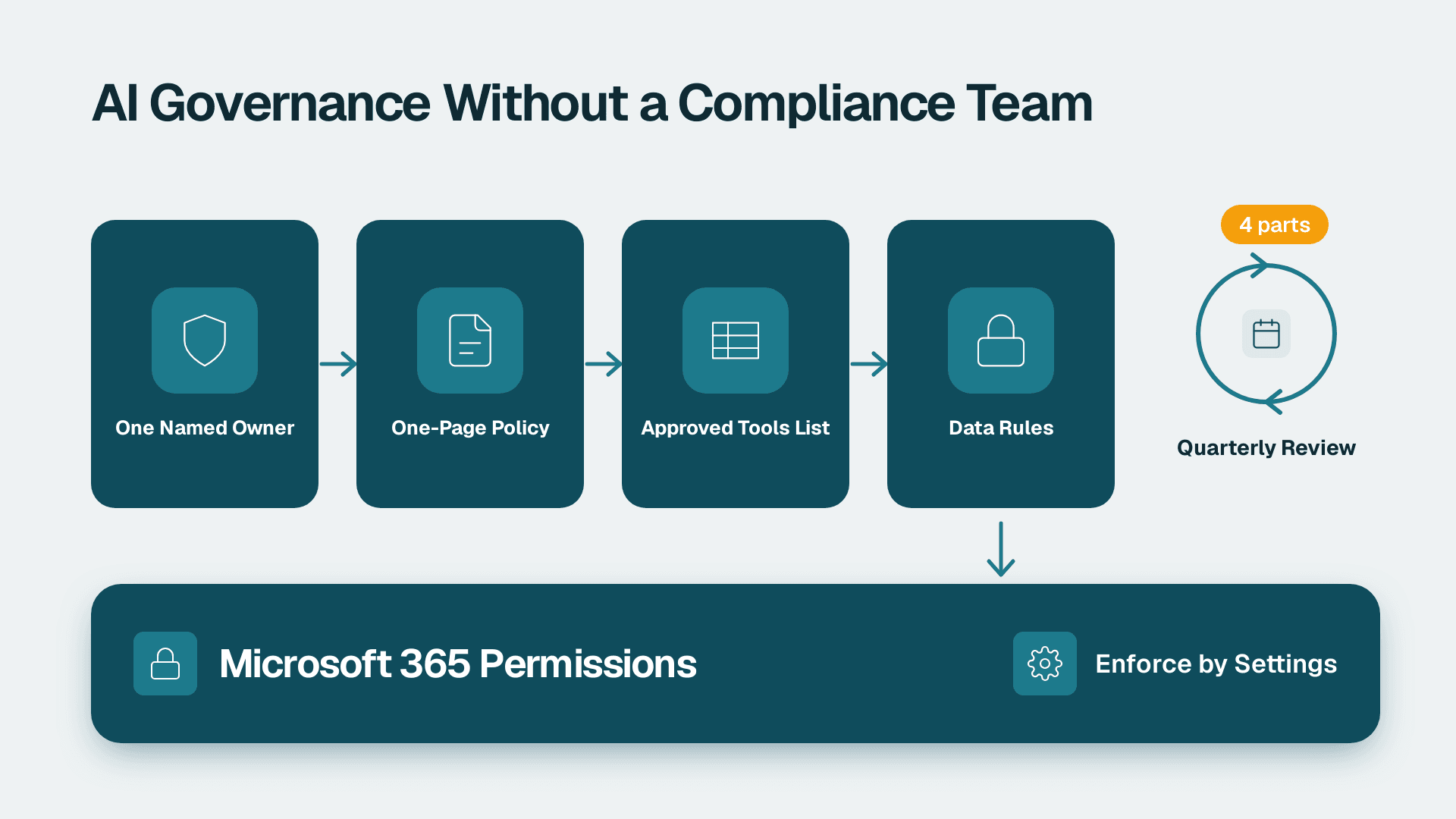
4. A named owner for each dataset the assistant will read.
When to Choose Microsoft Copilot
- You are a 20-500 person company on Microsoft 365 and most work happens in Outlook, Word, Excel and Teams.
- You handle regulated or confidential data, and you need AI activity inside your existing Purview audit trail.
- You want agents that act on SharePoint, mail and Teams content without building connectors.
- Your IT manager owns governance and wants one admin surface rather than two.
- Your reporting runs on Power BI, and you are willing to provision Fabric F2 or higher, or Premium P1 or higher, to get Copilot there.
When to Choose ChatGPT
- A development, research or product team needs a flexible sandbox for code, analysis and ideas that do not involve company files.
- Your company is not standardised on Microsoft 365, or a large share of staff work in other suites.
- Marketing or creative teams want image generation and voice as part of daily work.
- You have a written data policy and the admin capacity to configure and monitor a second workspace.
- You want a low-risk way to let staff experiment on public or non-sensitive material before committing to a wider rollout.
The Verdict
Standardise on Microsoft 365 Copilot if you already run on Microsoft 365. It meets staff inside the apps they use, it respects the permissions you have already set, and it keeps AI activity inside the compliance tooling you already pay for. Its one real prerequisite is a clean tenant, so fix over-shared files and messy source data first, then roll out in stages with a pilot group. A chat tool bought on enthusiasm and left ungoverned is the bigger risk.
The one scenario where ChatGPT is still the better call is a team whose work is mostly outside your Microsoft data: engineers, researchers or creatives who need a flexible assistant and do not touch confidential files. Give that group a managed workspace with a clear policy, and keep everyone else on the standard.
If you want to know whether your tenant is ready before you commit budget, book our Copilot readiness assessment (fixed price, 5 days).
---
About Lets Viz: Lets Viz is a data analytics consulting firm that has helped businesses turn their data into decisions since 2020. We work across healthcare, finance, professional services, distribution and other industries, with a focus on Power BI, Microsoft Fabric and Copilot readiness. We hold a 5.0 rating on Clutch.
Sources
Facts and prices checked October 2026.