Power BI Q&A Examples by Industry: Finance to Healthcare
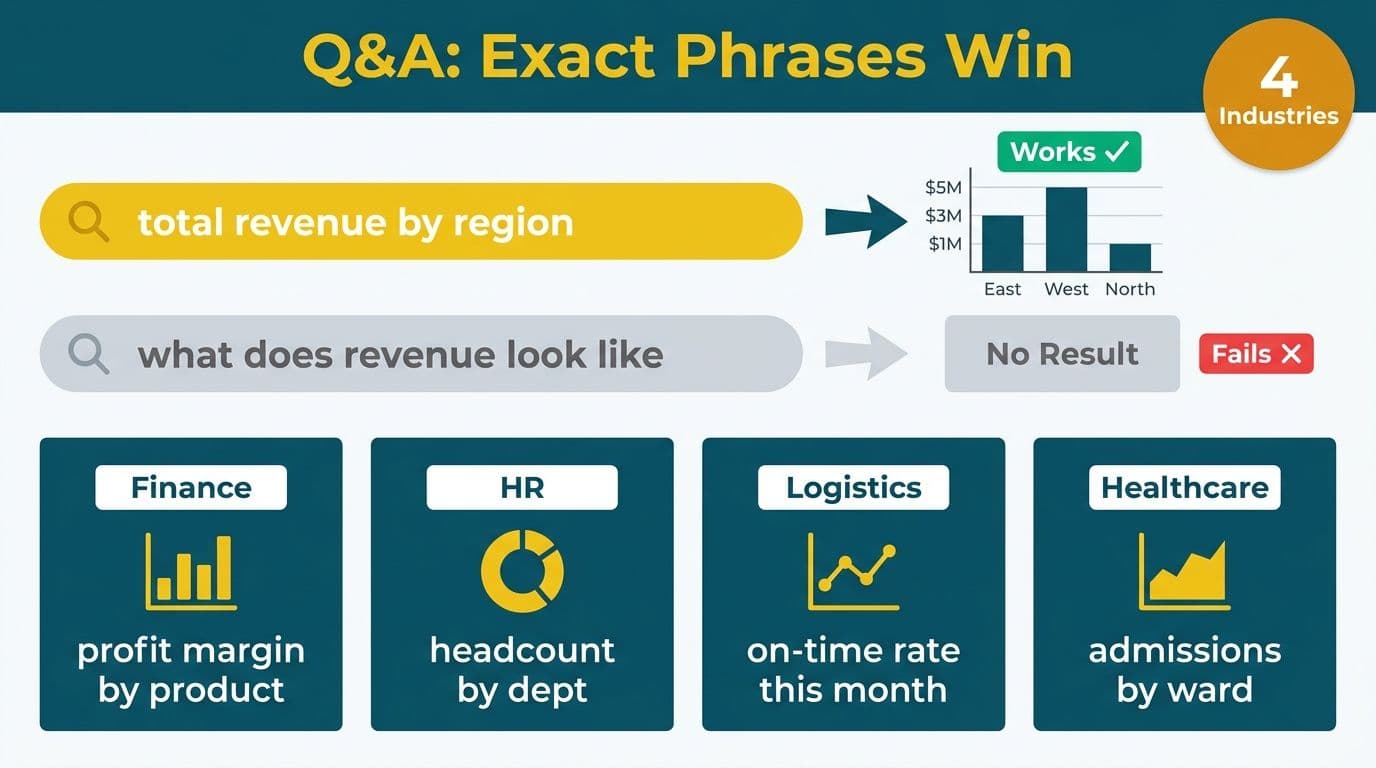
Power BI Q&A translates typed natural-language phrases into data visuals by matching your words to table and column names in the semantic model. Across finance, HR, logistics, and healthcare, the difference between a working query and a blank screen is almost always precision: "total revenue by region this quarter" works where "what does our revenue look like" does not. This library covers which phrases work, which fail, and why - organized by department.
Key Takeaways
- Power BI Q&A maps phrase tokens to semantic model objects - exact or trained synonym matches return visuals; adjectives and colloquial phrases return nothing.
- Finance queries work best when they mirror CALCULATE-based measure names and include explicit dimension and date filters.
- Healthcare Q&A must aggregate de-identified dimensions and align phrasing with clinical vocabulary, not data warehouse column names.
- Imprecise adjectives ("high", "recent", "bad") consistently fail - replace with numeric thresholds or explicit date ranges.
- Synonym training and Copilot for Power BI together are the highest-leverage fixes for Q&A adoption in mid-market deployments.
What Is Power BI Q&A and How Does It Work?
Power BI Q&A converts a typed English phrase into a DAX query and renders the result as a bar chart, table, KPI card, or map - depending on what the phrase implies. It tokenizes your input and matches each token against table names, column names, measure names, and any synonyms registered in the semantic model.
The engine respects the same filter context that governs the CALCULATE function in DAX. Typing "total sales in Q1 2026" instructs Q&A to apply a date filter equivalent to `CALCULATE([Total Sales], 'Date'[Quarter] = "Q1 2026")`. This link between natural-language input and DAX filter context means measure-naming decisions made during model build directly determine whether Q&A works for end users - or not.
Our Power BI consulting (Copilot-ready) practice includes semantic-model audits that evaluate measure names and synonym coverage before Q&A is enabled - a step most self-service rollouts skip and later pay for in elevated support volume.
Power BI Q&A Examples by Industry: Finance and Accounting
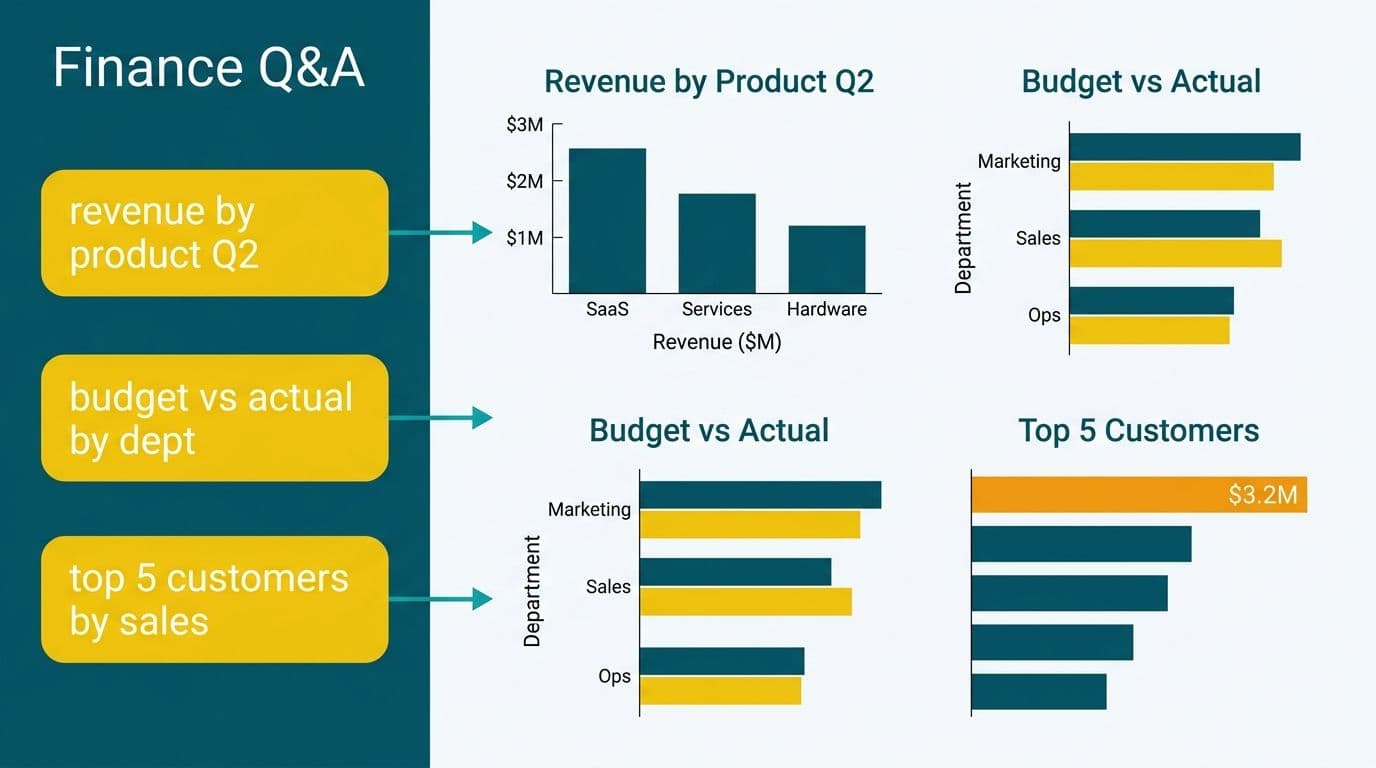
Finance teams ask the most structured Q&A questions - specific measures filtered by fiscal period, cost center, or legal entity. Phrases that match measure names exactly return visuals reliably; colloquial alternatives routinely fail.
Phrases that work:
| Phrase | Why It Works |
|---|---|
| "total revenue by cost center this quarter" | Matches [Total Revenue] measure + [Cost Center] dimension + Q&A date intelligence |
| "accounts payable balance as of June 2026" | "as of" triggers a point-in-time filter on a snapshot measure |
| "show EBITDA by business unit" | Exact measure name match - no ambiguity |
| "variance between budget and actual by department" | Two named measures connected by "between...and" - a pattern Q&A handles reliably |
| "net margin by product line last 12 months" | Rolling-period phrase resolved by the marked date table |
Phrases that fail:
- "What does our cash look like?" - "look like" is not a field; Q&A cannot match it to any measure.
- "Show me the bad payers" - "bad" is an adjective with no DAX equivalent; use "show accounts payable over 90 days" instead.
- "Revenue trend" - without a date field or period specified, Q&A returns a scalar or a blank chart.
The CALCULATE function underpins most finance measures. When a measure applies `CALCULATE([Revenue], 'Date'[FiscalYear] = 2026)`, Q&A can layer additional filters from the phrase - but only against dimensions that exist in the semantic model. A US SaaS finance team running intercompany reporting should ensure entity-level dimensions are published to the semantic layer before enabling Q&A, because a missing dimension creates the impression that Q&A is broken when the model is simply incomplete.
How Do You Write Q&A Phrases That Work in Healthcare?
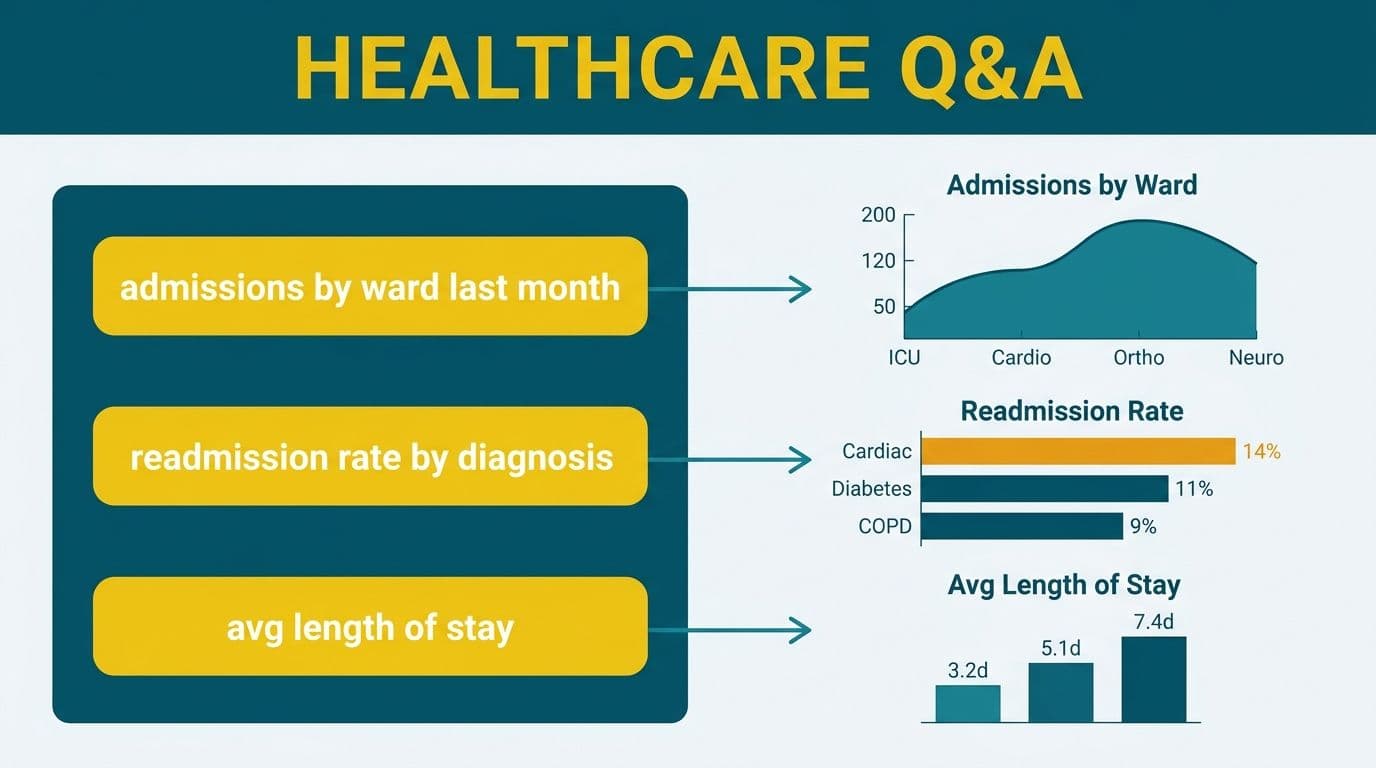
Healthcare data models carry patient, encounter, diagnosis, and payer dimensions - all with regulatory obligations. In the US, any semantic model containing protected health information (PHI) must comply with HIPAA. In Canada, PIPEDA applies to patient identifiers shared across provincial health systems. In the UK and EU, GDPR governs patient data processed in BI tools, including results surfaced by natural-language queries.
For these reasons, effective healthcare Q&A phrases are aggregate and de-identified by design:
Phrases that work:
- "average length of stay by DRG this month" - resolves when an [Avg LOS] measure and [DRG] column exist in the model.
- "readmission rate by facility last 90 days" - maps to a pre-built [30-Day Readmission Rate] measure filtered by [Facility].
- "ED throughput by shift" - works if [Shift] is a column in the fact table, not buried in a lookup.
- "payer mix by service line YTD" - matches [Payer Category] + [Service Line] with a year-to-date measure.
Phrases that fail:
- "Show me sick patients" - no field named "sick"; use "patients with LOS greater than 7 days."
- "Recent readmissions" - "recent" is undefined in the model; use "readmissions last 30 days."
- "High-cost cases" - no numeric threshold defined in the model; use "cases with total cost greater than 50000."
Healthcare organizations building hospital readmission analytics dashboards should align measure names with clinical vocabulary used by nursing and physician staff - not data warehouse column names - so Q&A phrases feel natural to clinicians rather than data engineers.
Organizations subject to HIPAA-compliant BI tool requirements must configure row-level security (RLS) before enabling Q&A, ensuring that a department manager typing a free-text query cannot surface PHI from adjacent care units.
Power BI Q&A for HR and Logistics Departments
HR department examples:
HR teams ask about headcount, attrition, compensation, and leave - fields with both analytic and privacy dimensions. Effective phrases mirror the HR semantic model exactly.
| Working Phrase | What It Returns |
|---|---|
| "headcount by department as of July 2026" | Point-in-time count using a snapshot measure |
| "attrition rate by tenure band last 12 months" | Ratio measure filtered by [Tenure Band] dimension |
| "average salary by job grade" | Mean of [Base Salary] grouped by [Job Grade] |
| "open requisitions by hiring manager" | Count of open positions from ATS integration |
| "leave balance by employee type" | Sum of leave days filtered by [Employment Category] |
Common HR Q&A failures:
- "Show me who is leaving" - returning individual names violates data governance policies in most organizations; phrase as "attrition rate by department" instead.
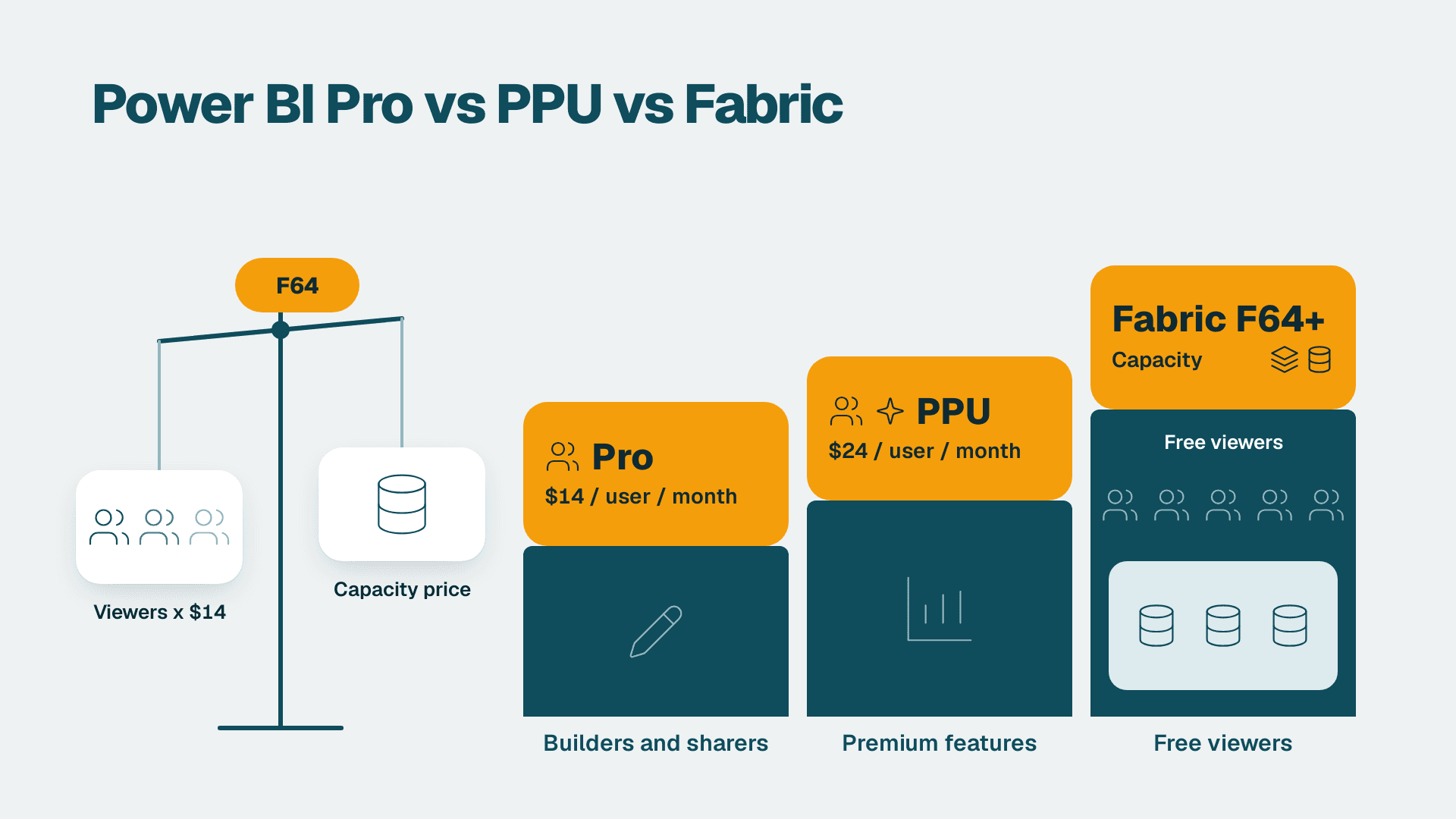
- "Why is turnover high?" - Q&A returns visuals, not written explanations. Copilot for Power BI adds the narrative layer, but requires Fabric F64 or Premium Per User capacity. The Power BI Copilot licensing guide covers the exact capacity tiers.
Logistics and shipping examples:
A power bi logistics and shipping dashboard typically holds shipment, carrier, lane, and on-time-delivery dimensions. Effective Q&A phrases for operations teams:
- "on-time delivery rate by carrier this week"
- "average transit days by lane last 30 days"
- "shipments in transit by origin region"
- "cost per shipment by freight class YTD"
Phrases that fail:
- "Show me late shipments" - "late" needs a calculated boolean column [Is Late] before Q&A can use the term.
- "Which lanes are bad?" - adjective without a threshold; use "lanes with on-time delivery below 85 percent."
A Canadian manufacturing company shipping cross-border to the US can add a [Destination Country] dimension to lane-level data. Q&A then resolves "shipments to United States delayed last 7 days" - provided "delayed" is registered as a synonym for [Is Late] in the Q&A synonyms panel.
Why Does Imprecise Phrasing Fail in Power BI Q&A?
Power BI Q&A maps each token in your phrase to an object in the semantic model. When a token has no match - no column, no measure, no trained synonym - the engine either guesses wrong or returns nothing. The five most common failure modes:
1. Adjectives without numeric definitions. Words like "high", "low", "good", "bad", "recent", and "large" have no DAX equivalent. Replace with explicit comparisons: "greater than", "below", "last N days."
2. Aggregate verbs that conflict with measure type. Typing "sum revenue" when the model has a measure built on the SUMX function in Power BI - for example, `SUMX(Orders, [Quantity] * [Unit Price])` named [Order Revenue] - can confuse the engine. Writing "total revenue" matches the measure name directly and returns the correct visual. A related SUMX function in Power BI examples pattern: name the measure for the business concept it represents, not the DAX function used to build it.
3. Missing date column context. Time-intelligence phrases like "last year" or "YTD" fail if no marked date table exists. Microsoft's Power BI documentation specifies that Q&A requires a marked date table to resolve time-intelligence phrases reliably.
4. Ambiguous field names. If the model has [Date] in both a fact table and a dimension table, Q&A picks arbitrarily. Renaming to [Order Date] and [Invoice Date] resolves this and typically fixes a disproportionate share of Q&A failures in transactional models.
5. Unmapped synonyms. A UK fintech firm whose data model uses "client" but whose analysts type "customer" will receive no results. The Q&A Synonyms pane in Power BI Desktop lets teams register "customer" as a synonym for the [Client] table. This is consistently the single highest-leverage fix for Q&A adoption.
The calculate function DAX power bi filter context principle is central here: every measure's filter context determines what Q&A can and cannot override with additional phrase tokens. Measures with hard-coded CALCULATE filters may not respond to Q&A's inferred filters at all - making some measures Q&A-friendly by design and others not.
How Do You Train Synonyms and Improve Q&A Accuracy with Copilot?
Synonym training is the fastest route to higher Q&A accuracy without restructuring the underlying data model. In Power BI Desktop, the Q&A setup tool allows teams to:
- Add alternate phrases for table names ("staff" for [Employee], "deals" for [Opportunities])
- Define synonyms for measure names ("profit" for [Net Income], "sales" for [Total Revenue])
- Add featured questions that pre-populate the Q&A dialog for new users
For teams on Microsoft Fabric with Copilot-enabled capacity, Copilot extends the copilot for business intelligence adoption workflow: it interprets loosely phrased questions, suggests corrected Q&A phrases, and generates written narrative summaries explaining what the visual shows. This is particularly valuable in healthcare and finance, where end users have deep domain expertise but limited DAX familiarity.
A practical copilot for business intelligence adoption checklist for mid-market rollouts:
1. Audit all measure names for natural-language readability - no cryptic abbreviations like [Rev_Var_FX_Q1].
2. Mark the primary date table and verify a continuous date dimension covers the required history.
3. Configure Q&A synonyms for the 20 most-queried fields across finance, HR, and operations.
4. Test 10 representative phrases per department before enabling Q&A for end users.
5. Enable Copilot narratives on executive dashboards where written summaries replace static commentary.
6. Apply row-level security before enabling Q&A in healthcare or financial services environments.
For a broader comparison of how BI platforms approach natural-language queries, the Looker vs Power BI vs Tableau enterprise decision framework covers the architectural differences across tools.
What Does Q&A Readiness Cost for Mid-Market Teams?
Q&A configuration is part of the semantic model build, not a standalone activation. For a mid-market organization (roughly 200 to 2,000 employees), a properly structured semantic model with Q&A synonyms, row-level security, and Copilot readiness typically adds 40 to 80 hours of consultant time beyond the base model build.
Measure naming conventions and the power bi calculate function dax configuration account for roughly a third of that time, because every measure name becomes a Q&A-accessible term. Organizations that proceed with auto-generated names - Measure1, Column_Sum - find Q&A functionally unusable until those names are corrected and synonyms are trained.
The ai bi dashboard implementation cost mid-market picture includes this semantic governance work. Projects scoped as "turn it on and see what happens" consistently underperform structured implementations. The in-house BI vs managed reporting CFO cost guide provides a framework for understanding where implementation hours actually go.
If your Power BI Q&A returns blank screens or wrong visuals, the fix is almost always in the semantic model, not the query phrasing. Our Power BI consulting (Copilot-ready) team audits your model, trains synonyms by department, and validates natural-language queries across finance, HR, logistics, and healthcare - so your users get correct answers on the first try.
---
About Lets Viz: Lets Viz is a data analytics consultancy serving US healthcare networks, UK fintech firms, Canadian manufacturing companies, and global SaaS businesses since 2020. The firm holds a 5.0 rating on Clutch and specializes in Power BI semantic model design, DAX optimization, and Copilot-ready deployments that meet HIPAA, GDPR, and PIPEDA governance requirements.