Cognos to Power BI Migration Mistakes: Anti-Pattern Guide
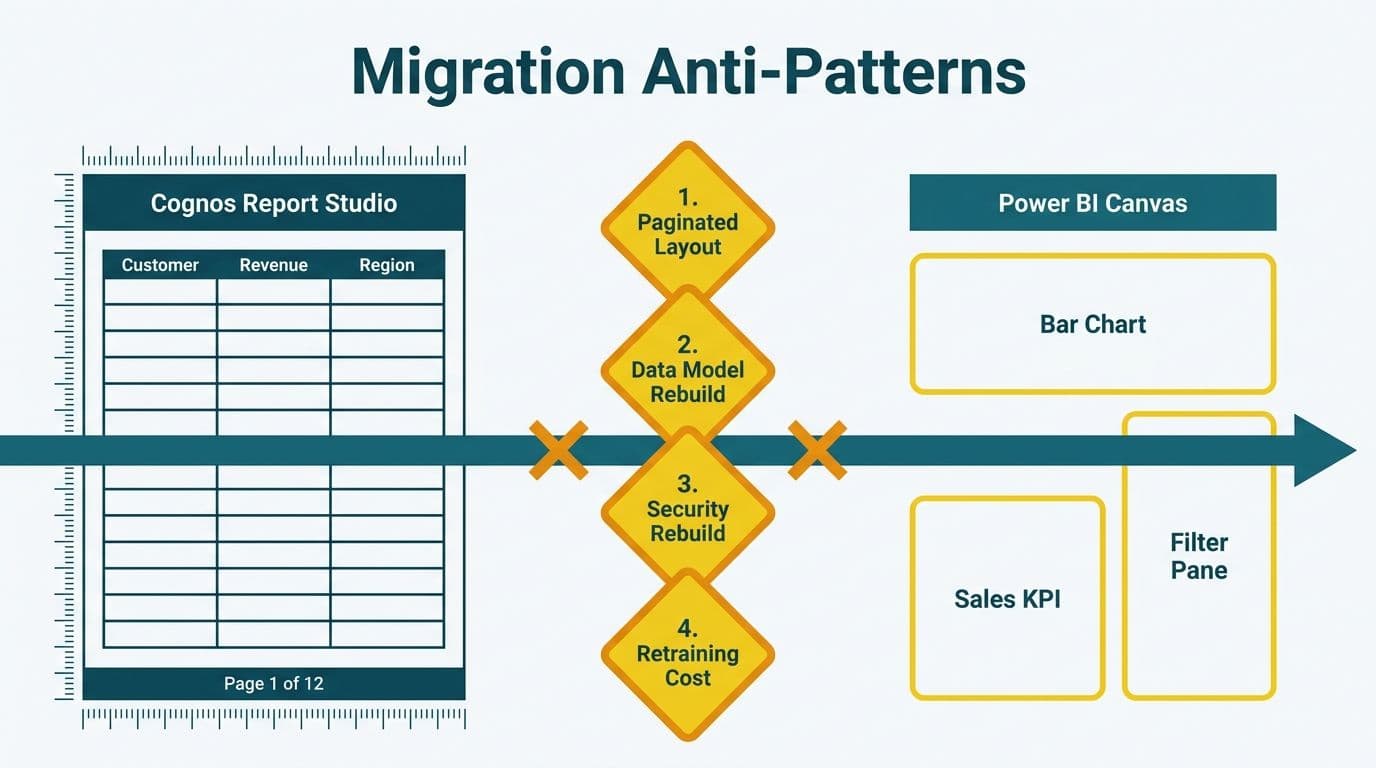
The most common mistakes in Cognos to Power BI migration stem from four assumptions that Power BI's architecture disproves: that pixel-perfect paginated output is the default, that data model relationships transfer automatically, that security controls can be inherited rather than rebuilt, and that analyst retraining is a minor budget line. Each mistake is preventable with a structured pre-migration audit.
Key Takeaways
Cognos Report Studio's paginated layout paradigm conflicts with Power BI's responsive canvas model - plan for report redesign, not report translation.
Many-to-many relationships handled transparently in Cognos Framework Manager must be modeled explicitly with bridge tables in Power BI's Tabular engine.
Row-level security must be rebuilt from scratch in Power BI - skipping this creates regulatory exposure under HIPAA (US), GDPR (UK/EU), and PIPEDA (Canada).
User retraining is consistently underestimated; budget 16-24 hours for data team leads and 4-8 hours for report consumers.
A semantic layer audit before the first report migration prevents the majority of post-launch rework.
What Are the Most Common Mistakes in Cognos to Power BI Migration?
Cognos and Power BI are built on fundamentally different architectural philosophies. Cognos was designed as a server-executed, SQL-generating report environment where IT controls metadata and query construction through Framework Manager. Power BI was designed around self-service analytics, in-memory columnar storage, and a DAX-based calculation engine that rewards a clean star schema over Cognos's layered namespace approach.
When migration teams treat a Cognos-to-Power BI project as a report-by-report translation exercise, they recreate the surface appearance of the old system in a new tool - without gaining any of the efficiency, scalability, or self-service benefits that justified the migration in the first place.
Whether your organization is running a Cognos decommission as a standalone project or alongside a broader platform consolidation, the structured approach outlined in our Tableau to Power BI migration services applies directly: semantic layer audit first, security re-mapping second, report rationalization third, training fourth. The failure modes in the following sections each represent a skip of one of these phases.
How Do Pixel-Perfect Paging Expectations Break in Power BI?
Cognos Report Studio was purpose-built for paginated, pixel-perfect output. Finance and healthcare teams that relied on Cognos for monthly close packages - fixed column widths, page breaks at specific row counts, precise footer alignment for printed distribution - enter Power BI expecting equivalent behavior.
Power BI's standard canvas model does not paginate. The standard report page is a fixed-pixel canvas designed for interactive, screen-based consumption. Scrolling, cross-filtering between visuals, and responsive mobile layouts are native capabilities. Fixed print margins and conditional page breaks are not.
Microsoft's answer is Power BI Paginated Reports, built on the SSRS rendering engine and authored in Power BI Report Builder. Paginated reports support conditional page breaks, precise column alignment, and PDF/Word export that matches Cognos's output fidelity. However, they are a distinct product track with separate licensing requirements under Power BI Premium or Premium Per User, a different authoring environment, and reduced native interactivity compared to standard canvas reports.
The anti-pattern: assuming every Cognos Report Studio report maps to a Power BI Paginated Report, then discovering mid-migration that the majority of the library consists of operational reports better rebuilt as interactive dashboards. A US healthcare finance team that followed this path found that 65% of their Cognos reports had fewer than five users and had not been opened in the previous six months - a rationalization finding that cut the actual migration scope by more than half before a single report was rebuilt. Across multiple Cognos migrations completed through mid-2026, this pattern holds consistently: organizations running Cognos libraries older than eight years routinely find that 55–70% of reports are candidates for retirement rather than migration, making the usage audit the single highest-ROI step in the pre-migration phase.
Practical fix: Conduct a report usage audit using Cognos audit logs before migration begins. Classify each report by output type - interactive analysis, paginated print, or scheduled distribution - and route accordingly. Retire low-traffic reports. Build everything that is not a mandatory print deliverable as an interactive canvas report.
What Are the Most Dangerous Data Model Gaps in Cognos to Power BI Migration?
Cognos Framework Manager abstracts database complexity through layered business model namespaces and conformed dimensions. Many-to-many relationships between fact tables and shared dimension tables are resolved transparently at query generation time - analysts never see the join logic; they query against business layer objects and Framework Manager produces the correct SQL.
Power BI's Tabular model does not hide this complexity. It requires you to declare every relationship explicitly, configure bridge tables for many-to-many joins, and specify cross-filter direction settings for each relationship. Relationships that Cognos resolved automatically must be modeled as explicit data structures in Power BI before a single DAX measure can run correctly.
Our Cognos to Power BI DAX Translation Guide documents the patterns teams encounter most often. The consistent finding is that the semantic layer gap - not DAX syntax - accounts for the majority of migration rework. Framework Manager's support for multiple data islands with overlapping dimensions does not translate to Power BI's single semantic model architecture without deliberate re-design.
A practical comparison of how the two platforms handle core modeling scenarios:
| Modeling Dimension | Cognos Framework Manager | Power BI Tabular Model |
|---|---|---|
| Many-to-many joins | Resolved automatically at query time | Requires explicit bridge tables |
| Multiple fact tables | Data islands with separate namespaces | Single semantic model; star schema preferred |
| Calculated members | Cognos Query Language / MDX | DAX measures and calculated columns |
| Aggregate navigation | Auto-aggregation built in | User-defined aggregation tables required |
| Row-level security | Metadata layer security filters | Explicit RLS roles in Power BI Desktop |
| Data refresh | Report-time SQL execution | Scheduled import, DirectQuery, or hybrid |
Understanding the performance implications of Import vs. DirectQuery at scale is essential before locking in a refresh architecture. The Power BI Import vs DirectQuery: Mid-Market Decision Guide provides a structured decision framework for organizations evaluating storage mode options during migration.
Why Is Skipping RLS Re-Mapping a Serious Compliance Risk?
Cognos enforces data-level security through Framework Manager security filters, Cognos Administration role assignments, and database-level access grants. When a regional finance manager in Cognos sees only their territory's revenue data, that restriction is encoded in the Framework Manager business model and applied at query generation time.
When organizations migrate to Power BI, these restrictions must be explicitly rebuilt as Row-Level Security (RLS) roles in Power BI Desktop and published to Power BI Service workspace configurations. This process is not automated and cannot be inferred from Cognos configurations. Every security filter must be re-documented, re-implemented, and validated before go-live.
As of 2026, three themes continue to dominate healthcare analytics adoption: value-based care, AI-driven analytics, and payer analytics innovation. Each use case involves sensitive patient or claims data - and each carries heightened RLS requirements during any platform migration.
The compliance exposure across key markets is material:
HIPAA (US): Healthcare organizations must enforce minimum necessary access to protected health information at all times. A Power BI deployment where Cognos enforced row-level data filters but Power BI does not is a HIPAA violation that migration timelines cannot excuse.
GDPR (UK/EU): UK fintech firms and EU financial services organizations must demonstrate that personal data is accessible only to authorized roles under data minimization and integrity principles. A Power BI report accessible to unauthorized principals is a reportable data access incident.
PIPEDA (Canada): Canadian healthcare and financial organizations face accountability obligations requiring documented, actively enforced access controls. A Canadian financial services firm or manufacturing company that migrates Cognos security filters without re-implementing them in Power BI is non-compliant with PIPEDA requirements even absent a breach.
The AI Analytics Data Privacy Risks: Healthcare Audit Guide provides a detailed methodology for auditing data access controls before and after platform migrations in regulated industries.
Practical fix: Map every Cognos security filter to a documented Power BI RLS role specification before report migration begins. Treat RLS mapping as a first-phase deliverable, not post-launch cleanup. Validate each role with dedicated test accounts and confirm unauthorized data is not returned before cutover.
How Underestimated Is User Retraining in Cognos to Power BI Migrations?
Consistently, and significantly. Cognos Report Studio, Query Studio, and Analysis Studio have been in production in many organizations for 15 to 20 years. Analysts who use these tools daily have built deep platform-specific muscle memory: the metadata tree navigation, the prompt page workflow where parameters are selected before a report executes, the crosstab builder, and the conditional formatting tools. None of this carries over to Power BI.
Power BI's paradigm differs at the foundational level. Report creation begins with a data model, not a query. The Fields pane, Filters pane, and Visualizations pane replace Cognos's metadata browser and report canvas. DAX measures replace Cognos Query Language expressions. Cross-filtering between visuals replaces the manual drill-through configuration that Cognos users built into prompt pages.
But tooling investment without skill transfer produces expensive shelfware, and Cognos migrations are particularly exposed to this risk because the behavioral shift required is larger than most project sponsors anticipate.
Finance Directors and CIOs
These stakeholders need a two-hour orientation to Power BI Service governance: workspace structure, dataset endorsement and certification, app sharing, and sensitivity label controls. The focus should be on data trust signals and how to interpret lineage views. Governance responsibilities - who owns certified datasets, how access requests are handled - should be established at this level before go-live.
Data Team Leads
The highest retraining investment. Data team leads need to understand the Tabular model, DAX measure logic, the distinction between calculated columns and measures, incremental refresh configuration, and deployment pipeline management. Budget 16 to 24 hours of structured learning applied directly to the organization's migrated datasets. Teams migrating from Cognos Query Language face a steeper DAX learning curve than those coming from SSAS MDX or SQL, because CQL's abstraction layer has hidden join logic and aggregate behavior that DAX requires you to model explicitly - meaning analysts must reconstruct mental models they never needed in Cognos. The DAX SUMMARIZE vs SUMMARIZECOLUMNS: Finance Reporting Guide is a practical reference for teams making the calculation transition from Cognos Query Language.
Report Consumers (Finance Analysts, Clinical Analysts)
End users need 4 to 8 hours covering navigation, slicer interactions, cross-report drillthrough, and subscription setup for scheduled snapshots. The primary friction point is unlearning the Cognos prompt page: analysts accustomed to selecting parameters before a report executes must learn to interact with real-time slicers and cross-filters. This is a behavioral shift that requires hands-on practice with actual reports, not classroom-only instruction.
What Should a Cognos to Power BI Migration Checklist Include?
A structured pre-migration checklist prevents the most common failure modes from reaching production. The checklist below addresses each anti-pattern in this guide and aligns with the migration approach used for regulated industries including US healthcare systems, UK fintech firms, and Canadian financial services organizations.
Semantic layer audit:
Document all Framework Manager namespaces, relationships, and calculated member definitions
Identify every many-to-many relationship and design bridge table equivalents in the target Tabular model
Catalog all row-level security filters and create a Power BI RLS role mapping specification
Report rationalization:
Pull 12-month usage logs from Cognos audit tables
Retire or archive reports with fewer than 10 users in the preceding 12 months
Classify remaining reports: interactive canvas, paginated output, or scheduled distribution
Route paginated output to Power BI Report Builder, not the canvas editor
Data infrastructure:
Confirm on-premises data gateway configuration and capacity requirements
Validate Import vs. DirectQuery mode selection based on data volume and refresh frequency
Design and test incremental refresh policies against the data warehouse before go-live
Security and compliance:
Document HIPAA, GDPR, or PIPEDA data access requirements for each migrated dataset
Build and validate RLS test accounts for every security role before go-live
Apply Microsoft Information Protection sensitivity labels to all migrated datasets and workspaces
Change management:
Schedule role-specific training 2 to 4 weeks before go-live, not the week of cutover
Identify power users in each department to serve as internal training champions
Establish a structured feedback channel for the first 90 days post-migration
For organizations planning a long-term Microsoft analytics strategy beyond the Cognos decommission, Microsoft Fabric vs Power BI: What's Actually Different provides essential context on where the platform is heading - relevant for teams evaluating Fabric's lakehouse and pipeline capabilities alongside the current migration project.
---
About Lets Viz: Lets Viz has delivered enterprise analytics migrations and managed Power BI deployments since 2020, serving US healthcare systems, UK fintech firms, Canadian manufacturing companies, and global SaaS organizations. With a 5.0 Clutch rating, our team specializes in regulated-industry platform migrations where semantic layer integrity, RLS compliance documentation, and analyst change management are project requirements, not afterthoughts.
Ready to migrate from Cognos without the rework cycles? Our Tableau to Power BI migration services include a proven framework covering semantic layer audit, RLS re-mapping, report rationalization, and phased training delivery - applicable equally to IBM Cognos migrations and Tableau decommissions.


