Power Automate Desktop Copilot: The Finance & Healthcare Guide
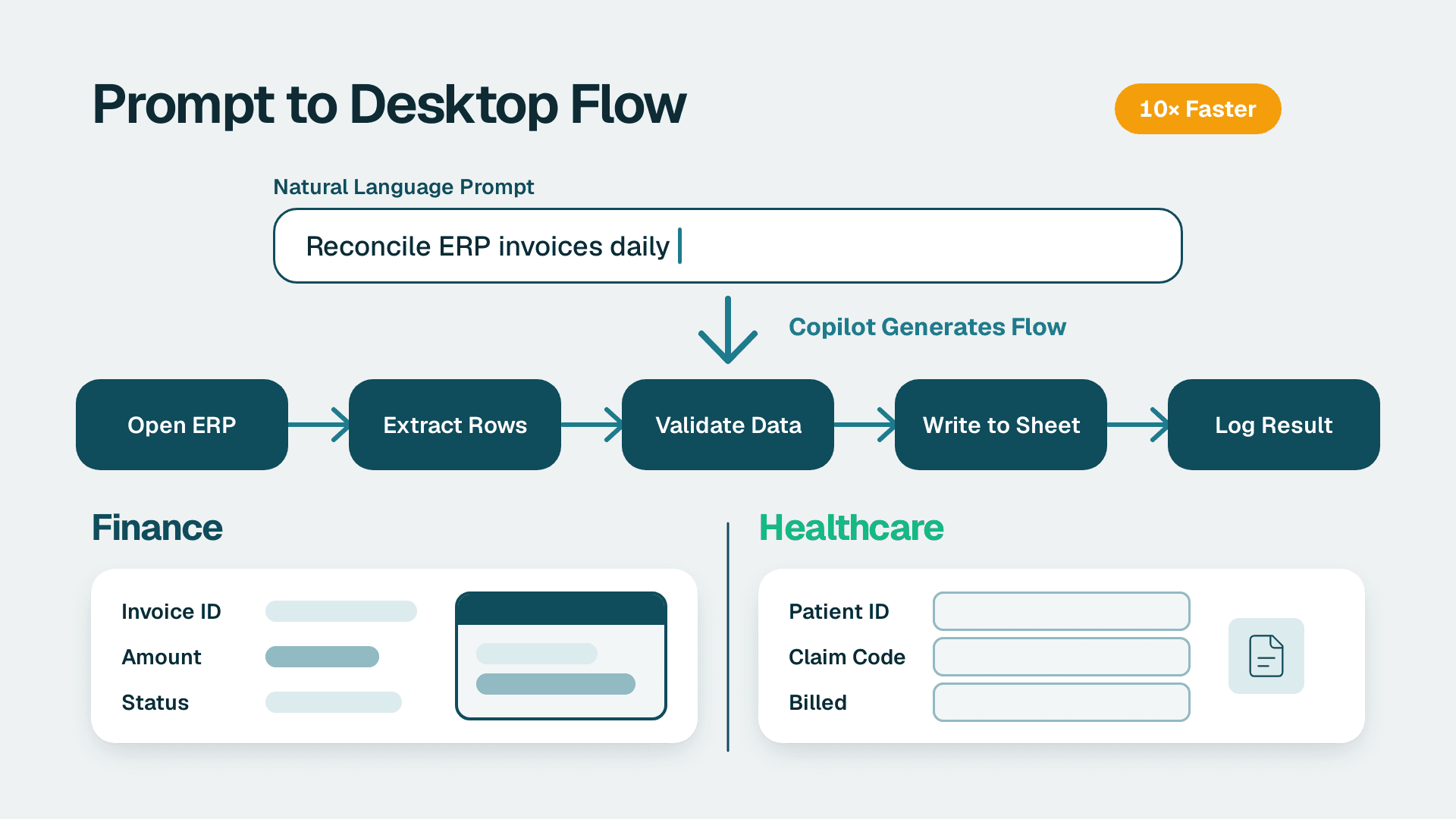
Power Automate Desktop Copilot is Microsoft's AI authoring assistant built into Power Automate Desktop that converts plain-language task descriptions into executable desktop flows - action sequences that drive any Windows application with or without an API. Finance and healthcare teams use it to automate ERP data entry, EMR-to-billing reconciliation, and other high-frequency legacy workflows. The feature requires a Power Automate Premium or Process licence for unattended execution.
Key Takeaways
Power Automate Desktop Copilot generates RPA action sequences from plain-English prompts, reducing flow authoring time versus manual recorder-based builds
It targets desktop applications - ERP systems, EMRs, spreadsheets, and legacy thick-client tools - that expose no modern API
Finance and healthcare teams across the US, UK, and Canada are using desktop automation for month-end close, invoice processing, and patient record workflows
Deployments subject to HIPAA, GDPR, or PIPEDA require verifying Microsoft data-residency settings and disabling Copilot training opt-ins before go-live
Desktop flows feed Power BI pipelines by extracting and staging legacy data, with cloud flow connectors triggering automated dataset refreshes
What Is Power Automate Desktop Copilot and How Does It Work?
Power Automate Desktop Copilot is an AI prompt panel inside the PAD flow designer. Describe a task in plain text and Copilot generates an ordered list of PAD actions: clicks, keystrokes, clipboard operations, file reads and writes, and conditional logic blocks. The draft uses only actions from PAD's native action library - the AI cannot invent operations the runtime cannot execute.
Microsoft's current Power Platform documentation describes the experience as a grounded generation model constrained to PAD's action schema. Outputs are syntactically valid even if UI element selectors need refinement for a specific application layout. Teams should treat the Copilot draft as a starting point, not a finished automation - selectors must be verified against the target machine's actual application state before any production run.
Who can use it? Any user with a Power Automate Premium or Process licence and access to a registered machine. Enterprise tenants may need an admin to enable Copilot features under Governance Policies in the Power Platform admin centre before the Copilot panel appears in the designer.
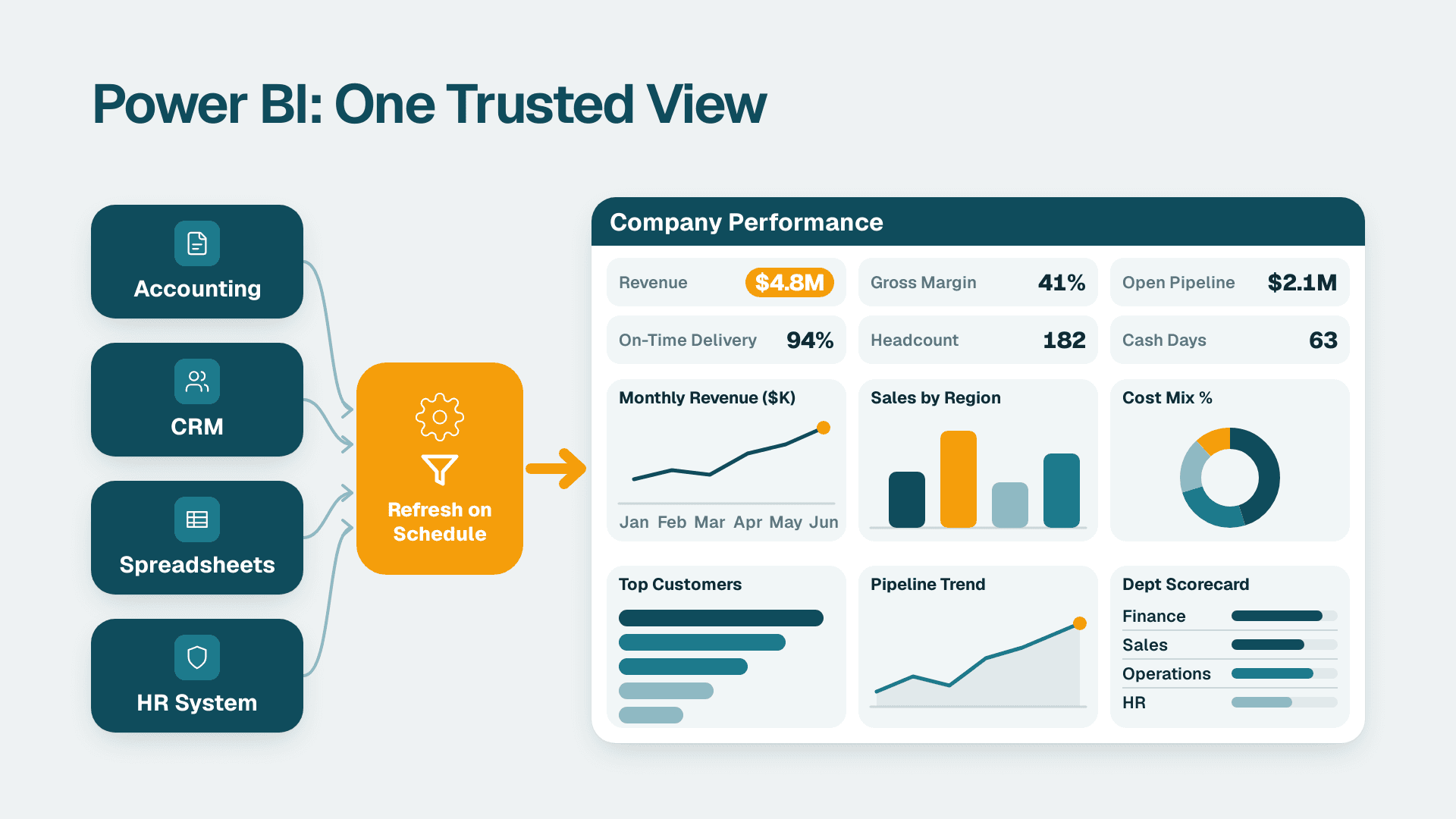
For organisations already building Copilot-enhanced reporting, desktop automation is a natural complement. Our Power BI consulting (Copilot-ready) practice builds the analytics layer on top - desktop flows provide the data pipeline from legacy systems into it.
What Is Power Automate Desktop and Who Needs It?
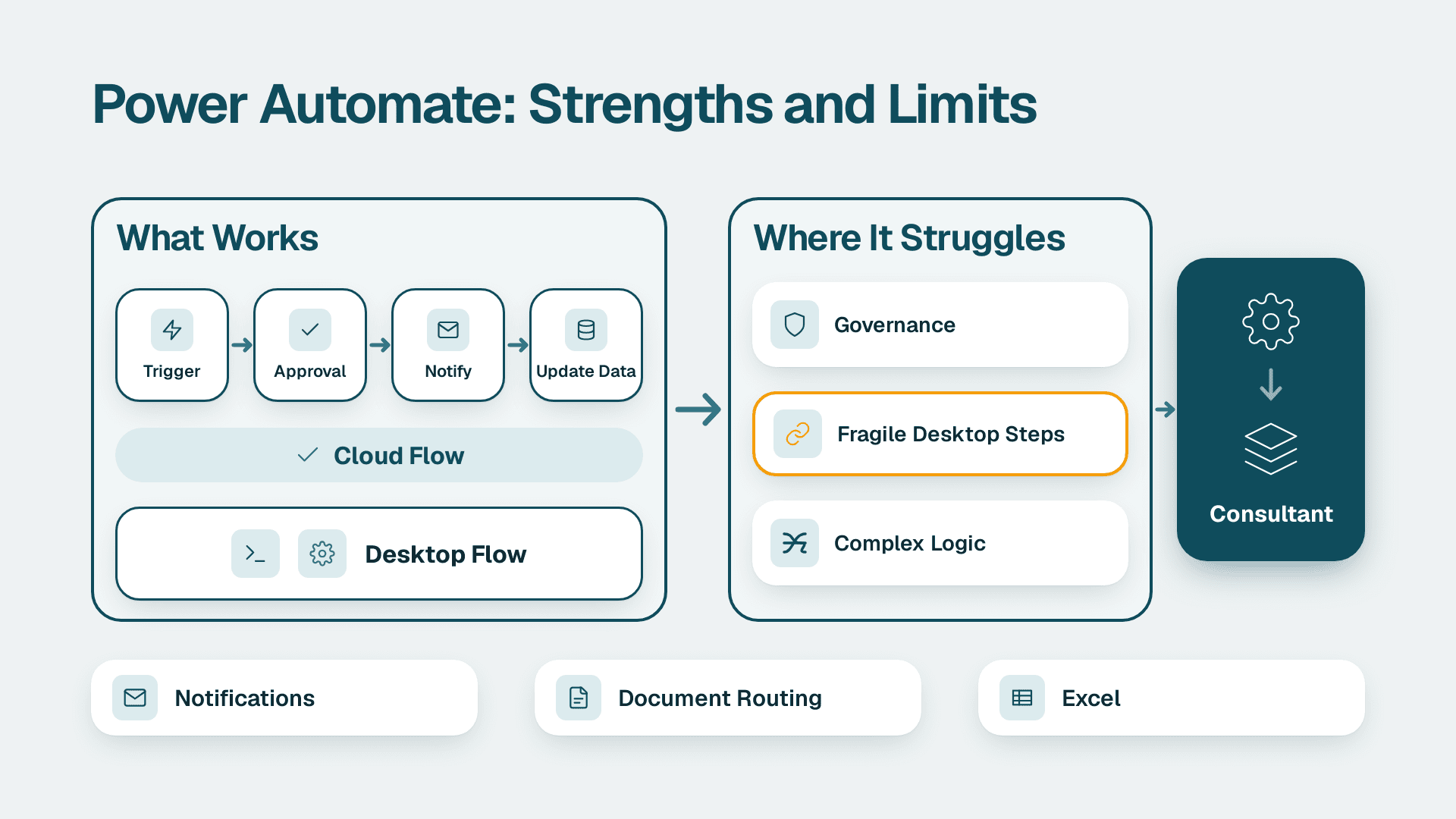
Power Automate Desktop (PAD) is Microsoft's Windows-based robotic process automation (RPA) tool. It lets you build desktop flows that click, type, read files, and move data between applications the way a person would. Copilot is the AI layer on top of it, so everything in this guide starts with understanding the base product.
Power Automate Desktop is aimed at work that cloud flows cannot reach: legacy ERPs, thick-client EMRs, terminal emulators, and spreadsheets with no connector. Microsoft has historically offered PAD at no extra cost for attended, personal automations on supported Windows versions, but unattended runs, machine groups, and Copilot authoring depend on your licence and tenant settings. Check Microsoft's current licensing page before budgeting, because plan names and inclusions change.
A sensible way to start with Power Automate Desktop is to automate one repetitive, rules-based task such as a nightly export, prove it in attended mode, and only then invest in unattended execution. The sections below show how Copilot speeds up that first build and what compliance teams should check.
How Does Power Automate Desktop Copilot Compare to Cloud Flows and Traditional RPA?
Desktop Copilot targets a different layer of the automation stack than cloud flows. Using the wrong tool produces brittle automations that break at the next API version change or application update.
| Dimension | Desktop Copilot | Cloud Flows | Traditional RPA (no AI) |
|---|---|---|---|
| Primary targets | Desktop/Windows apps, no API needed | API-connected cloud services | Desktop apps |
| Authoring | Natural-language prompt + AI draft | Connector-based drag-and-drop | UI recorder + manual scripting |
| AI assistance | Copilot generates full action draft | Copilot assists with expressions | None |
| Licence | Premium or Process for unattended | Per-user or per-flow | PAD free; Premium for unattended |
| Data path | Stays on device (good for PHI/PII) | Routes through Microsoft cloud | Stays on device |
| Best for | Legacy ERP, EMR, thick-client apps | Outlook, SharePoint, Dynamics 365 | Simple personal automations |
The data path row is the critical one for regulated industries. When a desktop flow processes protected health information or personally identifiable information, that data stays on the local machine unless the flow explicitly writes to a cloud service. That local execution model is often the deciding factor for HIPAA-covered entities and for organisations under GDPR or PIPEDA.
For a broader view of where AI-driven automation fits versus simpler rule-based approaches, see our guide to AI agents vs rule-based automation.
What Can Finance and Healthcare Teams Automate with Desktop Copilot?
The most valuable desktop automations combine high frequency with zero API access. Both finance and healthcare departments have backlogs of exactly these tasks - and both sectors face compliance pressure that makes local execution preferable to cloud routing.
Finance
Month-end close acceleration: A desktop flow opens the ERP, exports the period trial balance, pastes it into the consolidation workbook, and calls a cloud flow to notify the controller. For the broader governance context, see our guide to automating month-end financial close with AI tools.
Accounts payable: AI Builder parses invoice images; the desktop flow enters PO numbers and line-item amounts directly into the ERP, reducing manual keying errors. A full process walkthrough is in our AI automation for accounts payable article.
ERP data readiness for AI automation: Many mid-market AI initiatives stall because source data is locked inside ERP UIs with no API. Desktop Copilot drafts extraction flows that pull raw records into a staging table, resolving the data-readiness gap that blocks broader analytics programmes.
Healthcare IT
EMR-to-billing reconciliation: A US hospital revenue cycle team can run a nightly desktop flow comparing scheduled encounters in the EMR against billed claims in the billing system, writing discrepancies to a review queue. PHI does not enter a cloud pipeline because the flow runs locally.
Prior authorisation lookups: Navigating insurer portals to check authorisation status is among the highest-volume repetitive tasks in US and Canadian healthcare administration. A Copilot-drafted flow logs into each payer portal, queries the case, and writes the result to a tracking spreadsheet - without per-insurer API agreements.
Discharge summary routing: A Canadian hospital subject to PIPEDA can automate document routing to compliant folder structures without those documents transiting external cloud services.
Consider a scenario typical of Ontario-based regional hospitals: a 120-bed facility runs patient scheduling through a thick-client application with no REST API. A Copilot-generated desktop flow opens the scheduler, extracts today's appointment list, and writes it to a local staging table that the on-premises Power BI gateway reads every 30 minutes. The operations director gets a live census dashboard without an EHR migration project.
This pattern also illustrates why AI automation for SMEs and mid-market organisations often delivers the fastest return at the desktop layer first - before larger data warehouse or API integration investments are in place.
How Do You Build Your First Power Automate Desktop Copilot Flow?
A straightforward automation takes under an hour to draft, test, and promote to unattended. These steps reflect the current PAD interface.
Prerequisites
1. Licence verification: Confirm the target user has Power Automate Premium or Process. In the Microsoft 365 admin centre, navigate to Billing > Licences.
2. Machine registration: In the Power Automate portal, go to Machines and register the target Windows device. For unattended runs, create a machine group with a service account that has appropriate application permissions.
3. Copilot governance: Enterprise tenants may need to enable Copilot features under Governance Policies in the Power Platform admin centre. If the Copilot icon is absent from the PAD designer action panel, check this setting first.
Authoring steps
1. Open PAD, create a new flow, and click the Copilot icon in the action panel toolbar.
2. Write a specific prompt that includes the application name, starting screen, precise action, and expected output. A prompt naming the exact module and output file produces a usable draft; a vague prompt like "export data from the ERP" produces an incomplete one.
3. Review the generated action list. Verify each UI selector against the running application using the element picker - ERP element IDs change between patch releases.
4. Add error handling: wrap critical steps in a Try/Catch block with a failure path that logs error details and fires a cloud flow notification. Silent failures are far harder to diagnose than logged ones.
5. Run in attended mode on the development machine and confirm outputs against a test data set.
6. Promote to unattended execution by assigning the flow to a machine group in the cloud portal and configuring a schedule or trigger.
A practical note on ERP data readiness: map the exact screens and field names before writing Copilot prompts. ERP interfaces vary by module configuration and release version. Build regression testing into your ERP upgrade process to catch broken selectors before production runs resume.
What Compliance Safeguards Apply for US, UK, and Canadian Deployments?
Each jurisdiction has distinct requirements, but a common principle applies across all three: know exactly where data travels and who can access it.
United States - HIPAA and SOC 2
Desktop flows that handle PHI execute on the registered machine and do not enter Microsoft's cloud unless the flow explicitly writes to a cloud service. Microsoft's Business Associate Agreement covers Power Platform products including Power Automate, but the covered entity is responsible for ensuring the machine sits inside a HIPAA-compliant network boundary and that access to run logs is restricted to authorised personnel. Power Automate Desktop run history is logged in the cloud portal - use this for HIPAA audit trail requirements. For SOC 2, confirm that machine access is restricted to service accounts and that run history exports are retained per your audit schedule.
United Kingdom and EU - GDPR
A UK fintech firm automating customer data processing must verify that Copilot authoring prompts are not used for Microsoft model training. Microsoft's current Power Platform documentation covers the Connected Experiences setting: review Privacy settings in the Microsoft 365 admin centre and disable optional connected experiences if GDPR data minimisation obligations apply to data described in prompts. Flow execution is local; it is the prompts typed into the Copilot panel that may transit Microsoft's API endpoints for generation.
Canada - PIPEDA
Microsoft operates data centres in the Canada Central and Canada East Azure regions. Create Power Platform environments in the Canada region to keep Dataverse data - including run metadata - in-country. Verify the region under Environments > your environment > Region in the Power Platform admin centre. For PIPEDA compliance, scope desktop flows to the minimum personal data fields required: extract only what the specific automation needs, not full record dumps.
How Does Desktop Copilot Connect to Power BI for Smarter Reporting?
The strongest mid-market architecture combines desktop automation with Power BI: desktop flows extract data from legacy systems that have no direct Power BI connector, stage it, and trigger automated dataset refreshes.
The integration works through cloud flow connectors:
1. The desktop flow runs on a schedule and writes extracted data to a CSV file, local SQL table, or SharePoint list.
2. A cloud flow monitors the output location and calls the Power BI REST API to trigger a dataset refresh.
3. The Power BI dataset updates and stakeholders receive an automatic notification via Teams or email.
This eliminates the manual step where an analyst exports ERP data each morning and uploads it to the BI tool - a bottleneck that persists in many mid-market finance teams without a modern data warehouse. The on-premises Power BI gateway also supports direct connections from Power BI to local SQL tables that desktop flows write to, removing the cloud staging step entirely in HIPAA or PIPEDA-sensitive environments.
For teams managing larger Power BI deployments, the Power BI managed service for finance teams article covers governance, refresh scheduling, and capacity planning at scale.
---
About Lets Viz: Lets Viz has delivered data analytics and automation projects for US healthcare providers, UK fintech firms, and Canadian manufacturing companies since 2020, earning a 5.0 rating on Clutch. The team works across Power Platform, Power BI, ERP integration, and AI-assisted reporting - helping CIOs, finance directors, and data team leads at mid-market organisations replace manual processes with governed, auditable automation suited to HIPAA, GDPR, and PIPEDA environments.
Ready to connect desktop automation with a Copilot-ready analytics layer? Explore our Power BI consulting (Copilot-ready) service to see how the full stack fits together.