Healthcare Analytics Platform Comparison: 2026 Guide
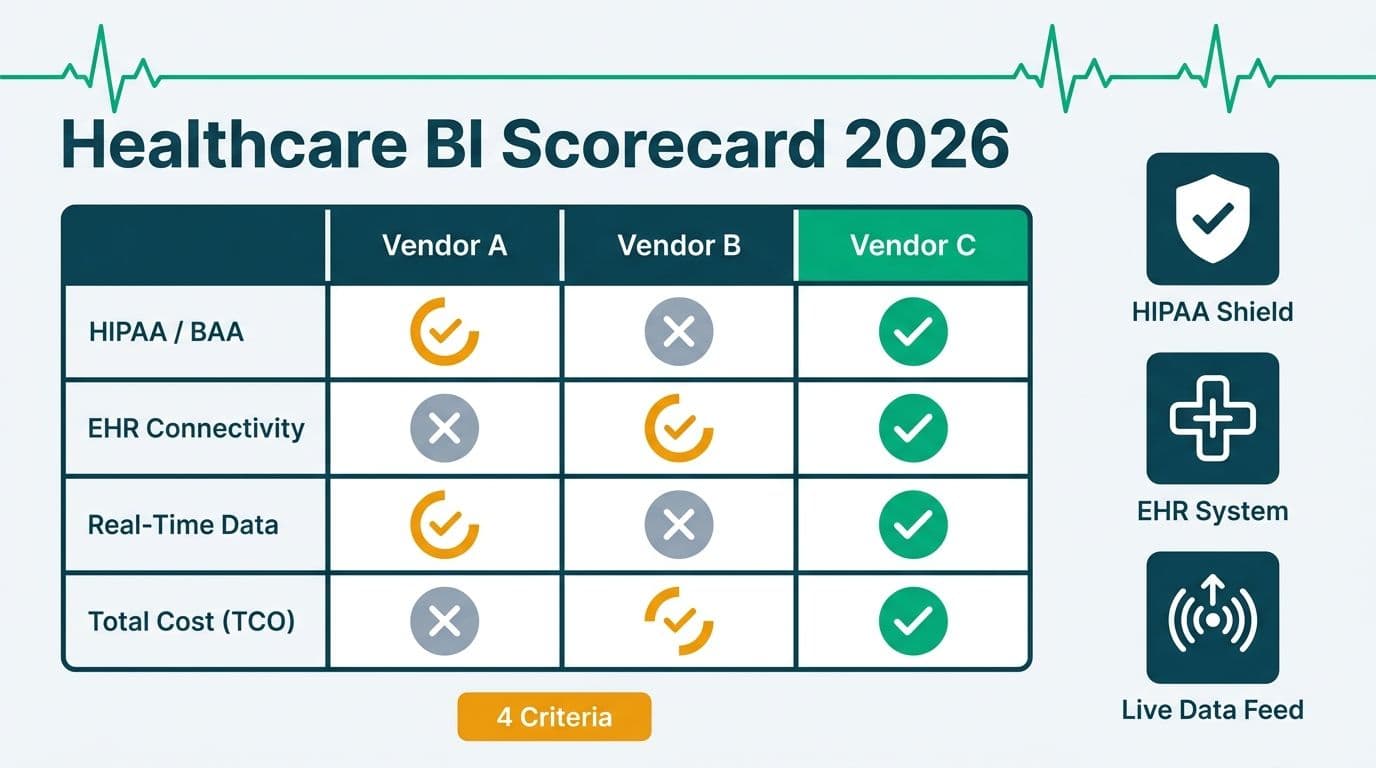
Choosing the right healthcare analytics platform comes down to four criteria: regulatory certification (HIPAA, GDPR, PIPEDA), native EHR connectivity, real-time data throughput, and total cost of ownership. Evaluated on these dimensions, Microsoft Power BI - backed by Microsoft's compliance ecosystem - scores consistently highest for US hospital networks, while also satisfying UK GDPR and Canadian PIPEDA requirements within a single deployment.
Key Takeaways
HIPAA compliance requires a signed Business Associate Agreement (BAA) with your BI vendor - not just vendor security claims or certifications.
Native EHR connectors eliminate costly middleware and reduce time-to-insight for clinical and administrative staff.
Power BI's natural language query (Q&A) feature enables non-technical healthcare users to ask questions in plain English without writing code.
Total cost of ownership in healthcare BI extends well beyond licensing to include EHR integration, compliance auditing, and clinical change management.
Organizations migrating from Cognos Planning Analytics to Power BI should run a structured parallel validation period before decommissioning the legacy environment.
What Is a Healthcare Analytics Platform Comparison?
A healthcare analytics platform comparison is a structured evaluation of BI tools across criteria specific to regulated healthcare environments - where a missing compliance certification can trigger OCR audits and where a broken EHR connector means clinicians revert to spreadsheets. The four criteria that matter most are:
1. Regulatory certifications - HIPAA BAA, SOC 2 Type II, GDPR adequacy, and (for Canadian health authorities) PIPEDA alignment.
2. EHR connectivity - native certified connectors to Epic, Oracle Health (formerly Cerner), Meditech, and Allscripts.
3. Real-time streaming - sub-minute refresh for operational metrics such as bed occupancy, ED wait times, and staffing ratios.
4. Total cost of ownership (TCO) - licensing, implementation, training, compliance auditing, and ongoing managed services.
Our Managed Power BI for healthcare teams practice structures every platform evaluation around these four layers, which is why this guide follows the same sequence.
How Do HIPAA and GDPR Certifications Differ Across BI Platforms?
The critical distinction is contractual, not technical. HIPAA compliance requires a Business Associate Agreement (BAA) - a signed legal document in which the BI vendor accepts shared liability for protected health information (PHI) it processes or stores. A platform can be technically secure without offering a BAA, leaving the covered entity bearing full OCR liability.
Microsoft offers a BAA under its Product Terms covering Power BI Premium, Power BI Embedded, and the full Azure infrastructure layer (Microsoft, 2026). This matters because PHI flowing through a Power BI dataset hosted on Azure falls under the same BAA that governs the underlying compute and storage - eliminating a contractual gap that frequently exists with smaller or newer BI vendors.
For UK and EU organizations, GDPR requires lawful basis for data processing, data subject rights management, and - critically for NHS trusts - the ability to prove data residency within UK or EU borders. Power BI's EU Data Boundary configuration ensures data at rest and in transit remains within EU borders (Microsoft, 2026). UK NHS trusts can map NHS Data Security and Protection (DSP) Toolkit requirements directly onto Power BI's sensitivity labeling and role-level access controls.
For Canadian healthcare organizations operating under PIPEDA, Microsoft maintains dedicated datacenter regions in Toronto and Quebec City, enabling in-country data residency. A Canadian regional health authority evaluating platforms must confirm that its selected vendor offers a Canadian residency option - a requirement that narrows the field to major hyperscale-backed platforms.
For a technical deep dive into access control mapping across legacy and modern environments, our Cognos Security Model vs Power BI RLS: Side-by-Side Mapping guide translates security models between both platforms.
Which Platforms Offer Native EHR Connectors? (Healthcare Analytics Platform Comparison Table)
EHR connectivity is where many healthcare analytics platform comparisons reveal hidden costs. "Connector available" in a vendor's marketing frequently means a generic JDBC or ODBC driver that requires a licensed middleware layer, hand-written SQL, and a data engineer to maintain. Native certified connectors authenticate directly against the EHR API, respect vendor-imposed rate limits, and update when the EHR vendor releases schema changes.
The table below evaluates platforms on the procurement criteria healthcare IT and finance teams use during vendor selection:
| Criterion | Power BI (Microsoft) | Cloud-Native Alternatives | Legacy On-Prem Platforms |
|---|---|---|---|
| HIPAA BAA | Yes - Microsoft Product Terms | Varies by vendor | Requires custom negotiation |
| UK GDPR / NHS DSP Toolkit | Yes - EU Data Boundary available | Varies | Rarely documented |
| PIPEDA / Canadian residency | Yes - Toronto and Quebec City regions | Varies | Rarely documented |
| Epic FHIR connector | Yes - via Azure Health Data Services | Limited | No native support |
| Oracle Health connector | Yes - certified Power Query connector | Limited | JDBC/ODBC only |
| Real-time streaming | Yes - Push datasets, DirectQuery, Streaming datasets | Often requires add-on | Minimal |
| Natural language query | Yes - Q&A (included) and Copilot (Premium/Fabric) | Limited or add-on cost | Not available |
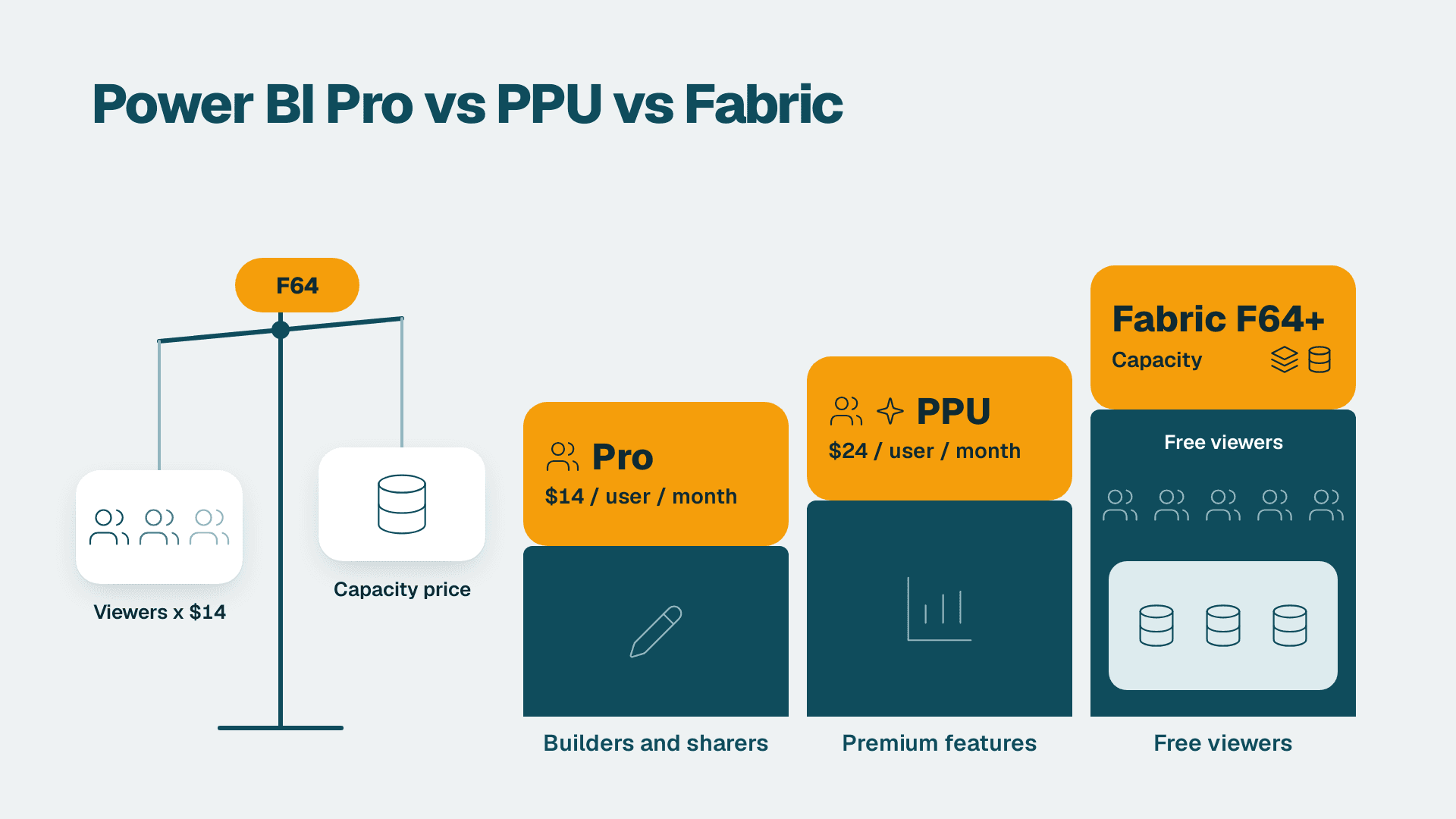
| Per-user license (starting) | $10 Pro / $20 PPU (Microsoft, 2026) | $15-$70+ | Enterprise quote required |
| Managed services partner network | Broad global ecosystem | Narrow | Narrowing |
Reading this table: "Varies" in the HIPAA BAA row signals that the vendor's documentation does not clearly state BAA availability at the tier most healthcare teams purchase. Always request a BAA in writing before signing any BI contract in a HIPAA-covered environment.
For US hospital networks connecting multiple Epic instances, Power BI's Azure Health Data Services integration consolidates FHIR-standard feeds into a single Power BI Premium workspace. Suppose a 12-hospital US regional system adopts this architecture: the primary benefit is eliminating a separate ETL tool and its licensing, reducing both cost and integration maintenance burden.
How Does Natural Language Query Work in Power BI for Non-Technical Healthcare Users?
Natural language query Power BI allows clinical and administrative staff to type plain-English questions - "show me average ED wait times by shift this week" - and receive immediate chart or table responses without writing DAX, SQL, or any code. This capability directly addresses healthcare's persistent analytics gap: the distance between clinicians who understand what the data means and IT teams who know how to query it.
Power BI Q&A vs Copilot: What Is the Difference?
These are two distinct capabilities with different licensing requirements - a distinction that matters for power bi natural language query healthcare compliance planning and procurement:
Power BI Q&A queries a semantic model using natural language. It matches questions against field names, measure names, and configured synonyms in the dataset. Q&A is included in Power BI Pro at $10/user/month (Microsoft, 2026) and works entirely within the Power BI service without requiring additional AI licensing.
Power BI Copilot is an AI generation layer built on Azure OpenAI that creates full report pages, generates DAX measures, and produces narrative summaries from prompts. As of 2026, Copilot ships with pre-built healthcare report templates covering ED throughput, OR block utilization, and 30-day readmission rates — reducing the prompt-engineering effort for clinical analytics teams who previously had to construct these views from scratch. Copilot requires Power BI Premium Per User at $20/user/month or a Microsoft Fabric capacity (Microsoft, 2026).
For a healthcare setting, the practical split is: Q&A for power bi q&a executive self-service reporting setup (department heads and finance directors querying dashboards without submitting IT tickets) and Copilot for analytics developers who need to accelerate report construction and DAX authoring.
How to Add Synonyms to Power BI Q&A for Clinical Terminology
Healthcare datasets contain domain-specific terminology that Q&A's automatic detection misses. A query like "show me LOS by DRG" will return no results unless the semantic model knows that "LOS" maps to the `length_of_stay` column and "DRG" maps to `diagnosis_related_group`.
Power BI Q&A synonym configuration solves this. In Power BI Desktop, navigate to Modeling > Q&A Setup > Synonyms, then add clinical aliases for each field. Common healthcare synonyms to configure include:
"patient," "encounter," "visit" for patient_id or encounter_id dimensions
"LOS," "length of stay," "days admitted" for the length_of_stay measure
"DRG," "diagnosis group," "DRG code" for diagnosis_related_group
"census," "daily census," "inpatient count" for current_inpatient_count
"ED," "emergency," "A&E" (for UK readers) for emergency_department_visits
Once configured, synonyms persist across all Q&A interactions in the workspace. A UK NHS trust that adds "A&E" as a synonym alongside the US "ED" terminology can serve clinical users in both markets from a single semantic model - a practical advantage when the same Power BI environment supports teams across multiple geographies.
For the complete Q&A configuration workflow beyond synonyms, our How to Use Power BI Q&A: Natural Language Query Guide covers field weighting, linguistic schema editing, and troubleshooting common query failures.
When Should You Replace Cognos Planning Analytics with Power BI in Healthcare?
The decision to replace Cognos Planning Analytics with Power BI typically converges around three organizational signals: escalating license renewal costs with no corresponding capability gains, the absence of native FHIR or HL7 connectors for clinical operations, and growing pressure from clinical executives who expect dashboard-style self-service rather than paginated report requests submitted to IT.
Concrete indicators that migration is overdue:
The Cognos environment has not been upgraded beyond version 11.1.x and internal teams maintain custom EHR drivers that break on each Epic or Oracle Health update.
Clinical and finance department heads maintain shadow Excel dashboards because Cognos report turnaround takes days rather than minutes.
The compliance team cannot produce a complete audit log of PHI access in Cognos - a material HIPAA risk if an OCR investigation is triggered.
How to Test a Cognos to Power BI Migration in Healthcare
Testing a Cognos to Power BI migration in a HIPAA-regulated environment requires a validation protocol beyond standard UAT. Four testing layers apply:
1. Data parity testing - run identical queries in both systems and reconcile row counts, aggregation logic, and null handling. Discrepancies most often arise from date dimension differences and Cognos native functions that have no direct DAX equivalent without explicit translation.
2. PHI access control validation - verify that Power BI row-level security (RLS) rules reproduce the Cognos security model exactly. A Canadian health authority under PIPEDA or a UK NHS trust under DSP Toolkit must confirm role-based access is enforced before decommissioning any Cognos environment containing PHI.
3. Performance benchmarking - measure report render times for the 10 highest-traffic reports in both systems. Power BI DirectQuery over a well-optimized Azure SQL database typically outperforms Cognos at scale, but this must be measured and documented, not assumed.
4. Parallel run period - operate both systems simultaneously for 30-60 days with a defined reconciliation process for any figures that diverge between them.
Our Cognos to Power BI Migration Checklist: 7-Phase Guide maps this protocol across all seven migration phases, including the compliance gate that should precede any decommissioning decision. Teams concerned about common failure modes will also find value in our Cognos to Power BI Migration Mistakes: Anti-Pattern Guide.
What Does Healthcare BI Platform TCO Actually Include?
Total cost of ownership in healthcare BI is systematically underestimated because procurement teams compare licensing costs while the five categories below often exceed licensing over a three-year horizon:
1. EHR integration - custom connector development, EHR vendor API licensing, and middleware maintenance. Platforms with native certified connectors eliminate two of these three cost categories.
2. Compliance auditing - annual HIPAA security risk assessments, SOC 2 Type II audits, and for UK organizations, NHS DSP Toolkit submissions. The BI platform's audit log depth directly affects the cost and timeline of these assessments.
3. Training and change management - clinical staff training is consistently the most underestimated cost item in healthcare BI migrations. Effective adoption requires 8-12 hours per user of structured training, not the 2-3 hours commonly budgeted for platform access — and organizations deploying Copilot alongside Q&A should budget a separate 4-6 hour AI-literacy track, as clinical users need to evaluate generated output critically before acting on it.
4. Managed services and 24/7 support - clinical dashboards feeding ED triage, OR scheduling, and bed management cannot be reliably maintained by a single internal FTE on a best-effort basis.
5. Legacy report migration - migrating Cognos paginated reports to Power BI requires per-report analysis and translation. Bulk migration tools exist but produce output that requires manual clinical review before sign-off.
A representative scenario: a 400-bed US hospital network with 150 Power BI Premium Per User licenses at $20/user/month (Microsoft, 2026) pays approximately $36,000 per year in BI licensing. An equivalent legacy on-premises platform at comparable per-user pricing typically carries additional infrastructure, maintenance, and EHR driver costs that Power BI's cloud model eliminates — overhead that commonly runs $80,000–$140,000 annually in server, DBA, and connector maintenance for a hospital of that size, placing typical migration payback inside 18 months.
For Canadian health authorities, PIPEDA data residency requirements narrow the compliant vendor shortlist to hyperscale-backed platforms that offer Canadian datacenter regions. For UK NHS trusts, Microsoft's documented alignment with NHS DSP Toolkit requirements reduces compliance validation effort compared to less-documented alternatives. Both dynamics tend to shorten the healthcare analytics platform comparison process in practice.
---
About Lets Viz: Lets Viz has delivered data analytics and BI transformation projects for US healthcare organizations, UK fintech firms, Canadian manufacturing clients, and global SaaS companies since 2020. Our practice holds a 5.0 Clutch rating across engagements spanning Power BI implementation, Cognos migration, and HIPAA-compliant dashboard design for regulated industries.
Ready to evaluate Power BI against your current healthcare BI environment? Explore our Managed Power BI for healthcare teams practice to see how we scope, implement, and manage analytics platforms for clinical and administrative teams.