Top Free Healthcare Datasets for Power BI Dashboards
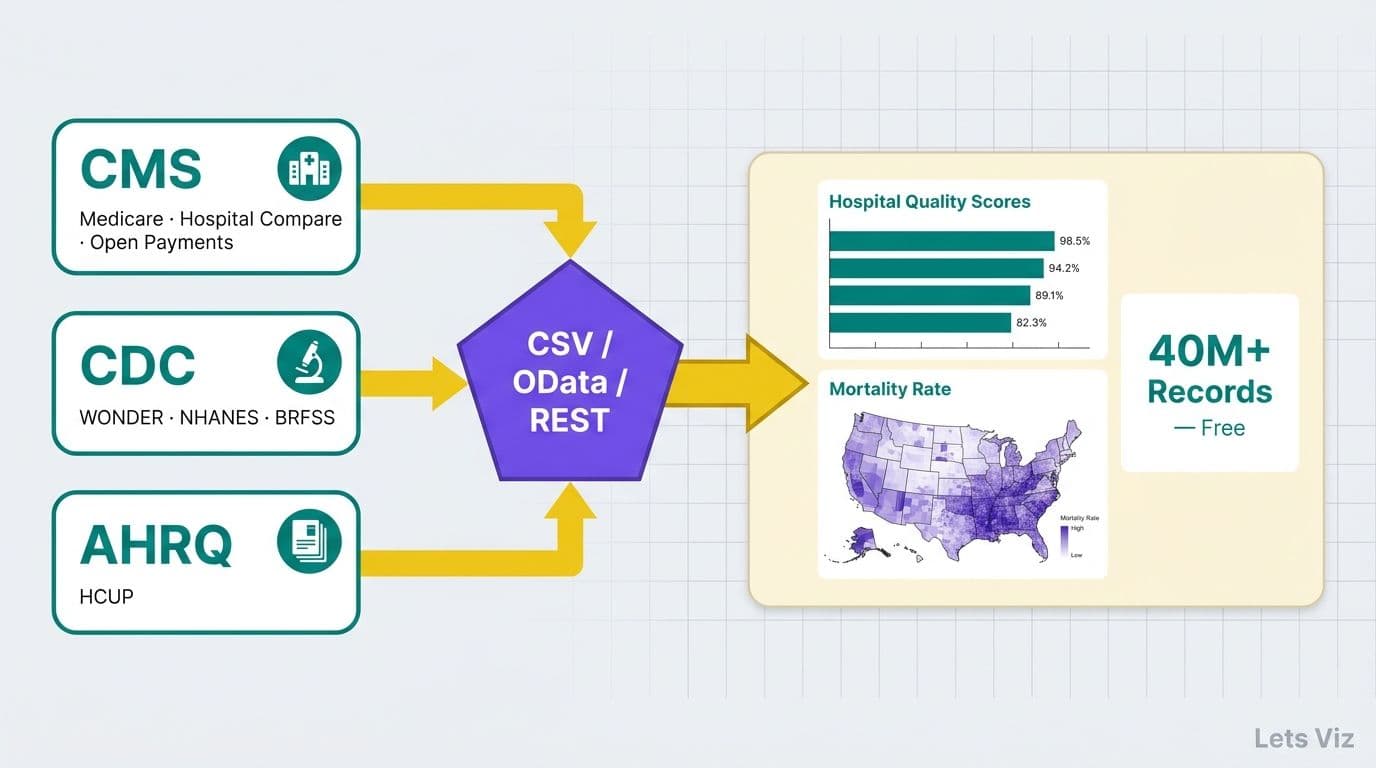
The best free healthcare datasets for Power BI dashboards come from three federal agencies: CMS (Medicare Provider Utilization, Hospital Compare, Open Payments), CDC (WONDER mortality database, NHANES, BRFSS), and AHRQ's Healthcare Cost and Utilization Project. Each dataset is publicly available, de-identified to HIPAA safe harbor standards, and connectable to Power BI via CSV download, OData feed, or REST API - no vendor contract required. All datasets listed in this guide are free and publicly available, with no licensing fees or paid subscriptions needed to access them.
Key Takeaways
CMS, CDC, and AHRQ publish the most comprehensive free US healthcare datasets for Power BI dashboards.
All public federal datasets are de-identified under HIPAA safe harbor - they contain no protected health information (PHI).
Power BI connects to these sources via its Web connector, OData feed, CSV import, or REST API, with scheduled refresh supported in Power BI Service.
Microsoft Fabric's OneLake storage simplifies centralizing multiple public data feeds alongside internal EHR and claims data.
Teams comparing Power BI vs Tableau for clinical data reporting will find Power BI's Microsoft 365 integration and lower per-seat cost decisive for most US health systems.
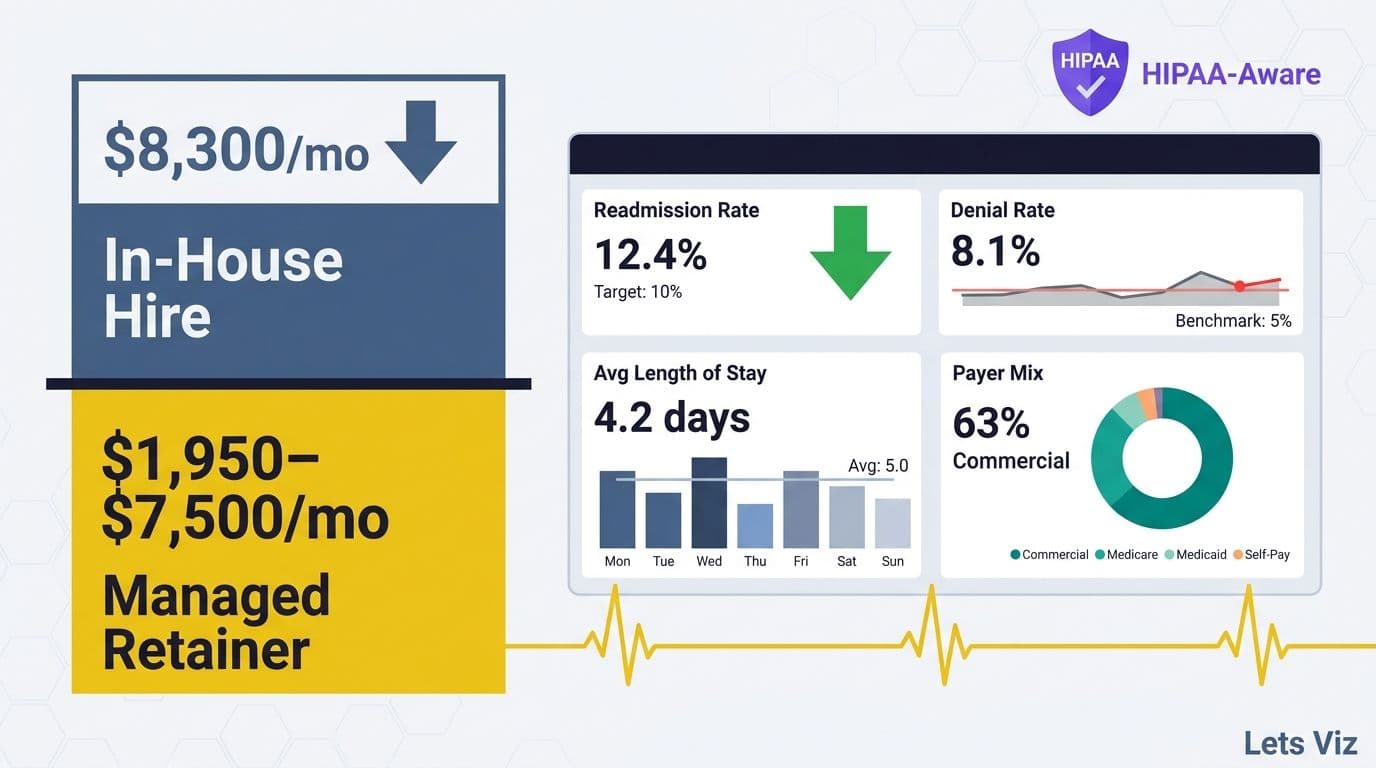
Lets Viz delivers Managed Power BI services for healthcare and finance teams -- fully managed analytics, from data model to decision-ready dashboard.
What Are the Best Free Healthcare Datasets for Power BI Dashboards?
The volume of publicly available health data has grown alongside demand for benchmark-driven analytics. Accelerating demand for value-based care benchmarks, payer mix transparency, and AI-assisted clinical decision support has made mastering public data sources a strategic priority for every hospital analytics team.
CMS (Centers for Medicare and Medicaid Services)
[Medicare Provider Utilization and Payment Data](https://data.cms.gov/provider-summary-by-type-of-service) covers procedure-level utilization and reimbursement for individual physicians, hospitals, and home health agencies. CMS releases it annually as CSV files on data.cms.gov, and the flat-file structure loads directly into Power BI's Web connector with minimal transformation.
[CMS Care Compare](https://data.cms.gov/provider-data/) (formerly Hospital Compare) publishes quality measures for 4,800-plus hospitals (as of 2026), including HCAHPS patient experience scores, 30-day readmission rates, complication rates, and star ratings. CMS exposes this data through a Socrata-based OData API, which Power BI's native OData Feed connector can query with live scheduled refresh.
[Open Payments (Sunshine Act Data)](https://openpaymentsdata.cms.gov/) tracks financial relationships between drug and device manufacturers and US healthcare providers - valuable for compliance reporting dashboards that executives or compliance officers review quarterly.
[Medicare Part D Prescriber Data](https://data.cms.gov/provider-summary-by-type-of-service/medicare-part-d-prescribers) breaks down drug prescribing patterns by provider, drug, and geography. Pharmacy directors and formulary analysts use it to benchmark prescribing behavior against national and regional peers.
CDC (Centers for Disease Control and Prevention)
[CDC WONDER](https://wonder.cdc.gov/) (Wide-ranging Online Data for Epidemiologic Research) is a unified query portal for mortality statistics, cancer incidence, natality, infectious disease surveillance, and environmental data. WONDER supports bulk exports in tab-delimited format - paste the download URL into Power BI's Web connector and Power Query handles column parsing automatically.
[NHANES](https://www.cdc.gov/nchs/nhanes/) (National Health and Nutrition Examination Survey) provides cross-sectional survey data on chronic disease prevalence, nutrition, and lab results. NHANES files ship as SAS transport files (.xpt) that a brief Power Query M script or R connector converts to tabular format.
[BRFSS](https://www.cdc.gov/brfss/) (Behavioral Risk Factor Surveillance System) is an annual state-level survey tracking obesity, smoking, diabetes prevalence, physical inactivity, and preventive care utilization. It suits population health management dashboards segmented by state or metropolitan statistical area. For example, a population health team can join BRFSS county-level obesity prevalence with internal primary care visit data to identify high-burden ZIP codes for targeted outreach programs - translating a public benchmark into a direct operational action.
[National Vital Statistics System (NVSS)](https://www.cdc.gov/nchs/nvss/) publishes birth and death data, cause-of-death statistics, and life expectancy tables at the county and state level - the foundation for mortality trend analysis.
AHRQ (Agency for Healthcare Research and Quality)
AHRQ's [Healthcare Cost and Utilization Project (HCUP)](https://hcup-us.ahrq.gov/) is the most granular US hospital discharge dataset available for public research. Key databases include:
[National Inpatient Sample (NIS)](https://hcup-us.ahrq.gov/nisoverview.jsp) - A stratified probability sample of 7 million-plus inpatient stays per year, designed for national estimates.
[Kids' Inpatient Database (KID)](https://hcup-us.ahrq.gov/kidoverview.jsp) - Pediatric discharges for benchmarking children's hospital performance.
[Nationwide Emergency Department Sample (NEDS)](https://hcup-us.ahrq.gov/nedsoverview.jsp) - 30-plus million ED visits annually.
[State Inpatient Databases (SID)](https://hcup-us.ahrq.gov/sidoverview.jsp) - State-specific discharge registries covering California (HCAI), New York (SPARCS), Texas (THCIC), Florida (AHCA), and 46 additional states. HCUP standardizes data elements across states, making cross-state benchmarking feasible in a single Power BI model.
HCUP access requires a completed data use agreement, typically approved within five to ten business days. Data arrives as delimited text files suitable for Power BI's CSV connector.
Additional Public Sources
[HealthData.gov](https://healthdata.gov/) - Federal data catalog aggregating datasets from HHS, CMS, FDA, and NIH agencies.
[HHS Protect Public Data Hub](https://protect-public.hhs.gov/) - Hospital capacity, COVID-era reporting, and healthcare-associated infection rates.
[NCI SEER](https://seer.cancer.gov/) - National Cancer Institute cancer incidence and survival data by site, stage, race, and geography.
For a framework on which KPIs and metrics these datasets can populate once connected, see what metrics should a healthcare analytics dashboard track.
How Do You Connect Free Healthcare Data Sources to Power BI?
Connecting public healthcare datasets to Power BI follows a clear pattern: choose the right connector for the source format, apply Power Query transformations to normalize the schema, and schedule a refresh in Power BI Service to keep the dashboard current without manual downloads.
Web Connector (CSV and Excel) is the default method for CMS and CDC flat files. In Power BI Desktop, navigate to Get Data - Web, paste the direct download URL, and Power Query parses the delimiter automatically. For files updated monthly - such as CMS Care Compare quality measures - configure a scheduled refresh in Power BI Service to pull the latest release without human intervention.
OData Feed Connector suits the Socrata-based API endpoints CMS exposes on data.cms.gov. Select Get Data - OData Feed, enter the endpoint URL with any filter parameters appended, and Power Query handles pagination. OData endpoints update frequently and work well for claims-volume dashboards where timeliness matters.
REST API via Web.Contents supports CDC WONDER and sources with programmatic APIs. Write an M function in Power Query's Advanced Editor using Web.Contents to call the API, parse the returned JSON, and expand the result table. REST sources require a data gateway configured in Power BI Service for scheduled refresh.
Python or R Script Connector handles NHANES SAS transport files. Use Python's pyreadstat library or R's haven package within Power BI's script connector to convert .xpt files to data frames, which Power Query then loads as a table. This method is the most reliable approach for large NHANES survey waves.
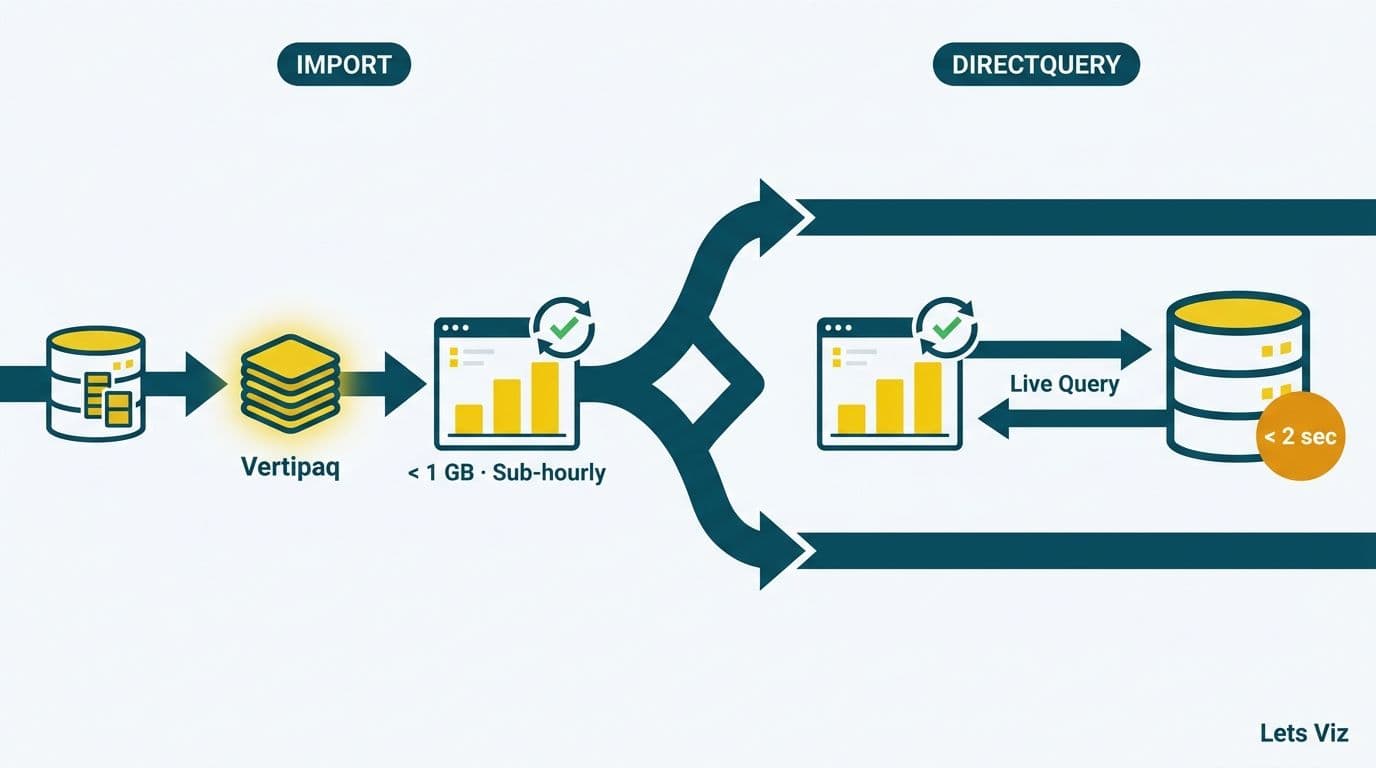
Azure Data Lake staging is the right architecture for organizations combining multiple public feeds with internal EHR or claims data. Stage all sources in Azure Data Lake Storage Gen2, apply transformations in Azure Data Factory or Fabric Data Factory, and connect Power BI via DirectQuery or import mode against a Synapse Analytics or Fabric endpoint. This pattern avoids API rate limits and centralizes refresh orchestration across all data sources.
For a worked architecture example combining public benchmarks and internal data in a healthcare setting, see how to build a Power BI financial dashboard for healthcare.
What HIPAA Considerations Apply When Using Public Datasets in Power BI?
Public federal datasets are safe to use in Power BI without a Business Associate Agreement because they are already de-identified. HIPAA's Privacy Rule recognizes two de-identification methods: safe harbor (removal of 18 specific identifiers including names, full dates, ZIP codes, and geographic units smaller than a state) and expert determination (statistical certification that residual re-identification risk is very small). CMS, CDC, and AHRQ apply one or both methods before any public release.
Three risks still require attention from compliance and IT teams:
1. Re-identification through combination - Joining a public dataset with internal patient records - even at the county level - creates re-identification risk when observation counts are small. Follow AHRQ's cell-size suppression guidance: suppress any cell with fewer than 11 observations before publishing a report to external audiences.
2. PHI in mixed workspaces - If you load public CMS data into the same Power BI workspace as internal EHR extracts or claims data, the workspace contains PHI. Microsoft's Business Associate Agreement then applies, and the Power BI tenant must be configured under your organization's Microsoft 365 BAA.
3. Row-level security (RLS) - Dashboard reports shared across department heads, payer partners, or external auditors require Power BI RLS rules restricting each viewer to the service-line, geography, or facility data they are authorized to access.
When evaluating tableau vs power bi HIPAA compliance, both platforms offer HIPAA BAAs under enterprise licensing tiers. The practical difference is that Microsoft's BAA covers the entire Microsoft 365 and Azure ecosystem - meaning Power BI, Azure Data Lake, and Entra ID access controls fall under a single compliance umbrella rather than requiring separate agreements per tool.
For a detailed compliance checklist covering workspace configuration, data classification, and access governance, see the HIPAA-compliant analytics dashboard best practices checklist.
Power BI vs Tableau for Clinical Data Reporting: A Feature Comparison
Power BI vs Tableau for clinical data reporting is the most common platform evaluation hospital data teams face when upgrading from spreadsheets or legacy reporting tools. Both platforms handle every public dataset listed above, but they differ meaningfully in total cost of ownership, integration depth, and onboarding speed for clinical analysts without a BI background.
Value-based care performance, AI-assisted clinical analytics, and payer transparency remain the dominant investment priorities for health system data teams. A value-based care team can operationalize all three against public data quickly - for example, pairing the CMS Care Compare OData feed with internal discharge records to build a rolling 30-day readmission tracker that updates on a weekly scheduled refresh, without any manual file downloads. The BI platform choice directly determines how quickly a team can stand up workflows like this.
| Feature | Power BI | Tableau |
|---|---|---|
| Entry pricing (2026) | ~$14/user/month (Pro tier) | ~$75/user/month (Creator tier) |
| HIPAA BAA | Yes - Microsoft 365 umbrella | Yes - Salesforce umbrella |
| CMS OData connector | Native OData Feed connector | Web Data Connector (manual config required) |
| Microsoft 365 integration | Native (Teams, SharePoint, Excel) | Limited (requires embedding) |
| DAX for healthcare metrics | Yes - complex filter-context calculations | No - proprietary calculation syntax |
| Microsoft Fabric integration | Native (Lakehouse, OneLake, Dataflow Gen2) | Limited (ODBC/JDBC only) |
| Copilot AI layer | Embedded in Power BI Service (GA 2025; widely adopted in 2026) | Separate AI layer |
| Clinical analyst onboarding | Familiar to Excel users | Steeper learning curve |
For US health systems already running Microsoft 365, Power BI Pro eliminates a separate SSO configuration and keeps user provisioning inside existing Entra ID policies. For a broader tool comparison that includes spreadsheet workflows and financial use cases, see the Power BI vs Tableau vs Excel financial reporting guide.
How Do Microsoft Fabric and OneLake Improve Healthcare Data Pipelines?
Microsoft Fabric is an end-to-end analytics platform that unifies data engineering, warehousing, real-time analytics, and Power BI under a single SaaS license. Understanding Microsoft Fabric components matters for health systems that want to centralize public and private data without managing separate Azure services or negotiating additional licensing per tool.
What is Microsoft OneLake storage? OneLake is a tenant-wide, unified data lake that stores all Fabric data in open Delta Parquet format - effectively OneDrive for analytics data. A hospital can land raw CMS CSV exports, NHANES files, and internal EHR extracts into OneLake via Dataflow Gen2, then query all of them from a single Power BI semantic model without copying files between storage accounts. This eliminates the engineering overhead of maintaining separate storage layers for each data source.
Key Fabric components relevant to healthcare public-data pipelines:
Lakehouse - A structured layer on top of OneLake where schema-on-read transformations apply. Use it to normalize HCUP discharge files and align them against internal cost and revenue data before surfacing results in Power BI.
Data Factory (Fabric) - Orchestration layer for scheduling automated ingest from CMS and CDC APIs. It replaces a standalone Azure Data Factory for teams already on Fabric licensing.
Eventhouse (Real-Time Analytics) - For streaming clinical signals such as ADT feeds or IoT monitoring. Public datasets are batch-oriented, but Eventhouse matters for hybrid dashboards blending public benchmarks with live operational feeds.
For analytics engineers building and governing these pipelines, the DP-600 certification (Microsoft Fabric Analytics Engineer Associate) validates the competencies to design and maintain Fabric-based healthcare data architectures end to end.
How Should Healthcare Teams Model Public Data for Dashboard Accuracy?
Well-structured data is the difference between a dashboard executives trust and one dismissed in the first review. Public healthcare datasets arrive as flat, denormalized files with suppressed cells, inconsistent date formats, and redundant dimension fields - each requiring deliberate handling in Power Query and the semantic model.
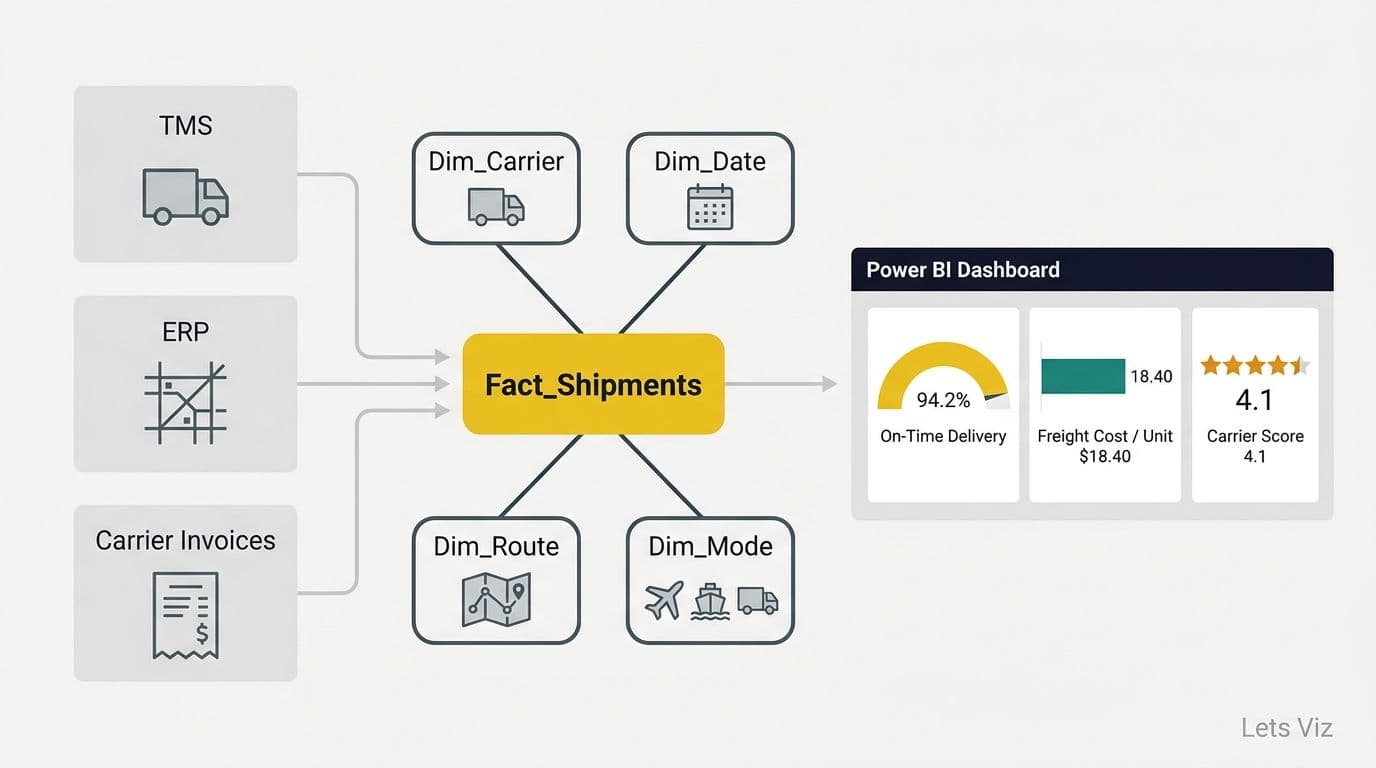
Use a star schema - Transform raw CMS or HCUP files into fact and dimension tables before importing into Power BI. A typical hospital benchmarking model uses a fact table of discharges or claims with dimension tables for provider, facility, DRG or ICD code, payer, and time. The star schema keeps DAX measures simple and slicer performance fast, even at multi-million-row scale.
Handle suppressed cells explicitly - AHRQ suppresses cells with fewer than 11 patients using a period or asterisk. Replace these markers with null in Power Query - not zero - to avoid misrepresenting rates in KPI cards or bar charts.
Standardize date grains - CMS Provider Utilization data is annual; BRFSS is annual; WONDER mortality can be monthly or annual depending on query parameters. Align all time dimensions to a single shared date table in Power BI and set granularity explicitly in model relationships to prevent cross-grain ambiguity.
Use DAX measures, not calculated columns - Write rate calculations (e.g., readmission rate = DIVIDE([Readmissions], [Total Discharges])) as DAX measures rather than calculated columns. Measures respect filter context, which matters when a CIO slices the report by service line or payer mix. For blended calculations across multiple fact tables - such as cost-per-encounter weighted across payer contracts - SUMX iterates row by row before aggregating, making it the correct choice over SUM when each row requires a multiplication or lookup before summation.
Two DAX functions that routinely trip up clinical reporting analysts: ALL removes all filter context to return a total across the full dataset (the right choice for a national readmission benchmark that should not respond to a facility slicer), while ALLSELECTED respects user-applied slicer selections but ignores visual-level cross-filters - ideal when a CIO's facility filter should persist in a ratio calculation even as they click through individual chart elements.
Healthcare organizations are building analytics capability at an accelerating pace, with sound data modeling as the foundational prerequisite for turning public benchmarks into decisions executives will act on. For visual design and dashboard governance guidance on top of these models, see healthcare dashboard design best practices for hospitals.
---
If your team needs help structuring, connecting, and governing public healthcare data sources inside a production Power BI environment, Managed Power BI for healthcare teams provides end-to-end support - from data model design and scheduled refresh configuration to HIPAA workspace governance and executive dashboard delivery.
---
About Lets Viz: Lets Viz has delivered data analytics and Power BI consulting to healthcare, finance, and operations teams since 2020. The firm specializes in HIPAA-aligned dashboard design, Microsoft Fabric implementation, and managed analytics for US hospitals, clinics, and health plans - combining technical depth with hands-on experience across hundreds of client engagements.