Power BI vs Tableau vs Excel for Financial Reporting: 2026 Guide
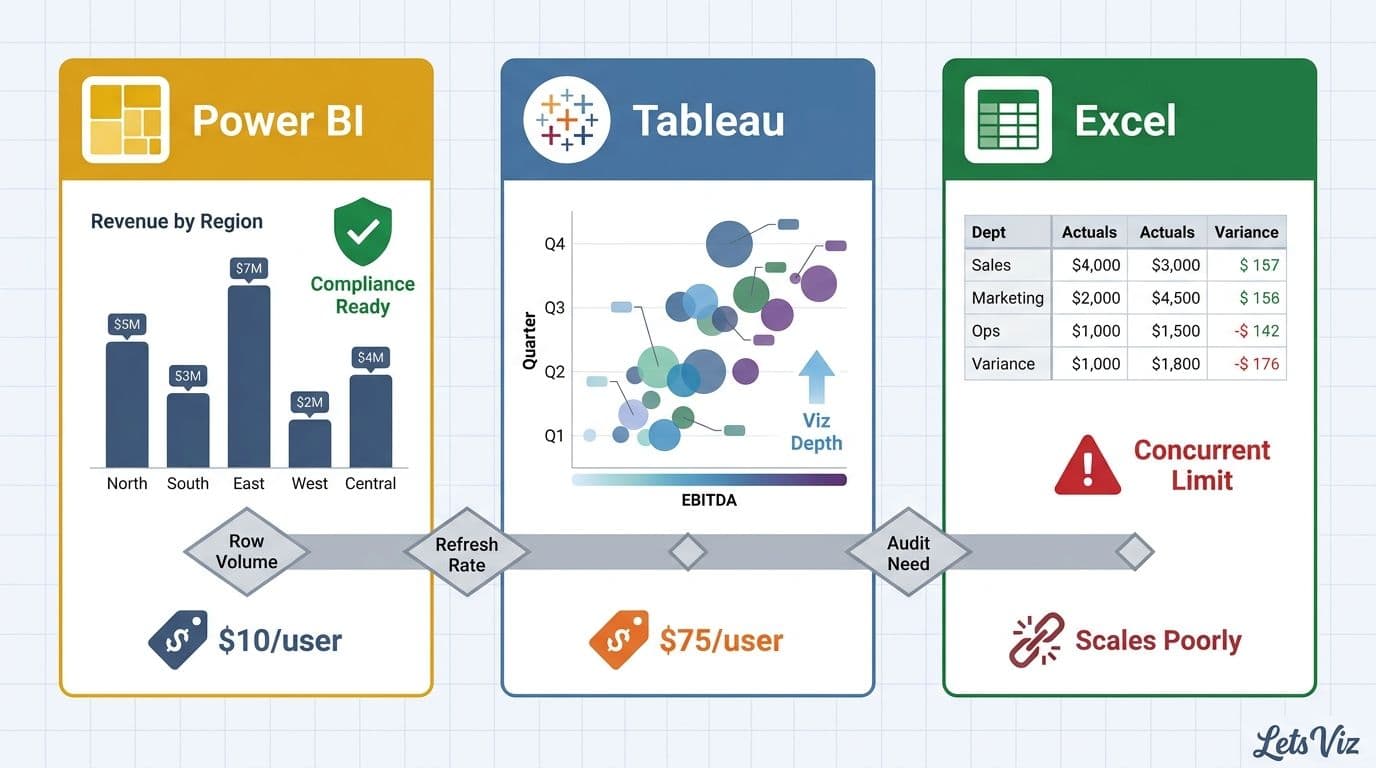
Power BI is the strongest default for Microsoft-centric finance teams - it covers compliance, live data refresh, and scalable reporting at the lowest license cost. Tableau earns its premium only if your team needs advanced visualization or works outside the Microsoft ecosystem, while Excel should stay as a complement, not a foundation, once your data exceeds a few thousand rows or multiple users need simultaneous access.
For finance organizations choosing their first BI platform, Power BI delivers the best value in Microsoft-centric environments with native compliance tooling, Tableau offers deeper visualization flexibility at a higher license cost, and Excel is essential for ad-hoc analysis but breaks down under concurrent use and growing data volumes. The right choice depends on row volume, refresh frequency, audit obligations, and how deeply your team operates within the Microsoft 365 ecosystem.
Key Takeaways
Power BI is the most cost-effective entry point for Microsoft 365 finance teams, with native audit logging via Microsoft Purview and row-level security built in at no extra cost
Tableau delivers superior visualization flexibility, favored in Salesforce environments or diverse data stacks, at roughly seven times the per-user cost of Power BI Pro
Excel hits a hard ceiling of 1,048,576 rows per worksheet and produces no user-level audit trail - factors that disqualify it from regulated financial reporting environments
Looker suits finance teams already invested in Google Cloud and BigQuery, but requires dedicated LookML engineering to replicate the pre-built financial intelligence, native Excel integration, and GDPR-ready audit logging that Power BI delivers out of the box
Finance teams in healthcare and financial services should prioritize audit trail depth and governance controls over raw feature count when making this platform decision
Before selecting a platform, define which financial KPIs your reporting must surface - that list determines refresh frequency, row volume needs, and compliance requirements upfront
Power BI vs Tableau vs Excel: The Full Capability Matrix for Financial Reporting
Across refresh cadence, row limits, audit trail, and collaboration, Power BI and Tableau outperform Excel decisively - with Power BI winning on cost and compliance integration, Tableau on visualization depth, and Excel on accessibility for standalone ad-hoc work. The table below maps each dimension to a concrete capability across all three platforms.
| Dimension | Power BI Pro / Premium | Tableau Creator | Excel (Microsoft 365) |
|---|---|---|---|
| Refresh cadence | 8x/day (Pro); up to 48x/day + DirectQuery real-time (Premium) | Hourly scheduled extracts (Cloud); live database connections supported | Manual, or Power Automate trigger; no native scheduler |
| Row limit | ~10M rows typical (Pro, 1 GB compressed); billions of rows with Premium and aggregations | No hard limit; constrained by available RAM and extract file size | 1,048,576 rows per worksheet; no cross-sheet aggregation at query time |
| Audit trail | Microsoft Purview integration; Activity Log API; sensitivity labels; row-level security | Site Activity Admin Views; data lineage requires Data Management Add-on (extra cost) | SharePoint/OneDrive version history only; no user-level data access logging |
| Collaboration | Shared workspaces; role-based access; Teams embedding; governed app distribution | Tableau Server/Cloud shared workbooks; Slack integration; embedded views | SharePoint co-authoring; limited concurrent editing; file-based sharing creates version risk |
| Data governance | Azure AD groups; certified datasets; sensitivity label inheritance across downstream reports | Content certification; governance policies via Data Management Add-on | Manual governance; no enforced data definitions or certified datasets |
| License cost (2026) | $10/user/month (Pro); $20/user/month (PPU) | ~$75/user/month (Creator tier) | Included in Microsoft 365 Business plans |
The Healthcare Financial Analytics Market is projected to grow at an 8.58% CAGR from 2025 to 2035 (Market Research Future, 2026), reflecting demand from regulated finance teams for real-time data refresh and audit-grade data lineage that spreadsheet-based reporting cannot deliver at scale.
Consider a finance team running a monthly board pack from Excel on 8 million rows of transactional data: they will exceed the row limit, distribute files by email with no version control, and produce no audit log of who altered which figure before the report reached the board. The same workflow in Power BI runs as an automated scheduled refresh, distributes through a governed workspace, and logs every access event to Microsoft Purview.
How Does Refresh Cadence Differ Across Power BI, Tableau, and Excel?
Power BI Premium supports near-real-time data currency through DirectQuery and incremental refresh policies, Tableau Cloud's minimum extract schedule is one hour on standard plans, and Excel depends entirely on manual intervention or external automation for any scheduled refresh at all.
Refresh cadence is the most operationally consequential dimension of this comparison for finance teams running daily closes, rolling forecasts, or intraday treasury positions.
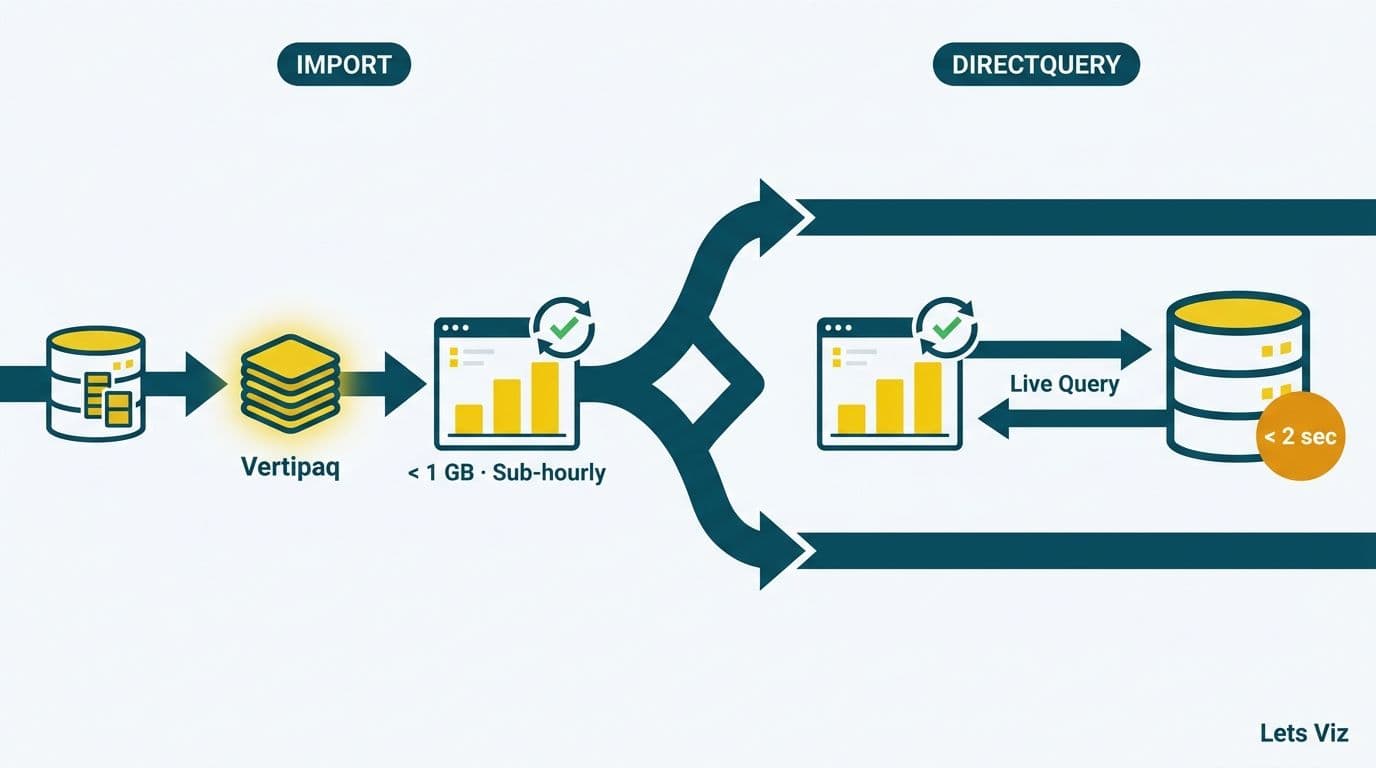
Power BI offers three distinct refresh modes. Scheduled refresh on the Pro tier runs up to eight times per day - sufficient for most end-of-day finance reporting. Premium Per User (PPU) and Premium capacity support up to 48 scheduled refreshes daily, plus DirectQuery, which queries the source database live on every report load, and incremental refresh, which processes only new or changed records rather than reloading the full dataset. For a finance team managing a 50-million-row general ledger, incremental refresh can reduce dataset processing time from several hours to under ten minutes by updating only the current-period partition rather than the entire history.
Tableau supports live connections directly to databases and scheduled extract refreshes on Tableau Cloud, with a minimum interval of one hour on standard plans. Tableau's Hyper engine processes extracts efficiently, and live connections perform well against indexed relational databases - but the hourly minimum creates a latency floor for organizations needing sub-hourly data currency in treasury or cash management operations.
Excel has no built-in refresh scheduler. Power Query connections can be set to refresh on file open, and Power Automate can trigger a scheduled refresh via the Excel Online connector - but this requires a separate Power Automate license and meaningful configuration overhead that adds operational complexity rather than reducing it. In practice, Excel-based finance teams refresh manually before distribution, creating version control risk and the near-certainty that multiple copies of the same report will circulate simultaneously with different underlying figures.
According to Future Market Insights (2026), the global AI analytics and consulting services market is projected to expand from USD 12.4 billion in 2026 to USD 98 billion by 2035, driven in part by finance organizations investing in automated data pipelines that replace the manual refresh cycles spreadsheets cannot sustain as data volumes grow.
Scoping your refresh requirements starts with knowing what your reporting must deliver: What Metrics Should a Financial Reporting Dashboard Include? is a practical starting point before committing to a platform architecture.
Which Platform Has the Strongest Audit Trail for Regulated Industries?
Power BI, integrated with Microsoft Purview, provides the deepest native audit trail of the three platforms, logging every dataset refresh, report view, and data export with user identity and timestamp - capabilities that Tableau requires a paid add-on to approach and that Excel cannot replicate at all.
For finance teams operating under SOX, HIPAA, FCA, GDPR, or PIPEDA regulations, audit trail depth frequently removes Excel from consideration before any other feature comparison begins.
Power BI audit logging operates at two levels. At the platform level, Microsoft Purview Audit captures events including dataset refreshes, report views, data exports, dashboard snapshots, and workspace permission changes - all tied to Azure Active Directory user identities with timestamps and source IP address. At the data level, Row-Level Security (RLS) restricts what each authenticated user can see within a single report, and sensitivity labels from Microsoft Information Protection can be applied at the dataset level and propagated automatically to every downstream report, dashboard, and exported file. This means a 'Confidential - Board Only' classification follows a forecast figure from the data source to its final destination, regardless of how many hands touch it. For teams subject to GDPR Article 30 record-keeping obligations or PIPEDA accountability requirements, this user-level access log - tied to authenticated identities rather than file save events - is the format regulators and privacy auditors expect.
Tableau provides Site Activity Admin Views, which log content interactions, publish events, and user login activity. Full data lineage - tracing which reports depend on which data sources and which transformation steps produced them - requires the Data Management Add-on, priced above the standard Creator license. Organizations running Tableau Server on their own infrastructure gain more direct control over audit log retention periods, which regulated institutions often require for multi-year evidence storage under financial services recordkeeping rules.
Excel version history on SharePoint or OneDrive records document saves, not user-level data access events. There is no mechanism in Excel to log who viewed a cell value, who refreshed a Power Query connection, or whether a number was manually overwritten - a control gap that creates material risk in any SOX-regulated financial close process where a single altered figure in a distribution can constitute a material misstatement.
A 2026 World Economic Forum report, developed with participation from more than 50 major financial services organizations and over 100 senior data and analytics leaders, identified data lineage transparency and audit log accessibility as the compliance capabilities most frequently cited as gaps when organizations attempt to scale analytics in regulated environments.
Finance leaders evaluating their platform's compliance posture should review our CFO's AI risk checklist for Power BI, which covers the six questions auditors are most likely to raise about your BI stack.
How Does Power BI Compare to Looker for Financial Reporting?
Comparing power bi vs looker for financial reporting is increasingly relevant for CFOs and FP&A teams whose organizations run on Google Cloud or are considering a move away from Microsoft's ecosystem. The comparison turns on four capabilities that matter most at the finance function level: Excel integration depth, row-level security architecture, GDPR and PIPEDA audit trail compliance, and financial data modelling flexibility.
Excel integration depth: Power BI's Analyze in Excel feature exports certified Power BI datasets directly into Excel pivot tables, preserving the semantic model's measures, hierarchies, and row-level security rules through the XMLA endpoint. A CFO who prefers to slice a budget variance in a pivot table does so against the same governed data model used in the boardroom dashboard - not a static export. Looker's Excel integration relies on scheduled data deliveries or the Looker Studio connector; it does not maintain the live, governed connection that Power BI achieves through XMLA. This distinction matters for FP&A teams where Excel remains the preferred tool for ad-hoc scenario modeling even after migrating governed reporting to a BI platform.
Row-level security: Power BI's RLS is configured at the semantic model level and enforced at the dataset, so the same report can serve a group CFO, a regional finance director, and a cost centre manager - each seeing only their permitted slice without report duplication. Looker implements access control through LookML user attributes and access grants, providing similarly granular control but requiring dedicated LookML engineering to maintain as organizational hierarchies change. Both outperform Tableau's table-calculation-based approach for complex multi-entity finance hierarchies typical in holding companies and hospital networks.
GDPR and PIPEDA audit trail requirements: Finance teams operating under GDPR (EU) or PIPEDA (Canada) must demonstrate that personal financial data was accessed only by authorized users and that data subject access requests can be fulfilled without manually trawling spreadsheet version histories. Power BI's Microsoft Purview integration logs every data export, view, and sensitivity label change against an authenticated Azure AD user identity - a log format that satisfies GDPR Article 30 processing records and PIPEDA accountability obligations. Looker surfaces its audit trail through Google Cloud Audit Logs, which provides equivalent technical depth for organizations already running their data infrastructure on Google Cloud. Excel produces no equivalent log by default and cannot satisfy either regulatory framework without significant external tooling.
Financial data modelling strengths: Power BI's DAX engine handles time-intelligence functions - rolling 12-month averages, period-over-period variance, fiscal year offsets - that are fundamental to FP&A reporting and available without custom SQL development. Looker's LookML modelling layer is SQL-native and suits organizations with strong data engineering capability, but requires more development effort to replicate the pre-built financial intelligence that DAX delivers. For finance teams that must build and maintain models internally without a dedicated engineering team, DAX's learning curve is steeper than Excel formulas but considerably shallower than LookML.
The practical decision usually follows infrastructure: Power BI wins in Microsoft Azure environments where M365 licenses are already in place; Looker wins where BigQuery is the data warehouse of record and Google Workspace is the productivity suite. For most mid-market finance functions without a dedicated data engineering team, Power BI's native Excel integration, pre-built DAX financial intelligence, and GDPR- and PIPEDA-compliant audit logging through Microsoft Purview reduce implementation complexity compared to Looker's more developer-centric model.
ServiceNow Native Reporting vs Power BI vs Tableau: Which Should IT Directors Choose?
For IT directors at organizations running ServiceNow as their ITSM platform, the question of servicenow native reporting vs Power BI vs Tableau is increasingly a board-level procurement decision - not just a tooling preference. ServiceNow's Performance Analytics (PA) module and built-in dashboards handle operational ITSM reporting well, but fall short of the cross-system financial governance, multi-region data residency controls, and compliance audit depth that finance and legal teams require in 2026.
Where ServiceNow native reporting covers the use case: Performance Analytics is purpose-built for ITSM and service management KPIs - incident resolution times, change success rates, SLA adherence, and capacity trending across ServiceNow-managed workflows. For IT operational dashboards consumed internally by service desk managers and IT leadership, PA eliminates the need to export data to an external BI tool. ServiceNow's single-tenant architecture means data stays within the platform's environment by default, which can simplify initial data residency conversations for organizations with strict in-region processing requirements.
Where external BI wins for IT directors: The decision matrix shifts when reporting requirements cross system boundaries. Finance teams need to correlate ServiceNow IT cost data with ERP actuals, headcount from HCM systems, and project spend from PPM tools - cross-system joins that ServiceNow's reporting layer cannot execute without custom integrations. Power BI's native ServiceNow connector (available in Power Query) pulls incident, asset, and cost data alongside ERP and CRM sources, unifying them in a single certified semantic model. Tableau can achieve similar federation through its connector ecosystem but requires more configuration effort and adds license cost on top of the existing ServiceNow spend.
TCO comparison: ServiceNow Performance Analytics is licensed as a module on top of the base Now Platform - list pricing is not publicly disclosed but typically runs $40,000-$120,000 annually for mid-size enterprises, before implementation and admin overhead. Power BI Pro at $10 per user per month serves 100 users for $12,000 annually with access to all enterprise data sources beyond ServiceNow. The TCO argument favors Power BI for organizations needing cross-system financial reporting; it favors ServiceNow PA for organizations whose reporting scope stays entirely within ITSM workflows and whose IT leadership does not present to finance or board audiences.
Multi-region data residency and GDPR/PIPEDA compliance: For IT directors operating across the US, UK, and Canada, data residency is a non-negotiable compliance constraint. ServiceNow's multi-instance architecture allows EU-region instances to process and store data within EU boundaries, satisfying GDPR Article 44-49 transfer restrictions. Power BI, deployed through Microsoft Azure, supports region-specific Premium capacity assignments - a capacity pinned to the UK South region ensures UK data never transits to US datacenters, satisfying both GDPR and FCA data handling guidance. For Canadian organizations subject to PIPEDA and Quebec Law 25, Power BI's Canadian Central and Canadian East Azure regions provide equivalent in-region processing guarantees. Tableau Cloud offers US, EU, and Asia-Pacific region selection, but Canadian-region hosting is not natively available on Tableau Cloud as of 2026 - Canadian organizations requiring in-country data residency typically evaluate Power BI's Canadian region hosting or a self-managed Tableau Server deployment instead.
The practical IT director conclusion: if board reporting, financial close reporting, or regulatory filings require data from ServiceNow combined with ERP, CRM, and HCM sources - and if GDPR or PIPEDA requires documented data residency controls - Power BI with an appropriate regional capacity assignment is the lower-complexity path to a compliant, cross-system reporting layer than extending ServiceNow PA beyond its ITSM scope. ServiceNow PA remains the right default for IT-only operational reporting that never needs to leave the Now Platform.
When Should a Finance Team Move Beyond Excel for Financial Reporting?
The transition from Excel to a dedicated BI platform becomes necessary when any one of five conditions is met: routine data volumes exceed 500,000 rows, more than three analysts need concurrent report access, a regulator requests a data access log that Excel cannot produce, a single spreadsheet error has reached a board pack uncorrected, or the finance team requires AI-assisted analysis and natural-language report querying - capabilities Power BI Copilot delivers natively in 2026 that Excel cannot replicate without significant Power Platform overhead.
These conditions rarely arrive simultaneously. Most finance teams hit the collaboration wall first - Excel co-authoring on SharePoint works for simple edits but produces conflicts and corruption in workbooks combining Power Query, complex pivot tables, and cross-sheet formula dependencies. The row ceiling comes second, and in 2026 it arrives faster than it did three years ago: cloud ERP migrations to Dynamics 365, NetSuite, and SAP S/4HANA are generating transaction histories that push typical mid-market finance datasets well past one million rows, a volume that previously required a large enterprise to accumulate.
The business case for migration is direct. A finance team of five analysts spending three to four hours each per week on manual data refresh, version reconciliation, and file distribution incurs roughly 800 to 1,000 hours of lost analytical capacity per year - equivalent to half a full-time hire at median finance analyst compensation. A Power BI implementation that automates refresh and centralizes distribution through a governed workspace typically recovers that time within 90 days. The compliance dividend - clean audit logs, certified datasets, enforced row-level security - becomes visible immediately at the first regulatory review, often before a single new dashboard is built.
Excel does not retire at this transition. It remains the right tool for ad-hoc scenario modeling, one-off calculations, and exploratory analysis that precedes a formal dashboard requirement. The optimal architecture for most finance teams is Power BI or Tableau for governed reporting alongside Excel for the analytical workbench - not a binary choice that eliminates either tool entirely.
For teams exploring what outsourced financial analytics support looks like during a platform migration, specialist implementation assistance can compress a six-month internal rollout to six to eight weeks.
Which BI Tool Is Best for Healthcare Financial Analytics?
For healthcare finance teams, Power BI's native integration with Microsoft Purview and its availability under Microsoft's HIPAA Business Associate Agreement make it the strongest compliance-first choice, while Tableau's visualization depth suits clinical operational environments where data storytelling matters as much as governance.
Healthcare is among the most demanding environments for BI platform selection. Finance teams in hospital networks need dashboards spanning revenue cycle management, cost per discharge, payer mix analysis, and operating margin by service line - all requiring joins across clinical and financial data at significant volume, with access restricted by department, facility, or clinical role.
Power BI meets healthcare compliance requirements through its Microsoft Purview integration and BAA availability under Microsoft's HIPAA and HITECH framework. Row-level security ensures that a regional CFO sees only their facilities' financial data within a single certified report. Healthcare KPI dashboard use cases - from denied claims tracking to days in accounts receivable to contribution margin by service line - are well served by Power BI's columnar storage engine and incremental refresh for high-volume EHR-sourced financial data. For AI analytics on hospital finance teams, Power BI's Copilot integration adds natural-language query capability directly on top of the certified semantic model. With Microsoft Fabric now generally available and embedded under Power BI's enterprise tier, healthcare finance teams gain a unified lakehouse for EHR-sourced financial data - eliminating the extract-transform handoff that previously added latency between source systems and the reporting layer.
Tableau performs strongly in clinical operational reporting environments where the audience spans clinicians, administrators, and finance staff with varying data literacy. For pure healthcare financial analytics dashboards for CFOs, Tableau's visualization advantage narrows considerably, and the licensing cost differential - roughly seven times the per-user cost of Power BI Pro - becomes the dominant factor in total cost of ownership analysis for most mid-size health systems.
According to MedInsight (2026), the three dominant themes shaping healthcare analytics in 2026 are AI-driven revenue cycle automation, value-based care performance measurement, and real-time payer analytics innovation - all generating large, multi-source datasets that require a governed BI platform with reliable refresh cadence, rather than spreadsheet-based reporting workflows.
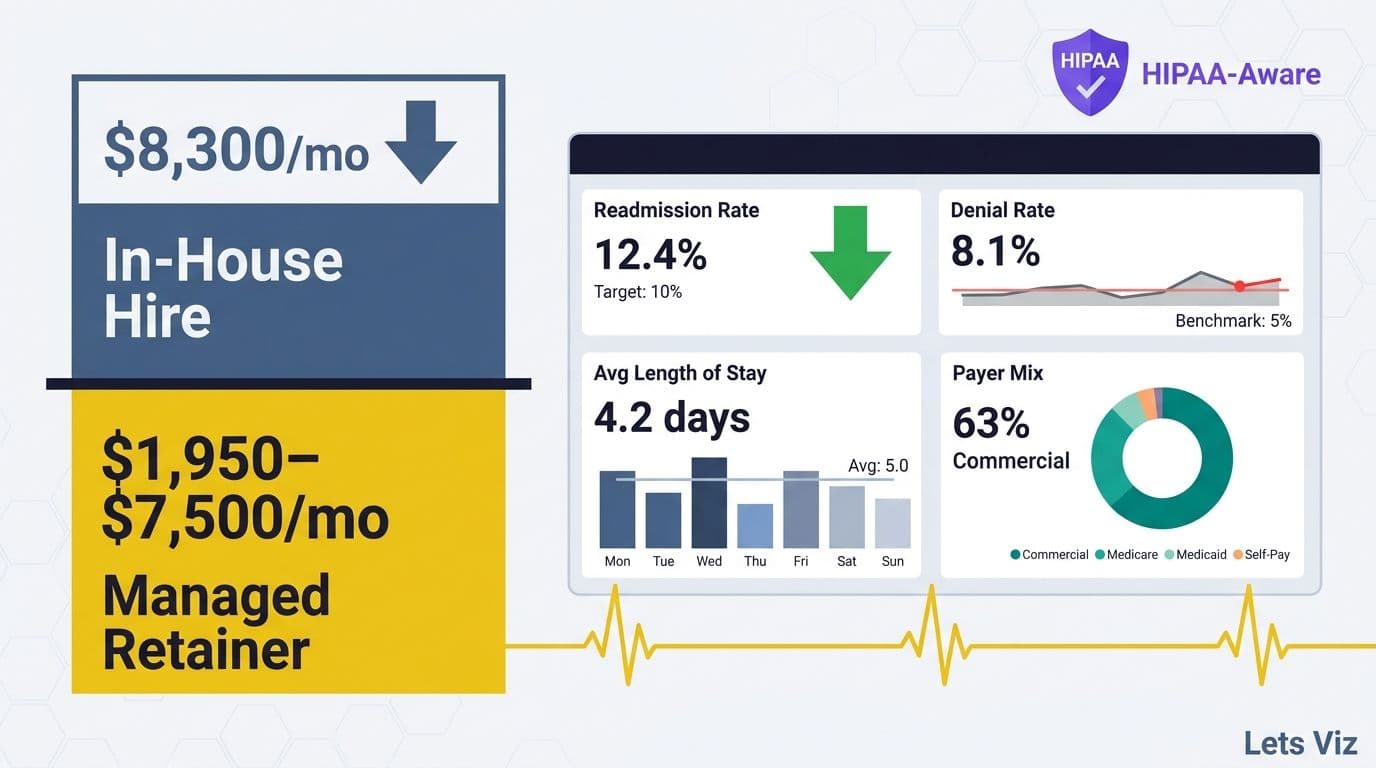
Healthcare organizations evaluating managed Power BI services for hospital finance teams benefit from a model where a specialist firm manages the Power BI environment, maintains the semantic data model, and handles ongoing compliance controls - reducing internal IT burden while preserving the governance posture required by HIPAA and applicable state health data regulations.
Tableau vs Power BI for a Data Analyst Career: Job Demand, Salaries, and Certifications
For analysts deciding which tool to invest in professionally, the tableau vs power bi for data analyst career question is as much about labour market signal as it is about feature capability. Power BI leads on raw job posting volume in most English-speaking markets, while Tableau holds a salary premium in specialist visualization roles - and the gap between them has widened since 2024 as Microsoft Fabric accelerated enterprise Power BI adoption.
Job posting demand in 2026: In the US, Power BI appears in roughly three times more finance, FP&A, and business intelligence job postings than Tableau on LinkedIn and Indeed, reflecting Microsoft's dominance in enterprise environments. In the UK, Power BI's share of BI tool mentions in job postings exceeds 65%, driven by M365 adoption across financial services, NHS, and public sector organizations. In Canada, demand is more balanced - Power BI leads in banking and insurance roles, while Tableau retains a meaningful share in tech, consulting, and life sciences, where Salesforce ecosystem alignment creates downstream Tableau demand.
Salary bands (2026 medians): US Power BI analysts earn approximately $85,000-$110,000 at the mid-level; Tableau specialists earn $95,000-$125,000, reflecting a premium for visualization-intensive roles in tech and consulting. UK Power BI analysts earn roughly GBP 45,000-65,000; Tableau analysts earn GBP 50,000-72,000. In Canada, Power BI analysts earn approximately CAD 70,000-95,000 and Tableau specialists CAD 75,000-105,000. The Tableau premium is real but narrow - and it exists mainly in organizations that have standardized on Salesforce or that hire for dedicated data visualization roles, not in the broader finance and operations analyst market where Power BI dominates.
Certification paths: For Power BI, Microsoft's PL-300 (Power BI Data Analyst Associate) is the recognized credential for analyst-level roles; the DP-600 (Fabric Analytics Engineer) is becoming increasingly relevant as Microsoft Fabric deployments grow in 2026. Both are administered through Microsoft Learn. For Tableau, the Tableau Desktop Specialist is the entry credential and the Tableau Certified Data Analyst is the mid-career standard; Salesforce's acquisition of Tableau has since integrated these credentials into the broader Salesforce certification ecosystem, which adds cross-platform value for analysts working in Salesforce-heavy organizations.
For finance analysts specifically, Power BI certification delivers broader market reach given its penetration in regulated industries - financial services, healthcare, and the public sector. Tableau certification commands a stronger premium in data visualization-intensive roles in technology companies and consulting firms. Analysts early in their careers who are choosing where to invest their learning time will find Power BI generates more interview opportunities in finance; Tableau opens more doors in client-facing data storytelling and agency-side analytics roles.
---
If your finance team is ready to move beyond spreadsheets and needs a governed, scalable reporting platform, Managed Power BI services from Lets Viz provide end-to-end implementation, semantic model design, and ongoing management - so your analysts spend time on insight rather than infrastructure.
---
About Lets Viz: Lets Viz is an analytics consulting firm with over a decade of experience helping finance and healthcare organizations design, implement, and govern business intelligence platforms across the UK, US, and India. Our team has delivered Power BI, Tableau, and Excel migration engagements for clients in asset management, hospital systems, regulated financial services, and SaaS finance. We hold Microsoft data analytics and Power BI certifications and have worked in HIPAA-covered and FCA-supervised environments.