Power BI Copilot Prompts for Finance: What Works and What Fails
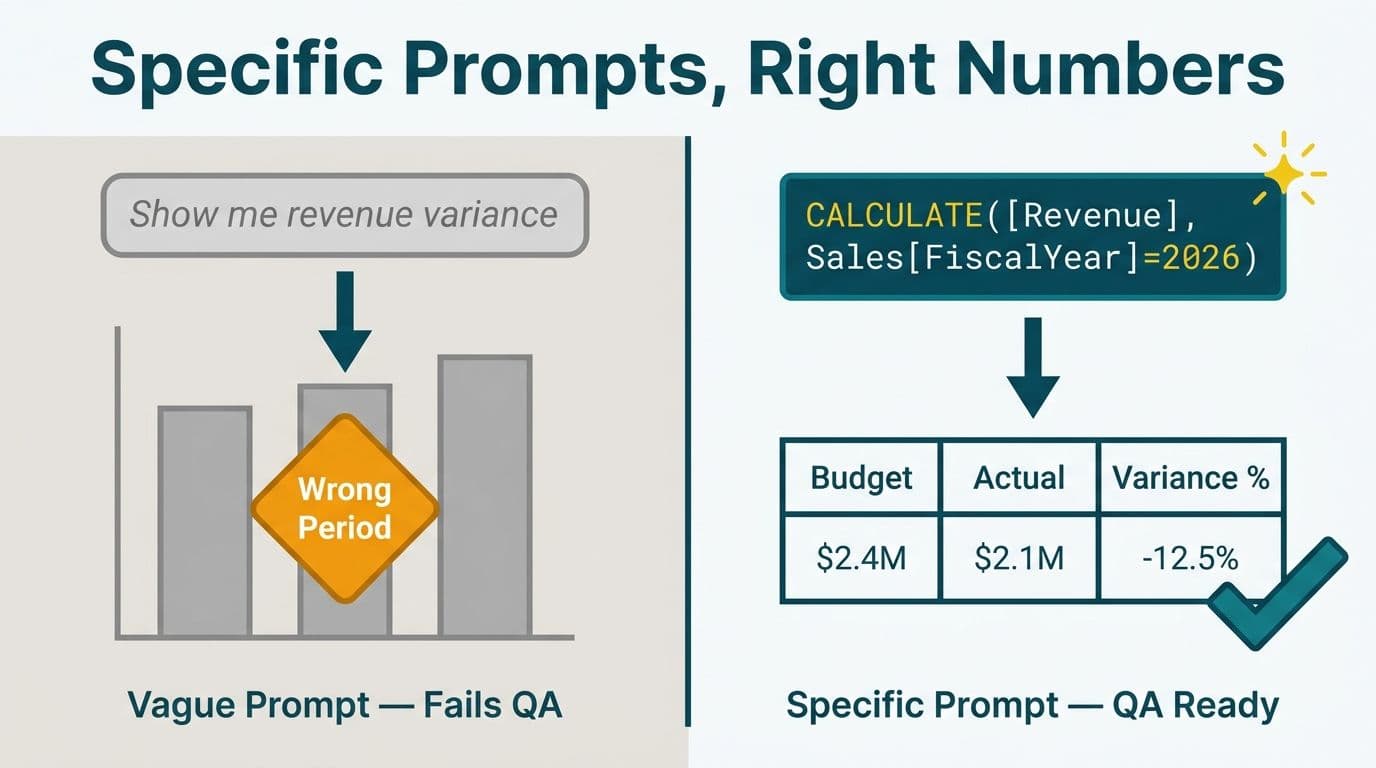
Power BI Copilot delivers reliable finance outputs when prompts are specific about table names, column references, and explicit business logic. Vague prompts produce output that looks correct but often carries subtle errors - wrong time periods, flattened hierarchies, filtered totals presented as grand totals. This guide shares production-tested prompts for DAX measure generation, variance narration, and anomaly flagging, alongside the failure patterns that cost finance teams the most QA time.
Key Takeaways
Naming exact tables, columns, and existing measures in your prompt is the single highest-leverage improvement you can make to Copilot output quality
DAX generation, variance narratives, and anomaly flagging each require a distinct prompt structure to produce reliable outputs
Several plausible-looking prompts consistently return wrong results - the failure patterns are predictable once you know them
Finance teams under HIPAA, GDPR, or PIPEDA should treat all Copilot-generated DAX as a draft requiring validation before it reaches published reports
Copilot reasons over the semantic model as built - poor schema design upstream produces wrong outputs downstream, regardless of prompt quality
What Can Power BI Copilot Do for Finance Teams?
Power BI Copilot functions as an in-canvas AI assistant that generates DAX measures, writes report summaries, creates visuals from natural language, and drafts narrative commentary for data patterns (Microsoft Power BI documentation, 2025). For finance teams, the durable use cases fall into three categories: measure authoring, variance commentary, and anomaly surface detection.
Two preconditions determine whether Copilot outputs will be trustworthy before the first prompt runs. First, your environment must meet the licensing threshold - Copilot in Power BI requires a paid Microsoft Fabric capacity of F2 or higher, or Power BI Premium P1 or higher. A Pro or Premium Per User licence alone is not enough, and trial capacities are excluded. Second, your semantic model must have a certified date table, clean column naming, and explicit measures for the KPIs Copilot will reference. If those foundations are not in place, prompt engineering cannot compensate.
Power BI consulting (Copilot-ready) covers both preconditions - capacity planning, model certification, and the governance controls needed before committing Copilot-generated content to finance reporting. For the model-quality controls that make Copilot prompts reliable, the Power BI governance best practices guide walks through twelve controls in order of downstream impact.
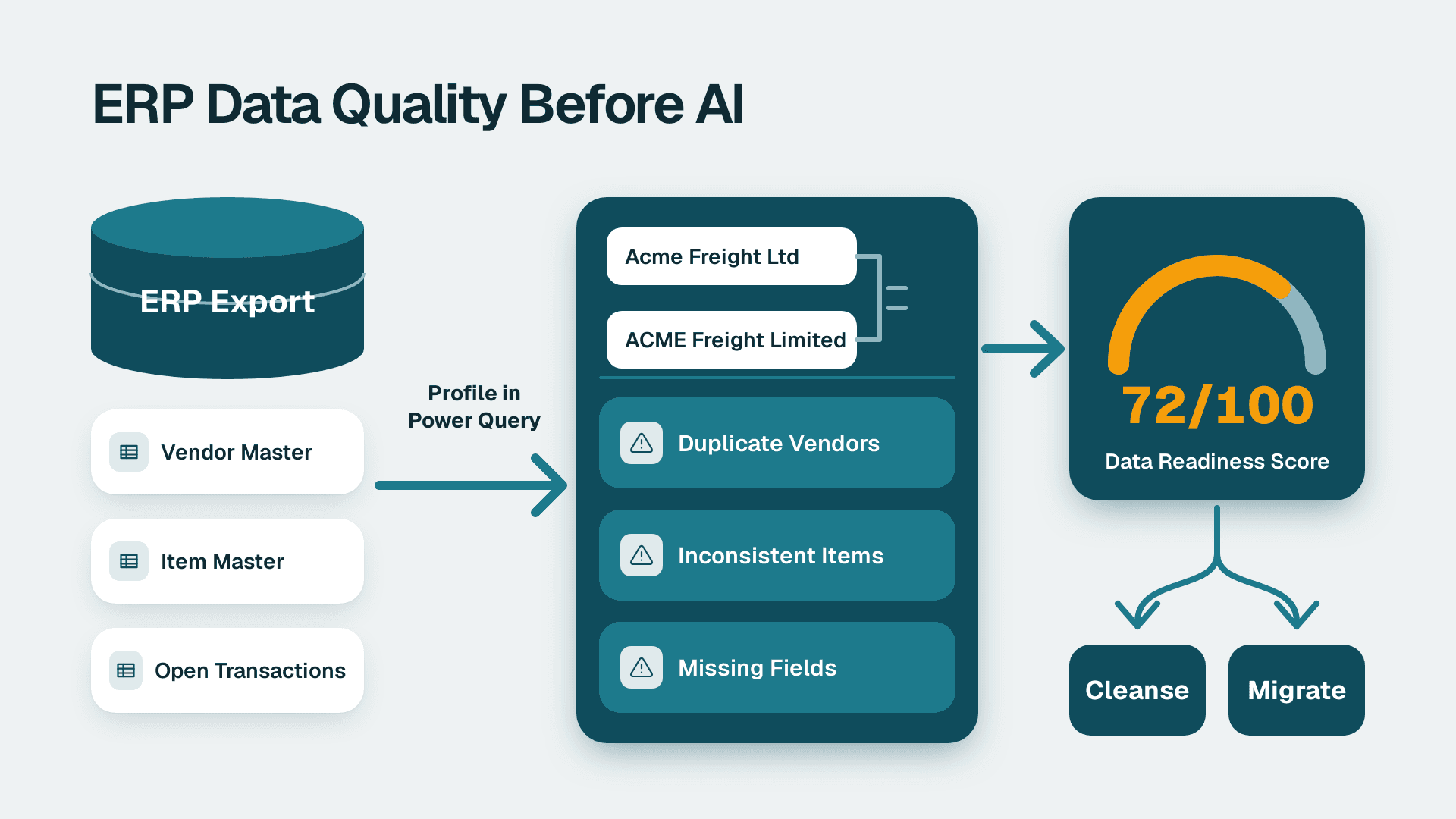
What Copilot cannot do: it has no live connection to your ERP, GL, or source system. It reasons over what is already loaded and modelled. If your model has poorly named columns, misconfigured relationships, or calculated columns masquerading as measures, Copilot will generate syntactically valid DAX against an unreliable foundation - and the output will look correct until someone traces a number back to source.
How Do You Write Power BI Copilot Prompts for DAX Measure Generation?
The primary predictor of reliable DAX output is whether your prompt names the exact table and column references from the semantic model. Copilot infers from the schema it can see, but when column names are ambiguous or duplicated across tables, it guesses - and guesses confidently.
Prompts that work reliably:
Prompt 1 - Rolling 13-month revenue:
```
Write a DAX measure called [Revenue 13M Rolling] that sums [Sales].[Revenue]
for the 13 months ending on the last day of the selected month in
[DateTable].[Date]. Include a HASONEVALUE check so the measure returns BLANK
when no single month is selected.
```
Prompt 2 - Budget vs. actuals variance:
```
Create a DAX measure [Budget Variance %] that divides
([Actuals].[Amount] minus [Budget].[Amount]) by [Budget].[Amount]
and returns BLANK when [Budget].[Amount] is zero.
Format as a percentage to two decimal places.
```
Prompt 3 - YTD gross margin using existing measures:
```
Write [Gross Margin YTD] as a TOTALYTD measure over [DateTable].[Date]
that divides ([Revenue YTD] minus [COGS YTD]) by [Revenue YTD].
Assume [Revenue YTD] and [COGS YTD] are existing measures in the model.
```
Why these prompts work: each one names the output measure, the source tables and columns, edge-case handling (zero denominators, blank guards), and any dependencies on existing measures. The repeatable pattern is: Measure name + table.column references + filter context + edge case logic + format instruction. This leaves Copilot nothing to guess about.
A US SaaS finance team building a 13-month ARR analysis would use Prompt 1 as a baseline, swapping [Sales].[Revenue] for their actual ARR measure name. The HASONEVALUE guard is critical at month-end close when the report is filtered to a specific period and the rolling measure needs to stay coherent.
How Do You Generate Variance Narratives With Power BI Copilot?
Copilot's Smart Narrative and Narrative visual features generate plain-English commentary from the underlying data. Output quality is directly tied to how explicitly you frame the comparison period, the materiality threshold, and the terminology your organization uses in financial reporting.
Prompts that work reliably:
Prompt 4 - Monthly variance summary:
```
Summarize the change in [Net Revenue] and [Operating Expenses] between
[June 2026] and the same month last year. Highlight any category where
the variance exceeds 5% in either direction. Use the terms: favorable
for revenue increases and expense decreases; unfavorable for the reverse.
```
Prompt 5 - Executive segment narrative for board pack:
```
Write a three-sentence executive summary of gross margin performance
by [Business Unit] for [Q2 2026]. Lead with the segment with the
largest favorable variance, then note the largest unfavorable variance.
Exclude absolute dollar figures - use percentages only.
```
Why explicit terminology matters: consistent language (favorable, unfavorable) prevents Copilot from using different phrasing across runs on the same report. The instruction to exclude absolute dollar values matters for GDPR-governed UK fintech teams that apply data minimisation controls to summary outputs shared outside the finance function, and for Canadian organizations under PIPEDA where commercially sensitive figures in AI-generated content require explicit disclosure review.
Failure prompt - open-ended narrative:
```
Summarize revenue performance.
```
This returns a narrative, but Copilot selects comparison periods based on whatever page filters are active at generation time. If a colleague regenerates the same narrative with a different slicer selection, the output changes with no indication that the comparison period shifted. As an illustrative example, a board-pack narrative produced this way could fail an internal audit review because the comparison basis was undocumented and non-reproducible.
For finance directors building recurring board packs, Power BI for Accounting and Finance Firms covers the report design patterns that make narrative prompts stable across refresh cycles, including how to lock slicer state before triggering Copilot.
How Do You Use Copilot for Anomaly Flagging in Financial Data?
Copilot can identify anomalies when you give it an explicit definition of normal. Without that definition, it flags statistical outliers in the visible data range - which in finance data often means flagging seasonal revenue patterns as anomalies while missing genuine problems inside normal-looking trend lines.
Prompts that work reliably:
Prompt 6 - Expense spike detection:
```
Flag any [Cost Center] where [Monthly Expenses] in [June 2026] exceeds
the 3-month rolling average for that cost center by more than 10%.
List: cost center name, rolling average, June 2026 value, and variance %.
```
Prompt 7 - Month-over-month revenue drop:
```
Identify any [Product Line] where [Revenue] declined more than 8%
month-over-month between [May 2026] and [June 2026]. Exclude
[Product Lines] where the prior-month value was below 10,000
to remove low-volume noise.
```
Prompt 8 - AR aging flag for healthcare revenue cycle:
```
Show any [Payer] where [90+ Days Outstanding] as a share of total
[AR Balance] exceeds 20% as of [June 30 2026]. Sort descending
by dollar value. Context: healthcare provider revenue cycle review.
```
Prompt 8 is designed for US healthcare finance teams. AR aging by payer is a standard revenue cycle KPI, and a correctly structured Power BI model can surface payer-level anomalies safely in HIPAA-compliant environments where patient-level data is masked at the row-security layer. The aggregate output Copilot returns does not expose protected health information - provided row-level security is configured before the prompt runs.
For a UK fintech equivalent, the same prompt structure applies to FX transaction costs by counterparty, flagging deviations against a 3-month rolling average. Unexplained cost spikes in a GDPR-governed environment are simultaneously a finance signal and a data accuracy governance signal worth documenting.
For a Canadian manufacturing finance team tracking intercompany transfer pricing, Prompt 7 applied by legal entity - with PIPEDA accountability controls documenting any Copilot-generated output shared with external auditors - covers the standard use case.
For AI-powered workflow integration that can trigger anomaly alerts automatically when thresholds are breached, connecting AI workflow automation to Power BI covers the integration architecture.
Which Power BI Copilot Finance Prompts Fail Despite Looking Right?
The failure prompts below run without errors, format correctly, and return numbers - but those numbers are wrong. These are the patterns finance teams encounter most often.
Failure Prompt A - Context-blind YTD:
```
Show me YTD revenue.
```
Copilot creates or retrieves a YTD measure, but it does not know whether your fiscal year starts in January, April, July, or October. A US SaaS company with a February 1 fiscal year start will see calendar YTD, not fiscal YTD. The number appears, formats correctly, and is wrong.
Failure Prompt B - Implicit parent-child hierarchy:
```
Show revenue by account hierarchy.
```
If your chart of accounts uses a parent-child hierarchy - common in Dynamics 365 Finance and Oracle Fusion exports - Copilot will flatten to the leaf level unless you specify the hierarchy structure and the aggregation level. The table sums correctly at the grand total but allocates revenue to wrong account groupings at the category level.
Failure Prompt C - Percentage of total with an active cross-filter:
```
What percentage of total revenue does each region contribute?
```
If a product category slicer is active on the report page, the total Copilot references becomes the filtered total, not the grand total. Region percentages sum to 100% - but it is 100% of a subset. As an illustrative example, a finance director could submit a board pack with this error because the formatting looked correct and the discrepancy was invisible without tracing numbers back to source.
Failure Prompt D - Time intelligence on non-standard calendars:
```
Compare this month to the same month last year for each region.
```
SAMEPERIODLASTYEAR and related DAX time intelligence functions require a contiguous, complete calendar date table. If your model uses a 4-4-5 fiscal calendar, a 52/53-week year, or a custom period structure common in healthcare organizations reporting against grant or compliance cycles, time intelligence functions either error out or silently return a wrong comparison period.
The upstream fix for Prompts A and D is the same: certify your date table and document the fiscal year start in the model's property descriptions so Copilot can read it. Power BI managed service for finance teams covers how ongoing model maintenance prevents these failure modes from recurring after initial remediation.
Power BI Copilot Finance Prompt Reliability: Reference Table
| Prompt Type | Reliability | Required in Prompt | Primary Failure Mode |
|---|---|---|---|
| DAX measure with explicit table.column refs | High | Exact table and column names | None when schema is clean |
| DAX measure with vague description | Low | - | Wrong column, missing filter context |
| Variance narrative with period and threshold | High | Period, threshold, terminology | Inconsistent across slicer states |
| Variance narrative with no defined period | Low | - | Period depends on active filter |
| Anomaly flag with baseline definition | High | Rolling window or threshold in prompt | None when date table is certified |
| Anomaly flag with no baseline | Low | - | Seasonal patterns flagged as anomalies |
| YTD on non-calendar fiscal year | Low | Fiscal year start must be specified | Calendar YTD instead of fiscal YTD |
| Parent-child hierarchy aggregation | Low | Hierarchy level must be specified | Wrong account groupings |
| Percentage of total with active slicer | Low | Phrase: of grand total ignoring filters | Percentage of filtered subset |
---
About Lets Viz: Lets Viz has been delivering Power BI, data engineering, and analytics consulting since 2020 across US healthcare, UK fintech, Canadian manufacturing, and global SaaS organizations. With a 5.0 rating on Clutch, our team designs and governs semantic models built to work reliably with Copilot and AI-assisted authoring tools.
If your finance team is building a Copilot-ready reporting environment - or troubleshooting why existing prompts return unreliable outputs - Power BI consulting (Copilot-ready) is where we start.