Connections, Webhooks, and Filters in Make.com: A Practical Guide
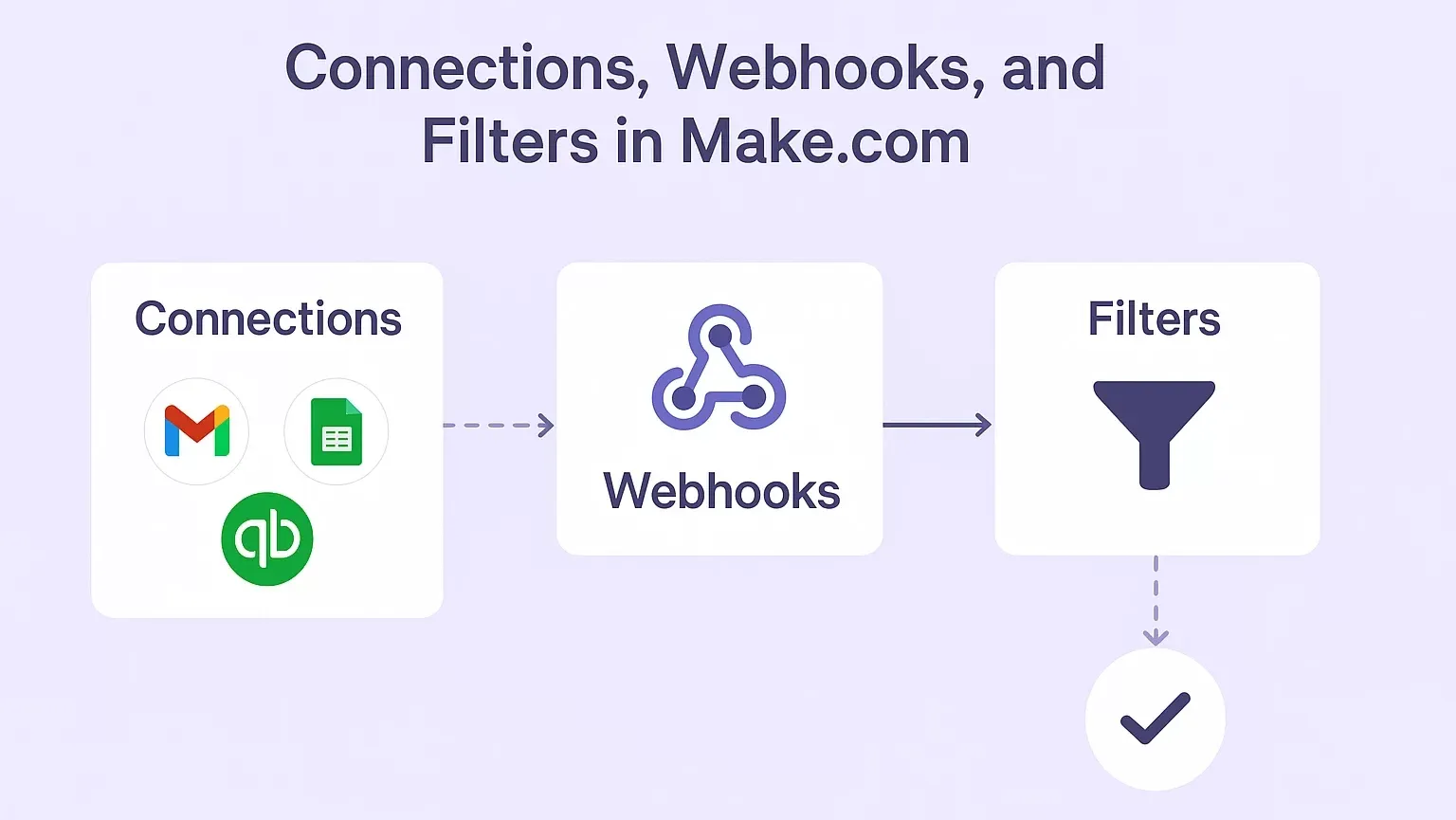
When I first started building scenarios in Make.com, I quickly realized that three things form the backbone of almost any automation: connections, webhooks, and filters. These are the tools that make your workflows smarter, faster, and more flexible. In this blog, I’m going to walk you through what they are, how they work, and how I use them in real-world scenarios. If you’ve ever wondered how to link external services securely, capture live data instantly, and control how your automation behaves, this guide is for you.
1. Connections in Make.com
Let’s start with connections. In simple terms, a connection is how Make.com talks to other apps like Gmail, Google Sheets, or QuickBooks. Without connections, your scenarios wouldn’t be able to push or pull any data from external services.
How Connections Work
Whenever you add a module in Make, you’ll need to either choose an existing connection or create a new one.
The way connections authenticate depends on the service:
OAuth 2.0: Requires a client ID, client secret, and token exchange. You’ll also need to grant specific permissions (or scopes) such as “read emails” or “manage files.”
API Key/Token: A simpler method where you just paste in a key and save it.
Different modules may require different permissions, and you can extend them later if needed.
Managing Connections
What I love about Make is that it gives you full control over your connections:
You can view, verify, rename, or delete them anytime.
You can also see which scopes are authorized and which scenarios are currently using a particular connection.
Sensitive data (like keys and tokens) is stored securely and never exposed directly, so you don’t have to worry about leaking credentials.
In short, connections are the secure handshake between Make and the outside world.
2. Webhooks in Make.com
Next up: webhooks. If connections are the handshake, webhooks are the doorway into your scenario. They let external systems send data directly into Make in real time.
What Webhooks Do
A webhook is essentially a URL that you give to another app or system. When something happens in that system (say, a form submission or a payment), it sends data to the webhook URL, which then triggers your scenario in Make.
Key Rules to Remember
Each scenario can only have one webhook.
You’ll find your webhook listed in the Webhooks section of Make, where you can edit, enable/disable, check queues, or delete it.
You can set up restrictions, like:
IP restrictions (only allow requests from specific addresses)
Data validation (to make sure the payload has the right structure)
Header options (whether or not to pass request headers)
Raw JSON pass-through (forward the JSON body exactly as it was received)
Testing Webhooks
When you first create a webhook, Make has no clue what the data looks like until you send something to it. That’s where testing comes in:
You can send test data using query parameters (
?name=Alex&email=alex@mail.com) or JSON POST requests.Keep in mind that browsers may auto-encode parameters, so special characters need proper URL encoding.
For me, testing webhooks has been the fastest way to understand how external apps are structuring their data.
3. Responses from Webhooks
Here’s something a lot of beginners don’t realize: webhooks can also send responses back.
By default, Make sends an HTTP 200 Accepted response.
But you can customize the response using the Webhook Response module. This lets you:
Return plain text, HTML, or JSON.
Define content types (e.g.,
text/html,application/json).Send redirects (using 301 or 302 status codes with a Location header).
This turns your Make scenario into a mini web server. I’ve used it to return confirmation pages, custom JSON responses, and even redirect users based on conditions.
4. Practical Use Cases
So, how do connections, webhooks, and filters come together in practice? Here are a few ways I’ve used them:
Mini Web Server: I’ve built scenarios that return an HTML payment form if certain parameters match (e.g., name=Alex). If they don’t match, I redirect the user to another page.
Dynamic Redirects: By using filters, I can redirect different users based on the data they submit.
Advanced API Handling: With the HTTP module, I can POST JSON bodies into webhooks, inspect headers, and adapt dynamically when new parameters appear.
Affiliate Tracking: Webhooks make it easy to capture referral data and pass it into CRMs or reporting tools.
The beauty is that you can combine these elements to create automation flows that feel like a full server backend—without writing code.
5. Key Takeaways
Here’s what I’ve learned through working with connections, webhooks, and filters in Make.com:
Connections = secure, authenticated links between Make and external services.
Webhooks = real-time entry points for external data.
Responses = Make can reply with custom content, not just consume data.
Filters & Conditional Logic = let you branch scenarios and create dynamic, server-like behaviors.
HTTP Modules + Webhooks = together, they can mimic a lightweight web server, handling payments, tracking, or affiliate systems.
Final Thoughts
When I first started using Make, I underestimated how powerful webhooks and filters could be. But over time, I’ve seen them unlock some of the most creative and business-critical workflows. Whether you’re handling payments, building mini web services, or just making your automation smarter, these three features are absolutely essential.
If you’re looking to dive deeper into advanced automation strategies, I recommend checking out our custom AI automation agency services or browsing through AI vs AI automation insights. And of course, if you’d like tailored help with your own workflows, feel free to contact us.
Check out other helpful Make.com Workflow Automate Blogs
- Understanding Execution and Cycles in Make.com: A Hands-On Guide
- Transforming Data in Make.com: A Professional Guide to Using Functions for Business Automation
- An Introduction to Aggregators in Make: How I Learned to Group, Combine, and Simplify Data
- AI Agents in Make.com: The Future of Business Automation
- Mastering Dates and Time in Make.com: A Practical Guide for Automation Builders
- How to Use HTTP Module in Make.com: My Complete Guide to Custom API Magic
Connections link Make to external services with authentication, while webhooks allow external systems to send data into your scenario in real time.
No, Make currently supports one webhook per scenario. If you need multiple, you can set up additional scenarios or use routers and filters to manage logic.
All sensitive data (API keys, tokens, credentials) is encrypted and securely stored within Make. You never have direct access to raw keys once they’re saved.
You can send plain text, HTML, JSON, or even redirects using the Webhook Response module.
Not at all. You can work with query parameters and JSON data without writing code, though some familiarity with HTTP requests is helpful.
Filters are lightweight, but the more complex your conditions, the more processing time it takes. For large-scale scenarios, optimize filters to keep execution efficient.
Start by checking the webhook’s queue and reviewing the raw data payload. Use the “run once” feature in Make to capture live incoming data and adjust your mapping accordingly.

If you are looking forward to getting your data pipeline built and setting up the dashboard for business intelligence, book a call now from here.
#analytics #data #business #artificialintelligence #machinelearning #startup #deeplearning #deeplearning #datascience #ai #growth #dataanalytics #india #datascientist #powerbi #dataanalysis #businessanalytics #businessanalyst #businessandmanagement #dataanalyst #businessanalysis #analyst #analysis #powerbideveloper #powerbidesktop #letsviz