AI Automation for Power BI
We automate Power BI data pipelines so dashboards refresh from live sources without manual CSV exports. We build anomaly alerts that fire on complex conditions — not just single-tile thresholds. We add AI-generated commentary to your reports so stakeholders read plain-English summaries, not just numbers. Power Automate, n8n, and Azure OpenAI.
Trusted by teams across 15+ countries
What Power BI automation delivers
Driving measurable success through data. We help our clients achieve improved KPIs, operational efficiency, and tangible business outcomes.
4-8
Hours saved per week on data prep
< 15 min
Refresh failure detection latency
30-60
Minutes saved per commentary report
100%
Stale dashboards eliminated
Fresher data, smarter alerts, and AI narratives — without manual effort
Automated data pipelines — n8n or Power Automate pulls from source APIs (Stripe, HubSpot, Salesforce, GA4) on a schedule, loads to Azure SQL or Fabric lakehouse, and triggers a Power BI dataset refresh. No manual CSV exports, no stale Monday morning dashboards.
Anomaly alerts — after a Power BI dataset refreshes, n8n checks key metrics against thresholds and sends a formatted Slack or Teams message if a metric is outside the normal band. More flexible than Power BI built-in alerts, which only fire on single tile value changes against fixed thresholds.
AI-generated report commentary — after a Power BI refresh, n8n calls Azure OpenAI, feeds it the current period KPIs, and the LLM writes a plain-English variance narrative. Appended to the Power BI report as a text tile or emailed to stakeholders. Saves analysts 30-60 minutes per report run.
Refresh failure alerting — Power Automate monitors dataset refresh history and sends an alert if a refresh fails, logging the error detail to a SharePoint list or Slack thread. Eliminates the silent stale dashboard problem where nobody knows a refresh failed until they open the report.
Self-service report distribution — n8n or Power Automate renders a Power BI report to PDF on a schedule and emails it to a stakeholder list. No Power BI Pro licence required for recipients. Common for board packs and weekly ops reports where stakeholders do not need to interact with the report.

Power BI automation capabilities
Our Offerings
Automated data pipelines
n8n or Power Automate pulls from source APIs on schedule, transforms data, and loads to Azure SQL or Fabric lakehouse. Power BI dataset refreshes automatically. No manual exports, no broken pipelines that go unnoticed.


We recommend the right tool for your infrastructure
The right automation tool depends on your Microsoft footprint, data sovereignty requirements, and how much custom logic you need. We deliver on both Power Automate and n8n.
Power Automate for Microsoft-native shops
Connects directly to Power BI dataflows, datasets, and the REST API. Native Teams and Outlook integration. No extra infrastructure. Recommended for enterprise clients already in Azure.
n8n for complex pipelines and data sovereignty
More flexible transformation logic, 500+ connectors, and self-hosted deployment in your Azure VNet. Best for multi-system pipelines or clients with GDPR/POPI data residency requirements.
Power BI semantic model depth
We are Power BI certified consultants, not just automation specialists. We understand how your semantic model works, which makes automation decisions — refresh scheduling, alert thresholds, commentary prompts — far more targeted.
Full handover, documented and monitored
Every automation includes a service principal setup guide, error handling documentation, and monitoring configuration. If something breaks at 2am, you know what failed and why — without calling us.
From discovery to production automation in 2-3 weeks
A strategic approach tailored to your business needs.
Day 1-2 — Discovery and automation mapping
We map the automation pattern, confirm the Power BI dataset and workspace configuration, identify source APIs and their authentication method, and define success criteria for each automation.
Day 3-12 — Build and test
n8n or Power Automate workflow built and tested. Service principal configured. Error handling and alerting wired. For AI commentary, prompt tested against 3-5 real report snapshots. All tested before production deployment.
Day 13-15 — Deploy and handover
Production deployment. Monitoring confirmed active. Handover session covering: how the workflow runs, how to adjust thresholds or prompts, what to do if it errors. Full documentation delivered.
30-day hypercare
30-day support window post-deployment. We tune alert thresholds, adjust AI commentary prompts, and fix any edge cases that surface in production. After 30 days, the automation runs without ongoing retainer.
Wondering what this would cost you?
Answer a few questions and see an honest price range on screen — no email, no call needed.
See it in action
Real engagements. Documented outcomes.
A Marketing Command Center That Runs Itself
How Lets Viz built a fully autonomous SEO and content engine — seven AI agents, one dashboard, zero manual publishing.
From Four Systems to One Source of Truth
How a regulated US neurovascular device manufacturer turned siloed ERP and third-party market data into dashboards leadership trusts — with every KPI reconciled to source.
From Attribution Chaos to Marketing Clarity
How a wellness retreat discovered its Facebook ROAS was 70% higher than reported — and why a 27% revenue drop had nothing to do with ad creative.
AI Automation for Power BI — Common Questions
Find answers to common questions about our services and process.
Further reading
Guides and insights to help you make an informed decision.
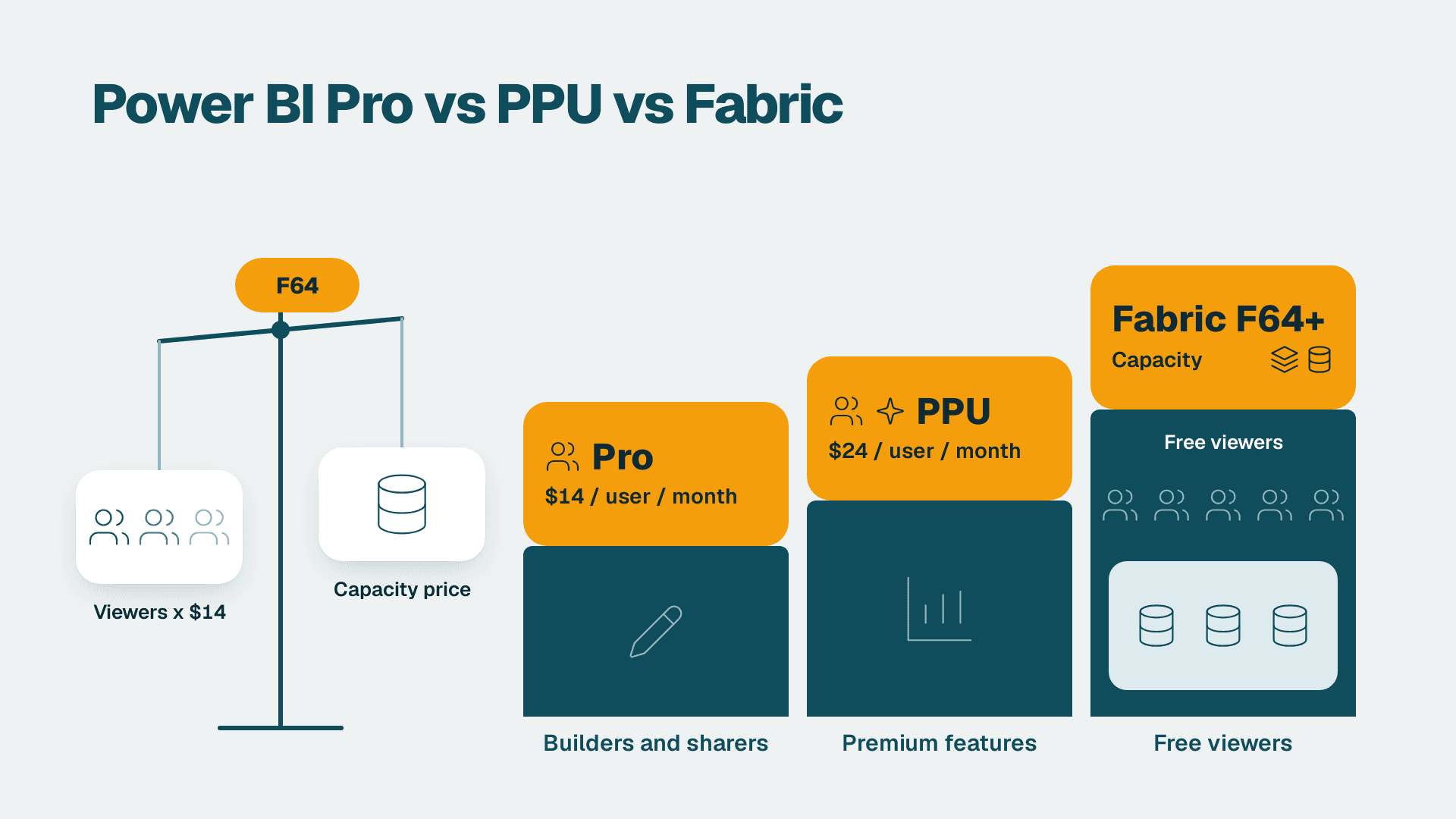
Power BI Pro vs PPU vs Fabric: Which Licence You Need
Power BI Pro vs Premium Per User vs Fabric capacity: see which license each user type needs and the point where capacity beats per-user pricing.
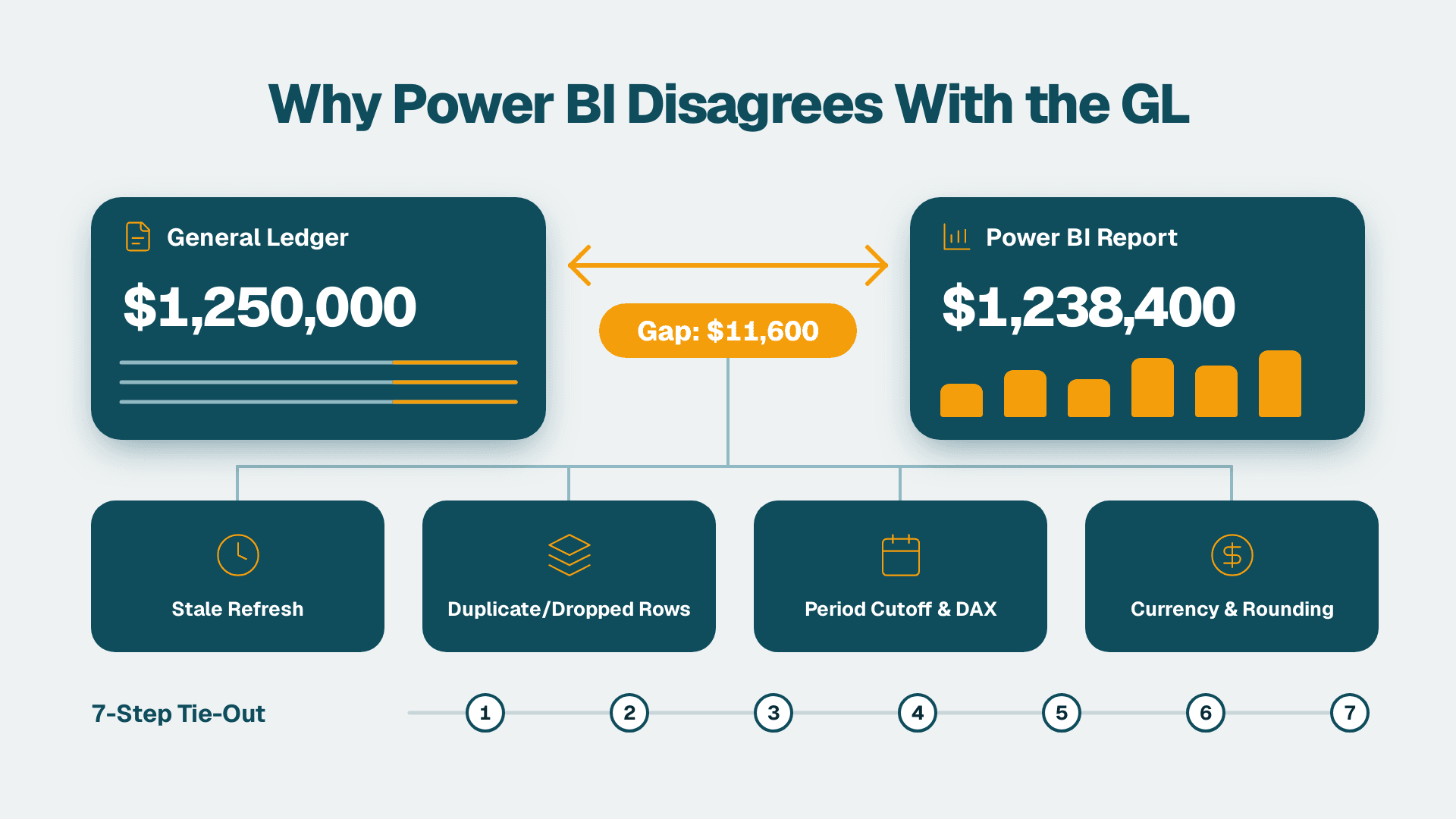
Why Do My Power BI Reports Disagree With the General Ledger? A 7-Step Reconciliation
Why do my Power BI reports disagree with the general ledger? Find the cause and reconcile in 7 steps, from stale refreshes to close cutoffs and rounding.
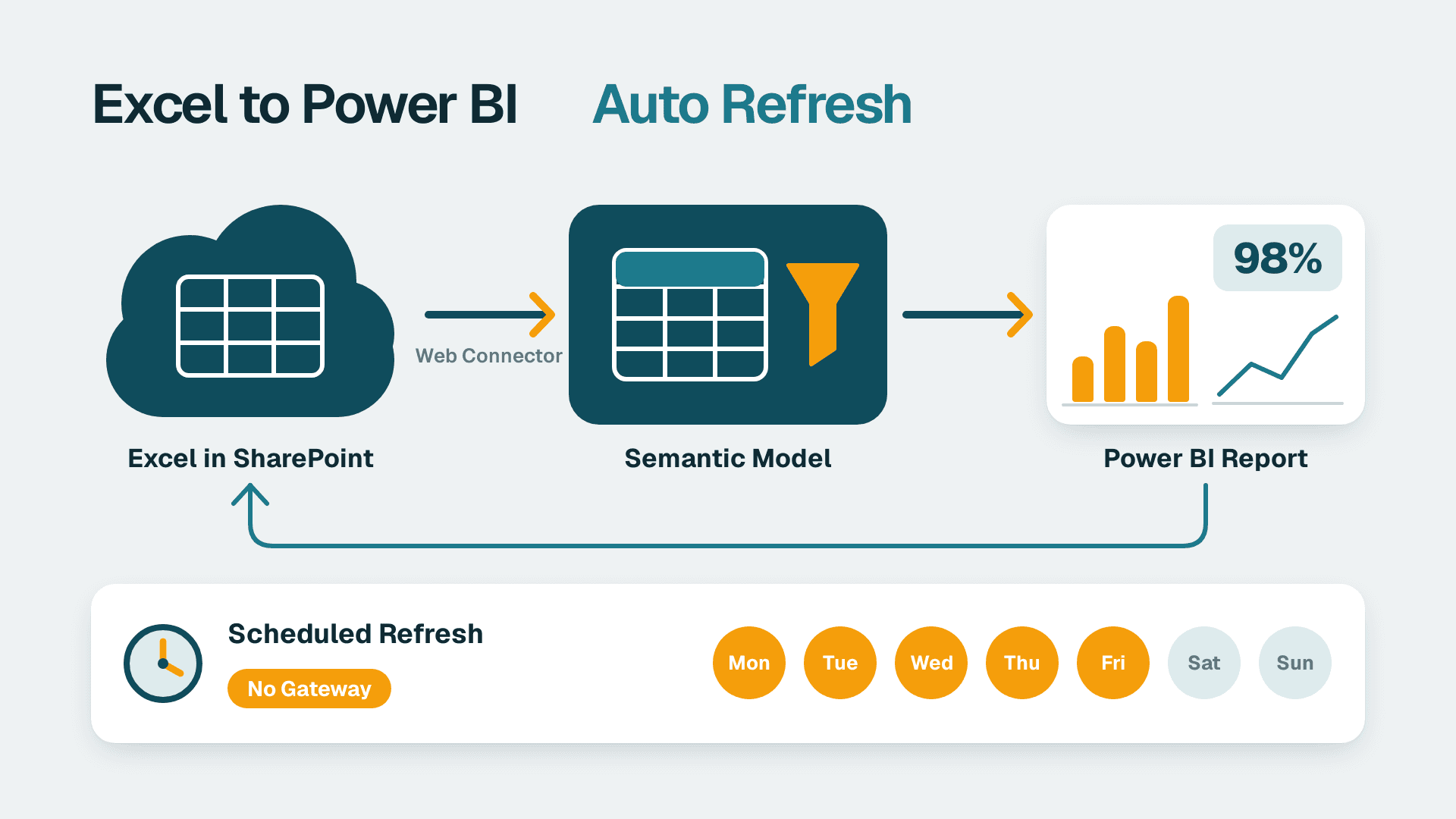
How to Connect Excel to Power BI With Automatic Refresh
Connect an Excel workbook on SharePoint or OneDrive to Power BI and schedule automatic refresh. Follow 7 steps; allow about 45 minutes for the first dataset.

Ready to eliminate manual data work from your Power BI workflow?
Book a free discovery call. We will map your highest-value automation opportunity and provide a fixed-price build quote within 48 hours.