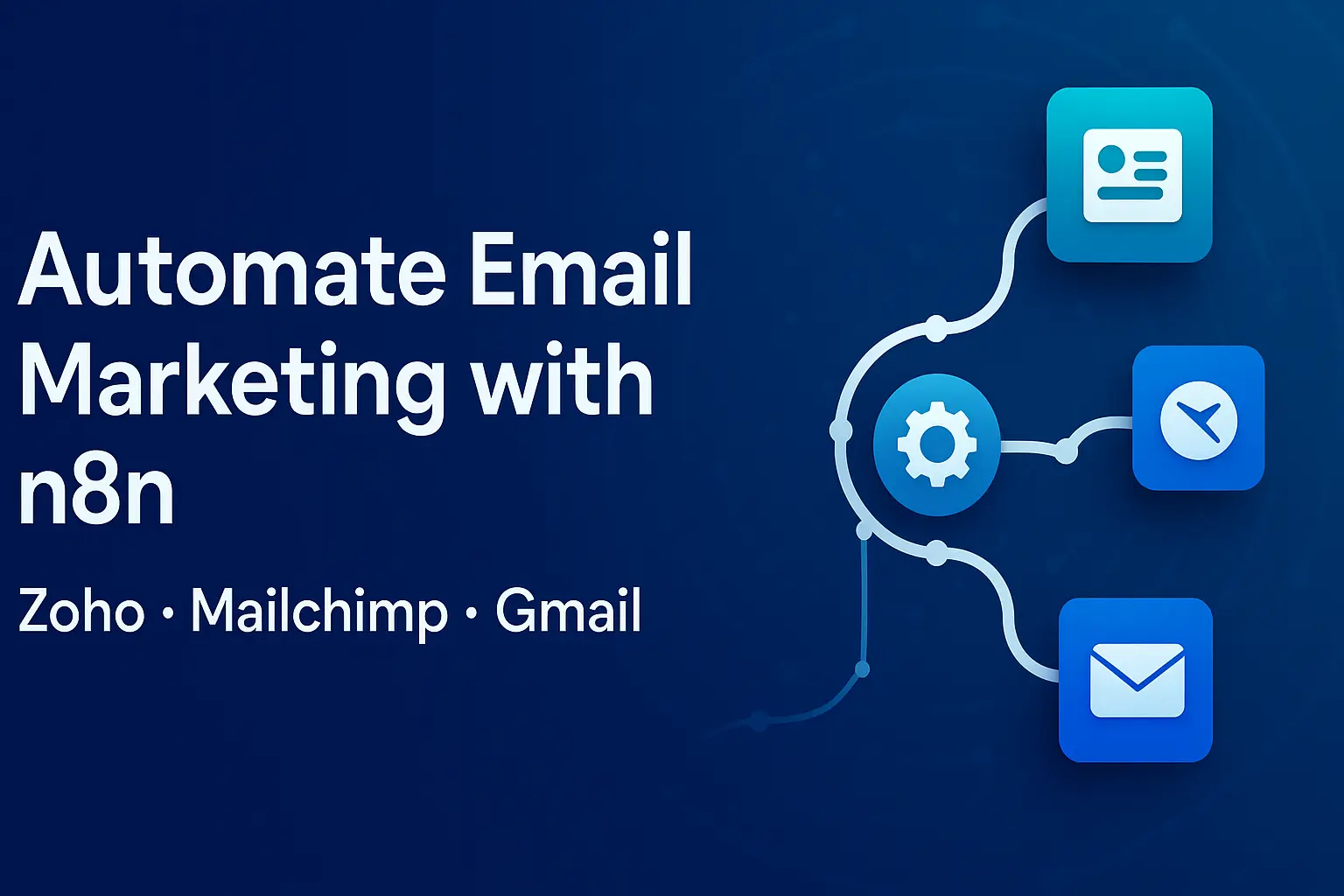
How to Automate Email Marketing with n8n (Zoho, Mailchimp, Gmail)
TL;DR:
You can automate email marketing with n8n by (1) syncing Zoho CRM contacts and events into n8n, (2) mapping/cleaning fields, (3) pushing audiences and segments to Mailchimp for campaigns, and (4) sending time-bound, personalized Gmail or Mailchimp emails based on triggers (webhooks, forms, CRM stage updates). Use OAuth credentials in n8n for each service, respect Gmail sending limits, and ensure CAN-SPAM compliance. With a few reusable blueprints, SMEs can launch welcome sequences, nurture drips, and renewal reminders in days—not months.
Introduction: The problem and why it matters
Most SMEs have email tools and a CRM, but campaigns still stall because data is fragmented—new leads sit in forms, segments go stale, and sales never hear when a prospect engages. The result: manual exports, list mismatches, compliance risks, and missed revenue. n8n fixes this by connecting Zoho CRM, Mailchimp, and Gmail into a single, auditable workflow. In this playbook, you’ll build three production-ready automations: a Welcome/Onboarding sequence, a Lead Nurture drip tied to CRM stages, and Renewal/Win-back reminders. You’ll also learn governance—Workspace sending limits, CAN-SPAM compliance, double opt-in, and error handling—so your automations are safe and scalable from day one. (See Google Workspace sending limits and FTC guidance for the rules you must follow. Google Help)
How does the n8n + Zoho + Mailchimp + Gmail architecture work?
Think of your stack as a simple ETL + Orchestration loop:
Triggers (T):
Webhook (form submits), Cron (daily sync), Mailchimp Trigger (subscription events), Zoho CRM trigger (polling for stage changes). Mailchimp Trigger and Zoho CRM nodes are available in n8n. n8n Docs
Transform (E/T):
Normalize names, emails, country, UTM parameters.
Map Zoho fields (Lead Status, Industry, MRR) to Mailchimp merge tags for segmentation. Mailchimp node in n8n supports creating/updating audiences and campaigns. n8n Docs
Load (L):
Mailchimp for marketing sends and segment management.
Gmail for transactional/internal alerts (e.g., notify AE when a high-intent lead clicks).
Zoho CRM write-backs (tag contacts who received/opened the campaign).
Governance:
Workspace rate limits, opt-in status, unsubscribe propagation, error/retry queues, audit logs. (Workspace limits: 2,000 emails/day per user for standard Google Workspace; mail-merge/multi-send 1,500; unique/external recipient caps apply. Google Help)
What credentials and prerequisites do you need?
n8n Credentials
Mailchimp (OAuth via n8n’s built-in node). n8n Docs
Zoho CRM (OAuth with proper data center domain; use the Zoho CRM node). n8n Docs
Zoho Campaigns (optional) if you prefer to send via Zoho instead of Mailchimp (use HTTP Request node with Zoho Campaigns API to add/segment contacts).
Gmail (OAuth2 with a Google Workspace user that won’t exceed sending limits).
Mailchimp preparation
Create an Audience with essential Merge Tags (FNAME, COMPANY, INDUSTRY, STAGE).
Enable double opt-in if required for your market and list quality goals. (Mailchimp supports double opt-in with a confirmation step.)
Zoho CRM preparation
Standardize fields: Lead Status, Lifecycle Stage, Owner, Country, Last Activity.
Decide which modules feed email (Leads vs Contacts). (n8n Zoho CRM node supports both.)
How do you build a “Welcome & Onboarding” sequence in n8n?
Goal: Automatically welcome new leads, deliver resources, and nudge for a discovery call within 7 days of signup.
Trigger options
Webhook: Connect your website form to an n8n Webhook node; fire on submit.
Mailchimp Trigger: Fire when a new subscriber joins the audience (for double opt-in lists).
Zoho CRM Polling: Use a Cron node every 5 minutes to pull new leads created in Zoho CRM
Core steps (high level)
Validate & enrich
Use Function node to validate email pattern and normalize name case.
Append UTMs and source (e.g.,
utm_source=form_homepage).
Create/Update in Zoho CRM
Zoho CRM → Upsert Lead with key fields; tag “Source: Web”.
Add to Mailchimp audience
Mailchimp → Add/Update List Member with Merge Tags (FNAME, COMPANY, INDUSTRY.
Send the welcome email
For marketing email: create a Mailchimp campaign (or use a Journey) and send to a segment
tag:welcome_pending.For transactional (e.g., sending a gated asset instantly): Gmail node → send from a monitored Workspace user. Respect per-user daily limits.
Delay & follow-ups
Wait 2 days → Mailchimp send “Feature value” email.
Wait 5 days → Mailchimp send “Case study + CTA” email.
If not engaged (no open/click in 7 days) → add Zoho Task for SDR call.
Example: n8n node sequence (pseudoflow)
Webhook → Function(Validate) → Zoho CRM (Upsert Lead)

→ Mailchimp (Add/Update Member → Tag: welcome_pending)

→ Gmail (Send transactional asset)

→ Wait(2d) → Mailchimp (Send Email #2)

→ Wait(3d) → Mailchimp (Send Email #3)

→ Mailchimp (Get Member Activity)

→ IF (no clicks) → Zoho CRM (Create Task) → Slack (Notify AE)
How do you keep Mailchimp segments in sync with Zoho CRM?
Problem: Segments decay fast. If Zoho status changes (e.g., Qualified to Opportunity), your nurture flow must switch automatically.
Solution blueprint:
Cron every 15 minutes.
Zoho CRM → Search Leads updated since last run; fetch fields
Status, Industry, ARR, OwnerMap to Mailchimp Merge Tags; compute segment rules in n8n (e.g.,
INDUSTRY in [SaaS, Fintech] AND ARR >= 10000).Mailchimp → Update list member + add tags (
seg_midmarket_saas,stage_qualified).Optional: When a lead becomes a customer, remove nurture tags and add
lifecycle_customerto exclude from prospect drips.
Why this matters: Personalization drives growth—companies using advanced personalization see outsized revenue lift; McKinsey reports that gen-AI now scales personalization across channels when data pipelines are sound. McKinsey & Company
Can you send from Gmail at scale with n8n?
Yes—but cautiously. Gmail is best for low-volume transactional or sales follow-ups rather than bulk marketing. Google Workspace daily limits (e.g., 2,000 messages per user; mail-merge 1,500; with unique/external recipient caps) apply and may change; exceeding them can temporarily suspend sending. Set send-rate throttling in n8n (e.g., 1 email/second + concurrency 1–2) and distribute across dedicated Workspace accounts if needed. Always keep your bounce and spam complaint rates low.
What are the exact n8n nodes you’ll use?
Mailchimp (App Node): add/update member, add tags, create campaigns, get activity. (n8n built-in Mailchimp node.)
Mailchimp Trigger: fire on new subscriber/unsubscribe events
Zoho CRM (App Node): search/create/update Leads/Contacts/Deals
Zoho Campaigns via HTTP Request: add contacts to lists using API scopes (if using Zoho for send)
Gmail (App Node): send transactional/internal alerts (respect Workspace quotas).
Utilities: Cron, Webhook, Function, IF, Merge, Wait, Set, Slack/Microsoft Teams, HTTP Request.
Step-by-step: Building the 3 most useful email automations
1) Welcome & Resource Delivery (Day 0–7)
Trigger: Webhook (form) or Mailchimp Trigger (new subscriber).
Logic:
If
Industry = SaaS→ attach SaaS case study; else attach generic eBook.If
Role = CFO→ change CTA to “ROI calculator demo”.If
Country = EU→ enable double opt-in and limit event emails to GDPR-friendly categories.
n8n expressions to personalize subject lines
Subject: ={{ $json.FNAME ? `${$json.FNAME}, here’s your ${$json.Industry || 'guide'}` : 'Your guide is inside' }}

Preheader: ={{ `3 steps to value for ${$json.Company || 'your team'}` }}
Write-back for sales:
After Email #2, Mailchimp Get Activity → If
clicked link contains /pricing→ Zoho CRM Task (“Call within 24h”) + Slack DM to owner.
2) Lead Nurture Drip tied to CRM Stage (30–45 days)
Trigger: Cron + Zoho CRM search for Stage in [MQL, SQL] updated since last run.
Branching:
MQL (education): 5-email series: pain framing → solution mapping → case study → ROI/benchmark → soft demo ask.
SQL (conversion): 3-email series: competitor compare → objection handling → strong demo/POC CTA.
If no engagement after 14 days → switch to win-back or pause.
Measurement:
Track UTMs in all links:
utm_source=n8n&utm_medium=email&utm_campaign=mql_nurture.Create a unified log sheet or DB with: Send Time, Campaign, Recipient, Status, Open/Click, CRM Stage at send time.
3) Renewal / Expansion / Win-back (Quarterly)
Trigger: Zoho CRM Deals or Subscriptions module: renewal_date in next 30 days or last_purchase > 180 days
Actions:
Mailchimp → send “Renewal coming up” + “Usage tips” sequence.
Gmail → send internal alert to CSM/AM with account summary (ARR, churn risk signals).
Zoho CRM → create Renewal Task; update field
Renewal_Campaign_Sent = true.
Smart touches:
Add a personalized case study by industry.
Include “Upgrade to annual (save 10%)” branch for high-engagement users.
What data model and field mapping should you use?
| Source Field (Zoho) | Mailchimp Merge Tag | Purpose | Notes |
|---|---|---|---|
First Name | FNAME | Personalization | Title-case via Function node |
Company | COMPANY | B2B context | Used in subject lines |
Industry | INDUSTRY | Segmentation | Build cohorts (SaaS/Fintech/Manufacturing) |
Lifecycle Stage | STAGE | Drip routing | MQL/SQL/Opportunity/Customer |
ARR | ARR | Tiering | High-value sequences |
Owner | OWNER | Internal routing | Slack DM to owner |
Country | COUNTRY | Compliance | EU → double opt-in; CA → CASL-safe |
How do you handle compliance (CAN-SPAM/GDPR) in this stack?
Consent: Use double opt-in in Mailchimp for higher list quality/consent clarity. Mailchimp
Identification: Include a valid physical address and accurate “From” name in all marketing sends (CAN-SPAM). Federal Trade Commission
Unsubscribe: Ensure the unsubscribe link is present and honored; sync unsubscribes back to Zoho CRM to prevent resends. (Automate via Mailchimp Trigger for unsubscribes → Zoho CRM update.) n8n Docs
Rate limits & reputation: Respect Workspace limits to avoid temporary blocks; keep complaint rate low.
Tip: Add an IF branch in n8n that checks consent flags (
consent_email = true) before sending any marketing email.
What KPIs and benchmarks should you track?
List growth rate (weekly), double opt-in confirmation rate, bounce rate, spam complaint rate
Campaign metrics: Open Rate, Click-Through Rate, Click-to-Open, Reply Rate (for Gmail transactional), Unsubscribe Rate
Pipeline influence: Opportunities or revenue touched by campaigns (link sends to Deals in Zoho)
Time-to-first-value for new leads (days from capture to meaningful action)
What does a production-grade n8n workflow look like?
Error handling & retries
Wrap send nodes (Mailchimp, Gmail) with Try/Catch pattern using IF on status codes.
Implement exponential backoff: retry after 1, 5, 15 minutes on 429/5xx.
Push failed events to a dead-letter list (Google Sheet/DB) with reason.
Idempotency & deduplication
Use a hash key (email + campaign + date) before sending.
Store last sent timestamp in Zoho to avoid duplicates.
Throttling
For Gmail, set Rate Limit by adding Wait nodes between sends. Respect Workspace caps.
Observability
Send metrics to a dashboard (Looker Studio, Power Bi). If you need ready examples, see our Marketing Dashboard Examples for inspiration.
How do you actually wire the nodes? (Hands-on mini-blueprints)
Blueprint A: Zoho CRM → Mailchimp audience sync
Cron (every 15m)
Zoho CRM (Search Records):
module = Leads,updated_since = {{$now.minus({minutes: 15}).toISO()}}.Function (mapping): Normalize fields; build
{ email, FNAME, COMPANY, INDUSTRY, STAGE }.Mailchimp (Add/Update Member): Upsert to audience, set tags by stage
Mailchimp (Create/Update Segment) or apply Tags:
seg_midmarket_saas,stage_mql.Log: Append to DB/Sheet for audit.
Why this works: It centralizes consent and keeps Mailchimp segments current without manual CSVs.
Blueprint B: Double opt-in welcome with transactional delivery
Webhook from signup form → Mailchimp (Add/Update Member) with
status=pending(double opt-in).Mailchimp Trigger (on confirmation) → Gmail (Send “Welcome + Asset”) within limits → Zoho CRM Update (
Welcome_Sent = now()).
Note: You can also keep the asset inside Mailchimp’s first Journey email and skip Gmail if volumes are higher.
Blueprint C: Renewal reminder via Zoho + Mailchimp + Gmail
Cron (daily 8:00 AM)
Zoho CRM (Search Deals):
renewal_date BETWEEN now() AND now()+30d.Mailchimp (Add/Update Member + Tag: renewal_30d) → Mailchimp Campaign Send to this tag.
Gmail (Send internal notification) to CSM with key metrics.
Zoho CRM (Create Task) “Renewal follow-up” due in 48h.
How do you use Zoho Campaigns instead of Mailchimp?
If your org standardizes on Zoho Campaigns, you can still orchestrate with n8n:
Use HTTP Request nodes to call Zoho Campaigns API endpoints (Add Contacts to list, Create/Send Campaigns) with scopes like
ZohoCampaigns.contact.CREATE.Keep Zoho CRM as your system of record; keep list IDs in environment variables.
Build the same compliance checks and throttling.
What content strategy should you pair with automation?
Conversational tone & clear value: subject lines that answer a question (“Can we reduce your reporting time by 40%?”).
Persona-based tracks (Founder/CFO/Marketing Ops).
Micro-conversions (reply to email, click ROI calculator, book 15-min audit).
Cadence discipline: 2–3 emails/week for nurture; 3–5 touches total for win-back.
Creative ops: Use gen-AI to draft variants, but keep human QA for brand voice and compliance.
Market note: Email remains a high-ROI channel; what changes year to year is personalization depth and data quality—hence the investment in orchestration and clean field mapping. (See McKinsey for 2025 personalization trend drivers.) McKinsey & Company
What pitfalls should SMEs avoid?
CSV hell: Manual exports cause stale segments and consent mismatches. Automate syncs.
Overusing Gmail for bulk: You’ll hit Workspace limits and risk blocks. Use Mailchimp for marketing sends.
Ignoring unsubscribes: Always propagate unsubscribes to Zoho CRM. (Use Mailchimp Trigger → Zoho Update.)
No audit trail: Log every send and decision for compliance and troubleshooting.
Unclear ownership: Assign a workflow owner and set on-call alerts for errors.
How do you measure impact and scale?
North-star metrics: Pipeline influenced, cost per qualified meeting, retention/expansion uplift.
Operational metrics: Sync latency, error rate, time-to-repair, % contacts with consent.
Scaling playbook:
Split monolith workflows into reusable sub-workflows (e.g., “Upsert to Mailchimp”, “Send Gmail safely”).
Use environment variables in n8n for secrets and list IDs.
Promote via dev → staging → prod n8n instances with versioned JSON exports.
Add feature flags (e.g.,
ENABLE_RENEWAL_CAMPAIGN=true) via env vars.
More Resources
Need help designing these workflows end-to-end? Explore our AI & Automation Consulting services:
Want to visualize results in real time? See our Marketing Dashboard Examples
Related how-tos for your stack:
→ AI Prompts for Business Research (One-Shot Templates)
→ n8n Marketing Dashboards & Automation
You can, but it’s risky. Gmail is designed for individual/transactional sends and has strict per-user limits that can block your account if exceeded. Use Mailchimp for bulk marketing sends and keep Gmail for transactional or internal alerts
It’s recommended for list quality and compliance in many markets. Mailchimp supports double opt-in natively; enable it per audience if you see fake signups or low engagement
Listen to Mailchimp Trigger events for unsubscribes and update Zoho CRM flags immediately so future workflows skip those records
Start with 2 emails/week and adjust based on engagement. Use segments (industry, stage, ARR) to keep content relevant and avoid fatigue
Tag every link with UTMs, connect website analytics to lead source in Zoho CRM, and attribute opportunities/deals touched by campaigns. Personalization and orchestration are strong revenue drivers when data is connected
Yes. Use n8n HTTP Request to call Zoho Campaigns APIs to add contacts and manage lists/campaigns. Keep the same compliance and logging patterns
Follow CAN-SPAM (clear sender, truthful subject lines, physical address, easy unsubscribe). Keep consent records in your CRM