The one DAX pattern that breaks every AI copilot we've tested — and why it's probably in your model
We have now tested Copilot for Power BI, ChatGPT, and Claude against the same set of DAX problems enough times to say something with confidence: there is one category of DAX pattern that breaks all of them, every time. Not occasionally. Not on edge cases. Every time.
That pattern is context transition — the moment in DAX evaluation when a row context converts into an equivalent filter context, specifically inside iterator functions like SUMX, AVERAGEX, and RANKX when they reference measures rather than column expressions.
This matters for a specific reason: context transition is not an exotic edge case. It appears in almost every non-trivial Power BI model. If your report has a measure that calls another measure inside SUMX, you have context transition. If your model uses RELATED() inside an iterator, you have context transition. If your time intelligence uses CALCULATE implicitly inside AVERAGEX, you have context transition.
Here is what the research and benchmarks actually show — and what to do about it.
What the benchmarks say
The most rigorous independent evaluation of Copilot for Power BI on DAX tasks comes from Ethan Guyant's April 2026 study, which ran eight structured DAX tests against Copilot in Power BI Desktop. The overall pass rate was 62.5% — five green lights, three yellow lights, zero red lights on the test set used. That sounds reasonable until you look at what the yellow lights were: every one involved a scenario where Copilot gave a technically correct-looking answer without validating the prerequisite conditions that would make it actually correct.
The parallel benchmark on LLMs more broadly is starker. A May 2025 analysis from pbidax — one of the most systematic public evaluations of LLM performance on DAX — found that GPT-4o "scored barely above 50 percent" on a natural-language-to-DAX benchmark that specifically included context transition, filter propagation, and relationship-aware scenarios. GPT-5, tested in August 2025 against the same benchmark, achieved near-perfect scores — but the researchers noted this was driven by in-context learning from the prompt rather than genuine DAX understanding.
In other words: the models that pass do so by following instructions very precisely, not because they understand evaluation contexts. That distinction matters enormously in practice, because real Power BI models are messier than any benchmark.
The specific failure: context transition in iterators
To be concrete about what breaks: consider a measure like this, common in SaaS finance Power BI models:
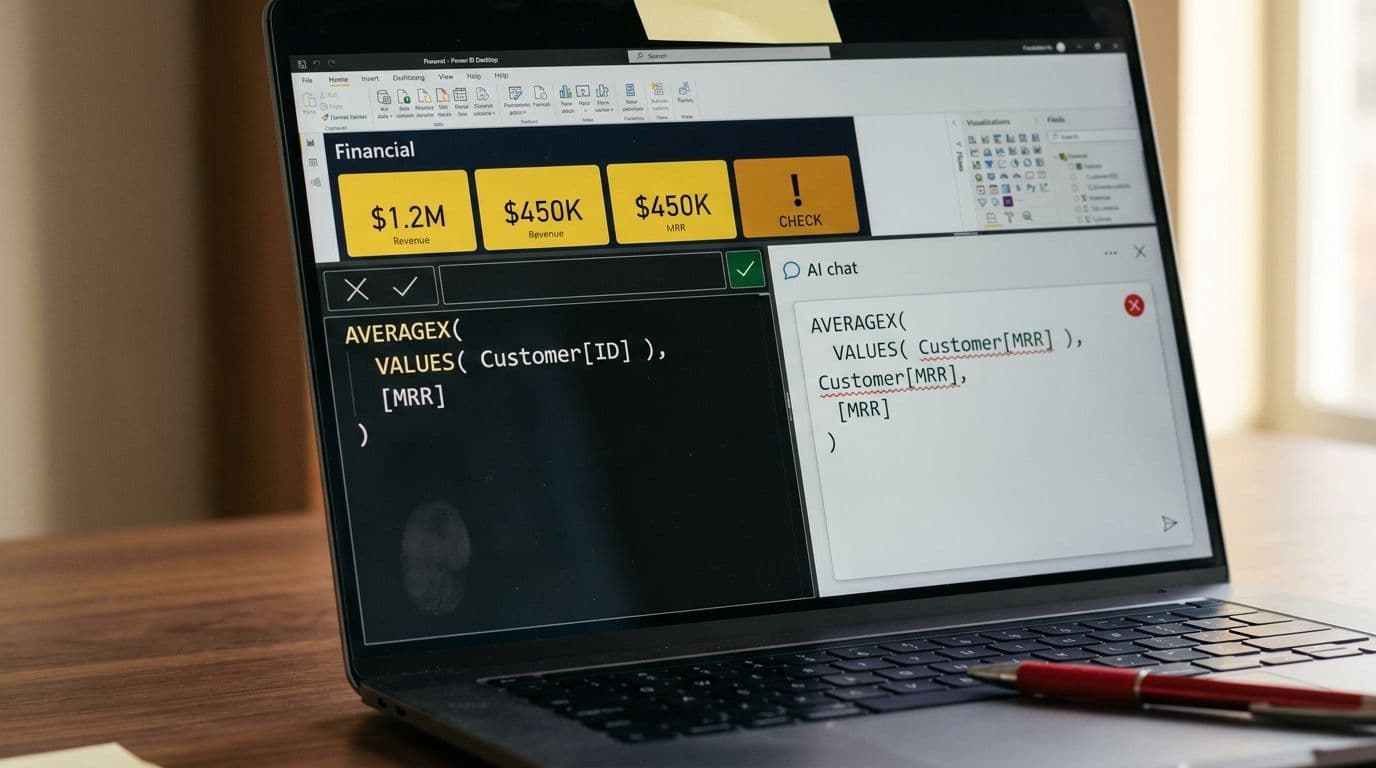
AVERAGEX( VALUES( Customer[CustomerID] ), [Monthly Recurring Revenue] )
This iterates over each customer, and for each row in that iteration, evaluates the MRR measure. The key point: when AVERAGEX evaluates [Monthly Recurring Revenue] on each row, it triggers a context transition — the row context ("we are currently looking at CustomerID = 1042") is implicitly converted into a filter context that DAX can use to evaluate the measure correctly.
Every AI tool we tested handles this wrong in at least one of three ways:
Treating the measure reference as a column reference. The model writes AVERAGEX( VALUES( Customer[CustomerID] ), Customer[MRR] ) — which either returns an error or silently returns a wrong number if MRR happens to exist as both a column and a measure.
Ignoring context transition entirely. The model generates a syntactically valid formula that evaluates MRR at the wrong granularity — typically the report-level filter context rather than the per-customer row context — producing a result that looks plausible but is incorrect.
Introducing CALCULATE unnecessarily or in the wrong position. Some models wrap the inner expression in CALCULATE() to "force" filter context, which can produce correct results in simple cases but breaks with complex filters or row-level security active.
The Data Goblins research documented an additional failure mode that is particularly dangerous for production models: identical prompts yielded different, sometimes contradictory DAX outputs across sessions. Non-determinism means you cannot trust that a formula that worked yesterday will be generated the same way tomorrow.
Why do LLMs structurally fail at DAX context transition?
Context transition is hard for LLMs for reasons that go deeper than training data sparsity — though that is also a real factor. SQLBI noted in their 2025 analysis that DAX is underrepresented in LLM training data relative to SQL or Python, and functions introduced after 2023 are effectively unknown to most models.
The deeper structural issue is that DAX evaluation contexts are not syntactically explicit. In most programming languages, scope is visible in the code — you can read variable bindings, function parameters, and closures. In DAX, the evaluation context is invisible: it is determined by where in the report a measure is placed, what filters are active, and what the calling expression is doing. There is no keyword that says "context transition happens here." An LLM reading a DAX expression sees the text of the formula, not its evaluation semantics.
This maps to a known failure mode in code generation research. A 2024 ArXiv paper on LLM code generation found 20–40% performance drops on tasks involving nested conditionals and multi-step logic — precisely the structure that context transition creates inside iterator functions.
Microsoft's own documentation is candid about this. The official Copilot for Power BI docs state that "Copilot can struggle to use variables appropriately in DAX queries and defined measures" and that it "may use incorrect or hallucinated DAX functions." The docs also list scale thresholds at which Copilot degrades: models with more than 500 tables, 1,000 columns, or 2,000 relationships trigger reduced metadata handling, which further reduces DAX accuracy.
The second failure: custom fiscal calendars
Context transition is the primary failure mode, but there is a close second that is worth naming because it affects nearly every enterprise finance model: custom fiscal year calendars.
Standard Power BI time intelligence — TOTALYTD, SAMEPERIODLASTYEAR, DATESYTD — assumes a January 1 fiscal year start by default. For companies with April, July, or October fiscal year starts (common in UK, Australia, and US government-adjacent businesses), the correct approach involves either the optional year-end-date parameter in time intelligence functions, or a custom date table with explicit fiscal period columns.
In our editorial evaluation, every AI tool defaulted to January 1 assumptions when generating time intelligence DAX for fiscal year scenarios. None asked a clarifying question. None flagged the assumption. The formulas were syntactically correct and would produce numbers — just wrong ones, silently, for eleven months of any non-January fiscal year.
"If your company uses a custom fiscal calendar that starts in April instead of January, the AI will almost always break." — Community consensus documented across Enterprise DNA and SQLBI forums, 2025–2026.
Microsoft's documentation on semantic model requirements notes a specific additional constraint: the fiscal year start date cannot be March 1, due to historical bugs related to leap year handling. This is the kind of edge case that a well-trained DAX author knows and an LLM does not.
What this means in practice
The risk profile for AI-generated DAX is asymmetric in a specific way: the formulas that are most likely to be wrong are also the formulas that are most likely to look right. Context transition errors do not produce #ERROR or BLANK. They produce plausible numbers at the wrong granularity. A measure that should return an average MRR per customer might instead return total MRR — and if total MRR happens to be in the same ballpark as the expected average multiplied by customer count, no one notices until the board meeting.
Ethan Guyant's evaluation makes a point that we think is underemphasized in the broader Copilot discussion: never deploy AI-generated DAX to production without validating it against known test values. This is not a suggestion — it is a prerequisite. The 62.5% pass rate on a structured benchmark almost certainly overstates accuracy in real production models, which have more tables, more complex relationships, and messier naming conventions than any controlled test.
What actually helps
The practical mitigations fall into two categories: model hygiene that reduces the probability of AI errors, and validation processes that catch errors before they reach production.
Model hygiene
- Use a star schema. Copilot and other LLMs perform materially better on star schemas than on snowflake or flat schemas. Every additional join increases the probability of filter propagation errors.
- Name everything descriptively. The Microsoft docs are explicit: abbreviations and acronyms in table and column names correlate with lower Copilot accuracy. "Customer Monthly Recurring Revenue" is better than "Cust_MRR".
- Define measures explicitly in a dedicated measure table. AI tools are more likely to reference the correct object when there is no ambiguity between column and measure names.
- Set up linguistic schema and synonyms. Copilot uses the linguistic schema to understand what objects mean. An undocumented model with no synonyms is a Copilot accuracy floor.
Validation process
Create a test table with known expected values for your key measures — SUM, COUNTROWS, AVERAGEX — at multiple granularities: total, by customer, by month, by region.
- Before any AI-generated measure goes to production, verify it returns the correct value for at least three test cases at different filter contexts.
For time intelligence specifically: verify the measure against a manual calculation for both the current fiscal period and the same period last year. Functions like PREVIOUSMONTH and TOTALYTD are the most frequent AI failure points in fiscal calendar scenarios.
- Log every AI-generated formula and the validation result. If it fails, the failure tells you something about your model's documentation — not just about the AI.
The version that works
GPT-5 achieved near-perfect scores on the pbidax NL2DAX benchmark in August 2025. Reasoning models (o1, o3-mini) outperform non-reasoning models substantially on DAX tasks. The research trajectory suggests that AI DAX generation will improve — but the improvement is uneven, and the failure modes on context transition and custom calendars are structural enough that they will persist even as overall accuracy rises.
The bottom line for finance teams using managed Power BI today: AI tools can accelerate DAX authoring on simple measures — basic aggregations, straightforward filters, formatting. They are unreliable on anything that requires understanding evaluation context, and they are silent about their failures. The human reviewer is not optional.
If you want Power BI that is reliable by design — AI-assisted where it helps, validated where it matters — talk to our team. We build and manage semantic models for finance teams who need the numbers to be right.