From our LinkedIn post

Free Claude Mods Kit: 6 mods that put you back in control of AI at work

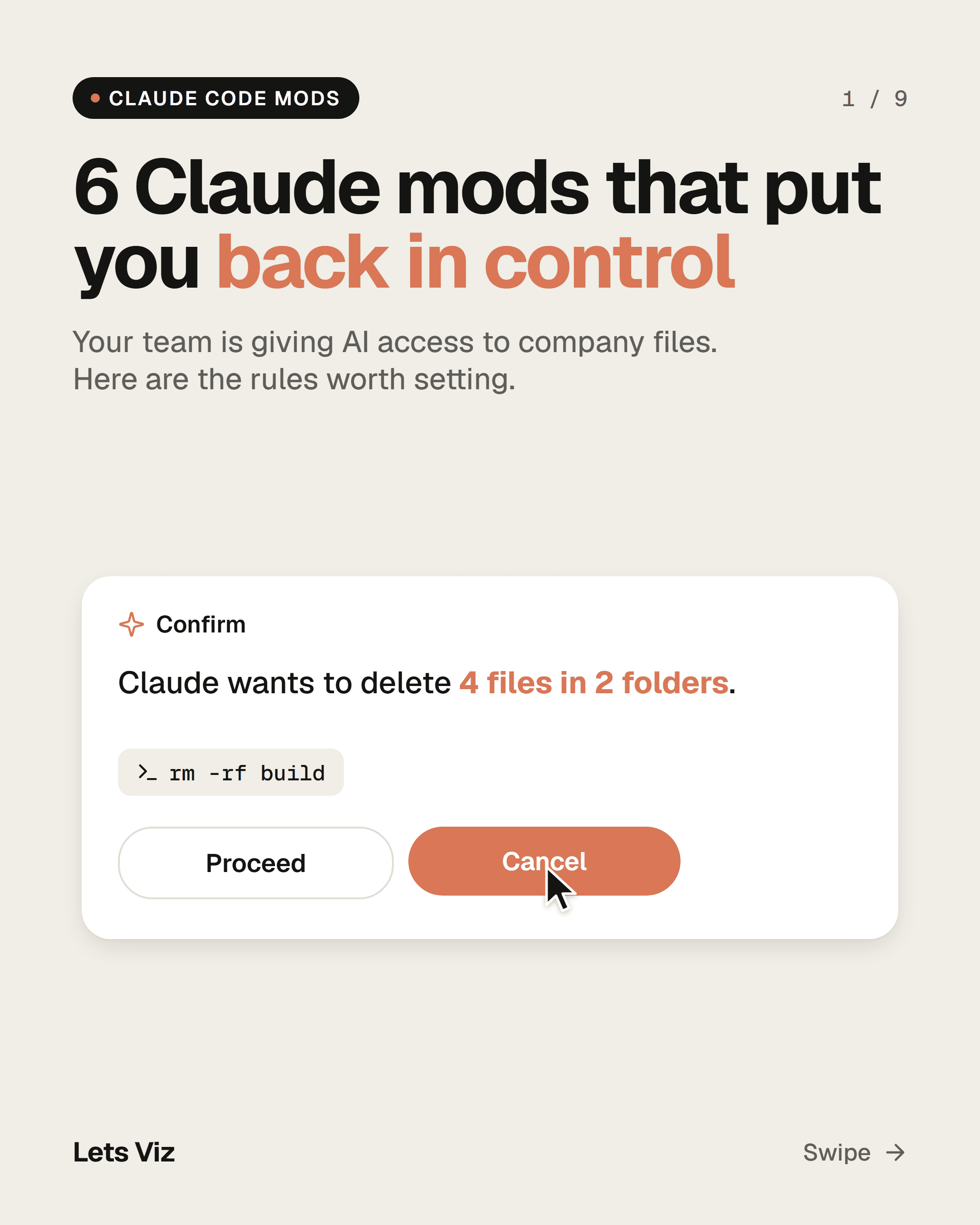
Your team is giving AI access to company files. These six Claude Code mods make it ask before deleting, hide client details, track cost and log every action.

Download all 6 modsFree · MIT licence · everything below is open to read
Free Claude Mods Kit: 6 mods that put you back in control of AI at work

What is a Claude mod?

Claude Code is the version of Claude that works on your computer: it opens files, edits them and runs programs. Since 1 October 2026, mods let you set rules for what it can do and show you what it is doing. A mod is a small program that plugs into Claude Code.

What's inside

1

Ask before deleting

lv-ask-before-delete

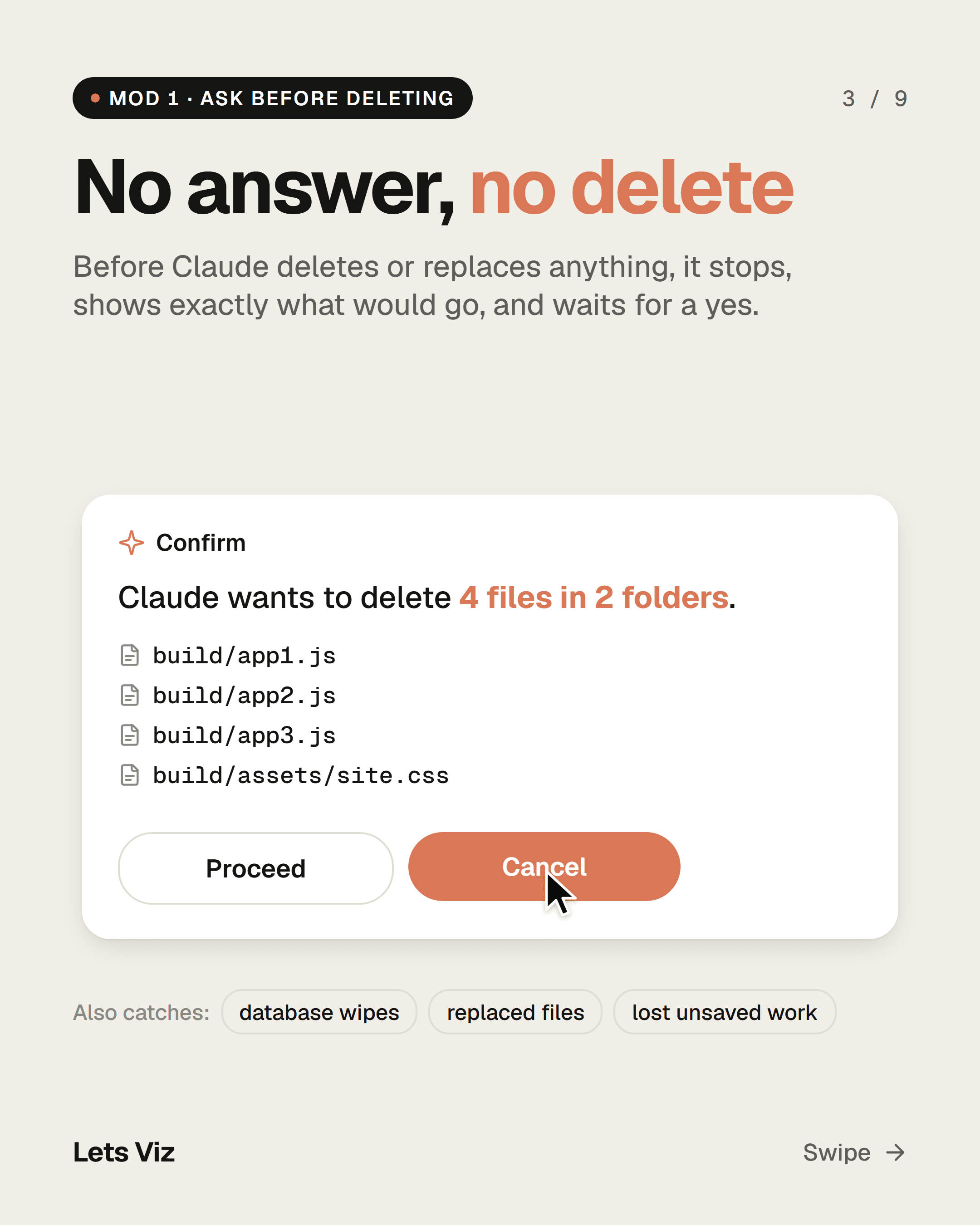
Before Claude deletes or replaces files, it stops and shows exactly what would go, for example "4 files in 2 folders", and waits for a yes. No answer means no delete.

Also catches database wipes, replaced files and lost unsaved work.
Ask before deleting
2

Client-data shield

lv-client-data-shield

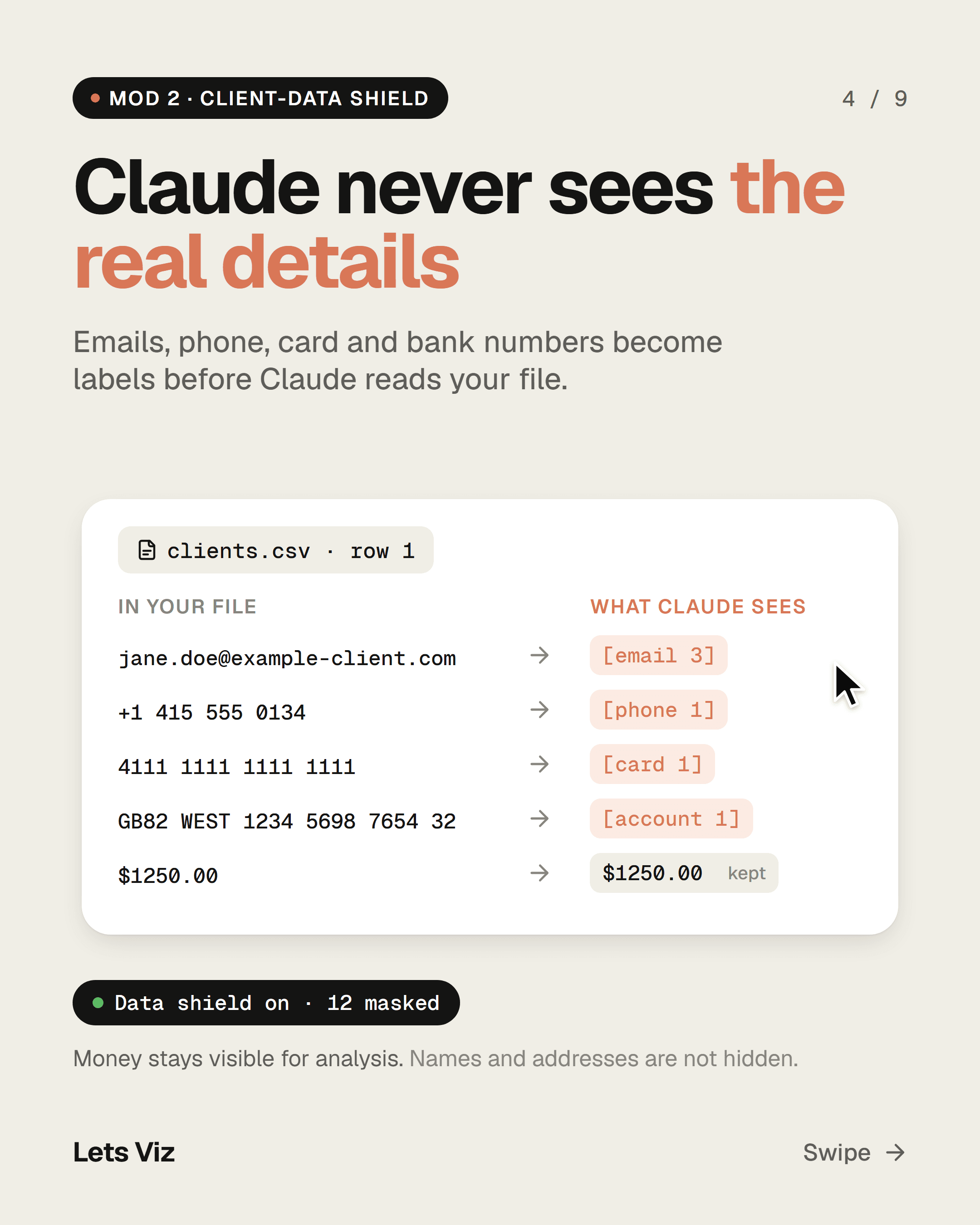
Emails, phone numbers, card and bank numbers become labels like [email 3] and [card 1] before Claude reads a file. Claude still does the analysis without seeing the real details. Money amounts stay visible.

Limit: Names and addresses are not hidden.

Client-data shield
3

Cost meter

lv-cost-meter

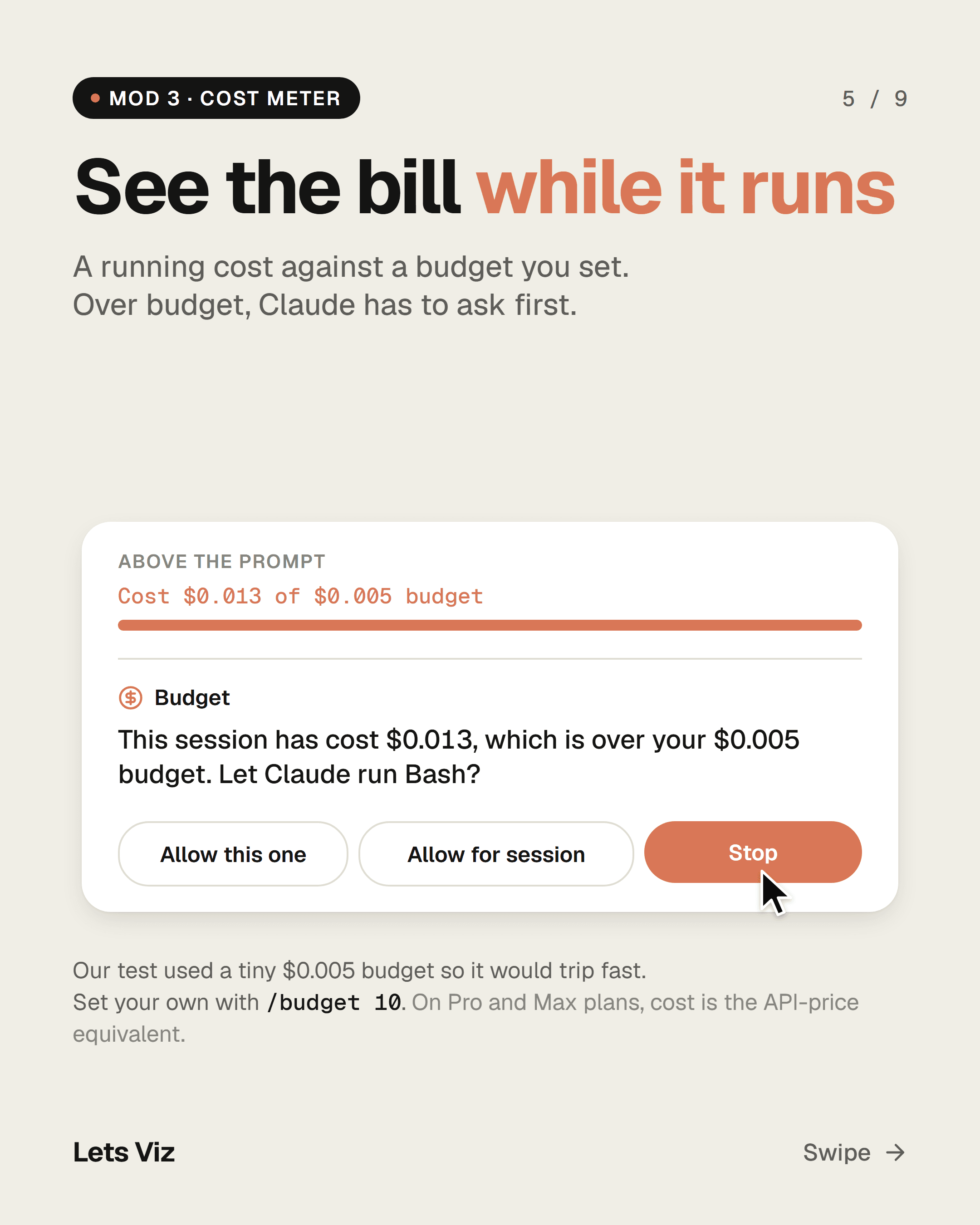
A running cost against a budget you set, shown above the prompt. Over budget, Claude must ask before each step. Set the budget with /budget 10 (default $5).

Limit: On Pro and Max plans the figure is the equivalent API price, not money charged. It runs one step behind.

Cost meter
4

Work receipt

lv-work-receipt

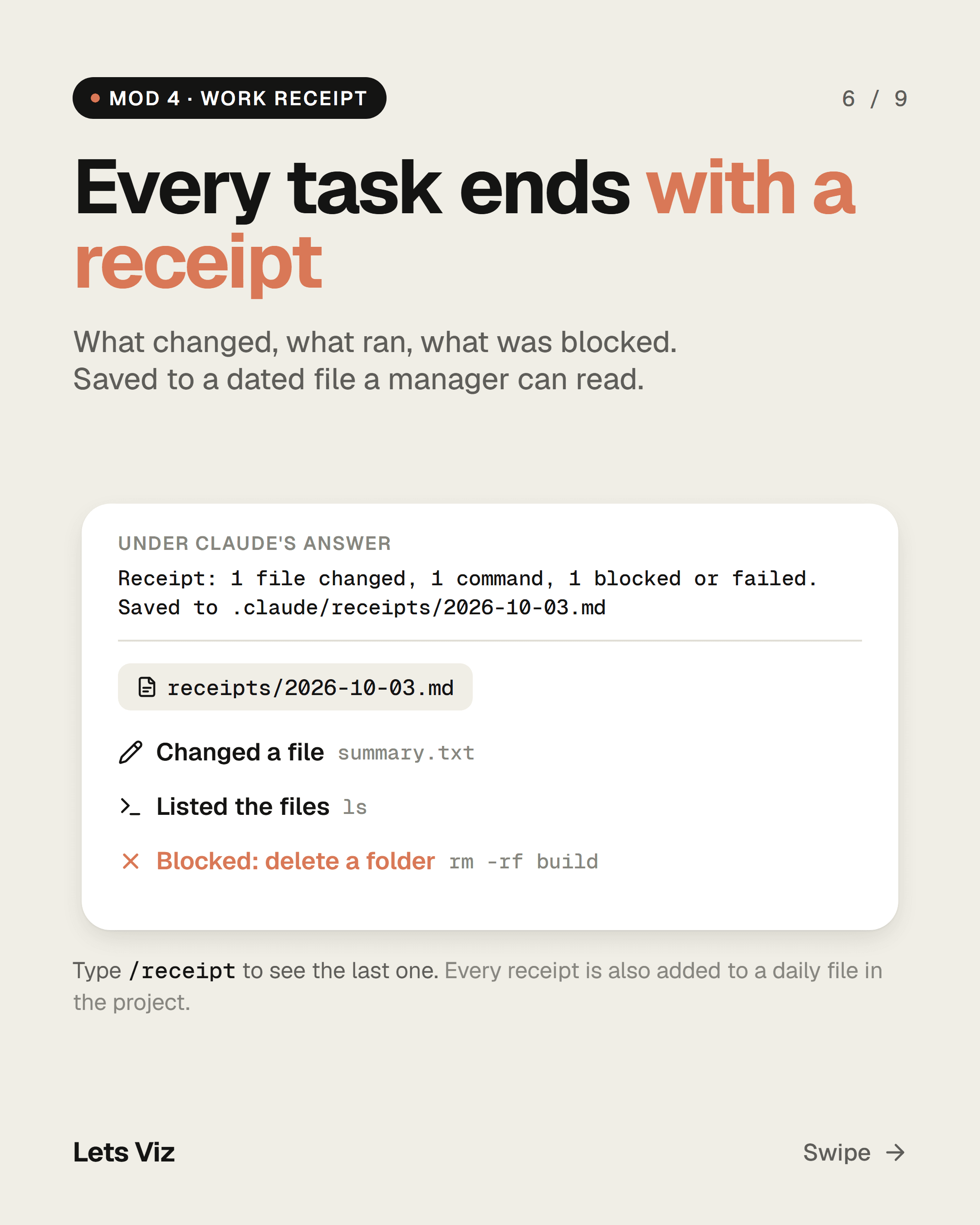
After every answer, a one-line receipt: files changed, commands run, web pages fetched and anything blocked. The full receipt is saved to a dated file in the project. Type /receipt to see the last one.

Work receipt
5

Team shortcuts

lv-team-commands

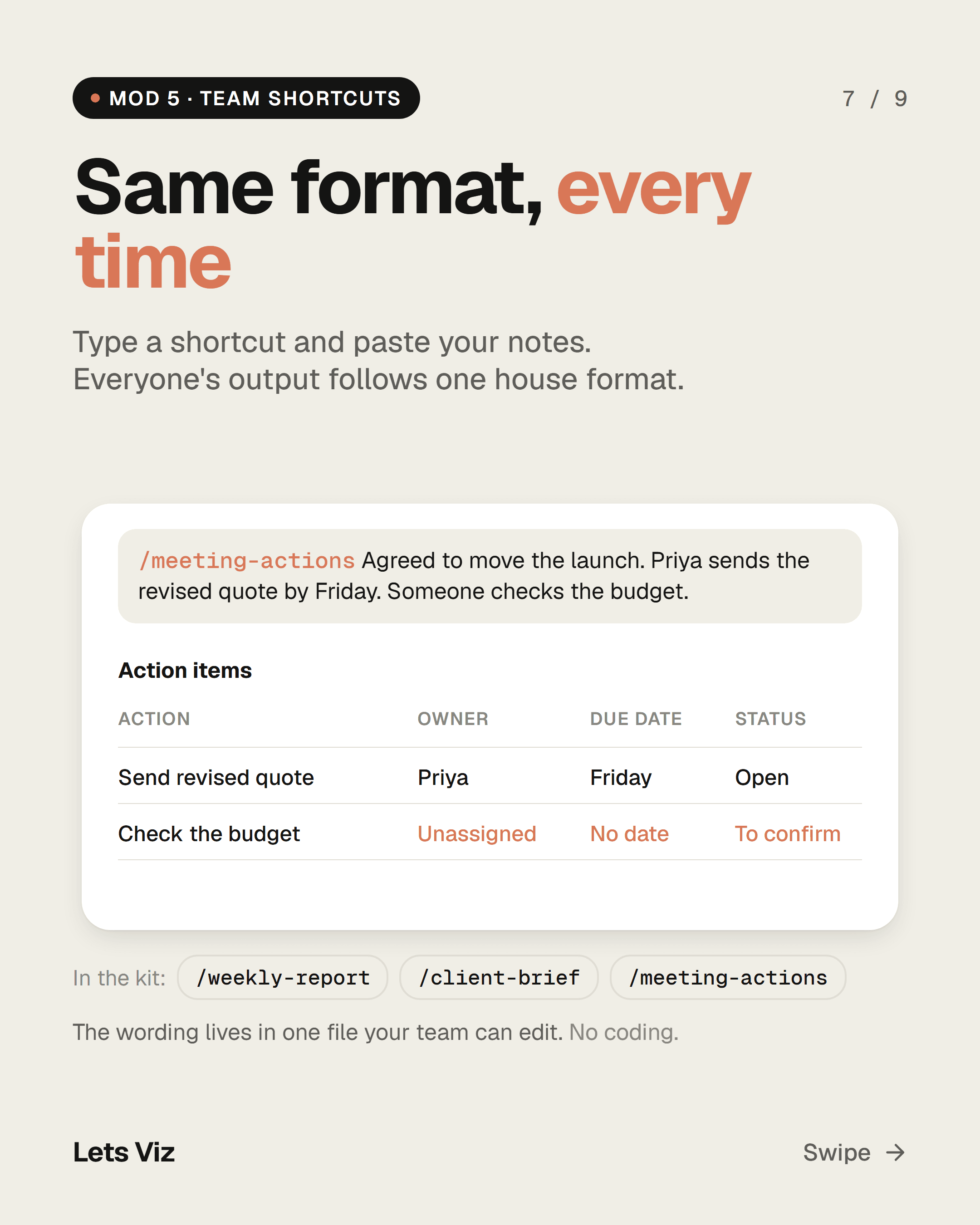
/weekly-report, /client-brief and /meeting-actions send one company-standard prompt, so everyone gets the same format. The wording lives in one file your team can edit. No coding.

Team shortcuts
6

Activity log

lv-audit-log

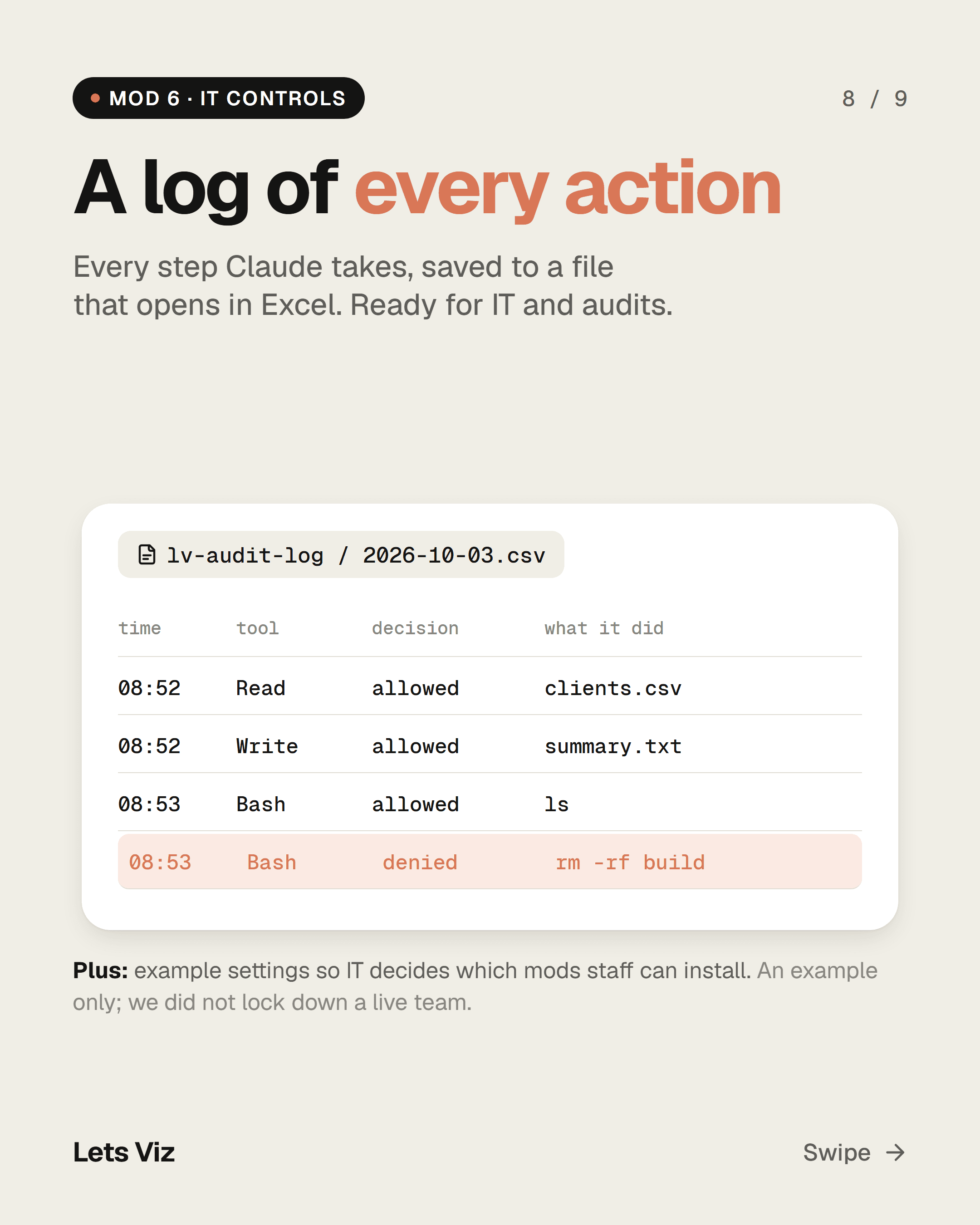
Every action Claude takes, written to a CSV file that opens in Excel: time, project, tool, what it did, and whether it was allowed, denied or failed.

Plus example settings for IT teams that limit which mods staff can install. It is an example; we have not used it to lock down a live team.

Activity log

Key takeaways

  • Mods set rules for Claude Code. They do not work in the normal Claude chat or in Cowork.
  • A mod runs with your full access to the computer. Have someone technical read it first; every mod in the kit is plain, commented code.
  • Start with one: ask-before-deleting is the one we would install first.
  • Know the limits: a delete hidden inside a script slips past, names and addresses are not hidden, and the cost runs one step behind.

Who it's for

  • Teams using Claude Code version 2.1.287 or later, in a terminal or the Code tab of the Claude desktop app.
  • Not for claude.ai chat or Cowork.

How we tested

Built and tested by Lets Viz on Claude Code 2.1.288 (Windows 11), with fake client data in a spare folder and Anthropic's test kit (29 automated tests). Shared as is, with no warranty.

Get the free Claude Mods Kit

  • The 6 mods, built and tested by our team
  • A plain-English setup guide (README)
  • Example settings for your IT team

Free, MIT licence. You get the download link here and by email. Unsubscribe anytime, one click.

Frequently asked questions

What are Claude Code mods?

Small programs that plug into Claude Code and change how it behaves, for example asking before a delete or hiding client data. Anthropic added them on 1 October 2026 (v2.1.287).

Do Claude mods work in the Claude chat app?

No. They only work in Claude Code, in a terminal or the Code tab of the desktop app.

Are Claude Code mods safe to install?

A mod is not sandboxed: it runs with your access to the computer. Only install mods you trust, and have someone technical read the code first.

Can I control which mods my team installs?

Yes. An administrator can allow only approved mods through Claude Code's managed settings. The kit includes an example settings file.

What is the difference between a Claude Code mod and a hook?

A settings hook runs a command, web request or prompt when something happens in a session. A mod is a set of small functions inside a plugin that runs in Claude Code's own process, so it can also rewrite what Claude is about to do, draw new panels or replace a built-in feature. In Anthropic's words, hooks can't rewrite events, draw new UI or replace features; mods can.

What is the best Claude mod to start with?

For a business team, ask-before-deleting. It stops Claude before it deletes or replaces files and waits for a yes, which covers the mistake that costs the most. Add the others once the team is used to it.

Need help setting up Claude safely for your team?

Book a free 30-minute call. Tell us what your team is trying to do and we will tell you honestly what it takes.

Book a free call