Lets Viz Technologies Logo
Home
Dashboards
Contact
Get Demo
Lets Viz

Custom Gen AI + BI Solutions to Automate Workflows and Unlock Insights. We help businesses automate repetitive processes and gain real-time insights through AI-driven workflows and intelligent dashboards.

Company

  • About
  • Careers
  • Contact

Services

  • AI Automation
  • Custom Dashboards
  • BI Consulting
  • IT Outstaffing

Dashboards

  • Finance
  • Marketing
  • Sales
  • Operations

Learn

  • Blog
  • Tech Tutorials

Legal & Social

  • Privacy Policy
  • Terms & Conditions

Contact Us

Location

Noida, Uttar Pradesh 201301
WeWork Berger Delhi One, C-001/A2, Sector 16B

Phone

+91 0124 502 5592

Email

info@lets-viz.com

Review Us On

Clutch logoTrustpilot logoGoogle Reviews logo

© 2026 Lets Viz Technologies. All rights reserved.

Tableau

Tableau – Measure Filter

Tableau – Measure Filter
June 16, 2022·By Lets Viz·1 min read
DashboardTableau

The measures are the fields that are aggregated like sum, average, median, etc. The values that are chosen from measure fields for adding to filters are called Measure filters.  To apply it, we will drag a measure from the list of measures fields from the data plane to the filter pane or right-click on a particular measure and select ‘Show Filter’.

Let’s see how can we create the Measure filter. Follow the steps to create it. (Using Sample Superstore)

  • Connect to Sample Superstore in Tableau.
  • Click on Sheet 1 and Create a Simple visualization (Here we have Sales of products).
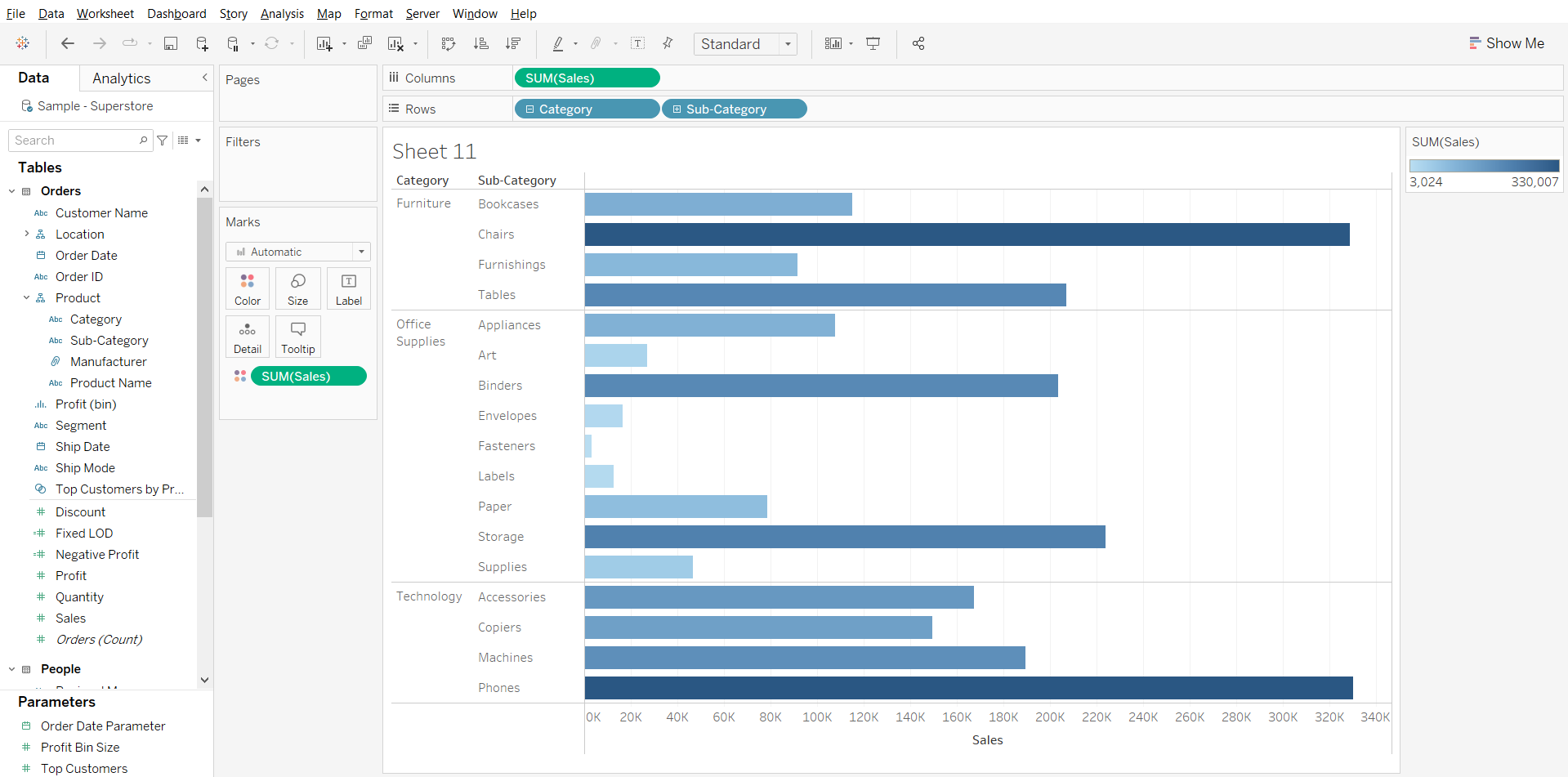
This image shows the Sum of sales of all the subcategories divided in Categories

  • From the Measure field, we will drag a field to the filter pane. (Here we will have Sales as our Filter).
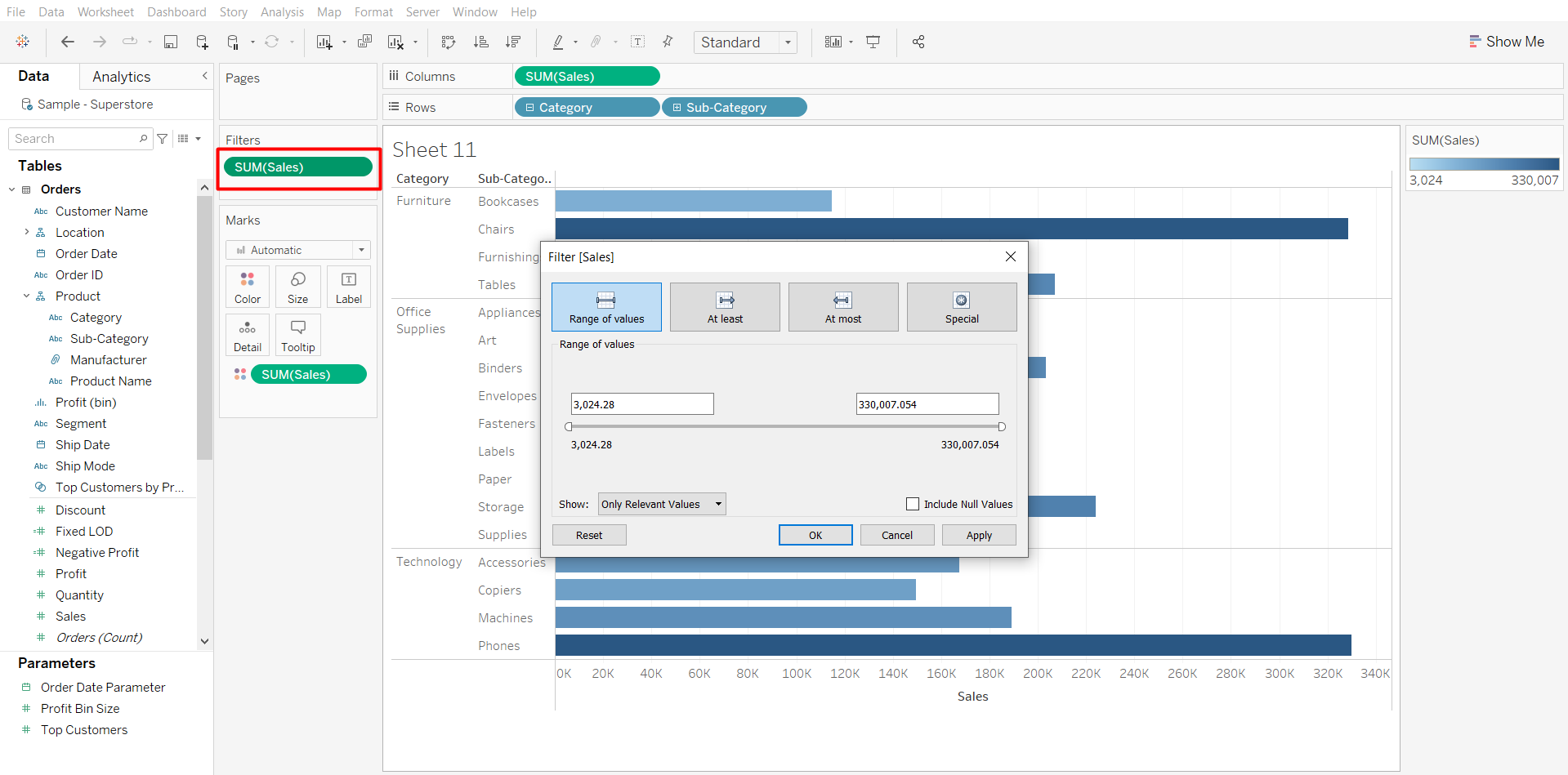
Here in the image we added the Sum of Sales to filter shelf to create a measure filter

  • Here as we added the filter, the filter provided four options i.e. Range of values, At least, At most, and Special. We can pick up any of the four options as preferred to select the right data.

In a range of values, we can adjust the values which means the user can adjust the range between the maximum & minimum. Another option is At least, where we can select the Minimum value of the measure as per the need. At most allows selecting the maximum value of the measure as per the need.

As we click on ‘OK’ the measured field will the added as a Measure Filter.

Follow us on Twitter, Facebook, Linkedin, and Tableau Public to stay updated with our latest blog and what’s new in Tableau.


Related blogs

Top Tableau Interview Questions & Answers for 2026
Tableau
Top Tableau Interview Questions & Answers for 2026

Tableau interviews test your ability to work with real business data, build dashboards, optimize performance, and communicate insights. Expect questions about joins vs. blends, LOD expressions, live vs. extract data...

Business IntelligenceDashboardKPI
10 min read
Read More
Embedding Tableau in Web Apps: Auth Patterns, Security & Pricing
Tableau
Embedding Tableau in Web Apps: Auth Patterns, Security & Pricing

TLDR: To embed a Tableau dashboard in a web app, you host your dashboards on Tableau Cloud or Tableau Server and load them inside your application using the Tableau Embedding...

DashboardReporting
17 min read
Read More
How to Switch Data Source from Excel to SQL Server in Power BI?
Tableau
How to Switch Data Source from Excel to SQL Server in Power BI?

What is the purose for Switching Data Source? Excel is a widely used tool for data management and analysis in many organizations due to its simplicity, accessibility, and minimal setup...

Business IntelligenceData AnalyticsPower BI
4 min read
Read More

Ready to Transform Your Data?

Book a free demo and see how we can help you unlock insights from your data.

Book a Demo